Anyone who uses 7-Zip has probably wondered whether 7-Zip could change its skin the way Firefox and other programs do, because seeing the same look every day gets really boring~~ Today’s program, 7-Zip Theme Manager 1.1, can change 7-Zip’s look. It has many built-in themes, but the program itself is in English, so some people may not like that…………… I’ll make a Chinese version one of these days!
Program Info
- Official website: http://www.7ztm.de.vu/
- File size: 5.85MB
- Download: Xun6 | 4Shared | Box.net | Official mirror
- Virus scan report: VirusTotal
- MD5 hash: 3ac366604273cdd96e1c13efe16b4780
How to Use
This program doesn't need to be installed. You just extract it and you're good to go.- After extracting, run the 7zTM.exe file.

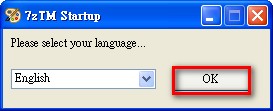
- When it opens, set the language to 【English】 and click OK.
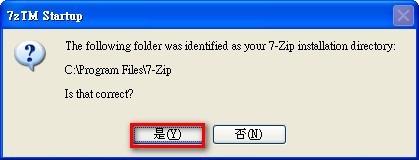
- 7-Zip Theme Manager automatically detects where the main 7-Zip program is installed. Just click 【Yes(Y)】 once.
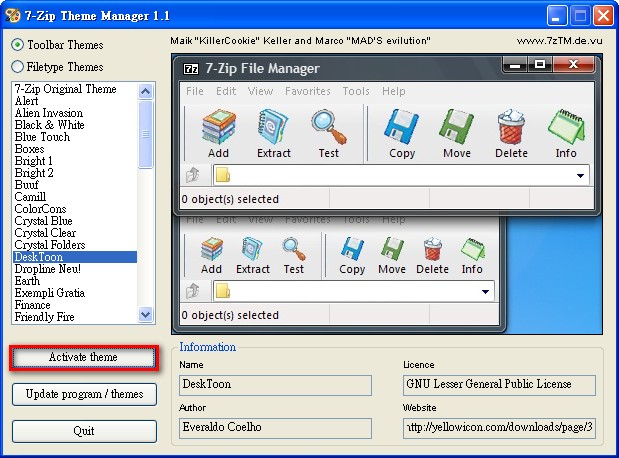
- Now you can start choosing the style you want! The blue box on the right is the preview area, and the red box on the left is the selection area.
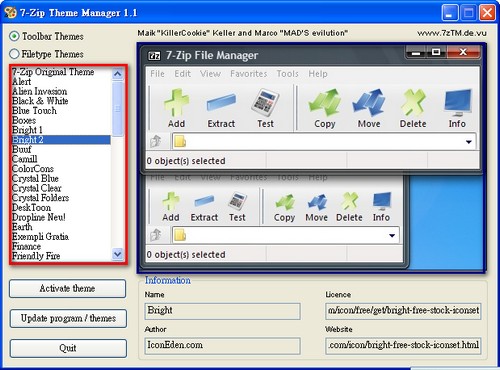
- Happy with your choice? Then click Activate theme to finish changing the look.
Open 7-Zip to see if there’s a difference.
.
Before and after
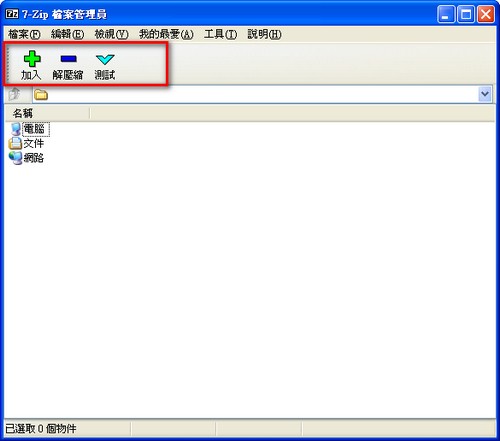 Before
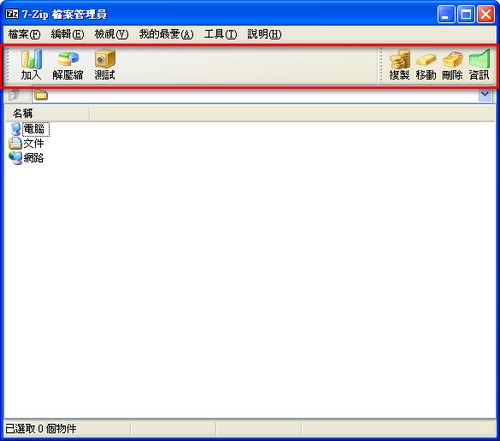 After
After
.
Note:
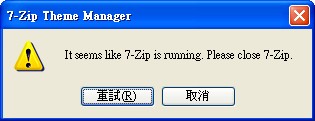
If a window appears when you click Activate theme, close the 7-Zip main program first, then click Retry.