From my experience trying several Dropbox plugins, most of them are slow, and some won’t even load at all. This is especially true of the top-ranked ones. I guess Dropbox sends them so much traffic that their servers can’t handle it….. But AirDropper, which I’m introducing today, has been fairly stable. Its only drawback is that sending the email isn’t fast enough.
Dropbox Plugin Details
Dropbox plugin page: https://www.dropbox.com/appsUsing the AirDropper Plugin
1. First, go to the AirDropper website, then click 【START】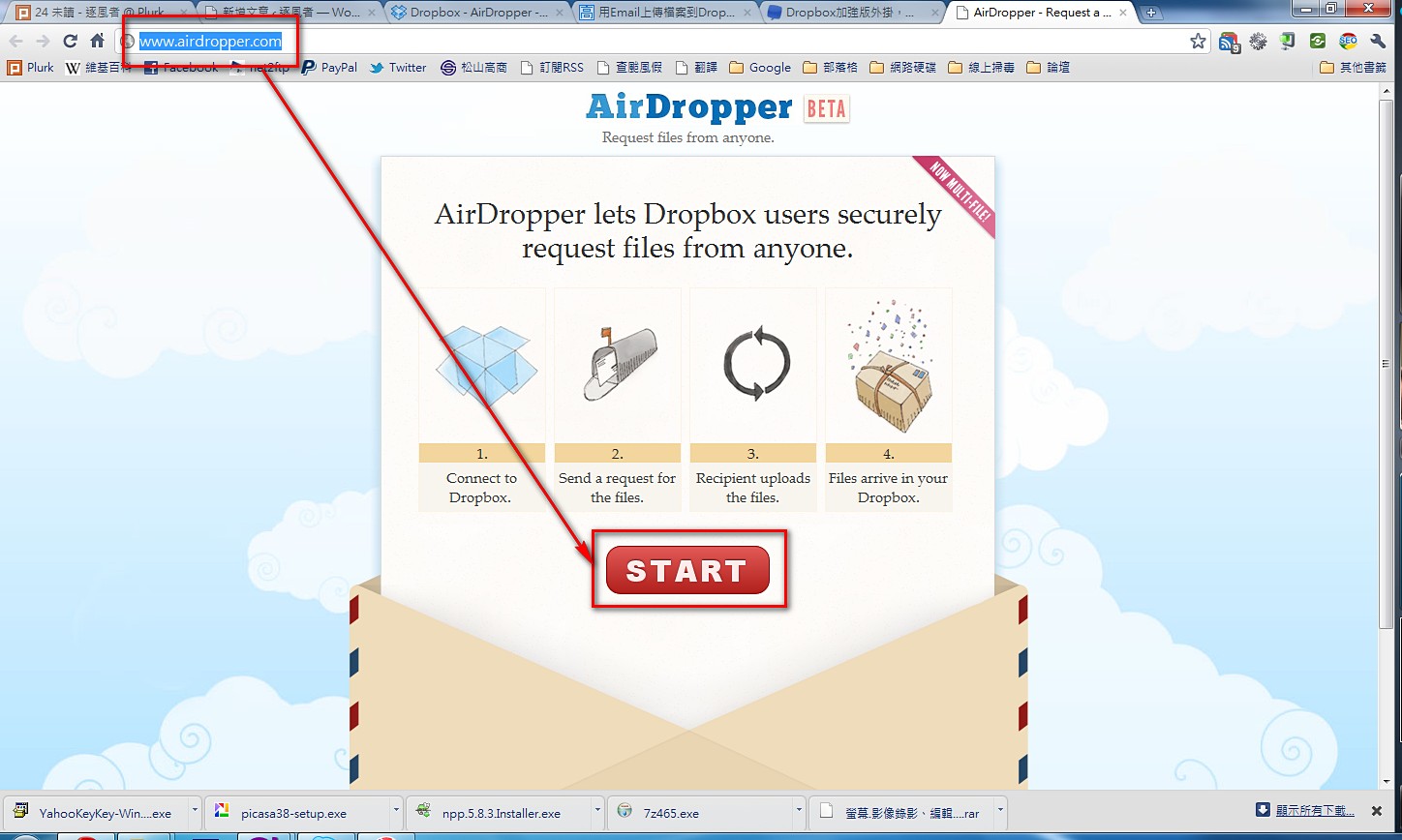
- This is the page where AirDropper connects to your Dropbox for authorization. Click 【Allow】
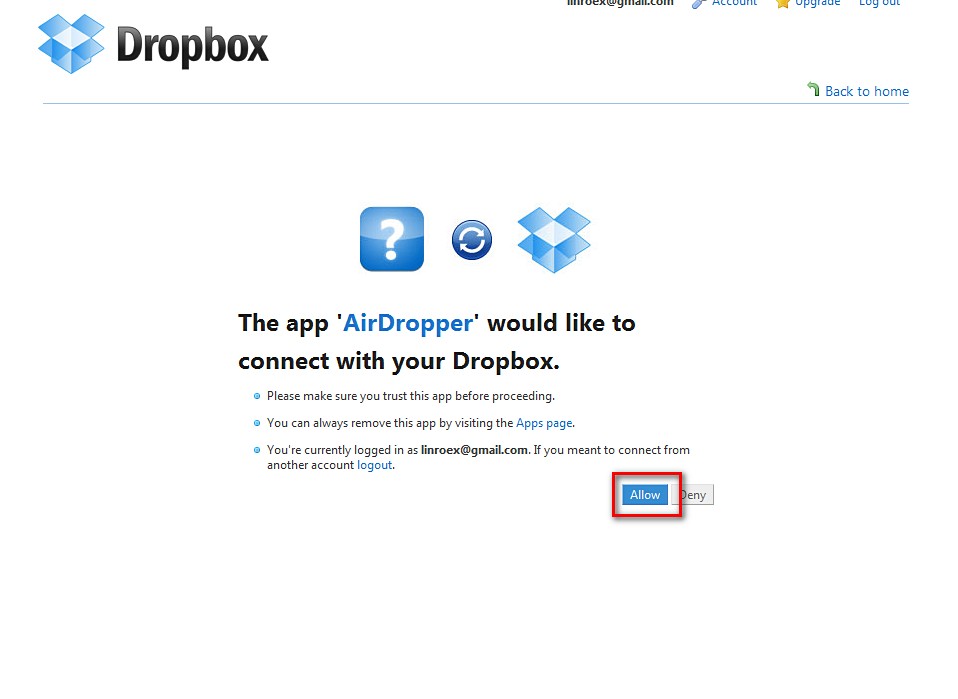
- Enter the relevant information
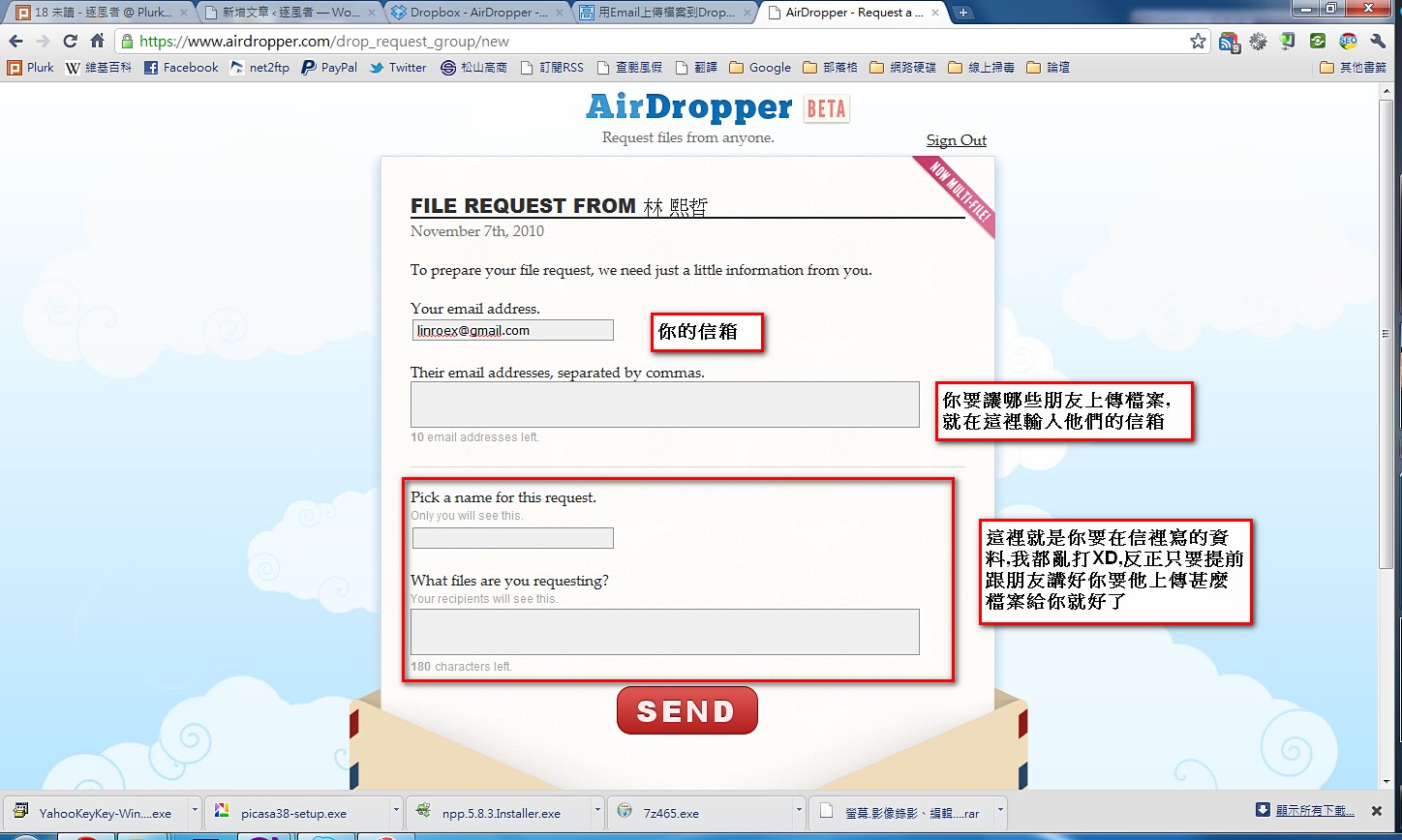
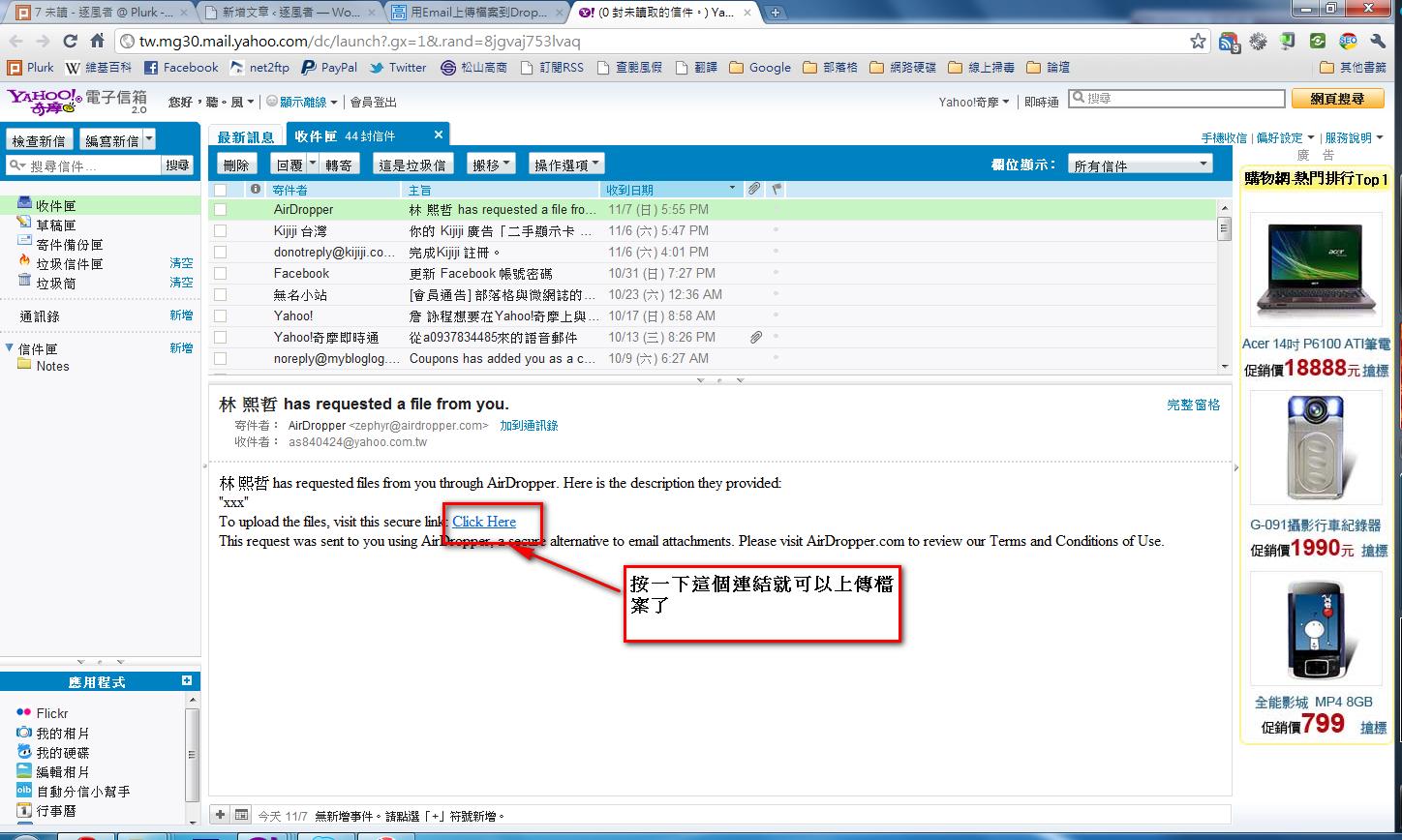
- Your friend will then receive an email with a link they can use to upload files
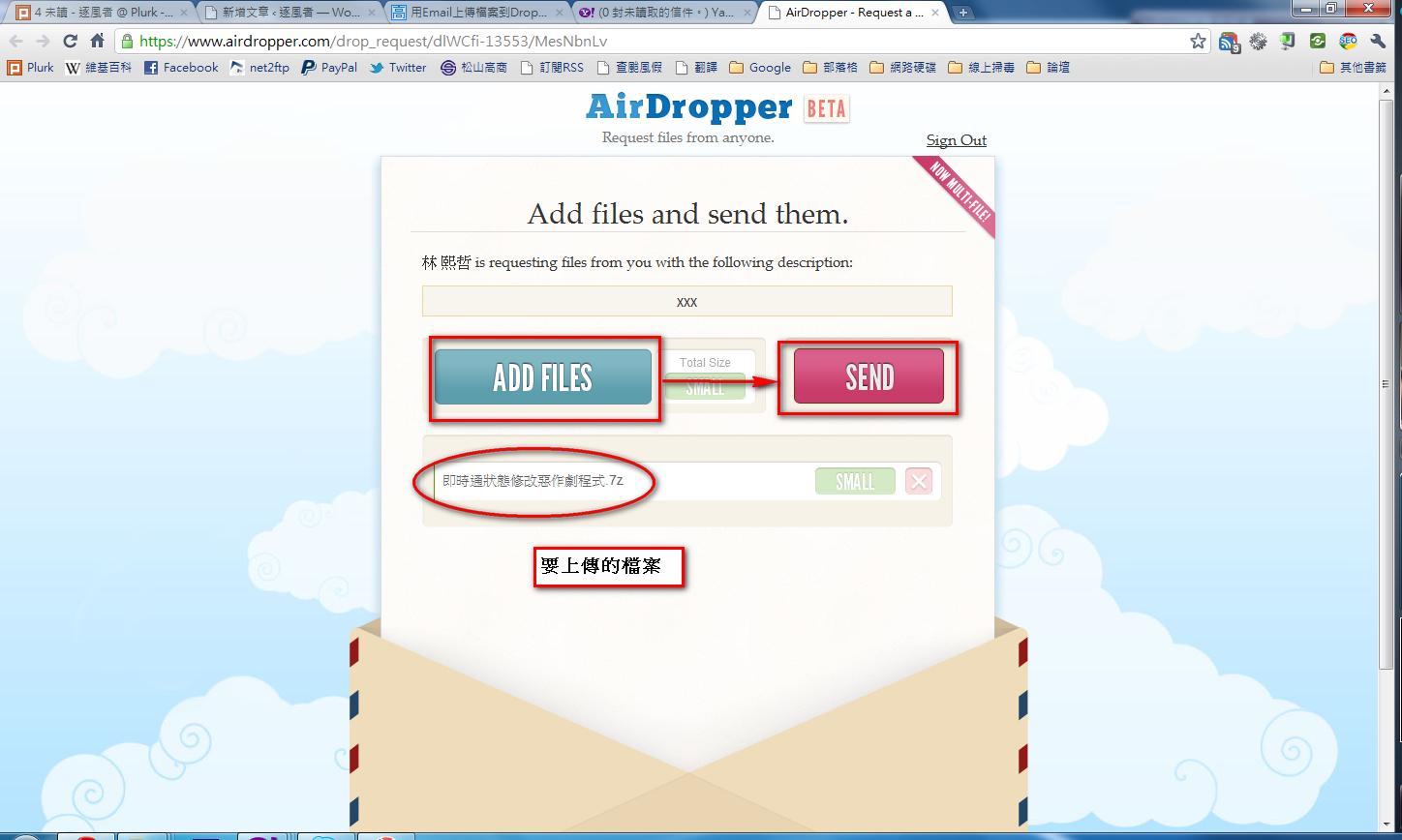
- Click the 【ADD FILES】 button to choose the files you want to upload, then click 【SEND】 to send them (you can add as many files as you like)
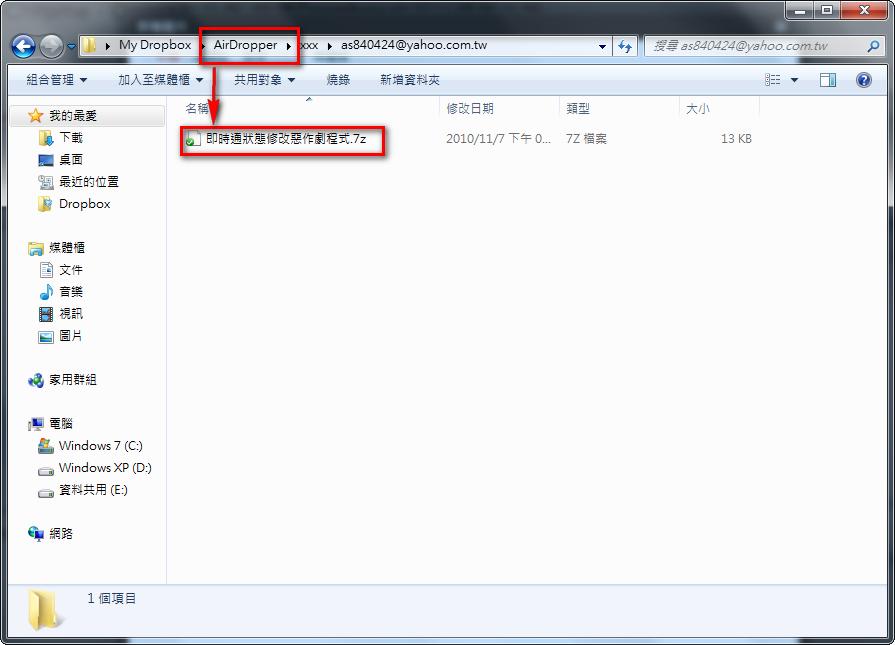
- The AirDropper folder in your Dropbox will then contain the files your friend just sent you