This is a record of how to handle a lost AWS MFA device. I enable multi-factor authentication on my AWS accounts, which means that when I log in, I have to enter my password plus a verification code from my phone. But I once accidentally deleted the authenticator app, which locked me out of AWS. Oddly, most online services that offer two-step verification let you receive the code by text message, but AWS only offers codes generated by a phone app! After reading a few articles, I finally got out of this jam.
Here’s a brief record of how Amazon Web Services handles a lost MFA device. Basically, they ask you to leave your phone number. Then a customer service representative calls you and sends a PIN code to your email. On the phone, they verify the PIN, your email address, and your login password. If everything checks out, they disable multi-factor authentication (MFA) for you.
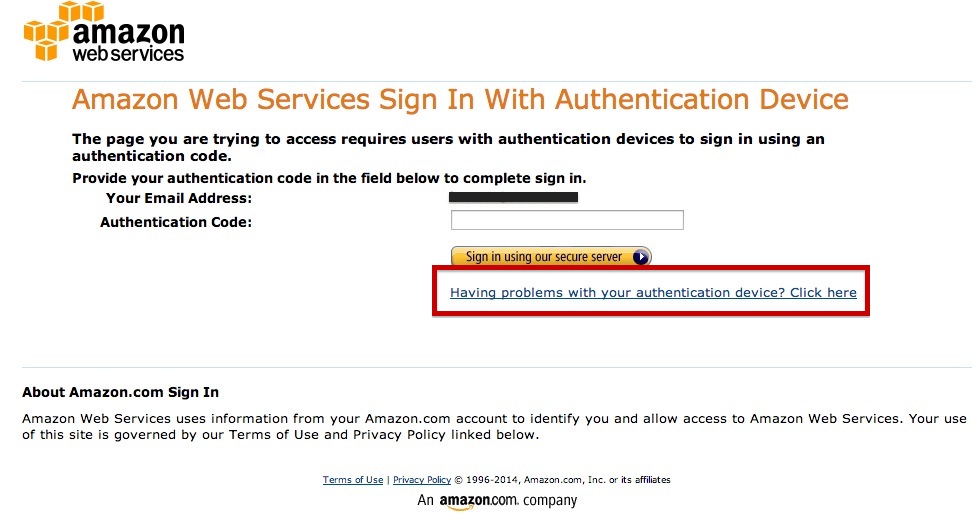
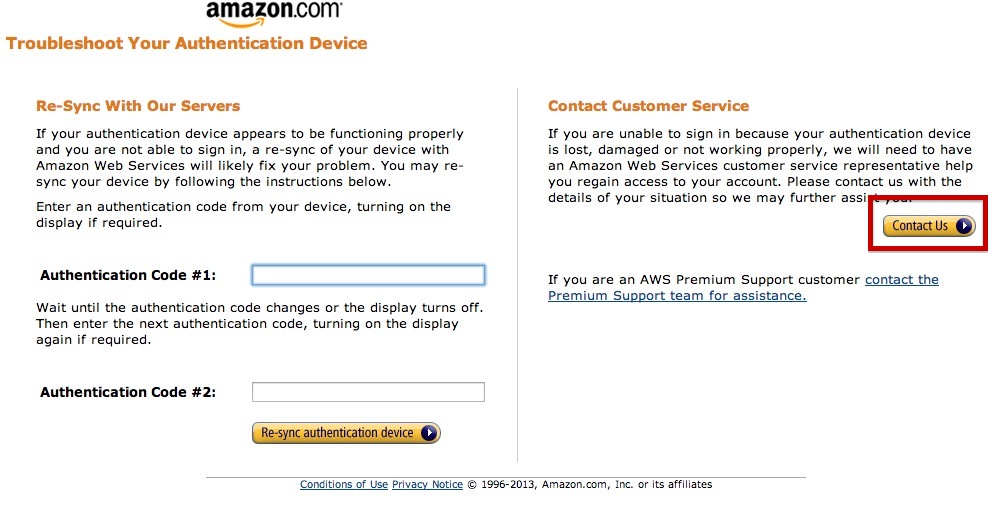
First, when you’re asked for a verification code at login, a line below the box says “Having problems with your authentication device? Click here.” Click it and choose “Contact Us.”
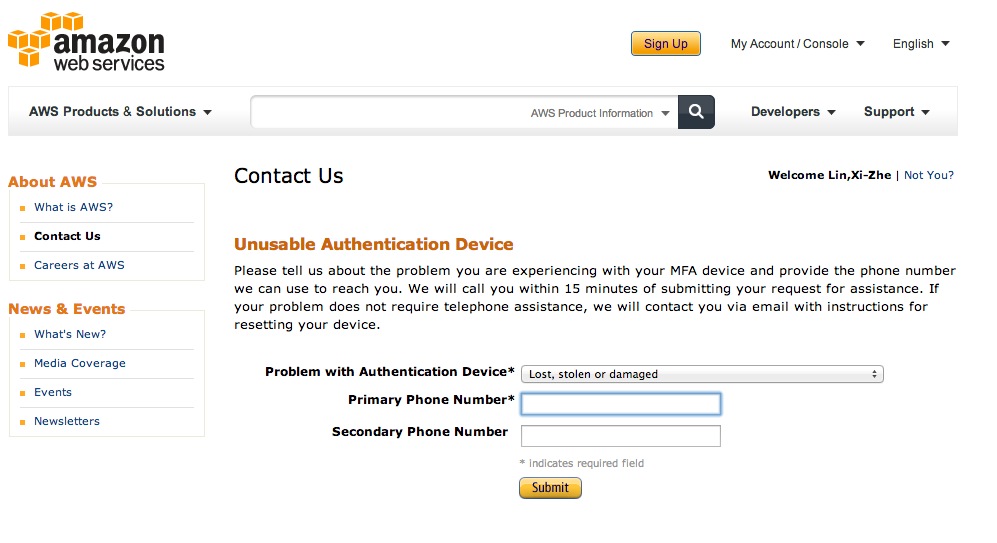
It asks for a contact phone number, so go ahead and enter your mobile number. Be sure to enter the country code (886) before submitting.
For the problem type, just keep the default “Lost, stolen or damaged.”
About five minutes later, you’ll get a call with no caller ID. Don’t hesitate, just pick up. And don’t assume it’s a wrong number just because it’s in English. I was so flustered that I blurted out, “Sorry, I think you call wrong number.”
Don’t be afraid if you don’t understand English, and don’t panic even if you can’t speak it. Here’s a rundown of the process:
First, the representative introduces themselves. I only figured out what was going on when I heard them say “Amazon.” Next, they ask for your email address. Give the one you registered with Amazon Web Services.
Then they say a string of English, which basically means they’re going to send an email to your address containing a PIN code. Check your inbox and tell them the PIN.
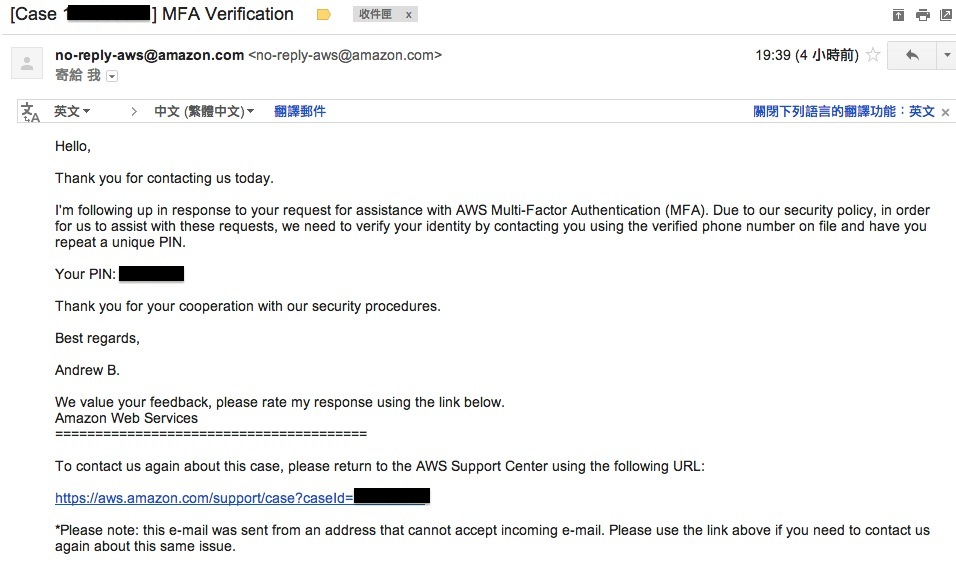
After you give them the PIN, they ask for your login password. Honestly, I hesitated about telling them, because I use the same password everywhere. If the representative had been careless with it, I would have been delighted… but in the end I told them anyway so my MFA could be removed.
Once all three items are verified, they remove the multi-factor authentication (MFA). After that, you can log in with just your account name and password. Hooray!
Reflections:
Yes, I have to write some reflections, because this experience was so rare! When I got that call, I was completely freaked out. Normally, when a foreigner asks me for directions, I have to gesture and struggle for ages, and my English pronunciation is seriously non-standard. Being asked to speak a sentence or two of English was already hard enough, and now it had escalated to a full English conversation! My first instinct was to run off and find someone with good English to help, but that felt way too embarrassing, haha. So I gritted my teeth and talked with him in broken English. Plenty of funny moments happened along the way. Luckily, the representative was really patient. Whenever I slipped into Chinese, he didn't react much at all. Honestly, I was hoping that halfway through the call he'd suddenly say, "You can speak Chinese, you know," but in the end that dream didn't come true. Still, the experience was really cool. Talking to foreigners wasn't as hard as I imagined. They're quite tolerant of pronunciation, and English conversation doesn't require many words. Foreigners just talk a little fast, but you can keep saying, "Sorry, can you repeat?" Even someone like me, who couldn't reach 400 on the TOEIC, managed to communicate with him!! That really boosted my confidence, haha!