
You’ve probably seen a scrolling widget on other people’s blogs. That’s actually a service from blogupp. blogupp can get your posts seen by more people, but your blog needs to have an RSS feed (by the way, my RSS has been having problems = =).
Some people may wonder how blogupp works. Basically, blogupp just reads your blog’s RSS feed. It’s a bit like a blog syndication network, but blogupp’s reach is even bigger. blogupp also supports multiple languages. In fact, as soon as you enter the blogupp website, it automatically switches to Chinese!
Website: http://www.blogupp.com/
blogupp Features
- No account registration required
- Your email and privacy are never exposed
- No extra advertising agreements or other requirements
- Anti-fraud system and fair sharing principles
- Reach your target readers
- Exposure rewards for new users
- Good support for Blogger, WordPress, and other similar platforms
- The industry's highest exchange ratio (10:9)
How to Use:
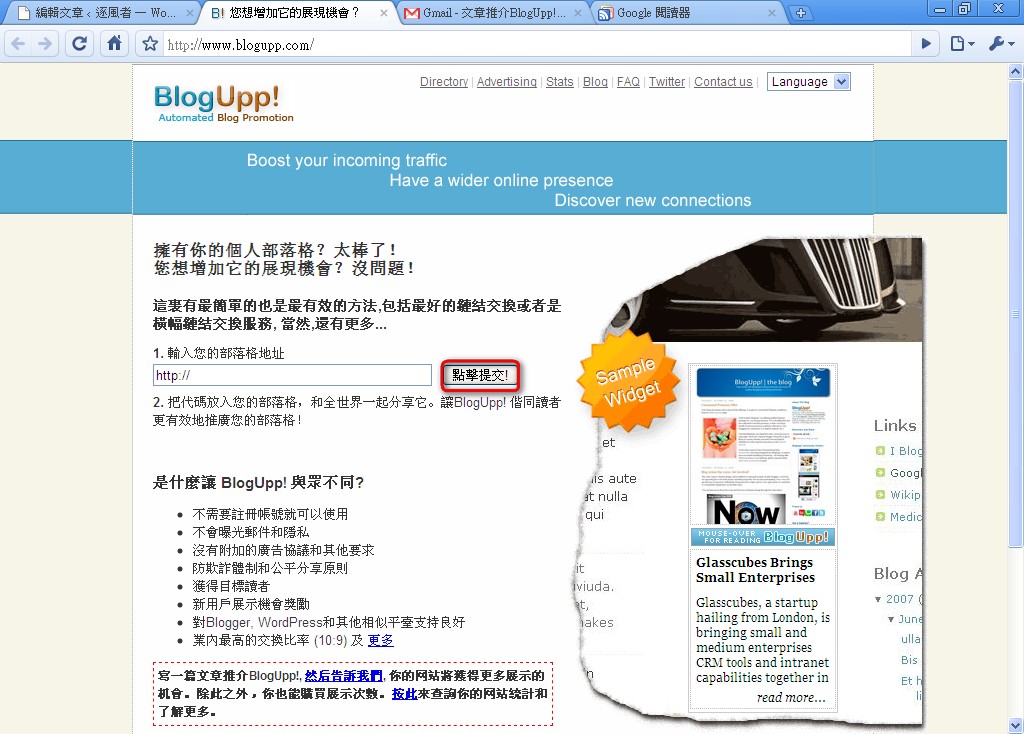
Connect to blogupp
In the field labeled “1. Enter your blog address”, enter your blog URL and click Submit.
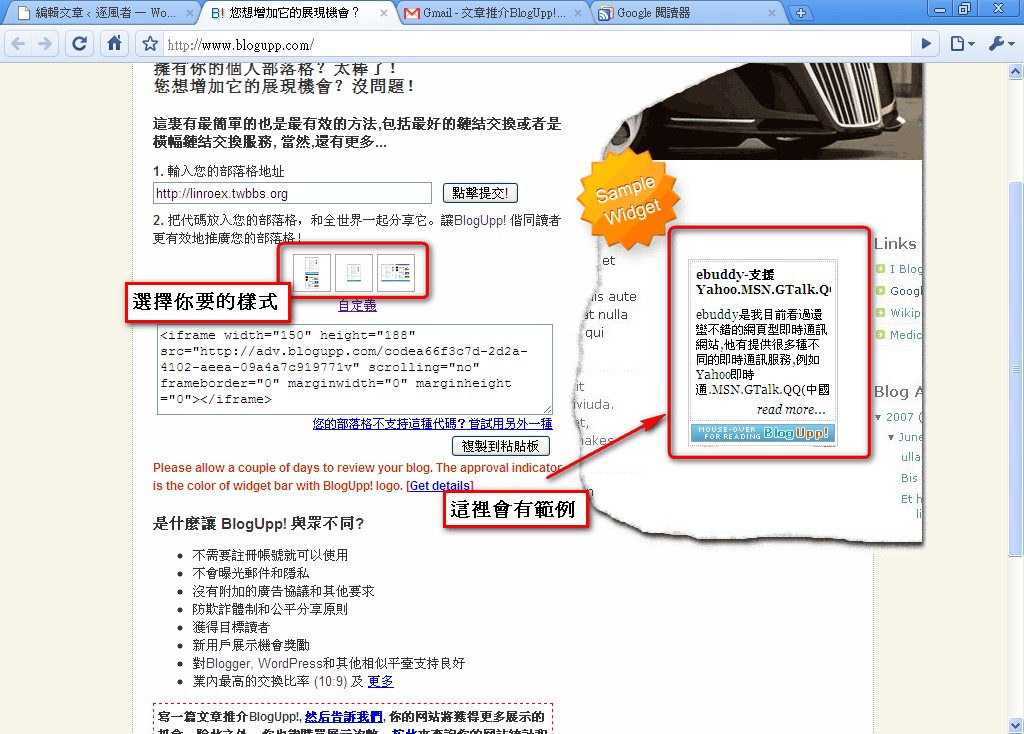
- Choose the layout you want. There are three options: top and bottom bars (like this site’s), a single column, and left and right columns. If you can’t see them clearly, click the small image and an example will appear on the right.
- Copy the code, then paste it onto your blog.
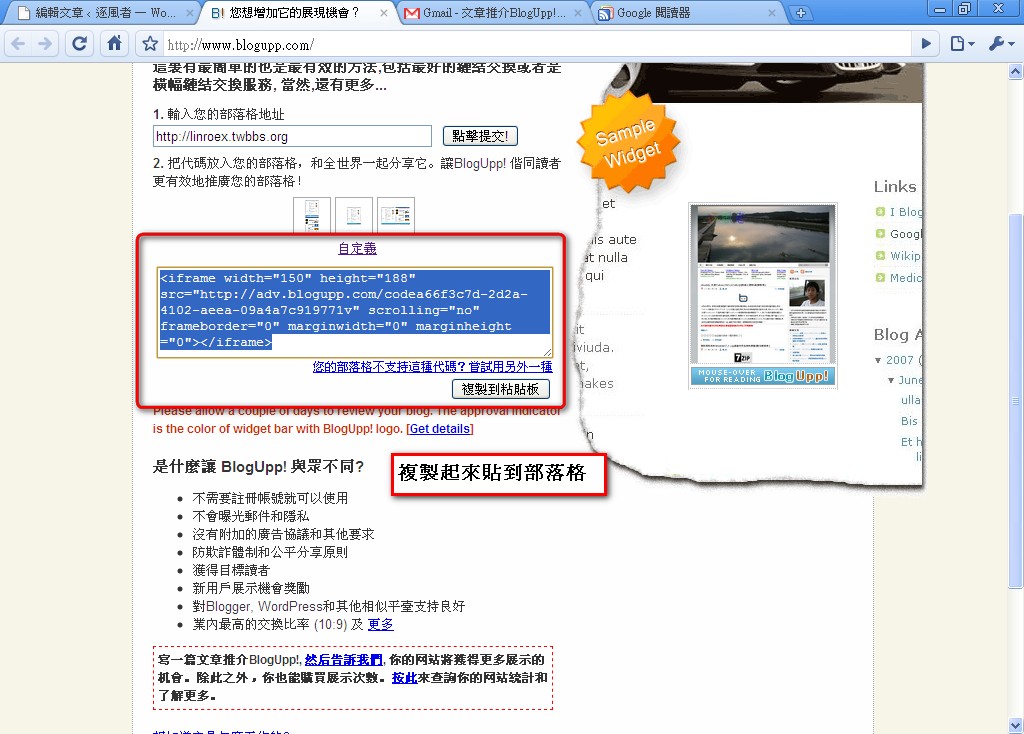
- If your blog doesn’t support iframe code, click the link “Your blog doesn’t support this code? Try another one” and blogupp will show you a different code.