When you send a large newsletter, have you ever thought about how to send it? Say you have 10,000 addresses. Would you send them all at once, or spread them out over different times? Most people send them all at once, and that’s usually fine. If your sender reputation is good and you do this regularly, sending bulk email is normal for email providers, and the messages almost always land in the inbox. But there’s one troublemaker: Yahoo. For some reason, if you send too many emails in a short period, they get deferred (temporarily rejected). You can retry, and after a few tries they usually go through. The most I’ve seen is one that only got through after being resent 100 times. Looking at the Yahoo situation, it seems that no matter how good your reputation is, you run into deferrals when you send at high frequency in a short time, regardless of content. Here I tried several approaches to solve the problem.
For this kind of situation, the basics are: pass authentication such as DKIM, don’t send spam, and build up your sender reputation. We’ve done all of that. Emails to Gmail and Hotmail have a delivery rate of over 98%, so there’s basically no problem. But Yahoo is a big problem: sending 300 emails at once gets you a flood of deferrals. Meanwhile, Gmail didn’t complain even when we sent over 2,000 emails in one minute. Anyway, I came up with a few solutions that can be combined:
- Control the sending rate by spreading the emails out over a period of time. Even if they arrive a bit later, that's better than being deferred. (Also, when deferred emails are resent automatically, it creates a snowball effect.)
- Assign different priorities to emails, and send from multiple independent IPs.
The emails I need to send fall into two types. One type must be delivered, such as registration confirmation emails and email verification emails. The other type can arrive a little later, such as newsletters and promotional emails. (Personally, I think a third priority could be added: highest, which can cut in line.)
Each email is assigned a send time when it’s queued, and once scheduled, that time can’t be changed. Times are assigned as early as possible, so whenever an email can go out sooner, it does.
Because there are these two kinds of emails, I split the schedule into two channels. Assuming testing showed that Yahoo’s limit is 60 emails per minute, the must-deliver emails might get 30 of those slots, and the rest go to the emails that can arrive a bit later. I split it this way because a large newsletter send could, in an instant, stop you from sending anything for an hour. If important system emails can’t go out during that time, it’s a big problem. Splitting into two channels avoids this to some degree.
To make better use of time, if a channel has free capacity within a 5-minute window, I skip the split and send everything mixed together. This means that even when there’s a huge number of emails, the important must-deliver emails will arrive within five minutes at the latest.
Of course, this approach still can’t guarantee that emails arrive on time. So I also need an estimation feature. If the estimate shows that emails won’t arrive by the target time, I need to adjust the per-minute rate or the channel size, or add independent IPs to handle it.
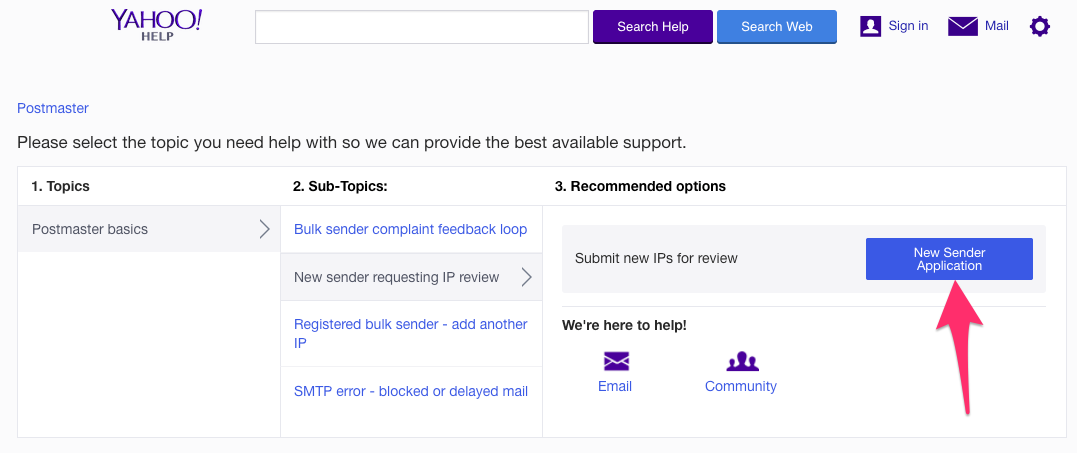
You can also submit your information to Yahoo. The contact form is here.
This is a fairly basic approach, and some parts still need work. I’d also love it if others would share how they handle this, so I can learn from you!
Just a heads-up: if you use an ESP service like Mandrill or Mailgun, they report a “delivery rate” for your emails. But if I’m not mistaken, landing in the spam folder also counts as delivered. You can rarely tell which folder an email went to. The records do show a “Spam” option, but in reality it refers to the action of “being complained about.” If the server puts the email in the spam folder from the start, it isn’t counted under Spam. I noticed this when sending to Yahoo: the dashboard showed only 2 Spam reports, yet when I asked some friends, I found the emails had landed in their spam folders. Also, for the same password-reset email, the open rate was 95% for Gmail but only 40% for Yahoo, even though the delivery rates were both 100%!