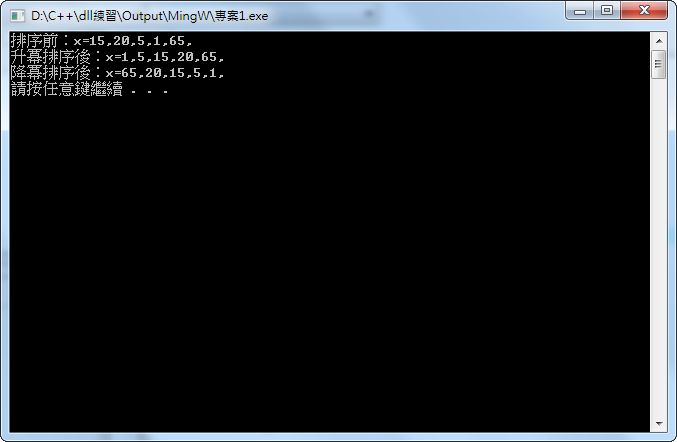
Sorting is something everyone who learns programming has to master, because a lot of data processing depends on it. Many programming languages include sorting functions built in, so developers can use them easily. But I don’t think many people know that C++ also has a built-in sorting function!
C++’s built-in sorting function is in the “algorithm” header. It’s part of the standard, so it can be used across platforms. This function also returns no value. It sorts the data you pass in directly, and the result stays in the original variable.
Be sure to include the algorithm header before using it.
sort function format:
sort(array_begin,array_end);
array_begin is where sorting starts, and array_end is where sorting ends. That’s hard to follow from this description alone, right? For example, say you want to sort an entire array, and the array has 8 elements.
int x[8]={1,3,5,2,4,6,9,0};The line above declares the array x. Next:
sort(x,x+8);The line above is a simple way to write the sort. It means sorting the array x from its first position to its last. Now the contents of x are {0,1,2,3,4,5,6,9}.
What if you only want to sort the first four elements of x?
sort(x,x+4);Before sorting: x={1,3,5,2,4,6,9,0}. After sorting: x={1,2,3,5,4,6,9,0}.
Notice that this sort only affects items 1 through 4. Items 5 through 8 are unchanged.
By default, sort() sorts in ascending order. What if you want descending order? That’s easy too: use reverse to flip the array.
The format of reverse is very similar to sort, and it also returns no value.
reverse format:
reverse(array_begin,array_end);
I won’t explain the parameters again. Here’s an example:
int x[8]={1,3,5,2,4,6,9,0};
sort(x,x+8);
Now x={0,1,2,3,4,5,6,9}, which is ascending. Next, use reverse to turn it into descending order:
reverse(x,x+8);Now x={9,6,5,4,3,2,1,0}.
The examples above all specify the start and end directly as x and x+8. But in real code, you often can’t know the length of the array in advance, so what do you do? The examples above were written to be easy to understand, so they aren’t quite correct. The version below is the truly right way to write it!
Tip for the correct way: calculate the array length with sizeof
Example:
int x[8]={1,3,5,2,4,6,9,0};
int x_end=sizeof(x)/sizeof(int);
sort(x,x+x_end);
The code above uses sizeof to get the array length. This trick is very common, so be sure to learn it! sizeof() returns how many bytes a variable occupies. Divide that by the size of one element, and you get the array length.
Complete example code:
Download the complete example: Box.net|4Shared|Google|Dropbox