If you want to install an extension for PHP, what should you do? Many people will answer Pecl. That is indeed a very convenient way to install extensions. But what if your server does not have Pecl? And what if, for some reason, you cannot install Pecl? Then you have no choice but to compile and install the extension manually~ This post shows you how to manually compile a PHP extension on Linux.
Could the situation of “cannot install Pecl” really happen? In my case, I run my sites on a turnkey package, so I ran into this problem. A while ago, I needed to install the PHP driver for MongoDB, but my server had been set up with the LNMP all-in-one package, which does not include Pecl. If I installed Pecl by hand, it would overwrite some of the programs that came with LNMP. That is when you can compile the extension manually~
How to Compile a PHP Extension Manually
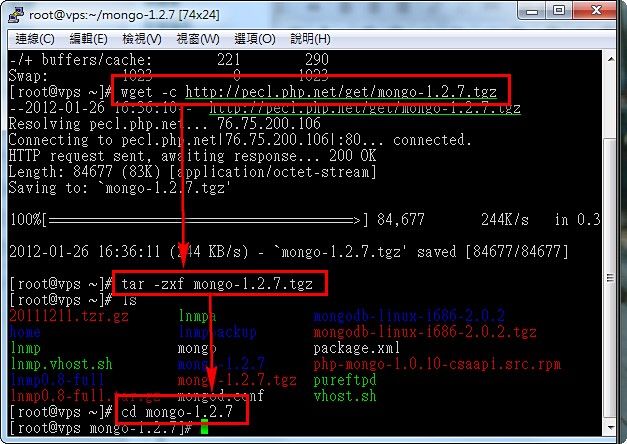
Step 1: To compile a PHP extension yourself, the first step is of course to get the source code~I recommend downloading the PHP extension source code from the Pecl website (http://pecl.php.net). Here I will use the MongoDB driver as an example.
wget -c http://pecl.php.net/get/mongo-1.2.7.tgztar -zxf mongo-1.2.7.tgz
cd mongo-1.2.7
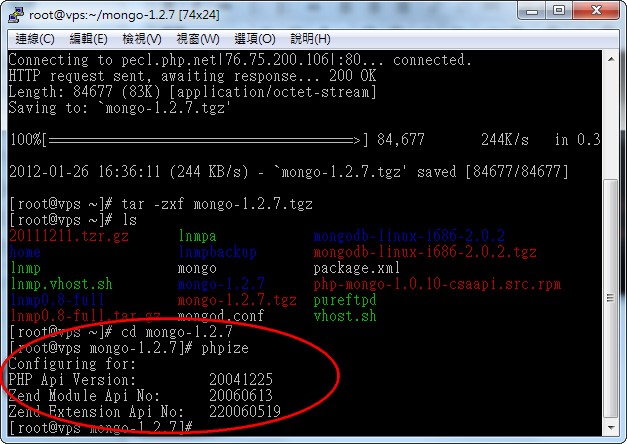
Step 2: Run the phpize program to initialize.
phpize
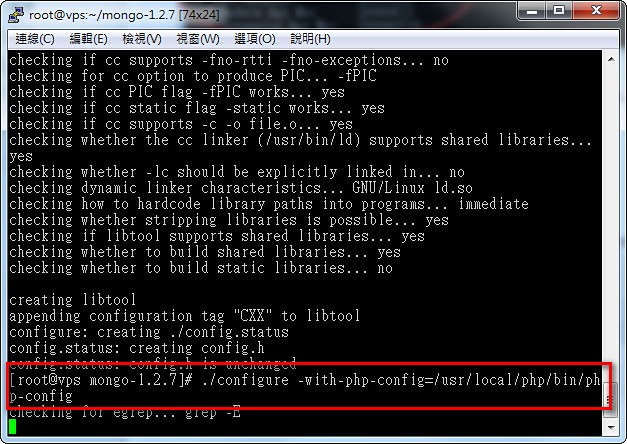
Step 3: Set the configure options. $PATH should be the location of php-config, which by default is in the bin folder under the PHP root directory.
./configure --with-php-config=$PATH
Step 4: Start compiling~ Command:
make && make install
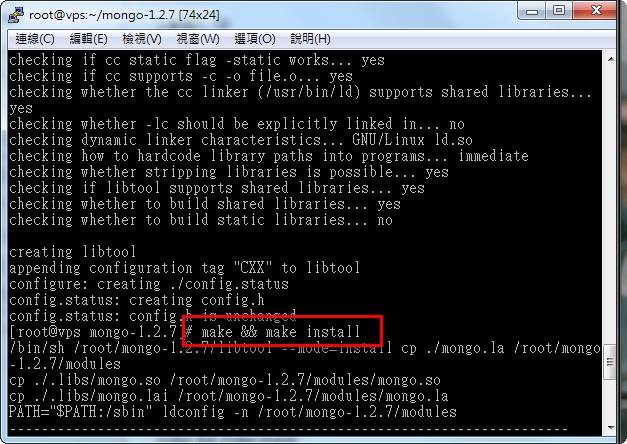
Step 5: When the compilation is complete, the mongo.so file is automatically saved into the PHP extension directory.
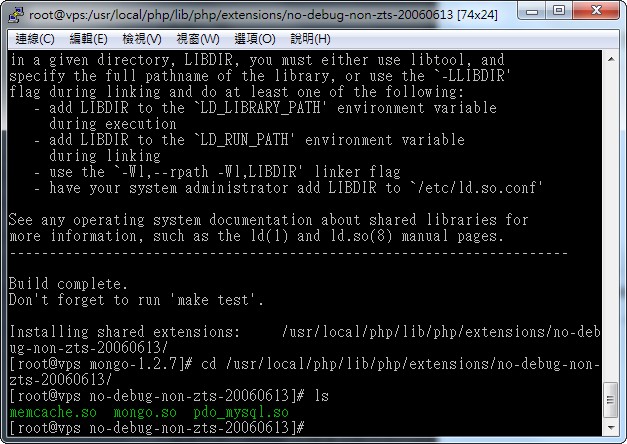
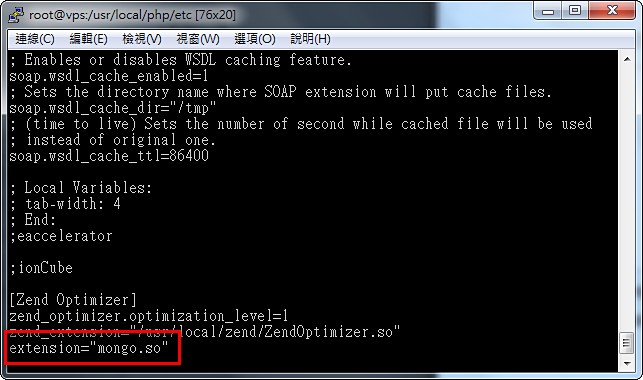
Step 6: Edit php.ini and add this line:
vi php.iniReplace mongo.so with the name of the .so file for the extension you installed.extension=“mongo.so”
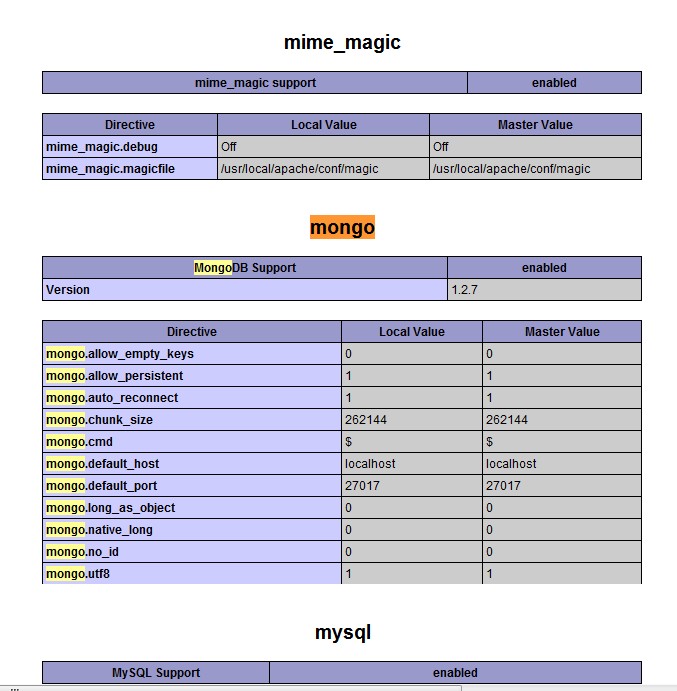
Step 7: Finally, restart Apache, then check your phpinfo() file to see whether the installation succeeded~
Reference: http://mattiasgeniar.be/2008/09/14/how-to-compile-and-install-php-extensions-from-source/