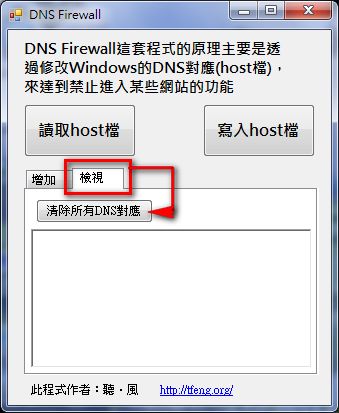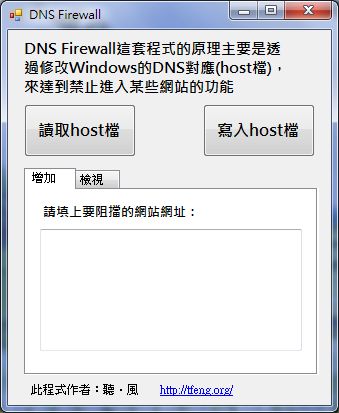
DNS Firewall Information
- Author: 聽.風
- Development environment: VB2010
- Download: Xun6 | 4Shared | Box.net
- Source code: 4Shared | Box.net | Xun6
- Requirements: .NET Framework 3 or later
How to Use DNS Firewall
1.Download DNS Firewall, then right-click the program and select "Run as administrator"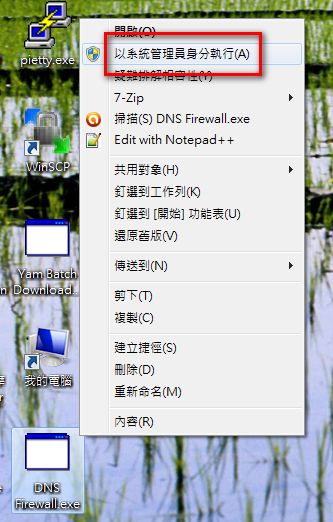
2.Once the program is open, enter the URL of each site you want to block into the large box (see the image below). Enter one URL per line.
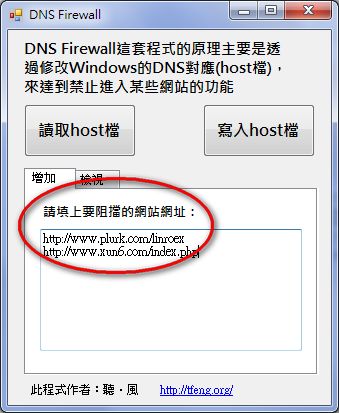
3.After you’ve set the sites to block, click “Write to hosts file,” then restart your network connection, and you’re done!
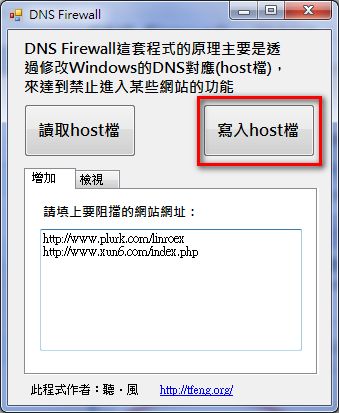
4.If you made a mistake and added a site you didn’t actually want to block, click “View” → “Clear all DNS mappings.”