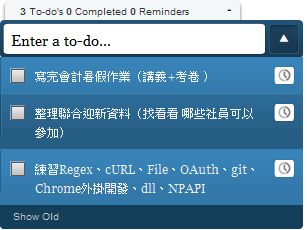
 Doomi is an application built on Adobe AIR technology that helps you create a ToDoList, which is basically a memo list. There are many programs similar to Doomi. For example, Google Desktop has widgets with this kind of function, and even iOS 5 plans to include a built-in ToDoList app called Reminders. What makes Doomi stand out is its intuitive, good-looking interface. You hardly need any tutorial; as soon as you see the interface, you know how to use it. Also, you need to install Adobe AIR before you can use Doomi.
Doomi Information
- Official website: http://doominow.com/
- Note: You need to install Adobe AIR before you can use it
Doomi Tutorial
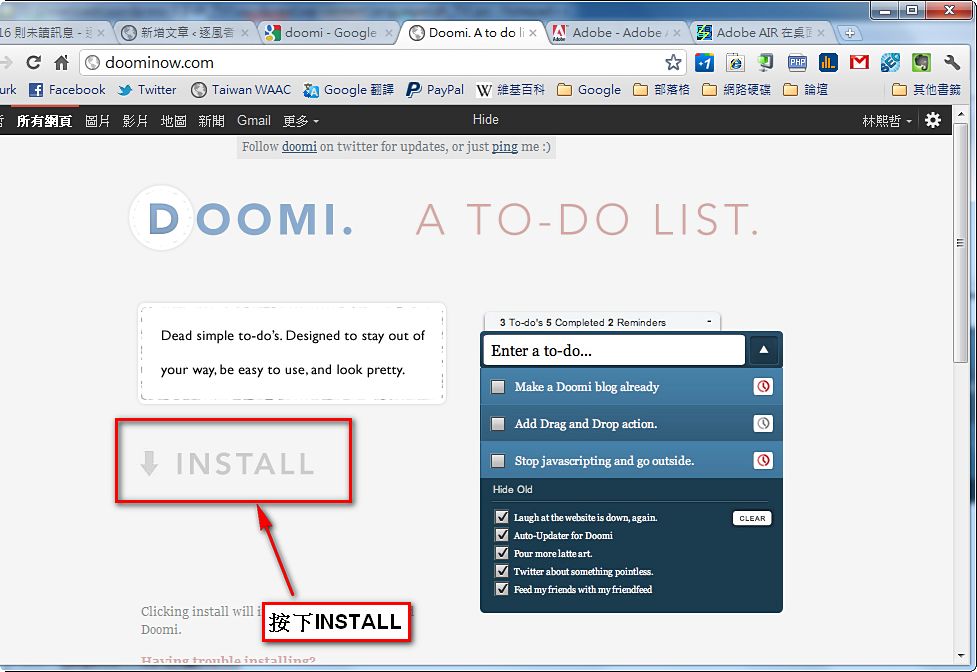
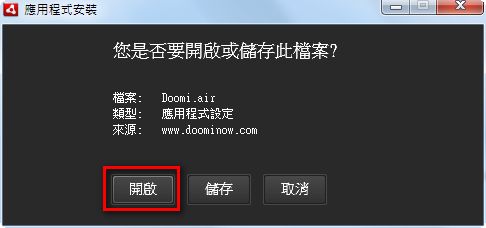
2.A window will pop up asking whether you want to open or save the file. Click “Open.”
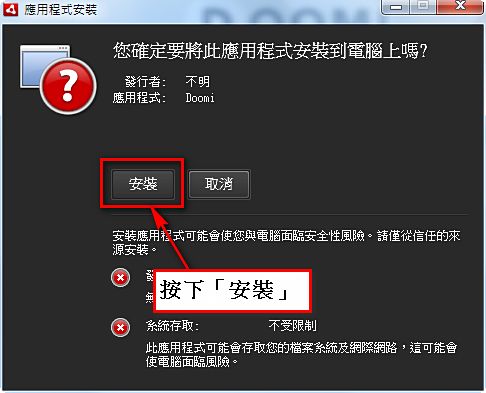
3.This screen shows information about the program you’re about to install. Click “Install.”
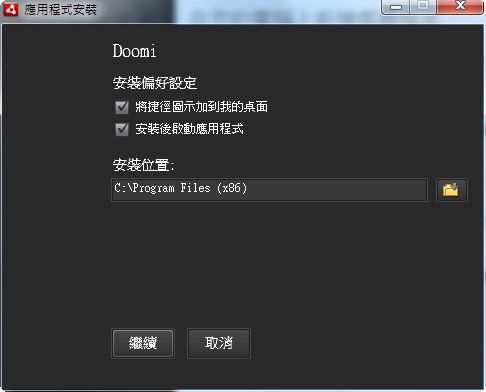
4.Next, it asks where you want to install Doomi. By default it’s usually on the C drive, but you can change it to another location. Click “Continue” and the installation will begin!
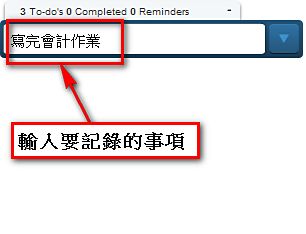
5.After the installation finishes, Doomi’s main program opens automatically. The interface is very clean. Type what you want to record in the “Enter a to-do” box and press Enter to save it.
6.If the item you entered doesn’t appear after pressing Enter, Doomi may have hidden it. Click the down-arrow button next to “Enter a to-do” to show it.

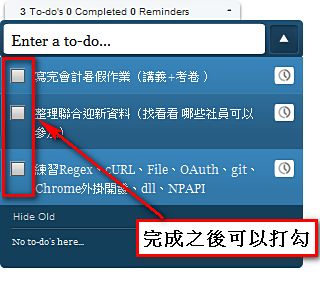
7.When you finish something, there’s a checkbox on the left side of the item. Once you check it, the item will be hidden.
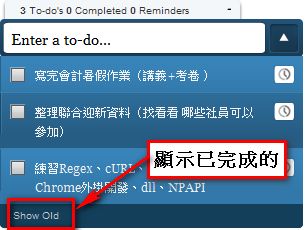
To show completed items that have been hidden, click “Show Old.”
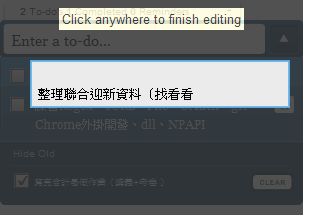
8.You can also click an item you’ve recorded to edit it. Press Enter after editing to save.
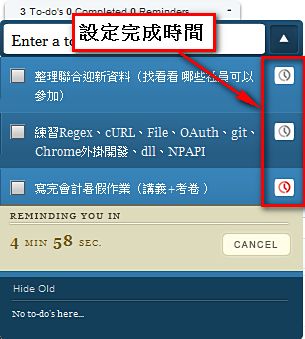
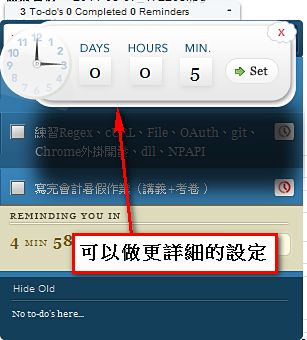
9.You can also click the small clock on the right side of an item to set how long you have to complete it.
P.S. This sets a time limit for completion (“within X hours”), not a specific date and time.