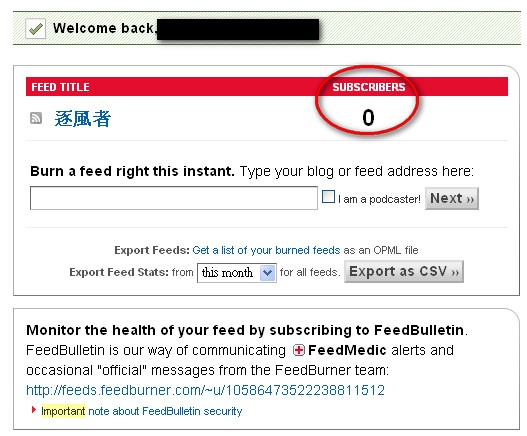
Feedburner is a very well-known website. Feedburner gives you a permanent RSS URL (until Feedburner shuts down, XD), and it also tracks statistics for the people who subscribe to your RSS feed, so you can see who is subscribed. You probably understand those last two features. But what is a permanent RSS URL? Here is an example. If you run your own blog, you probably move hosting from time to time. When you move, your RSS URL changes too. But if you use a Feedburner RSS URL, after you move you only need to update the settings on Feedburner’s side. Feedburner doesn’t have a Traditional Chinese version yet, so it may feel a little unfamiliar at first. Don’t worry, though, because I will show you how to create a permanent RSS URL.
Note: Feedburner is now owned by Google, so you need a Google account to use its services.
. URL: http://www.feedburner.com/
.
Feedburner Tutorial:
1. Go to the Feedburner homepage. It will ask you for your Google username and password. If you don't have a Google account, click "Create an account" to sign up.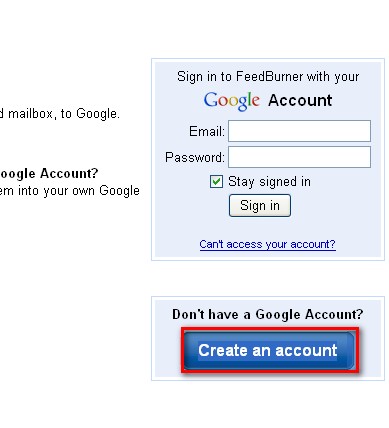
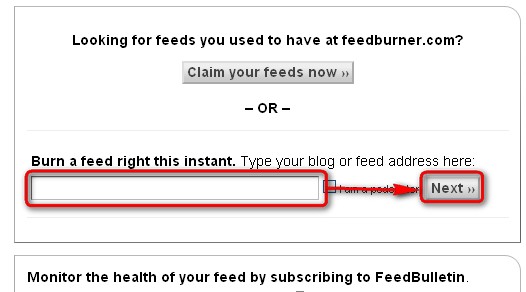
- Enter your website URL in the field labeled “Burn a feed right this instant.”, then click NEXT.
- Next, it lists the RSS feeds it detected on your site. If you built your site with WordPress, there should be two. I usually pick the first one.
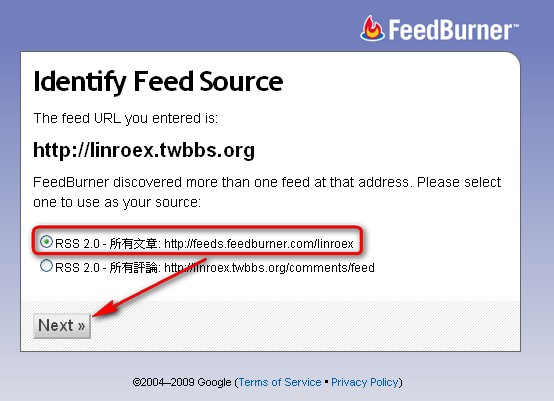
- Enter the RSS address you want in the “Feed Address” field. Note: you don’t enter a full URL here, just a single word. For example, if you enter wert, your RSS address will be “http://feeds.feedburner.com/wert".
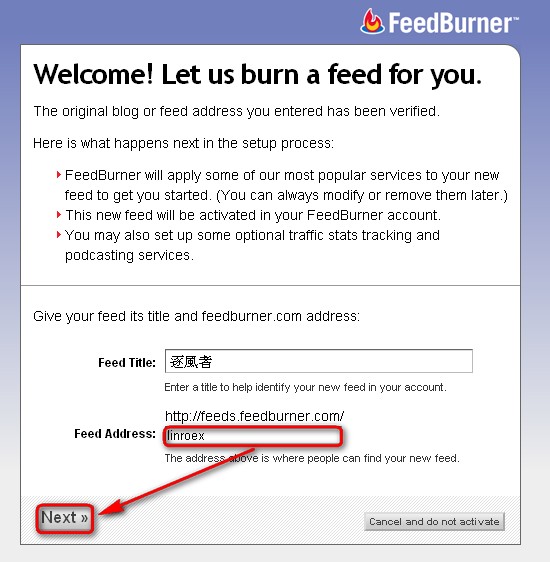
- If it succeeds, a new page appears with your RSS address on it. From now on, when you want someone to subscribe to your RSS, just give them this URL.
If you want to know how many people subscribe to this RSS feed, log in to FeedBurner and check the subscriber count in the “SUBSCRIBERS” column.