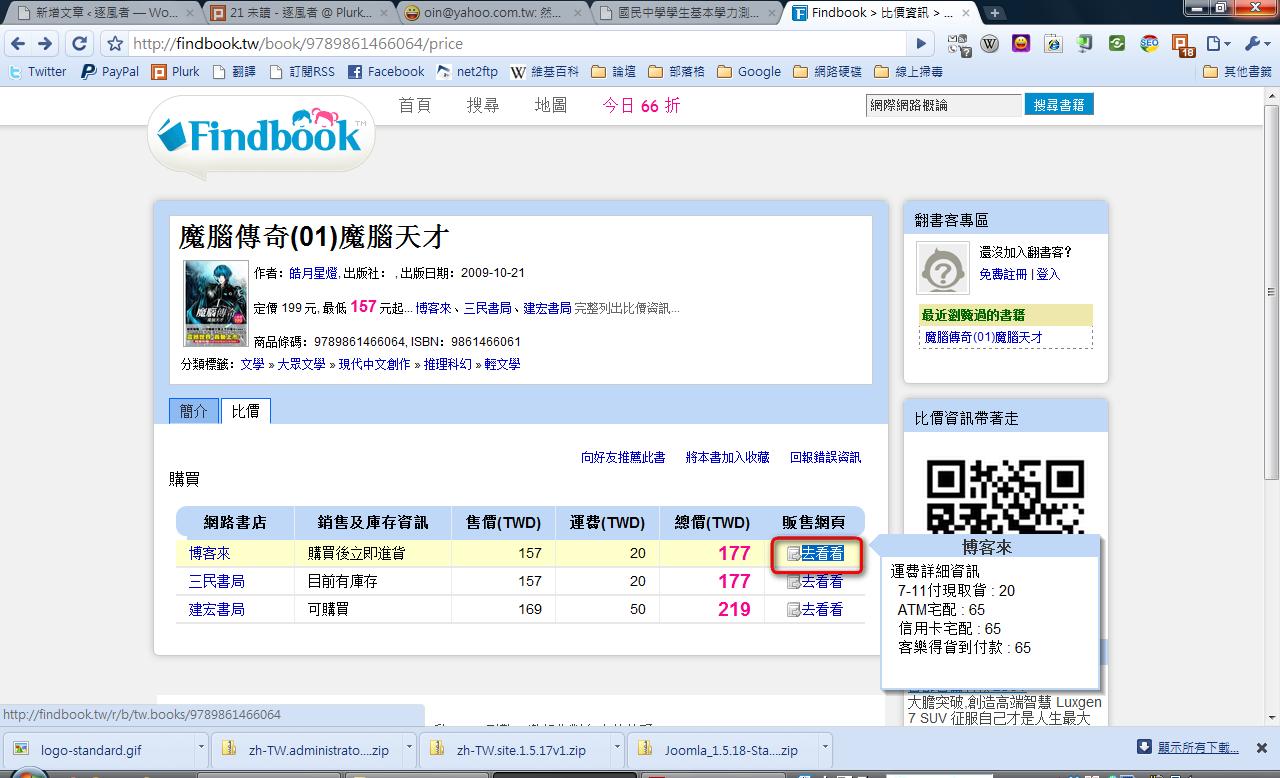
FindBook is a website that compares book prices for you. Just enter the book’s title, the author’s name, or its ISBN, and it lists which bookstores carry the book and at what price. It also has a “Daily 66% Zone” that collects books sold at 66% of the list price. I’d recommend that anyone who wants to buy books check prices there first. I’ve compared prices there myself, and the difference is actually quite big. For example, if a bookstore’s list price is 500, FindBook can find it for as little as 300 (or even 250). FindBook also calculates shipping for you, which is really convenient~
Website: http://findbook.tw/
FindBook Price Comparison Tutorial
1. Go to the FindBook website, then type the book's title or ISBN into the search box. Either one works.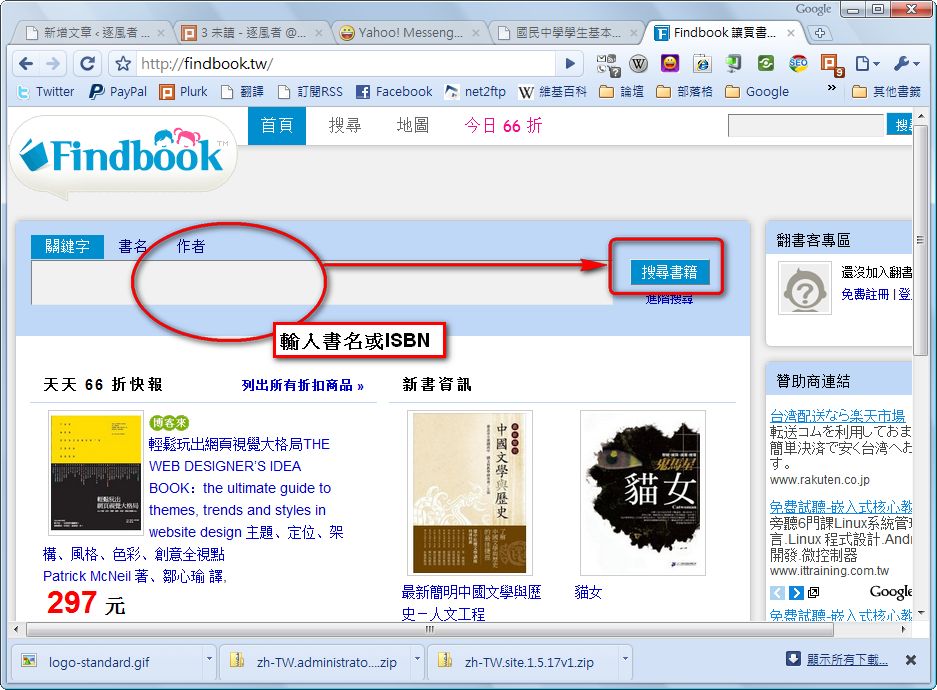
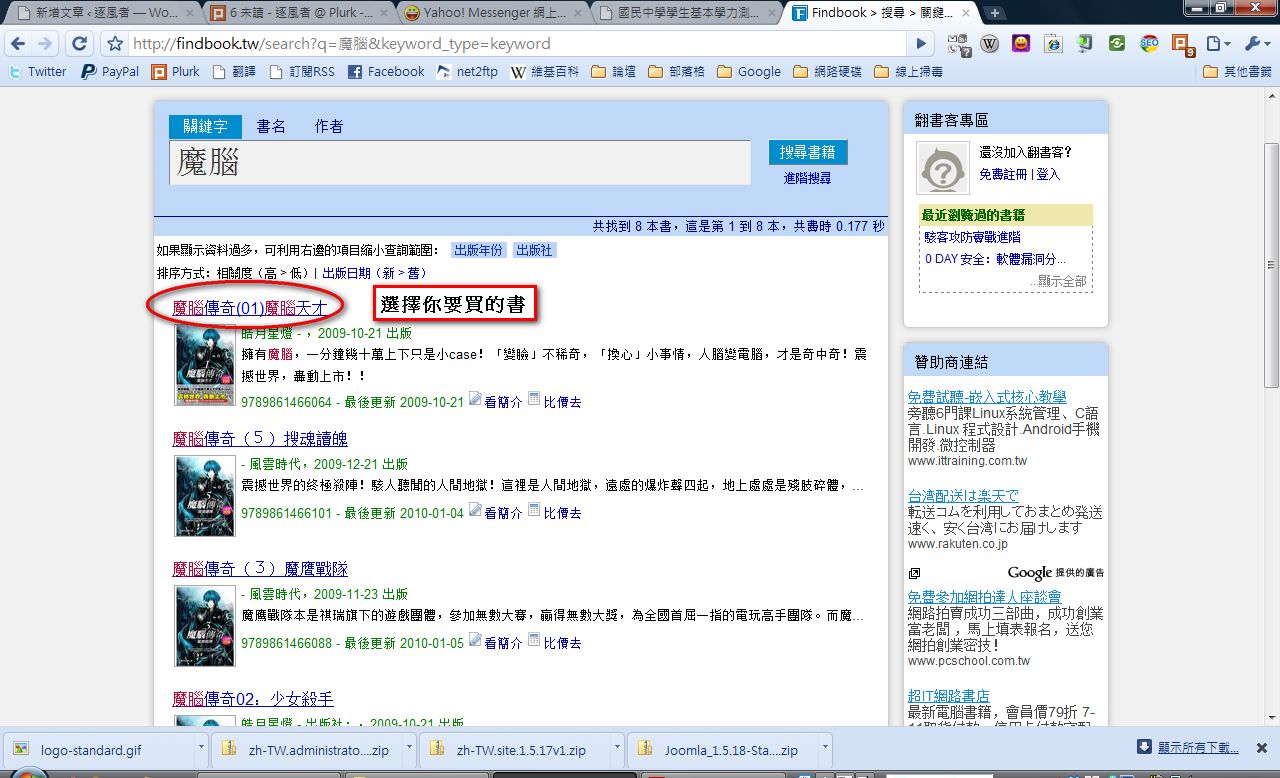
- The system lists the books it found. Select the book you want to buy and open it.
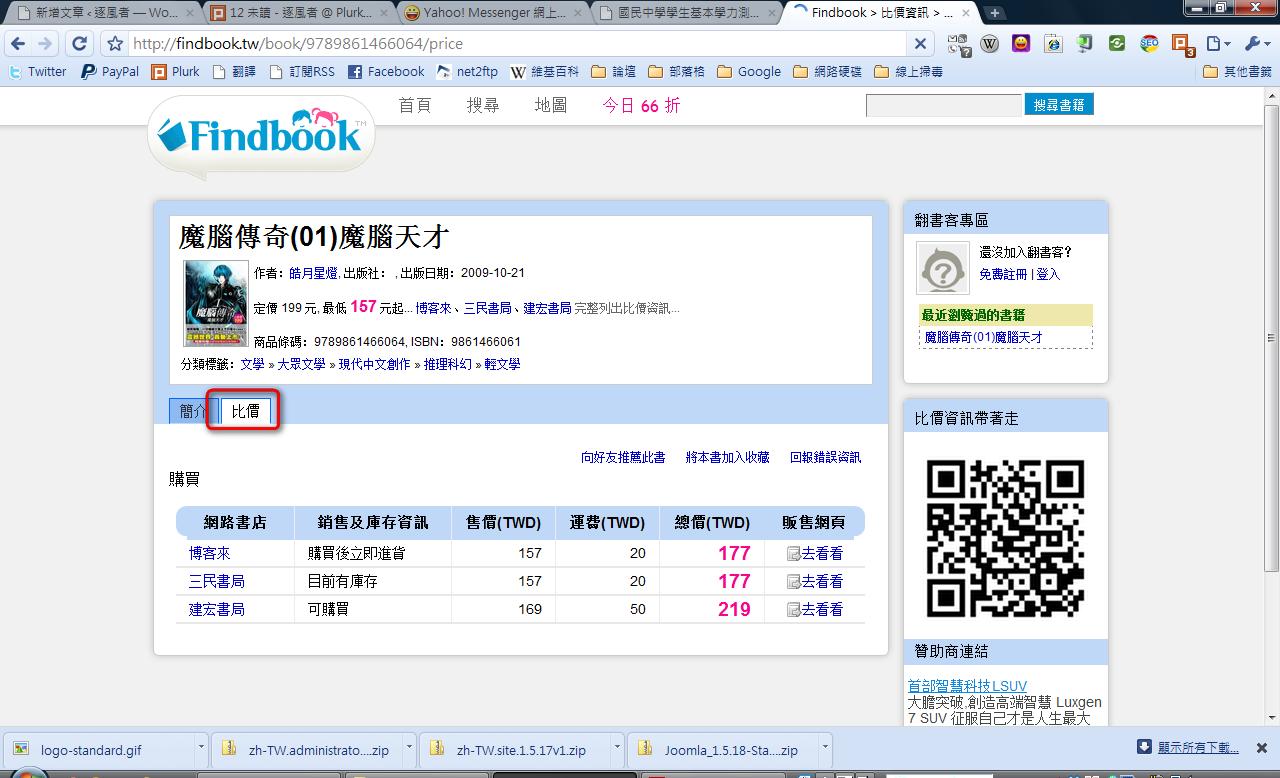
- The system shows the book’s list price, its lowest price, and an introduction to the book. Click 【Compare Prices】 to see each bookstore’s price and shipping fee.
- Hover your mouse over 【Check It Out】 to see detailed shipping information. Click 【Check It Out】 to go to that bookstore’s website.