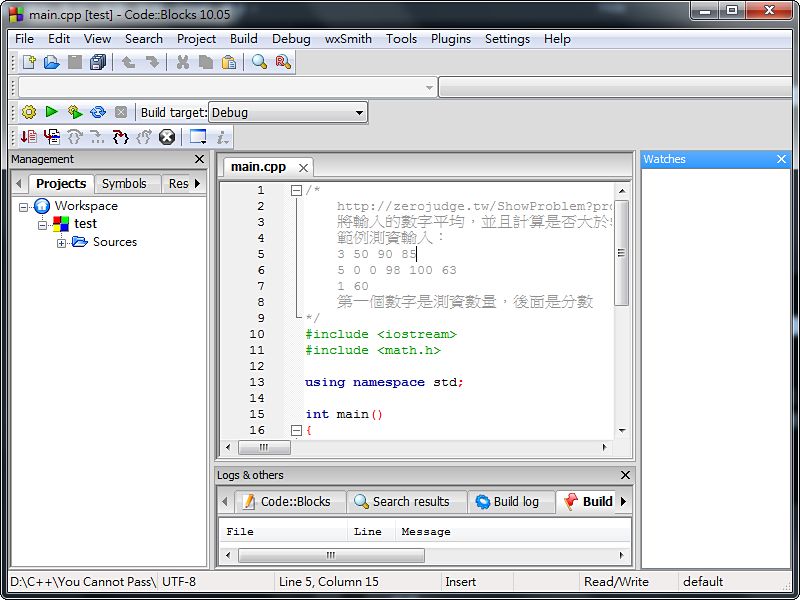
Code::Blocks is a C/C++ IDE that I personally like to use, but I kept running into one problem: with Code::Blocks, I couldn’t use Chinese at all. Strings couldn’t contain Chinese, and even comments couldn’t. I originally thought it was a bug in the program itself, but a fellow user reminded me that it was actually a default encoding issue!
First, I want to thank the netizen ef67891, who helped me solve the Chinese garbled text problem! The fix is actually very simple: just change the encoding Code::Blocks uses when saving files to UTF-8, and you’re all set~
Fix Tutorial
1. Open Code::Blocks, then click "Settings" -> "Editor" on the top bar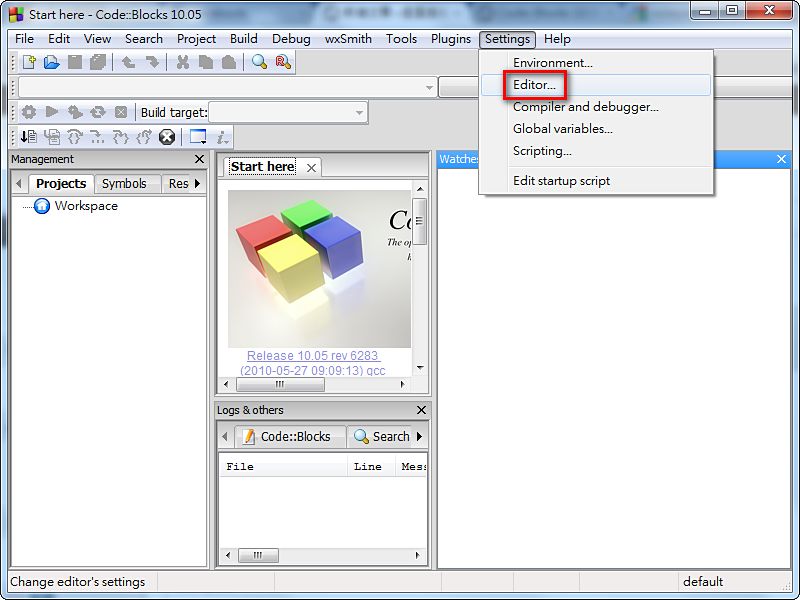
- Under “Use encoding when opening files”, select “UTF-8”, then click “OK” and you’re done
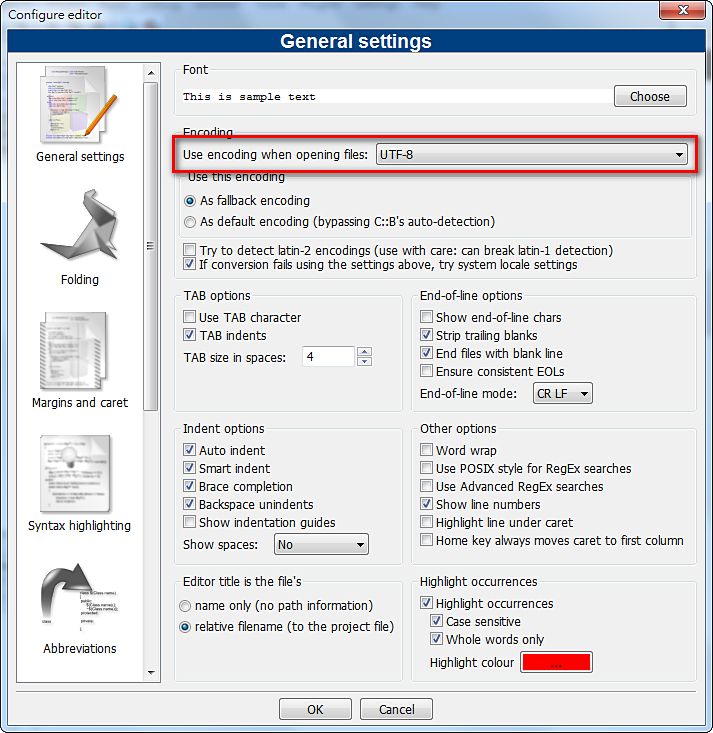
- You can use Chinese now~~