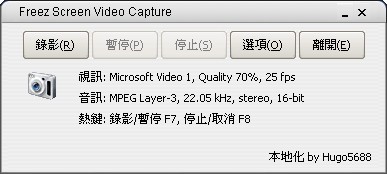
Freez Screen Video Capture offers many basic screen recording features. It’s free, someone has made a Chinese-language version, and it can export files in AVI format. However, it has no built-in editor, which is a bit of a pity.
Program Information:
- Program name: Freez Screen Video Capture
- Download links: Xun6 | Box.net | 4Shared
- Virus scan report: VirusTotal
- MD5: 3c6baef7f68f5fb1d9073bc3674f8e3e
- Chinese localization author: Hugo5688
- Program type: Screen recording program. Free program
Recording Tutorial:
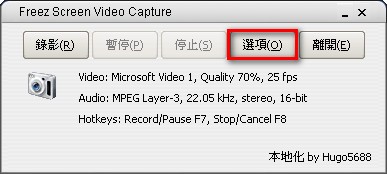
1. Extract the archive, then open the main program, Freez Screen Video Capture.exe- Click [Options] to set up hotkeys
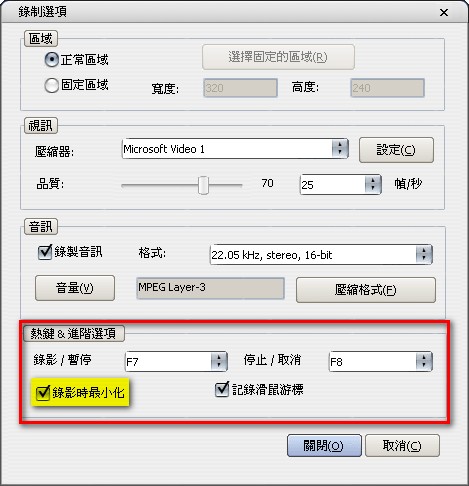
- Set your hotkeys in the hotkey section. Check “Minimize while recording”. If you want slightly better video quality, you can also change other properties. When you’re done, click [Close]
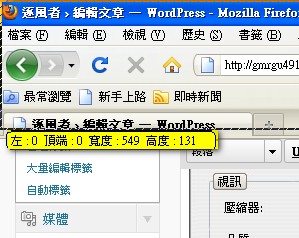
- Now you can start recording. Press the recording hotkey you just set, and it will ask you to select the recording area. Personally, I always select the entire screen
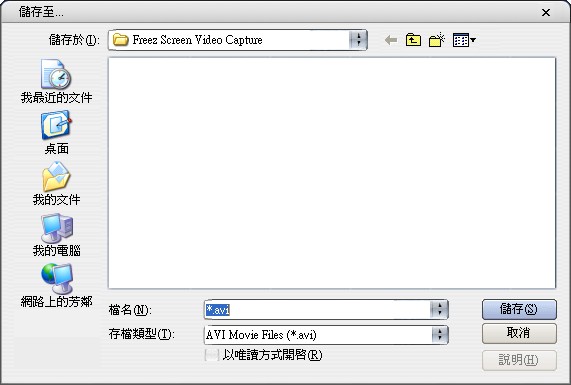
- When you finish recording, press the stop hotkey you set, and a window will pop up asking where you want to save the file
Note: the first time you use it, it will ask you to update. Just click [Cancel].
Summary: this program is really excellent. Although it’s free, its features are by no means inferior. The recorded video quality isn’t bad either. Unlike many other free recording programs that stamp a watermark on your videos, which you can remove but only with a hassle, this one doesn’t. It’s also a portable (green) program, so you can put it on a USB drive and take it out whenever you need it.