On Windows, I was used to installing a separate program for everything: one to view images, one to browse PDFs, and another to calculate a file’s MD5 or SHA1. On Mac OS X, you don’t have to go through all that trouble! If you want to calculate the MD5 or SHA1 checksum of a file, there is a built-in tool for it.
Checksums are usually used to make sure a file is intact. Picture this scenario: you download a file from Apple’s official website, but your network has already been targeted by a hacker, who quietly swaps the file for a tampered version, and now your computer is infected…
Checksums can help prevent this problem in some cases. Usually, the file provider calculates the checksum in advance and publishes it on their website. After you download the file, you calculate the checksum again and compare the two. If the checksum you calculated matches the one on the website, the file has not been modified, because even a single bit change alters the MD5 hash. Of course, if the website itself has been compromised…
As for how to calculate it? Of course you don’t do it by hand! Just let the computer handle it!
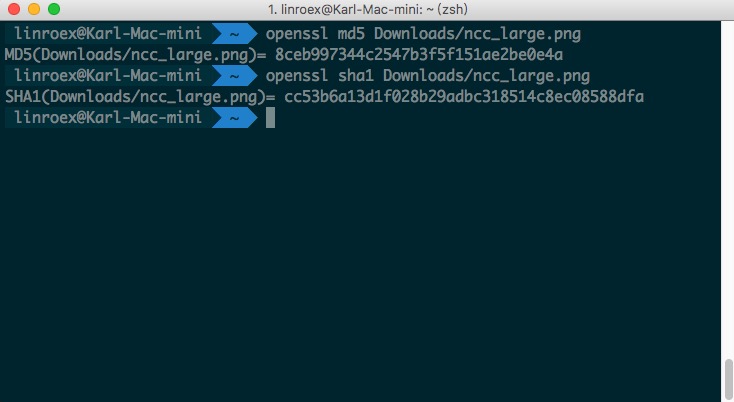
Calculate MD5 Checksum
openssl md5 file_path
Calculate SHA1 Checksum
openssl sha1 file_path
Reference: Mac OS X: How to verify a SHA-1 digest