Over the past few days, while developing a dashboard, I came into contact with the Trello and GitHub APIs, and I organized some of the information. If you also need to use the GitHub API, you may want to read this post. GitHub also uses the RESTful HTTP API style, so it is very simple to develop with, and it is especially easy to pick up if you have experience integrating HTTP APIs. In my opinion, the GitHub API is one of the most API-friendly I have seen. Not only is the documentation easy to understand, but the API also offers a very complete set of parameters to choose from. There is even a GraphQL API planned for the future, which is really exciting!
- GitHub Developer: https://developer.github.com/
- GitHub API Reference: https://developer.github.com/v3/
If this is your first time trying an HTTP API, you can read the Quick Started guide.
Official and unofficial SDKs are available for various programming languages. See GitHub API Libraries, or you can call the HTTP API directly, which works just as well.
The GitHub API can do quite a lot. It supports operations on Commits, Pull Requests, Issues, Users, and Repos, and the parameters are very detailed. For example, I needed to get the “latest 5 merged PRs.” Thanks to the sort fields GitHub provides (updated_at, created_at, etc.) and the sort direction parameter (ASC, DESC), I could solve it easily.
There is quite a lot of information at the top of the developer documentation (see the image below), but this design is sometimes overlooked.
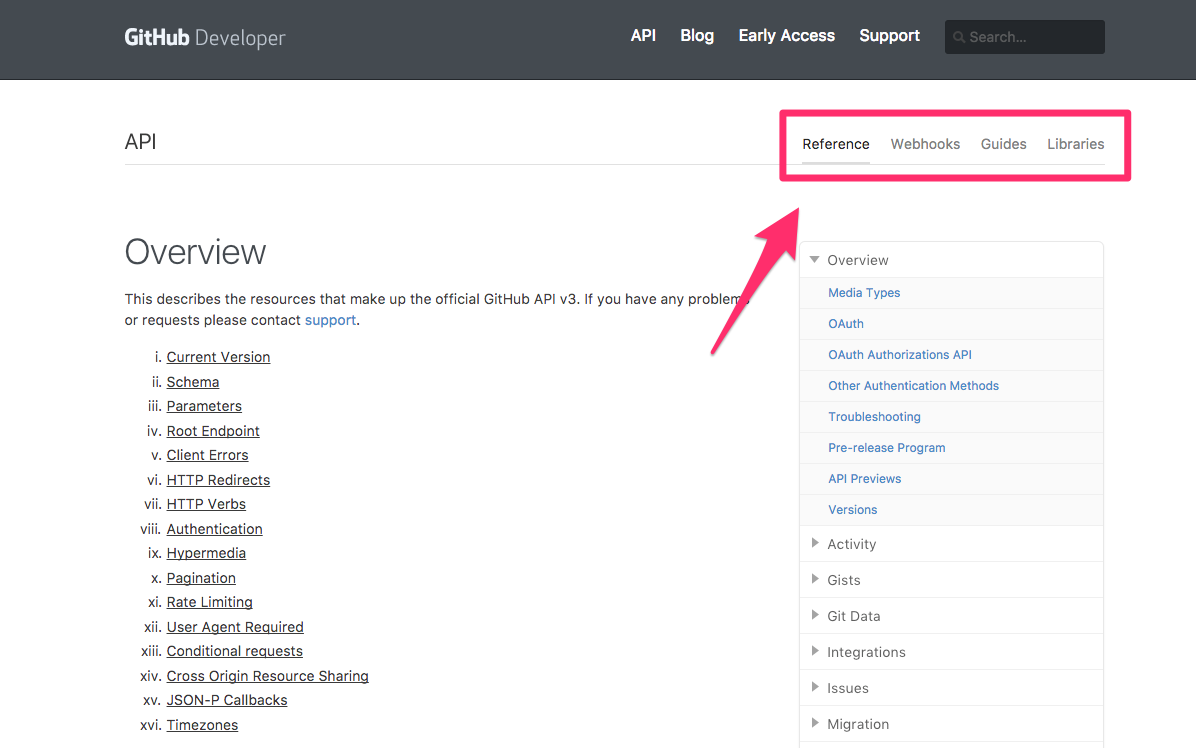
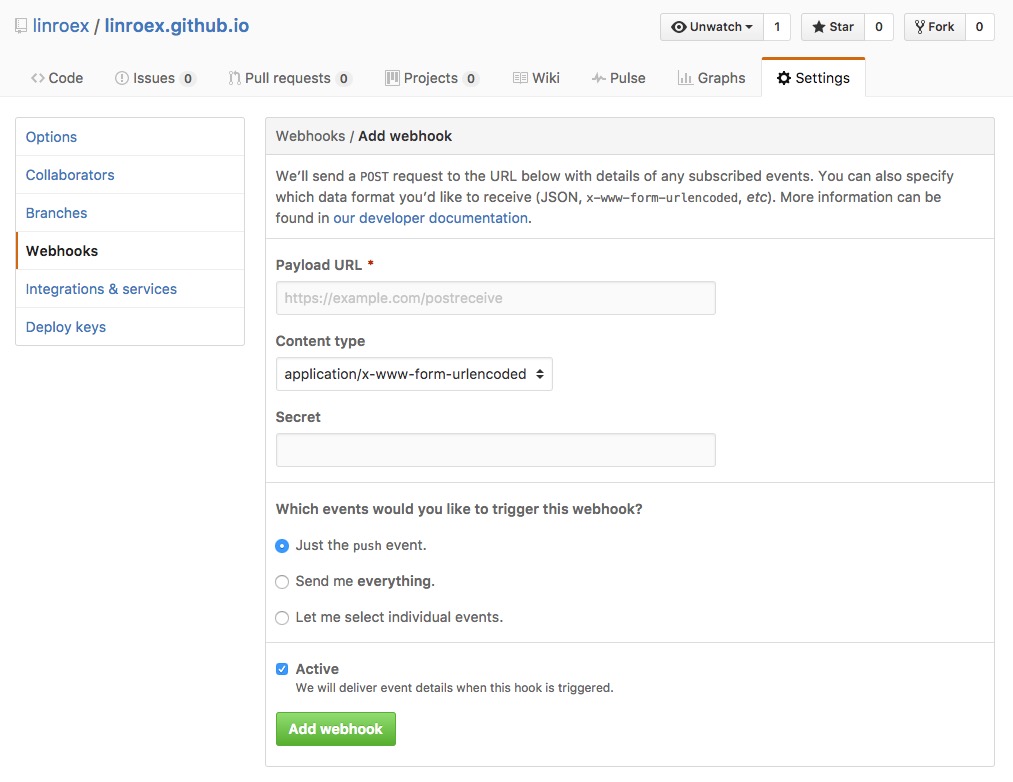
In addition to the API, GitHub also provides Webhooks. On the API tab you will see the Webhook API, but there is also a Webhook tab at the top. They are actually different. The Webhook API helps you create, query, and delete webhooks. As for how to write the webhook itself, you need to look at the Webhook tab at the top. If you want to bind a webhook, you can go directly to the Settings page of the repo, or use the Webhook API to create one.
- GitHub Webhook Docs (Not Webhook API)
Before you start developing, I recommend reading the whole Overview. It contains a lot of useful information. If you are developing your own RESTful API, you can also read GitHub’s API Overview and pick out the important or interesting parts to share:
- API Root Endpoint: https://api.github.com
Any time-related field in the returned data is GMT+0, so remember to convert it to the appropriate time zone. For example, I wanted to plot the change in the number of commits over time, but because of a time zone error, the number of commits I plotted for each day did not match what I expected.
In addition, the GitHub API supports CORS and JSONP.For authorization, OAuth is a must, but for different needs GitHub also provides other methods, so you can keep dodging OAuth (just kidding).
- If you are interacting with users and need to access their GitHub data, play it safe and use OAuth. See the GitHub API OAuth docs.
- For backend, non-interactive tasks, such as a small program that quietly backs up company projects, you can use a Personal Access Token. It does not expire, it can access private repos and organization repos, and you only need to get it from GitHub Settings. Put it directly into your program and it will work. For details, see GitHub API Basic Authentication.
curl -u username:token https://api.github.com/userOf course, you can also authorize with a username and password instead of a key, but as a developer, would you dare? I recommend using a Personal Access Token at the very least. If a token ever leaks, you can simply revoke it, and Personal Access Tokens also let you control permissions.
If you use a Personal Access Token for authorization, it also solves the problem of two-factor authentication.
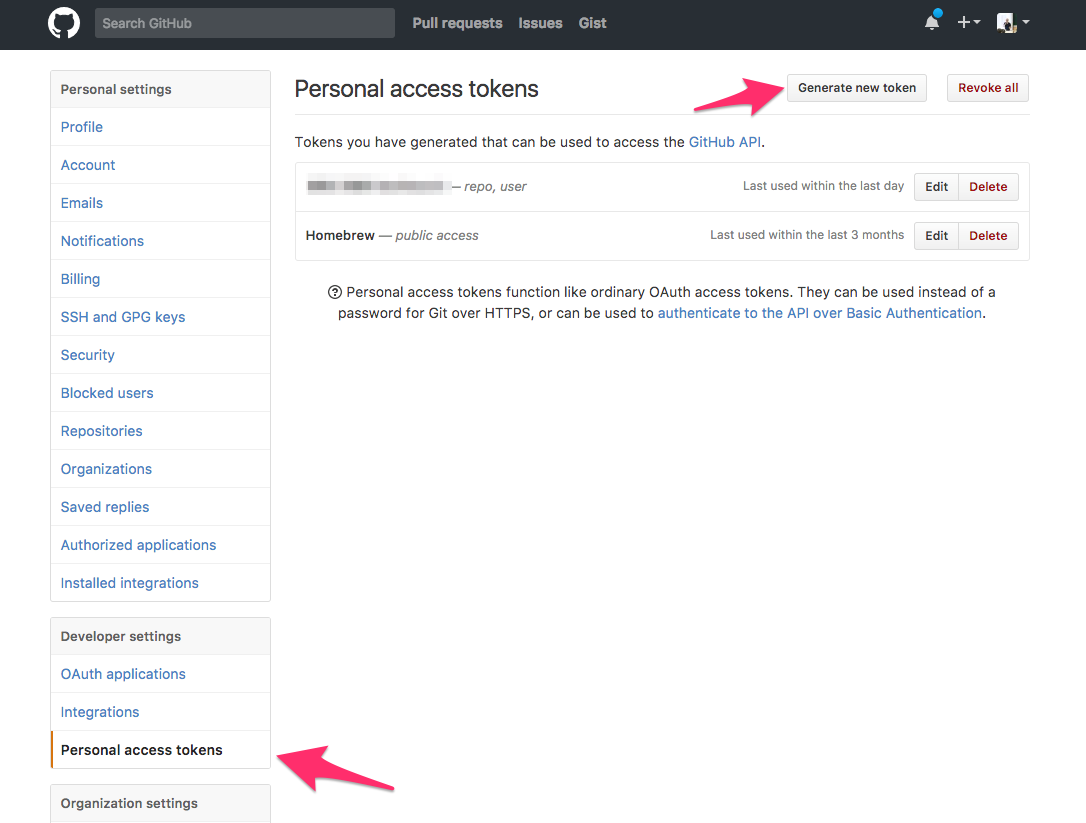
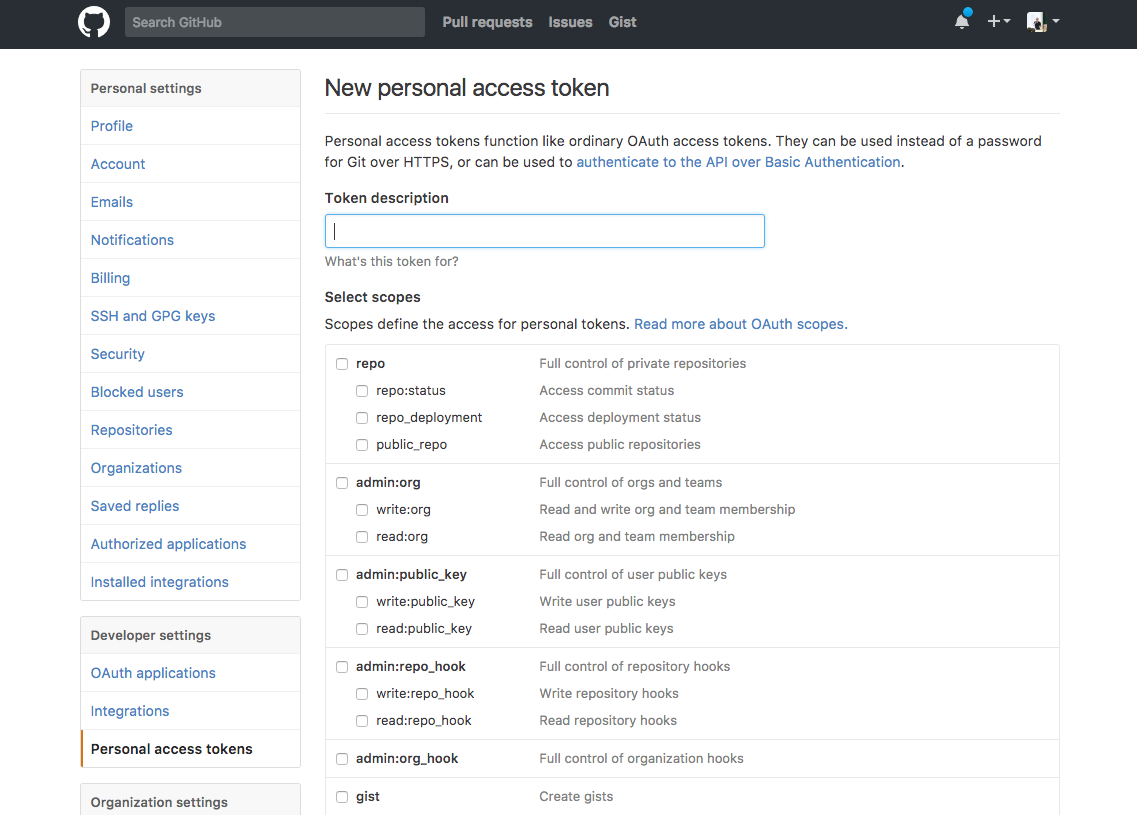
You can control the permissions of a Personal Access Token.
Finally, the documentation does not specifically explain how to limit the number of returned records. In fact, it just presents it under a different name, pagination. With the per_page parameter, you can achieve the same effect as limiting the number of records.
- per_page: Splits results into a page every N records
- page: Gets page M
https://api.github.com/repo/linroex/hello/commits?per_page=10&page=1I have to say, GitHub really lives up to its reputation as a company of service-minded engineers. Not only is the API friendly, the documentation is also detailed and easy to read, and the overall design flow is good too. It is unlike the Trello API, where I couldn't even find the Auth section, or the Facebook Graph API, where features were listed but could not be used. GitHub, I love you!