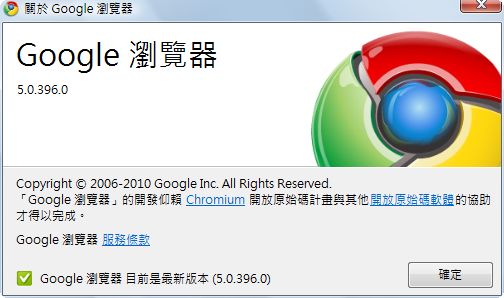
It’s been several months since Google Chrome 4 came out, and Chrome 5 has finally arrived! This update brings some changes. For example, the V8 JavaScript engine has been upgraded again, which makes Chrome 5 browse much faster. I don’t find the difference very noticeable myself, but according to SunSpider tests, it’s about 30% more efficient than the previous version. Chrome 5 also extends the Google account bookmark sync feature to more settings (themes, the home page, and so on). And Chrome 5 also has the Adobe Flash Player built in. If I remember correctly, it’s the first of the three major browsers (IE, Firefox, Chrome) to include a built-in Flash player. Below, I’ll walk you through the new features of Google Chrome 5 Beta.
P.S. Chrome 5 is still in beta, so you can’t get it through the usual methods.
Chrome 5 Overview
- Version number: 5.0.396.0
- Download links: Filehippo | Xun6 | 4Shared
- Supported systems: Windows / Mac / Linux
- File size: about 16 MB
New Features in Chrome 5
1. Interface changes:
The biggest change in Chrome 5 is the interface, which is very different from earlier versions. When I first installed Chrome 5 beta, I thought I'd downloaded a prank version XD, because the whole color scheme had changed, and it felt very unfamiliar. Beyond the colors, the extensions area has also changed a bit. In Chrome 4, I wondered: if you install too many extensions, won't the interface get ugly, since every extension takes up a button in the same spot? In Chrome 5, you can adjust the length of the extensions area. This is the change I like best, at least compared with something as trivial as changing colors~ Also, in Chrome 5, the bookmarks (My Favorites) feature has been moved to after the address bar, so I'm pointing it out in case you can't find it.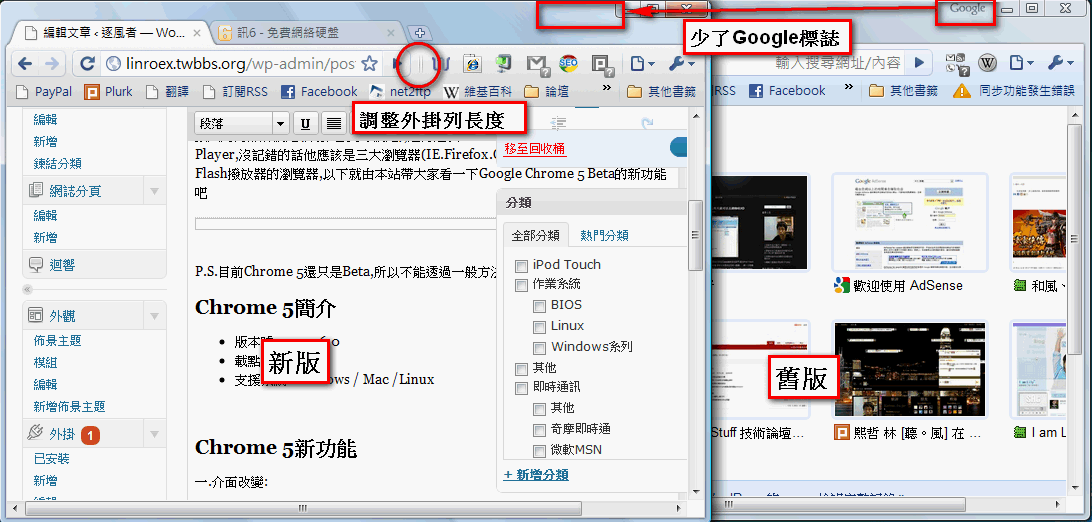
(Click the image to enlarge it.)
P.S. If you look closely when a new tab opens in Chrome 5, you’ll notice there’s an animation XD
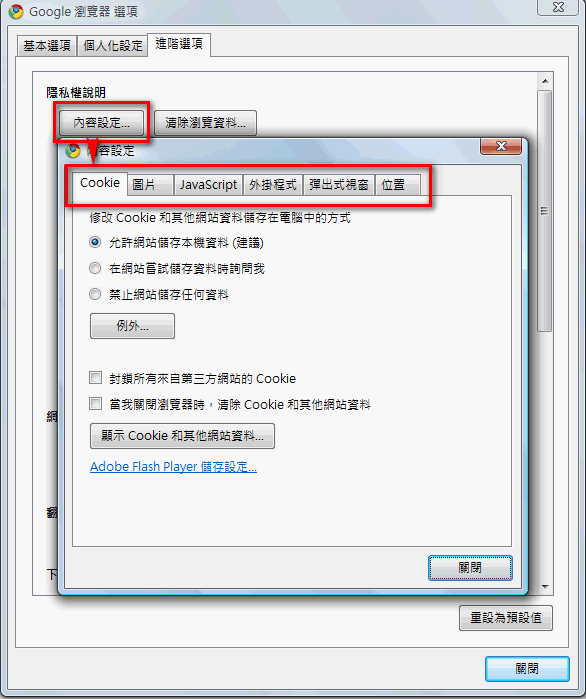
2. More advanced content settings:
Previous versions of Google Chrome didn't let users change advanced settings. This release finally lets users choose which sites can use cookies, JavaScript, and loaded images. You can also set which sites are blocked from pop-up windows. So from now on, if you want to quietly take someone's images without them knowing, you can do it right in Chrome :D (http://briian.com/?p=5183)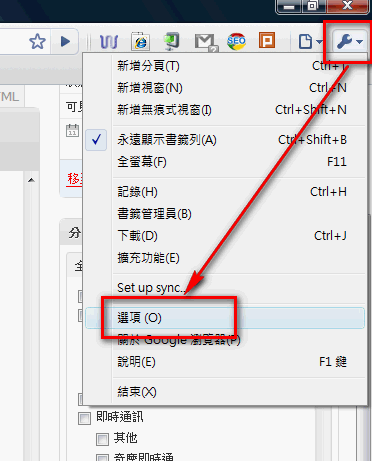
3. Built-in Adobe Flash Player
Every time I reinstall my computer, the most annoying part is installing Adobe Flash Player, since a lot of things won't work without it. This version of Chrome comes with a Flash player built in, so there's no need to go to Adobe's website to download it~ Not that downloading it would kill me, but I just don't want to do one more annoying thing. ▲▲You can watch Flash directly from now on!
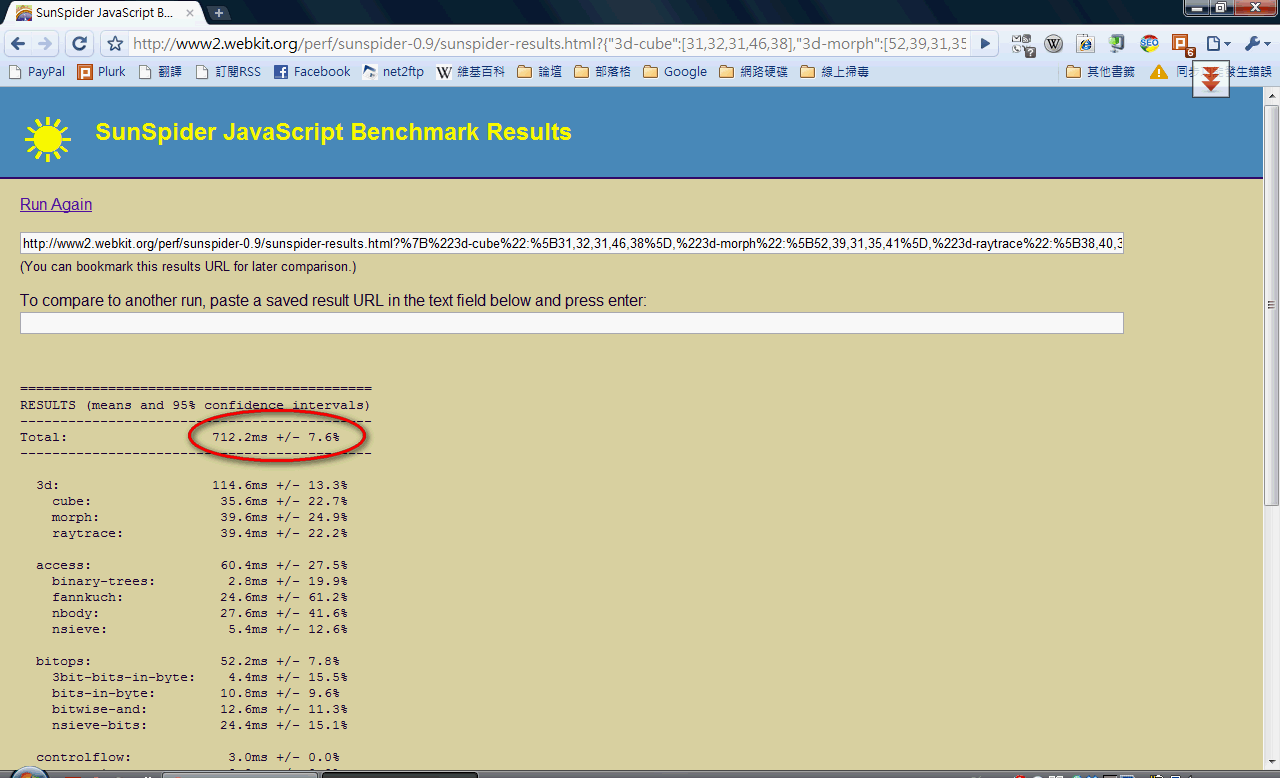
4. V8 engine upgrade, 30% performance improvement
The SunSpider tests show that the V8 engine has changed again in this release, and JavaScript processing is faster. There are some bugs too, though. I found one myself, and I think it should be fixed once the official version comes out.Bug I found: http://www.plurk.com/p/53659x
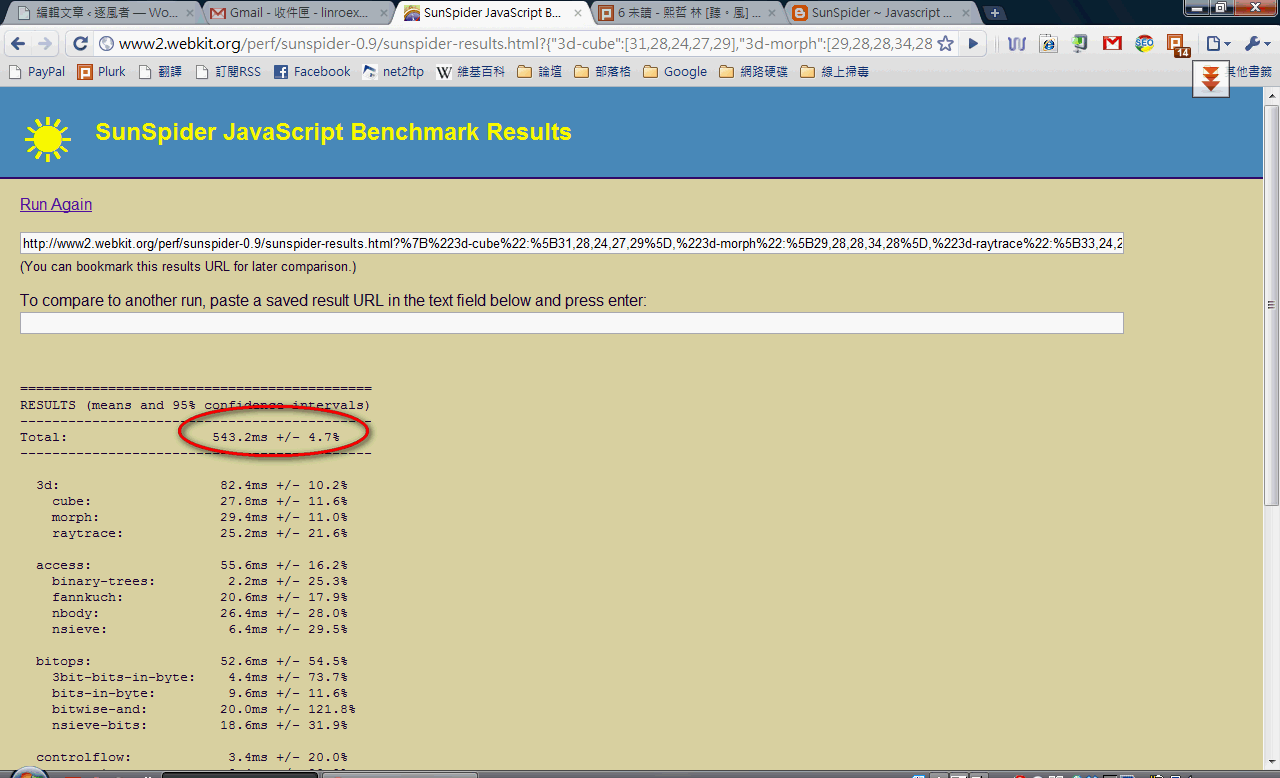
▲▲Chrome 5 needs only 543 ms
▼▼Chrome 4 needs 712 ms
What is V8?
Quoted from WikipediaV8 is an open-source JavaScript engine developed by Denmark-based Google, used in Google Chrome.[2] Lars Bak is the project leader. Before execution, V8 compiles JavaScript into machine code through compilation, rather than bytecode and an interpreter[citation needed]. It can further improve performance with techniques such as inline caching. With these features, JavaScript programs running on the V8 engine are comparable in speed to binary (compiled) code.
5. Extensions also work in private (Incognito) windows
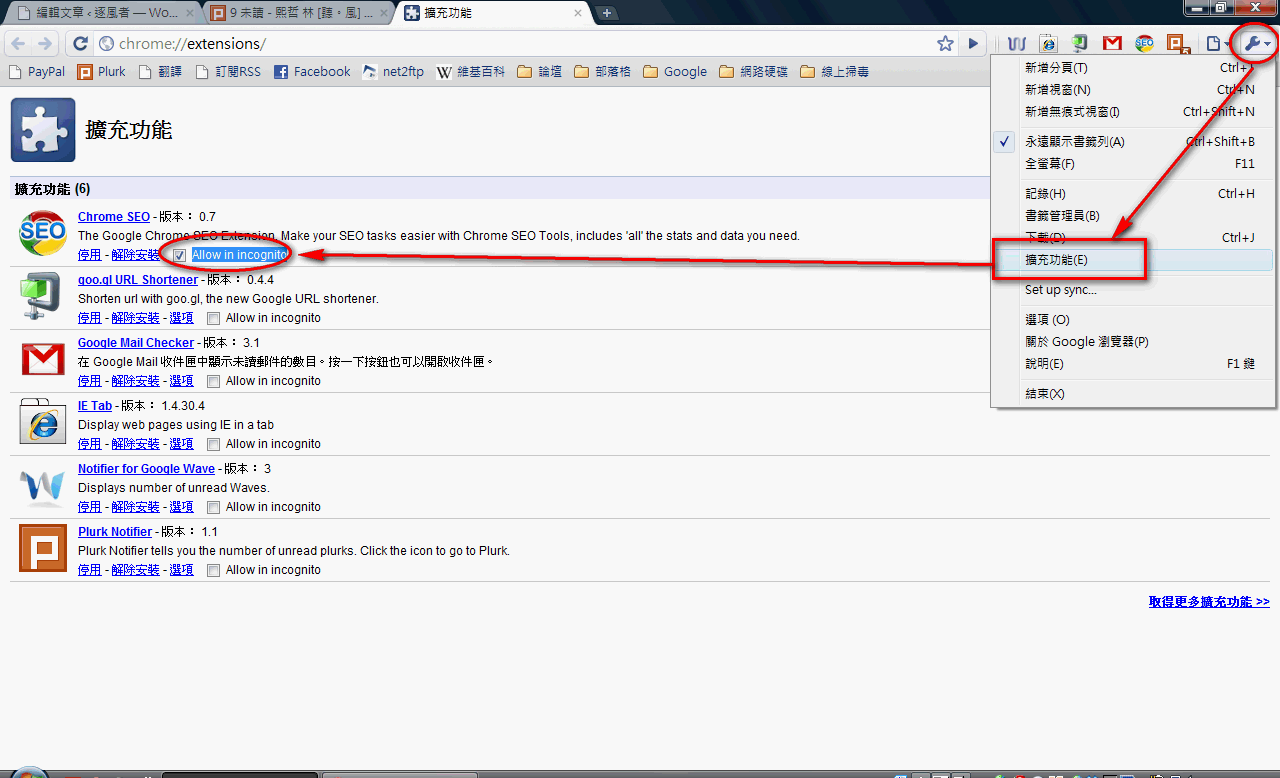
Chrome 4 introduced extensions, which let users write their own extension programs and attracted many people who found Chrome too plain to switch to it. In Chrome 5, the extension feature has been improved further, so extensions also work in Incognito windows~ To allow an extension to work in an Incognito window, first click the wrench button, then click Extensions, and check "Allow in incognito" for each extension you want to use in Incognito windows.