So why is Google Desktop search so fast? It uses idle time on your computer to build an index of everything stored on it. When you search, it doesn’t actually go hunting through the hard drive for files. Instead, it searches that index. Of course, that’s much faster than the search tool built into Windows.
Google Desktop Information
- Official website: http://desktop.google.com/zh/TW/
- Download: Official download | Box.net | 4Shared
Google Desktop Installation Guide
1. First, download the Google Desktop program and run it.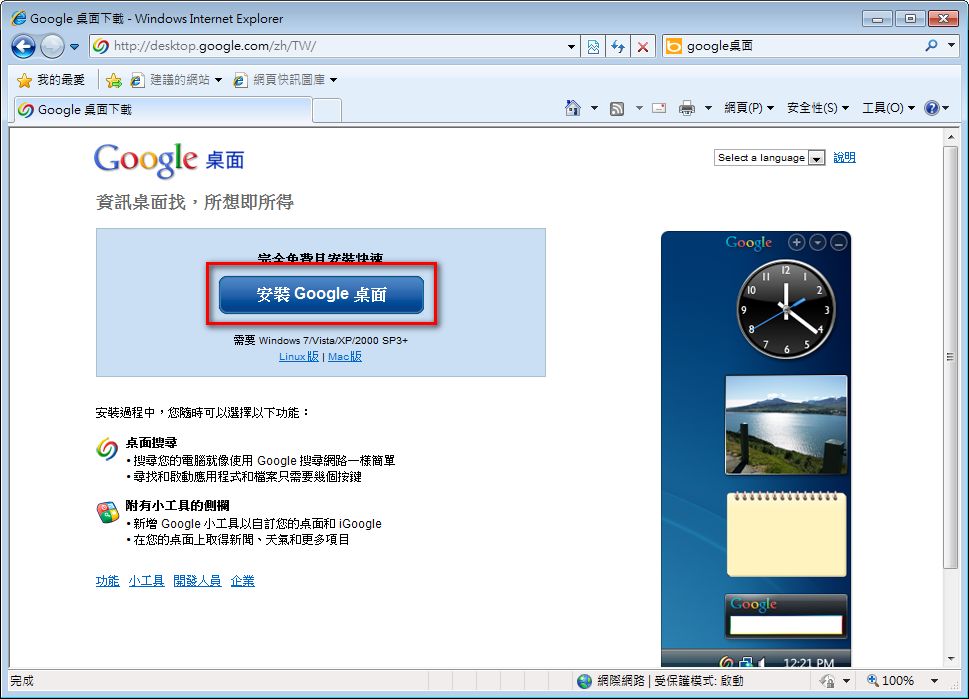
- It installs automatically, and you hardly need to change anything.
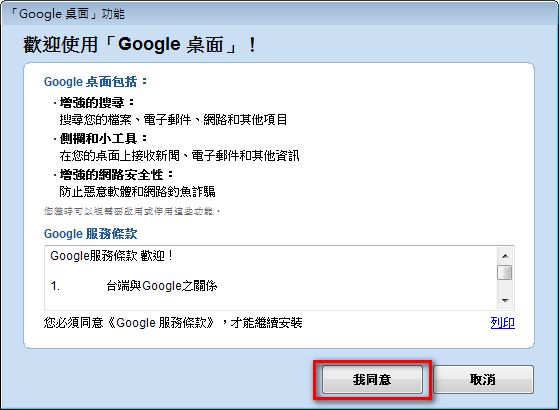
- Partway through the installation, a window appears showing the software’s terms of service. Just click “I Agree.”
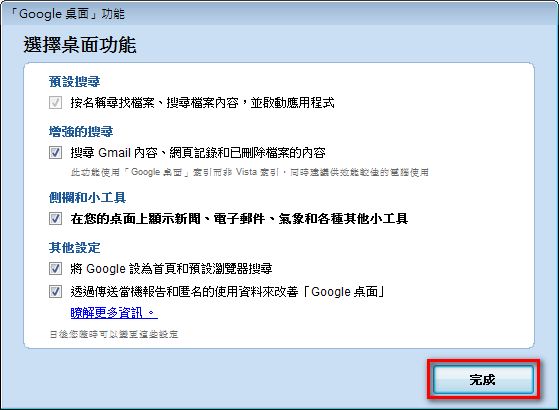
- This is where you make some detailed settings. I usually just click “Finish.”
- Once installation is complete, you’ll notice a sidebar has appeared on your screen XD
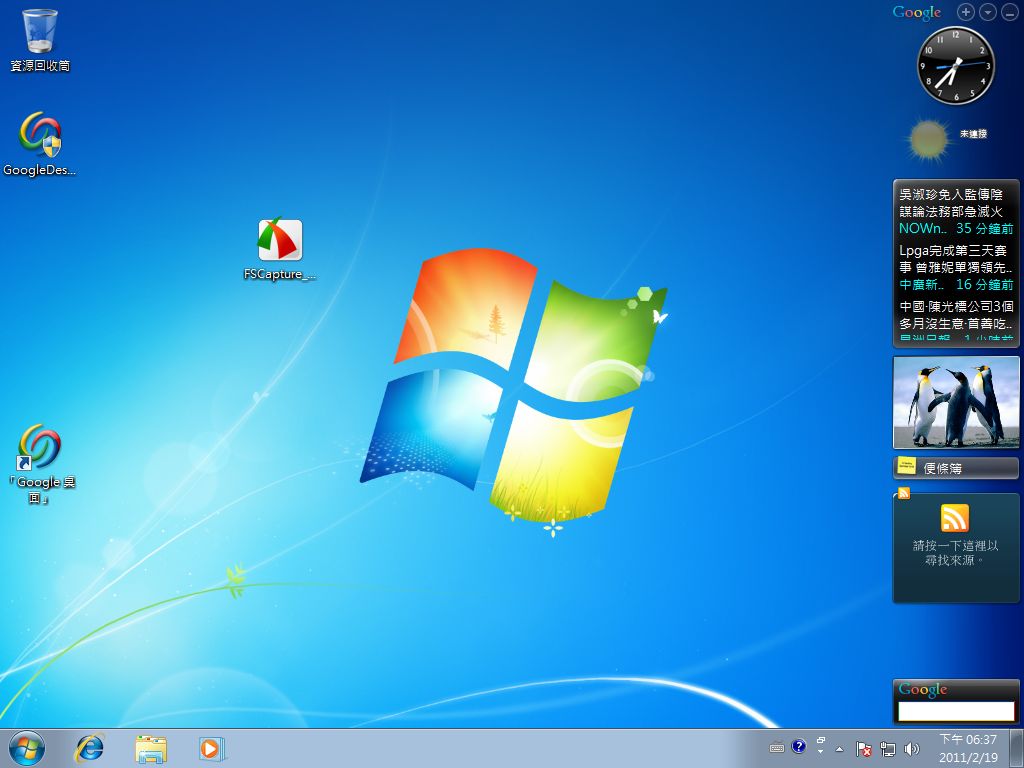
- To search for files, double-tap the Ctrl key and a search box will appear~

Installing Gadgets
1. Click the plus button at the top of the sidebar, and a window will open.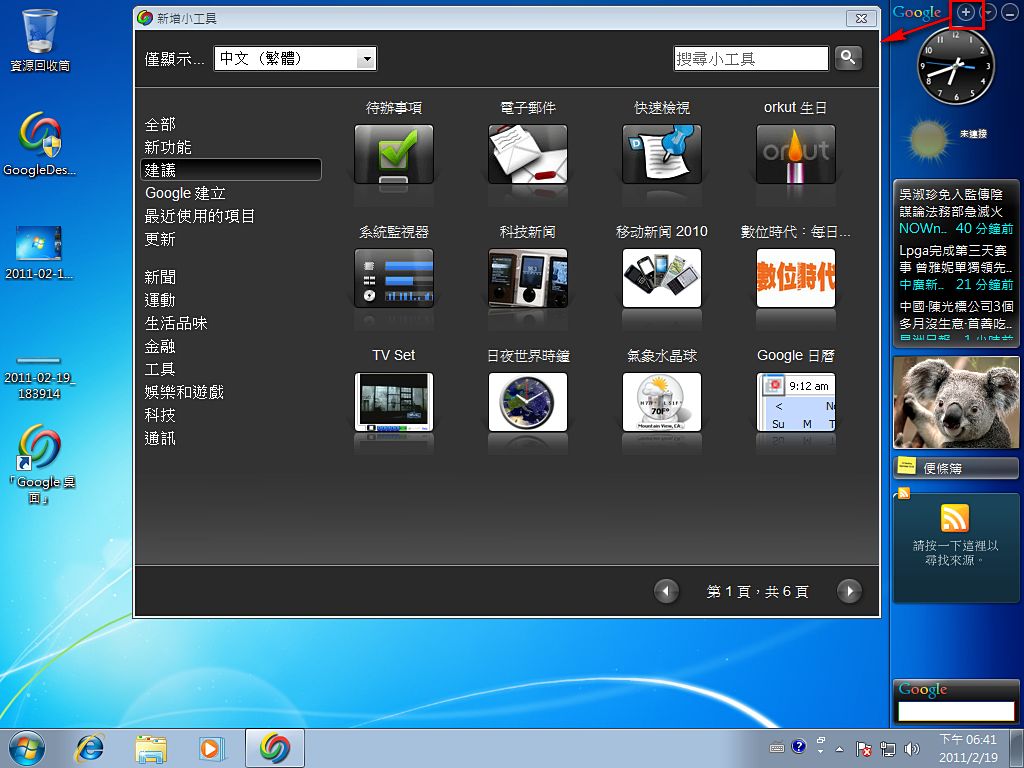
- Hover over the gadget you want to install and click “Add.”
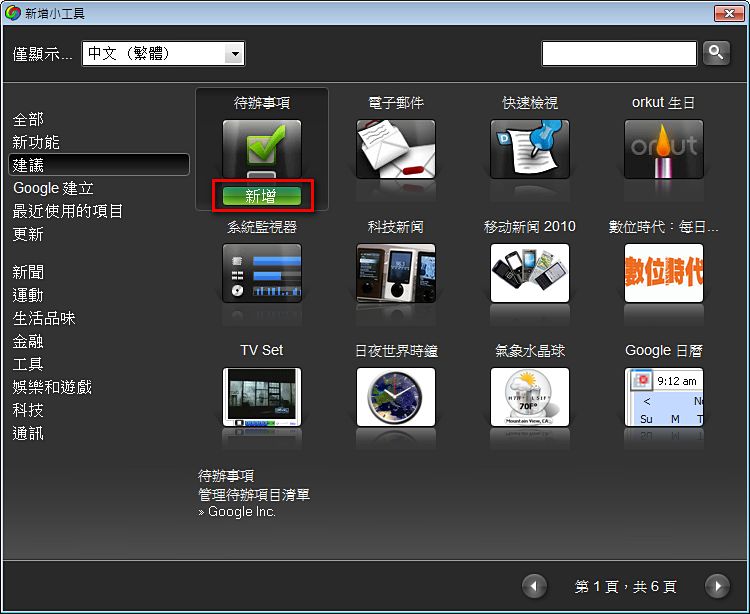
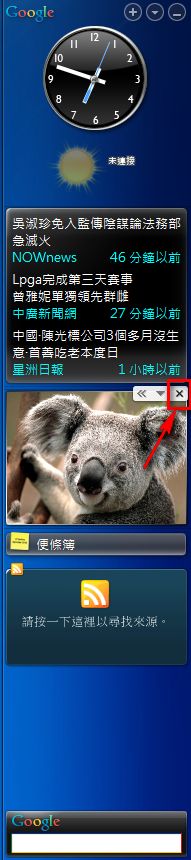
- If there’s a gadget in the sidebar you don’t want, hover over it and click the X to remove it.
Configuring Google Desktop
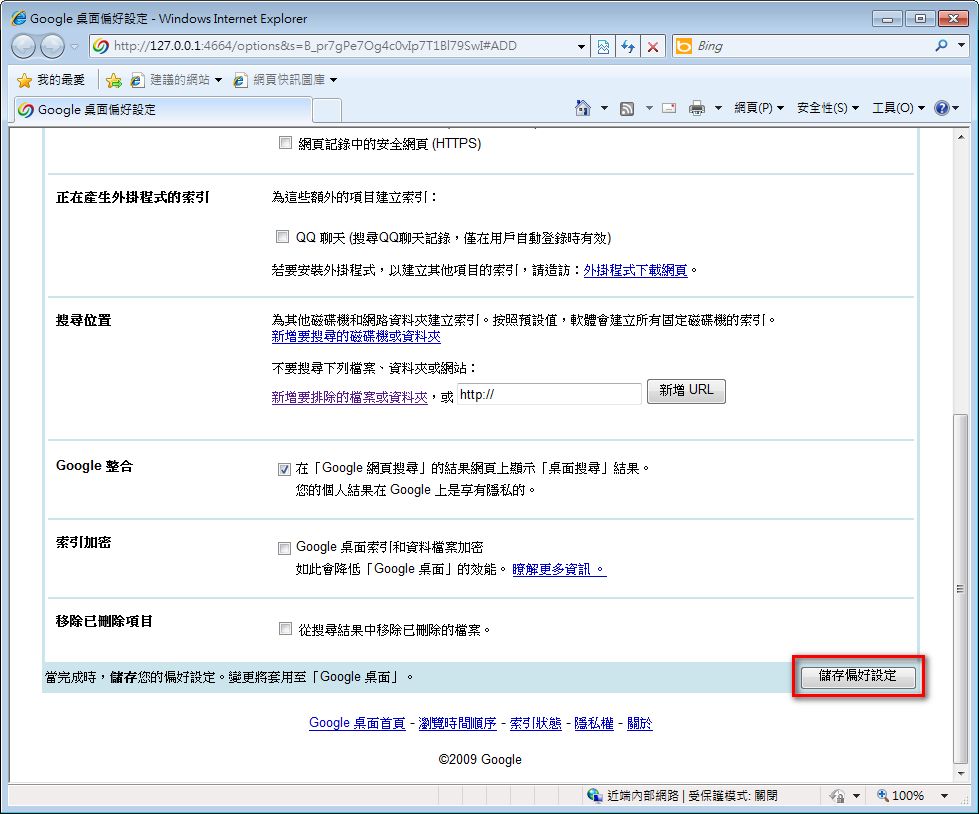
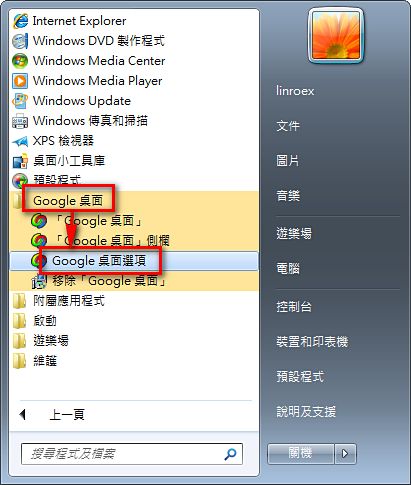
Sometimes you may want Google Desktop to search only certain file types, such as documents only. Or you may want it to search not just local files, but also data in your Google account (like Google Docs, Gmail, and so on). If so, refer to the following to adjust the settings.- Go to Start → All Programs → Google Desktop → Google Desktop Options.
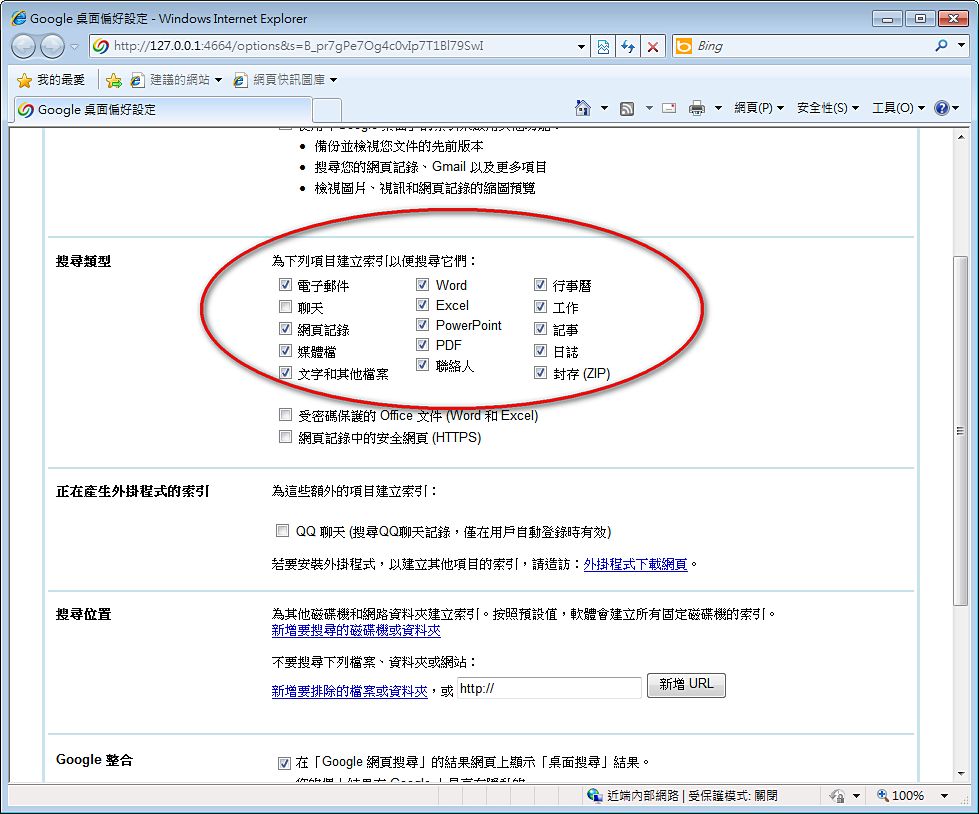
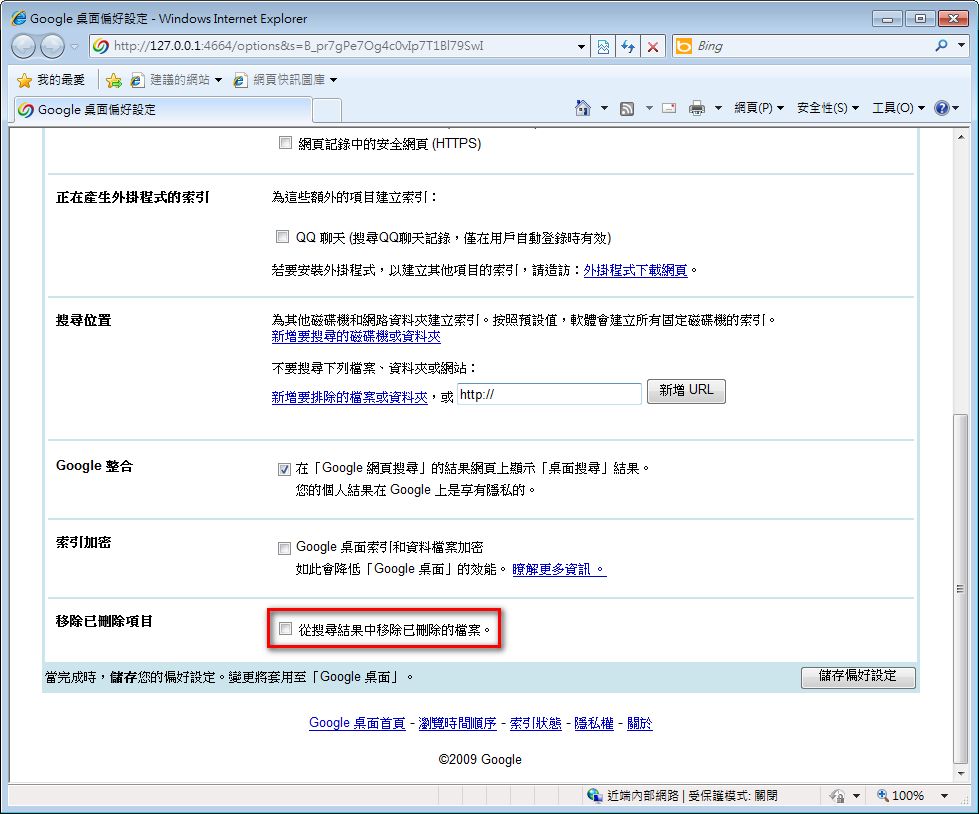
- Under “Search Types,” you can choose which file formats to search. I also recommend checking “Remove items when deleted.”
- Under “Search Locations,” you can specify folders you don’t want searched. For example, the C:WINDOWS folder can be added here, since the files you need usually aren’t stored there. Besides C:WINDOWS, there may be other folders you don’t want searched, so go ahead and add them to Search Locations~
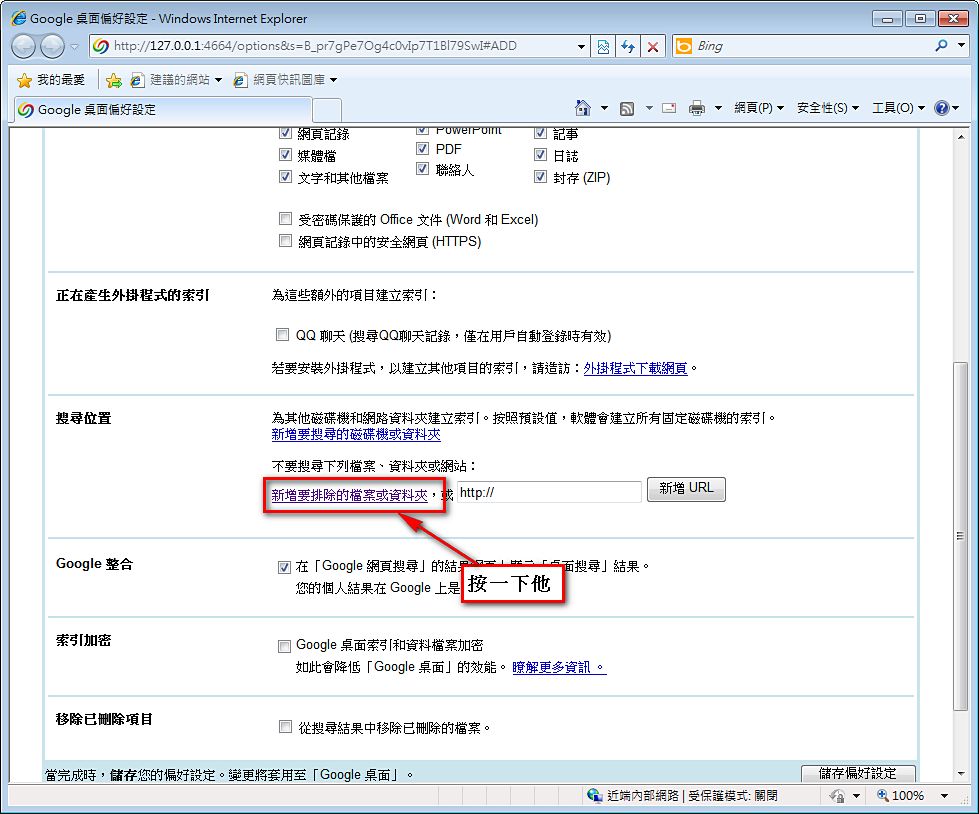
- When you’re done, click “Save Preferences.”