Actually, I originally wanted to write an introduction to Office 2010. But after I downloaded Office and tested it, my impression of Microsoft dropped even further (not that I had a good impression of them to begin with~). Office 2010 pretty much feels the same as 2007. Its only distinguishing feature is collaboration, but it’s harder to use than Google Docs. Maybe I just didn’t study it carefully, but after 30 minutes I still couldn’t find where the collaboration feature was. If I couldn’t find it, then plenty of people who aren’t good with computers wouldn’t find it either. So I gave up on writing about Office 2010, and I’ll say it plainly: it’s too awful for me to recommend.
Ugh… Someone just told me that the version I downloaded was the web installer, which is why it was acting so strangely.
Using Google Docs Collaboration
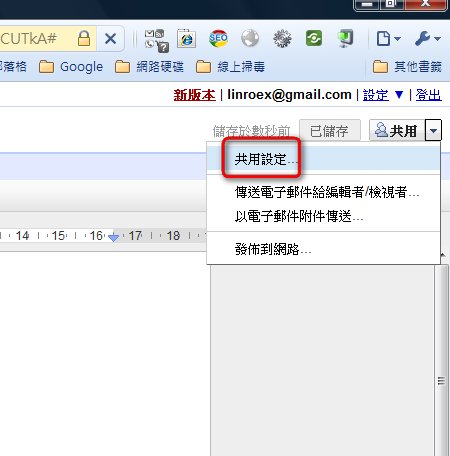
1. Of course you need a Google account to use Google Docs, but that's not really the point of this post... So first, open Google Docs using the link below.- Open the file you want to collaborate on, then click Share → Sharing settings.
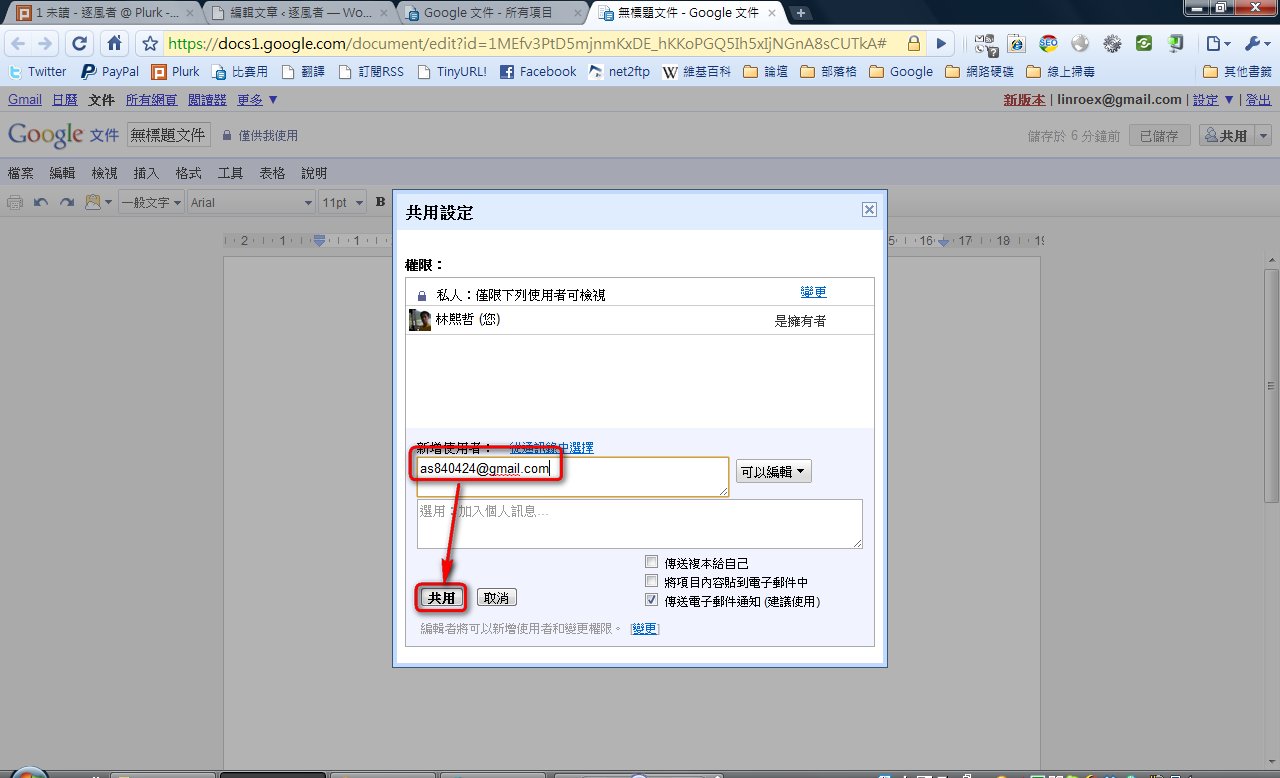
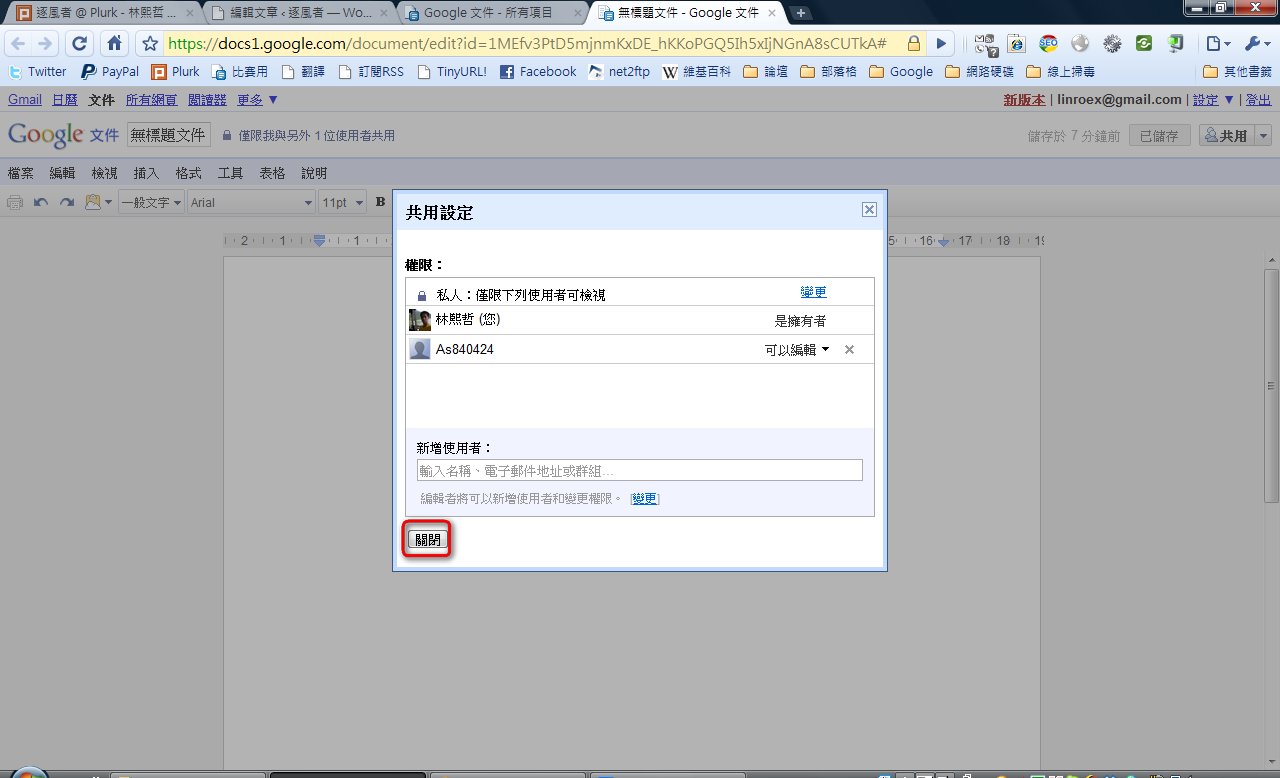
- Enter your collaborator’s Google account in the add users field, then click Share.
P.S. When entering the account, be sure to include “@gmail.com” as well.
- If the user you just added shows up, that means it worked. Then click Close.
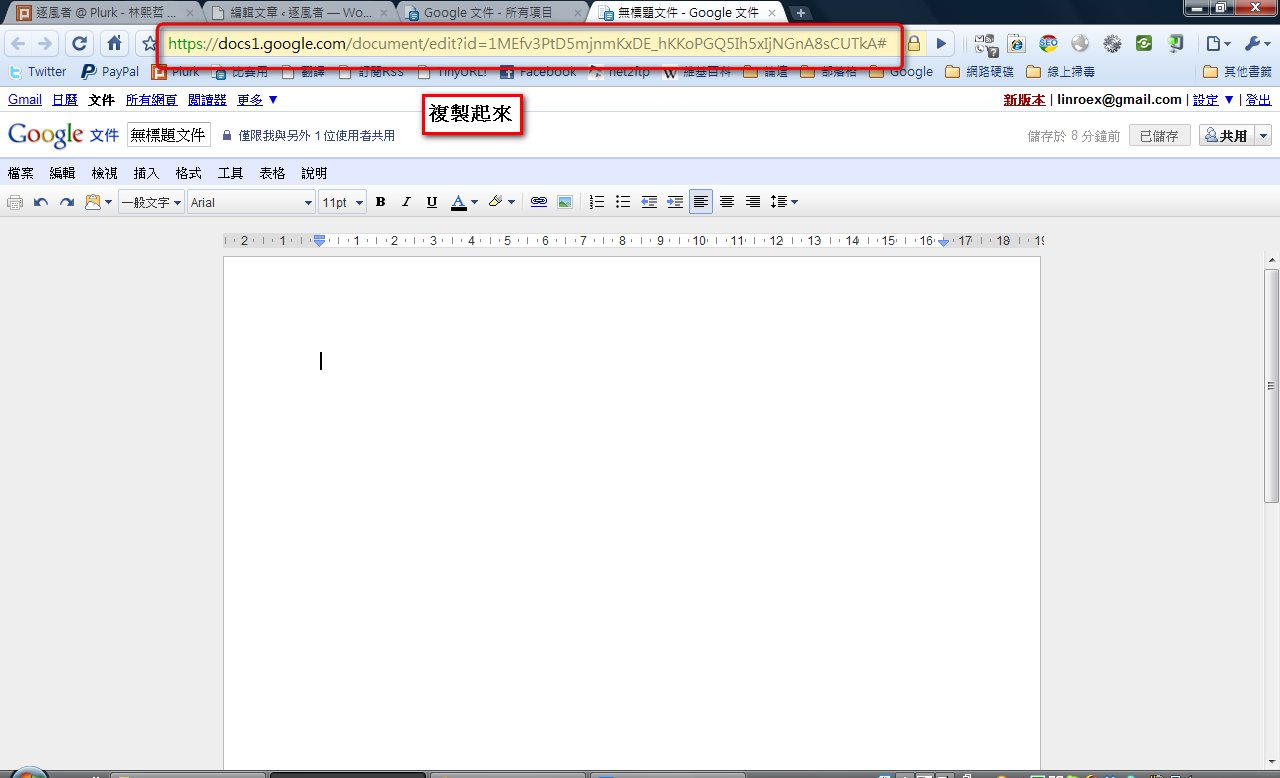
- Next, copy the URL from your browser and send it directly to your collaborator~
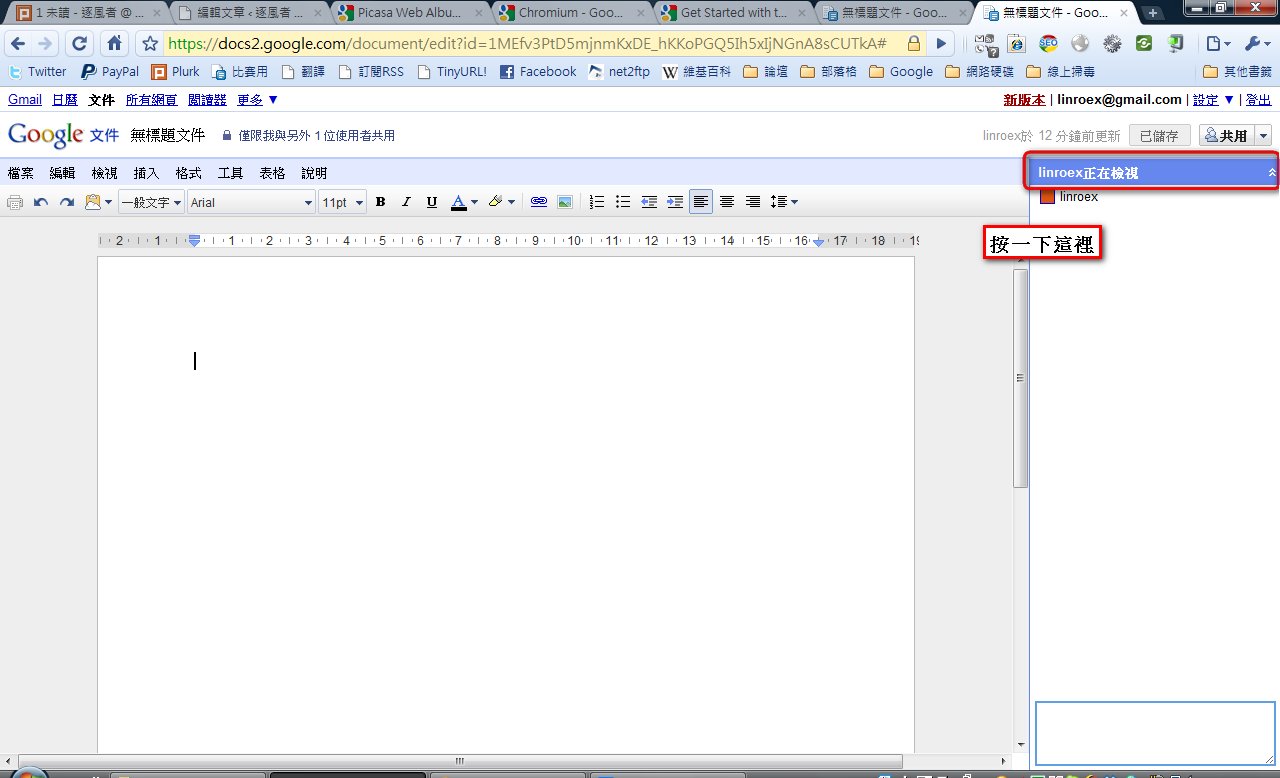
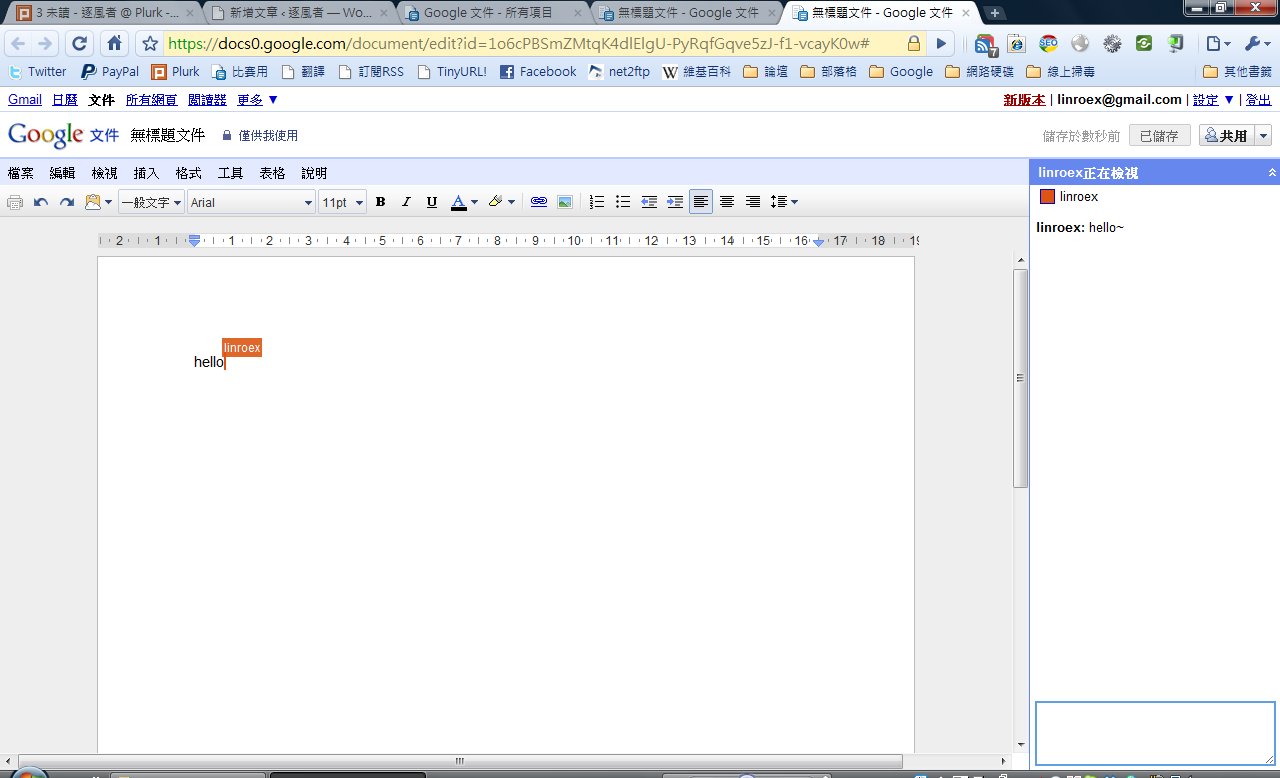
- When “XXXX is viewing” appears in the upper-right corner of the window, it means the other person has joined. I haven’t tested how many people can collaborate at the same time.
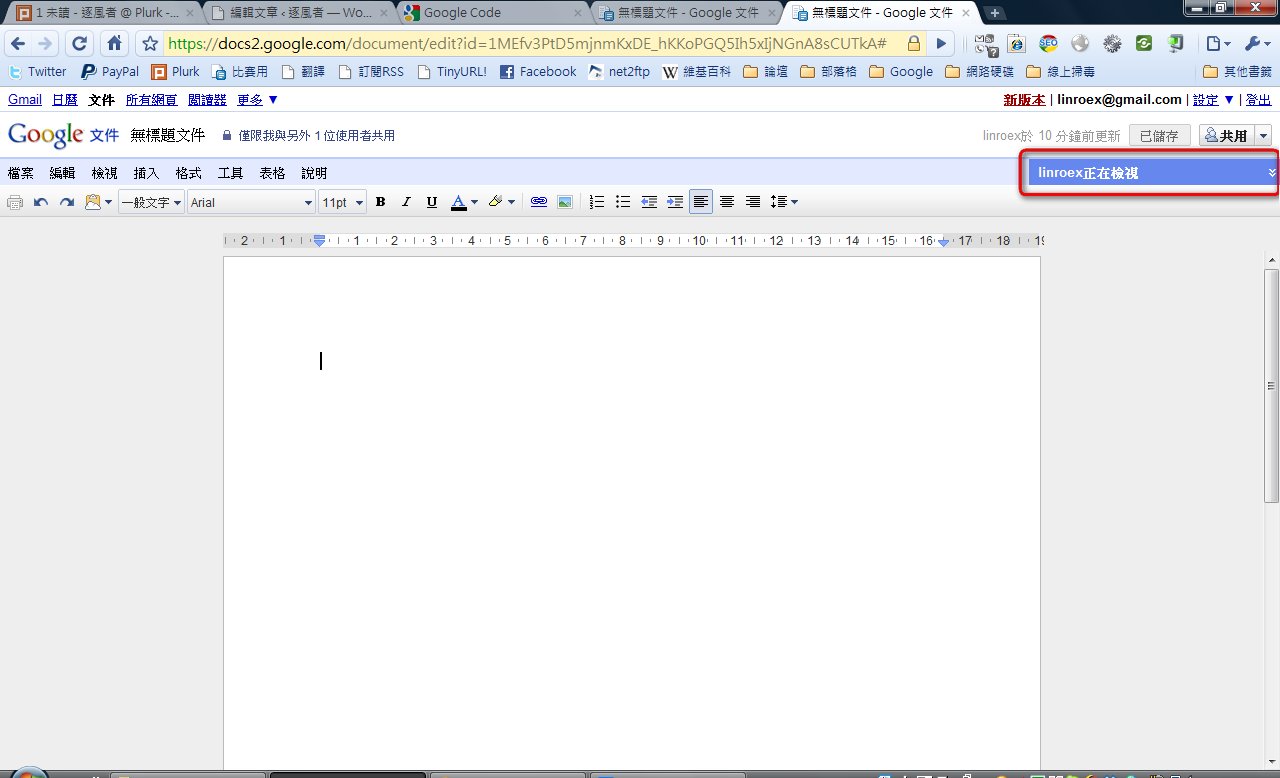
- Click “XXX is viewing” in the upper-right corner to open the instant messaging window between you and your collaborators.