
I imagine many people need to bring a map when they go out to travel. Google Maps, which I’m introducing today, is a free map service provided by Google. You can print the map, so you don’t have to go buy one at 7-11! Google Maps also makes heavy use of AJAX, so you won’t see a blank white screen while browsing.
Website: http://maps.google.com.tw/
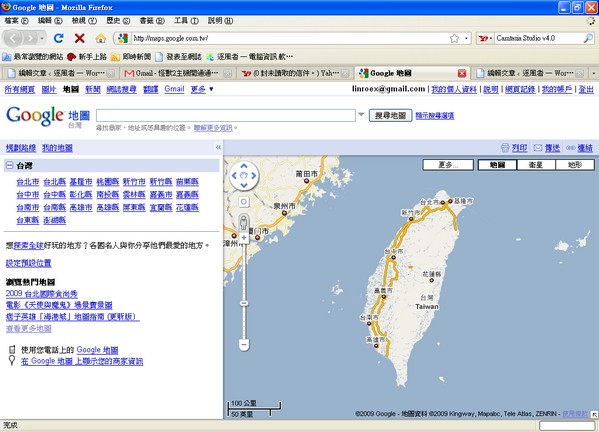

Besides the search feature above, you can also click “Get directions” and let the computer plan a route for you.
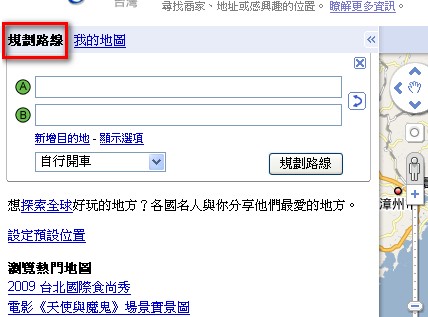
Enter your starting point in box A.
Enter your destination in box B.
Then choose your mode of travel (driving, walking, and so on).
You can also click “Show options” to set advanced options, such as whether to use highways.
After you finish the settings, click “Get directions,” and it will show the related information.
P.S. The red-bordered area on the left shows the detailed route directions, distance, and travel time.
The map on the right shows the driving route.
Once you find the map you want, click “Print” in the upper-right corner to print it out, or choose “Send” to email it to yourself.
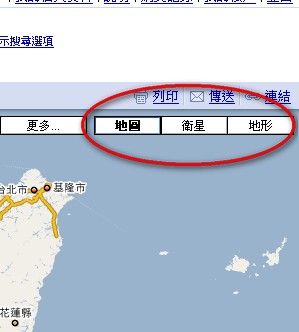
You can also use the mouse to drag the slider on the left side of the map to zoom in or out, or drag the map to look at other areas. Feel free to try it out for yourself!