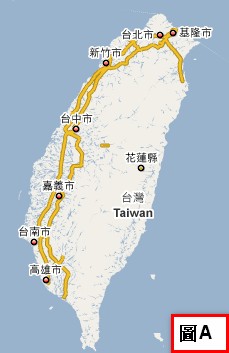
Google Maps, the electronic map service from Google, has added yet another new feature. Calling it “new” isn’t quite accurate, though. It’s really the first time it has appeared in the Taipei version. The feature is called Street View Preview. What is it? I’m sure everyone has seen electronic maps before. They usually look like picture A:
Street View Preview breaks away from that ordinary look. You can see the “real thing” directly, and you can even control it with the keyboard, which feels a lot like playing a game (see picture B).
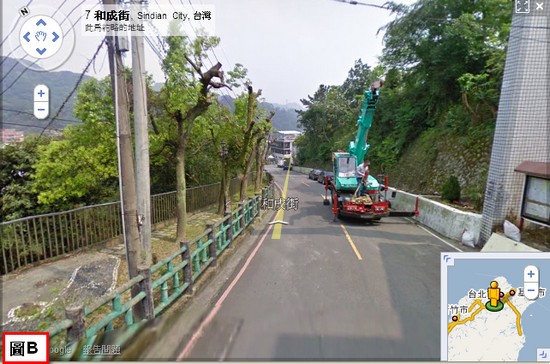
Sounds appealing, right? So let me show you how this new feature works. For now, it’s only available in Taipei City.
How to Use It:
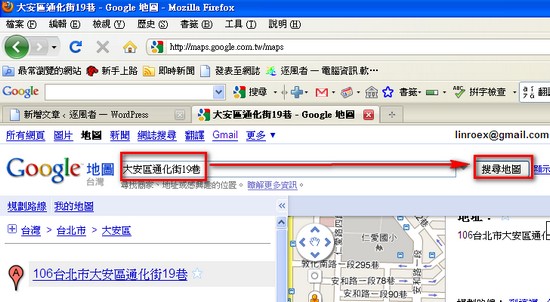
The simplest way to explain it is to use search.- First, go to the Google Maps homepage and type the place where you want to use Street View Preview into the search box. Let’s use my home as an example.
 2. Next, click on the place you searched for. A window will pop up. If that place has Street View, the words “Street View” will appear.
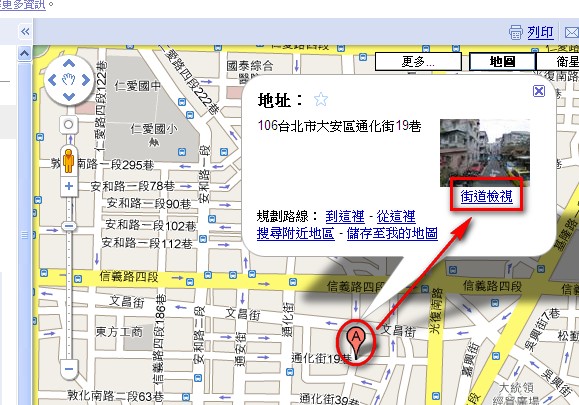
- Remember what I mentioned earlier? The Street View one. Once you click into Street View, you’ll see a completely realistic photo. Then you can use the following keys to control it:
Up/down arrow keys: move forward and backward in Street View
Left/right arrow keys: turn left and right in Street View
You can also use the keyboard to move to the place you want to see, or double-click to zoom in.
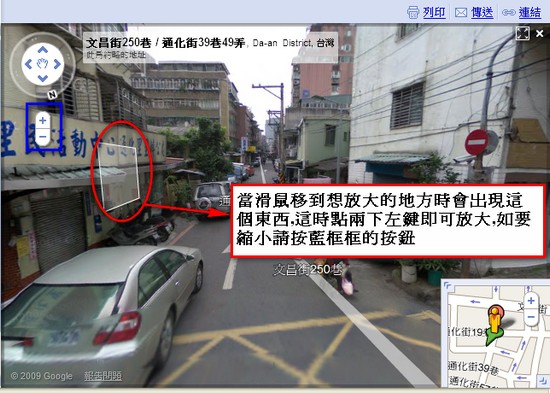 That’s all for the Street View feature. Go ahead and try it out yourself!
By the way, this is the district office near my house. Walk past it and you’ll reach the Tonghua Street Night Market~