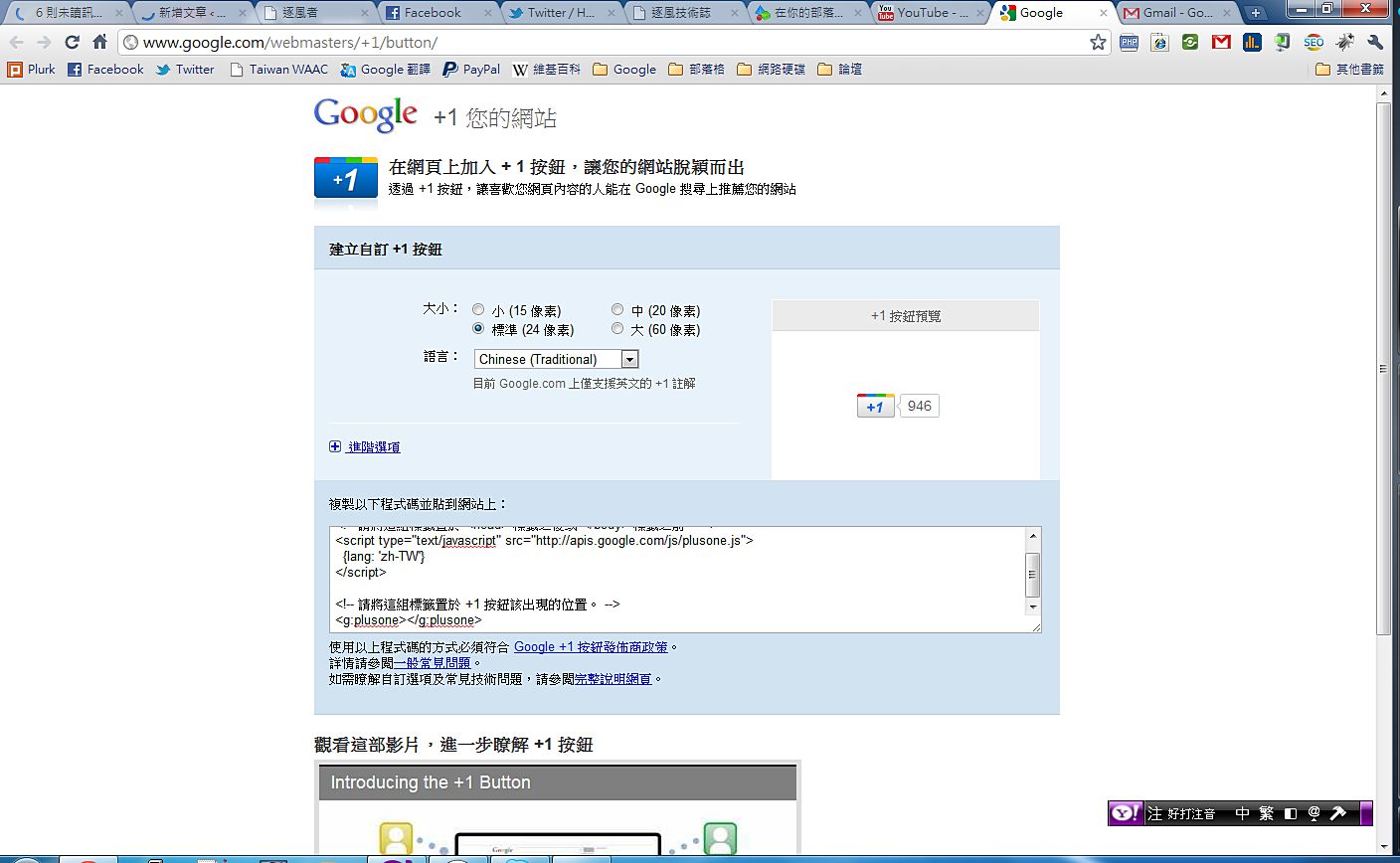
When we agree with what someone says or writes, we express our support with words like “like,” “+1,” or “well said.” “Like” is a Facebook button. And +1? Well, now even Google is copying Facebook and has launched a +1 button. Its function is similar to the Like button, but there’s one very important difference: the +1 button affects your website’s search ranking. How much it affects it, I don’t know, but what’s certain is that “+1” affects search results. Also, the websites you +1 will show up in your Google Profile. Now let me show you how to put a +1 button on your own website xD
Google +1 Video
How to Add Google +1 to Your Website
1. First, go to the Google +1 promotion sitehttp://www.google.com/webmasters/+1/button/
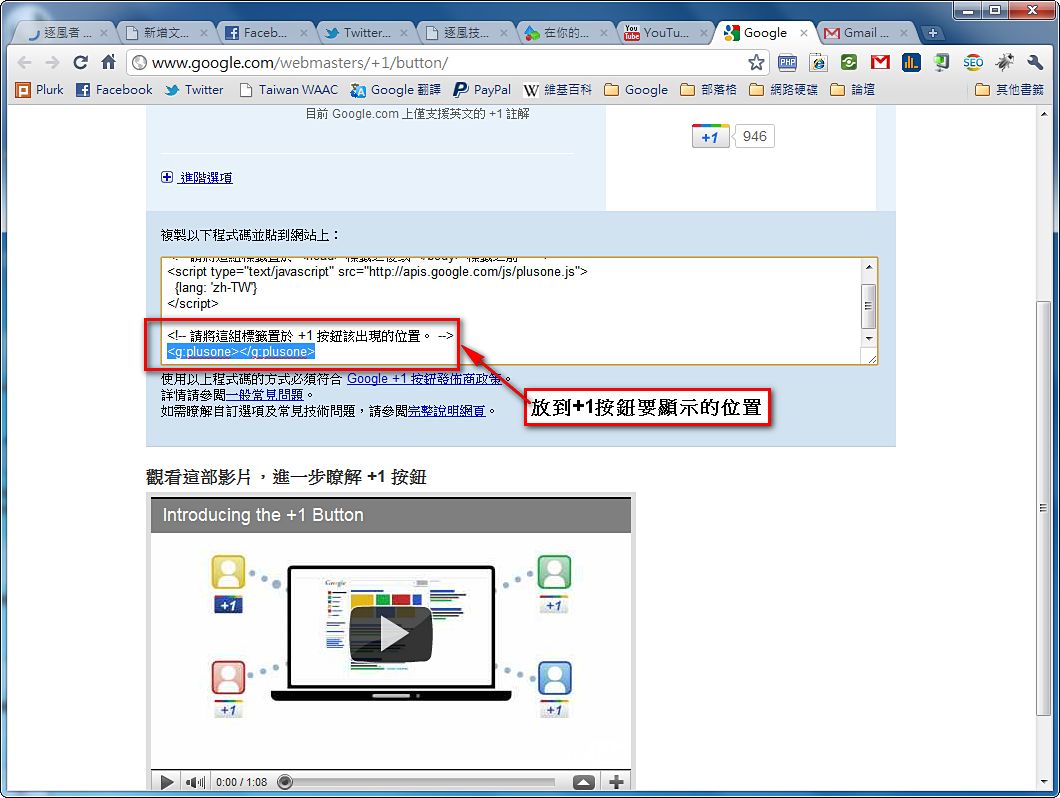
- Set the size and language of your Google +1 button (Traditional Chinese is supported)
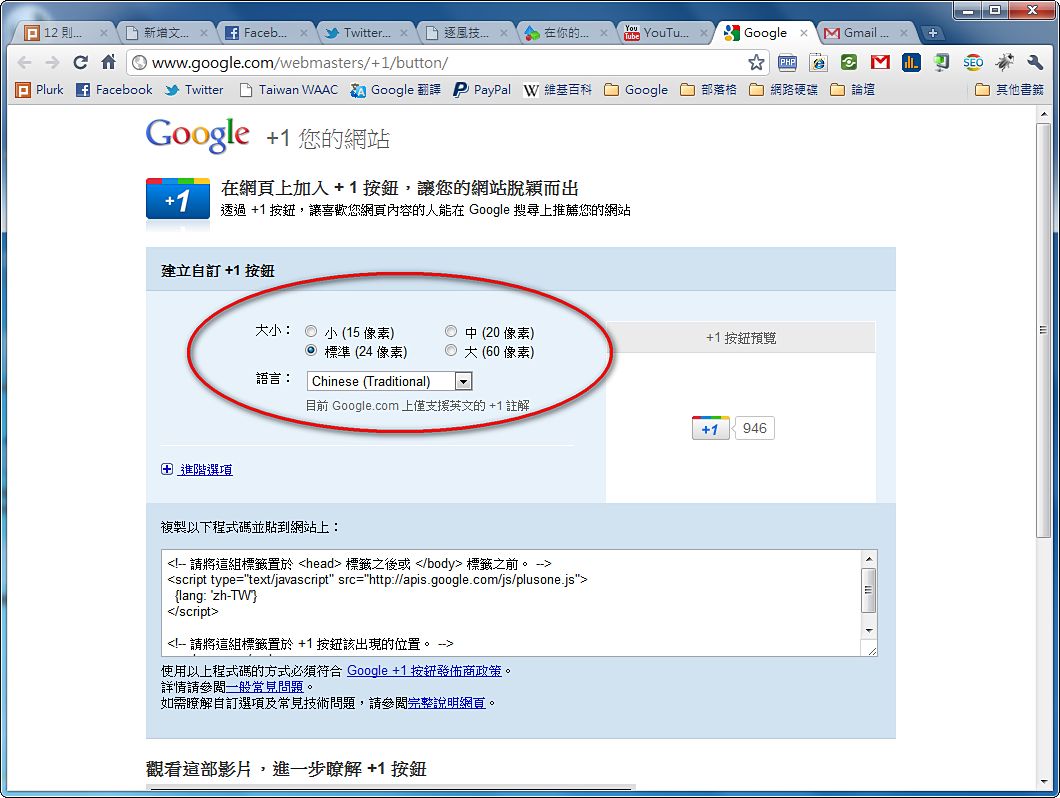
- Insert the first block of code into your website
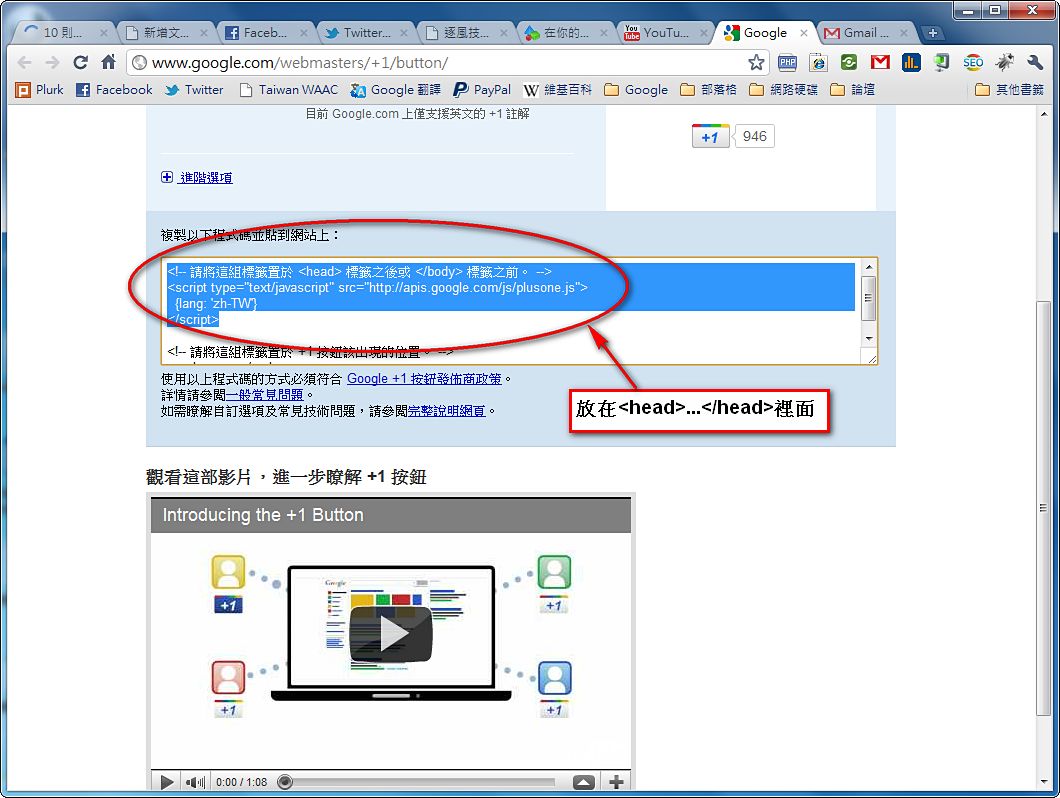
- Place the line shown in the image wherever you want the +1 button to appear
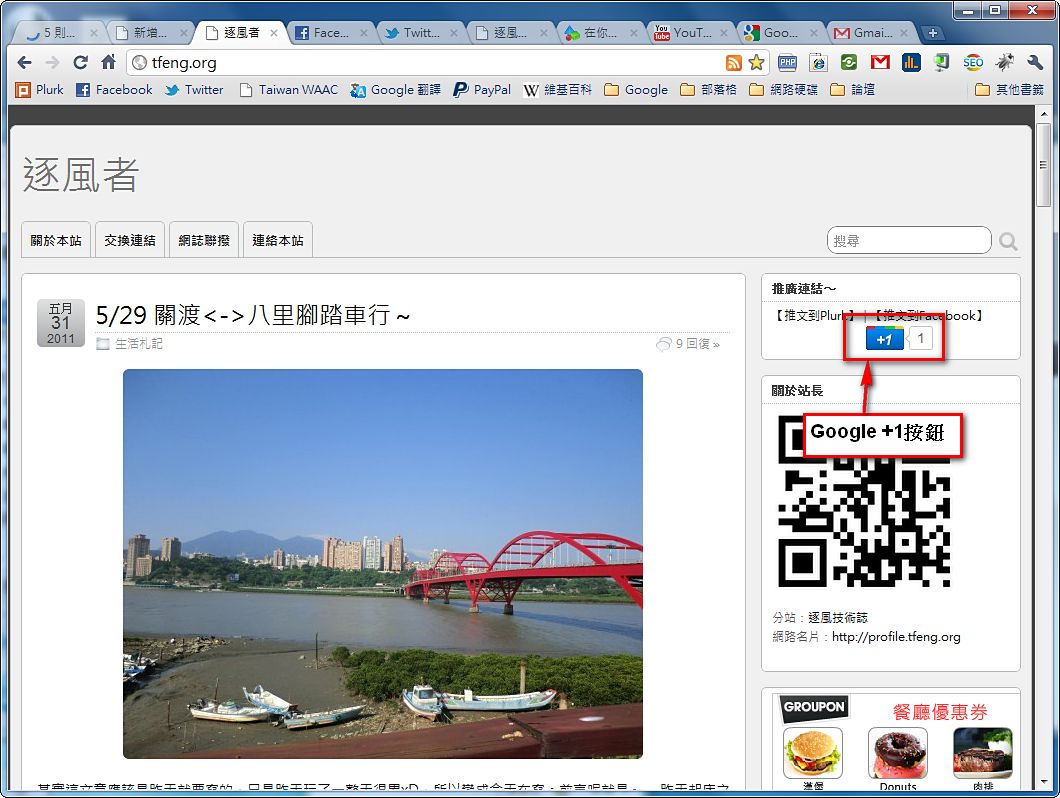
- The Google +1 button now appears on your website~
+1 Plus One Extension
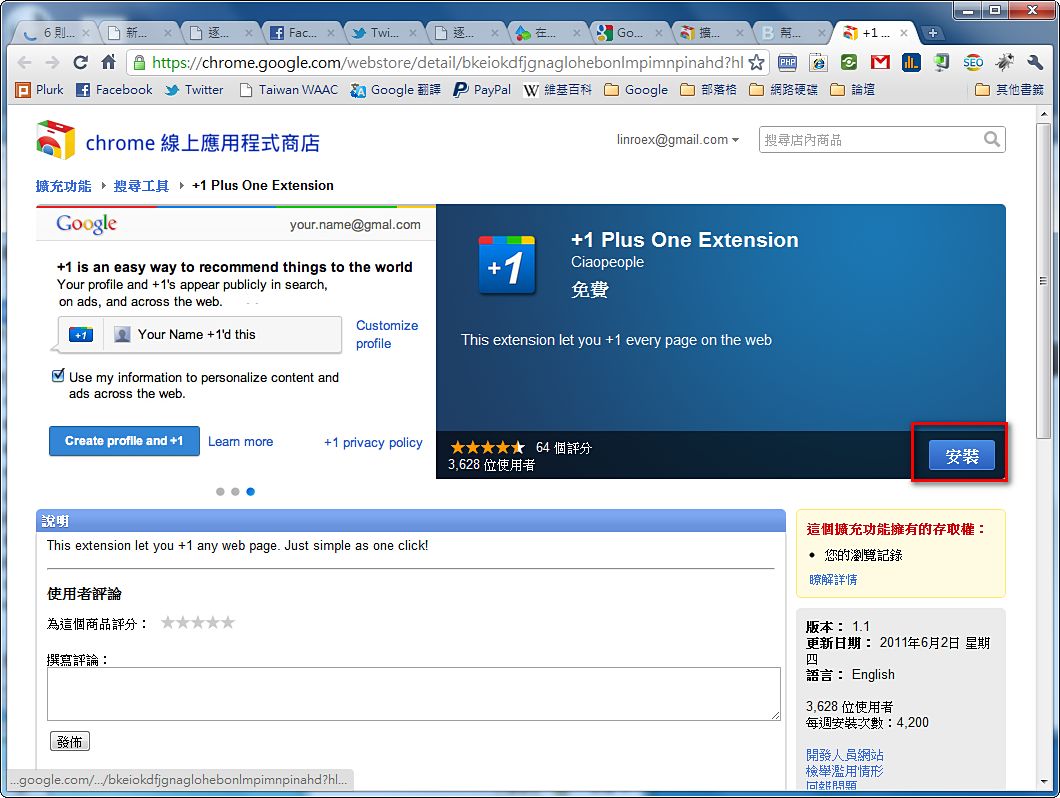
I also want to introduce a Google +1 Chrome extension. Some websites don't have a +1 button, but you still want to give them a +1~ So what do you do then? With the Chrome extension "+1 Plus One Extension," you can give any site a +1 directly, whether or not it has a button. You can click +1 no matter what XD- Go to the web page below and click “Install”
https://chrome.google.com/webstore/detail/bkeiokdfjgnaglohebonlmpimnpinahd?hl=zh-TW
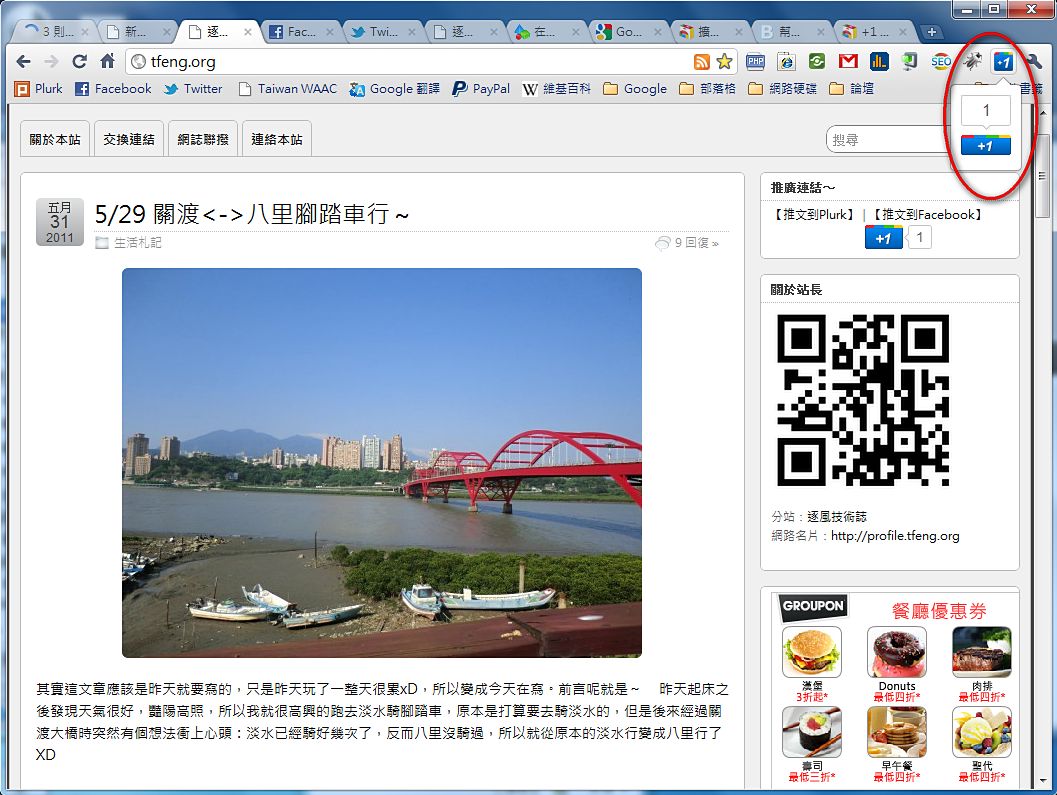
- After installation, a +1 button will appear in the upper-right corner of your browser for you to click~
To wrap up: everyone, come give my site a +1 too, XD