We already covered Google Reader in the post “Google Reader: Online RSS Reader.” I said back then that it had lots of amazing features, but I didn’t explain them very clearly. So now I’ll show you how to use Google Reader to build RSS applications. The first one is the broadcast network. If you blog a lot, you probably know what that is! It automatically posts the new articles from every participating blog, which raises the visibility of everyone’s posts. It’s a really great technique XD
- To use the Google Reader broadcast feature, sign in first and create a folder to store the RSS feeds of the blogs that will take part in the broadcast network.
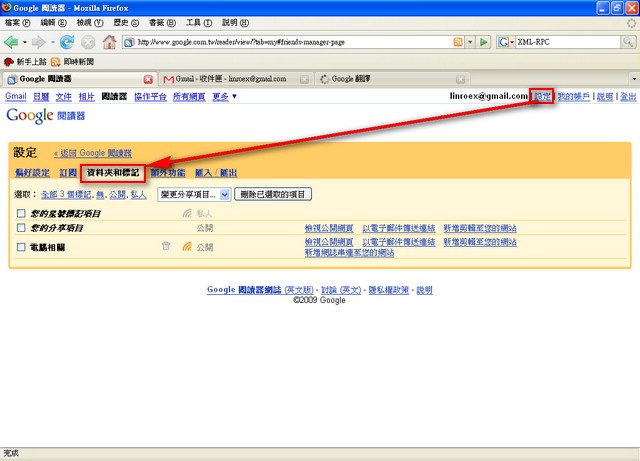
- Click “Settings” → “Folders and Tags,” in that order.
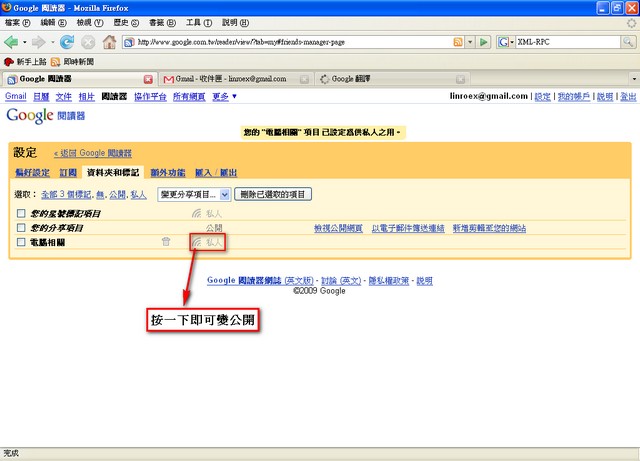
Set the folder you want to use for the broadcast network to public (skip this step if it’s already public)
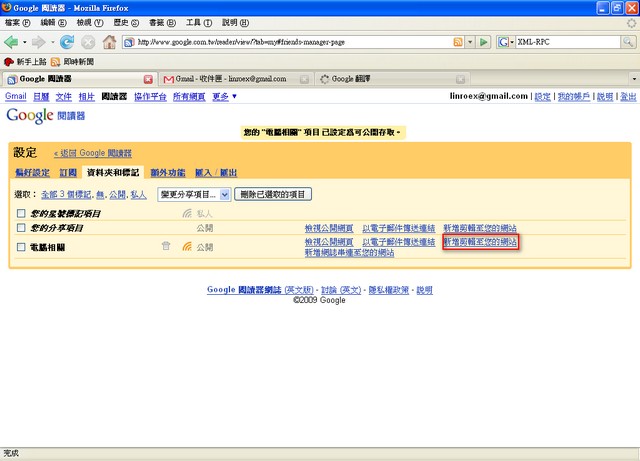
After making it public, click “Add clip to your site” next to the folder you’re using for the broadcast network.
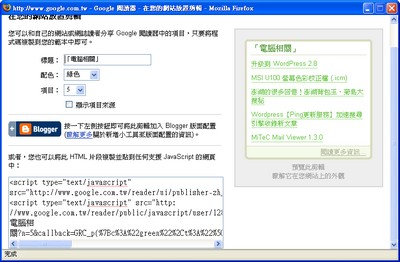
Check the box for the related info and copy the code