I have a habit: every new year, I back up all my data, so I won’t regret it if my computer ever breaks and all my files disappear. Google Takeout, which I’m introducing today, is a backup service provided by Google. You can download the backed-up files to your own computer. Most importantly, since it’s a service provided by Google itself, you don’t have to worry about your account data falling into third-party hands!
Google Takeout currently lets you back up many kinds of data, including Picasa, +1, Knol, Buzz, Profile, Circles, and Contacts. The ones people use most are Picasa and Contacts. In fact, I found this service when I was trying to back up the photos on Picasa XD. What’s a bit disappointing is that Google Docs isn’t supported, so you’ll have to find another way to back up Google Docs. I’ll cover that in a future post.
Update (January 25): Google Docs backup is now supported
Google Takeout URL: https://www.google.com/takeout/
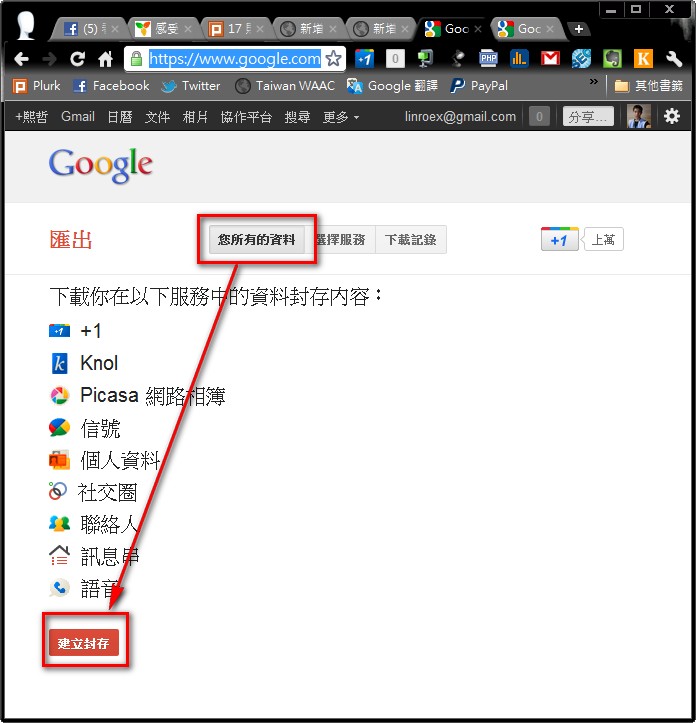
It’s very easy to use. After you enter the Google Takeout site, if you want to back up all your data, just click “Your data” -> “Create archive.”
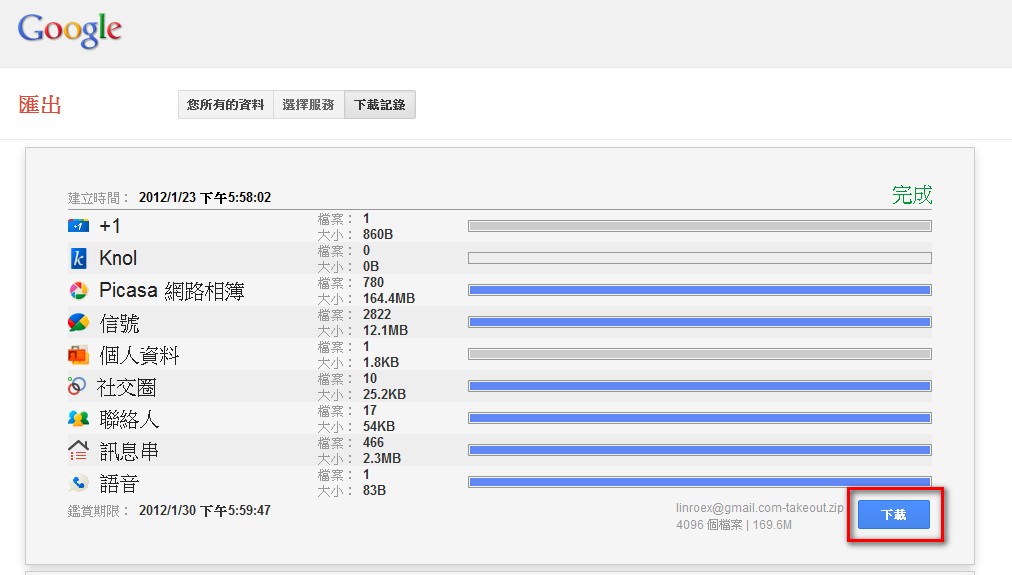
The backup starts. Depending on how much data you have, it may take a while. The data size for each service is listed separately. Once it’s done, click “Download.”
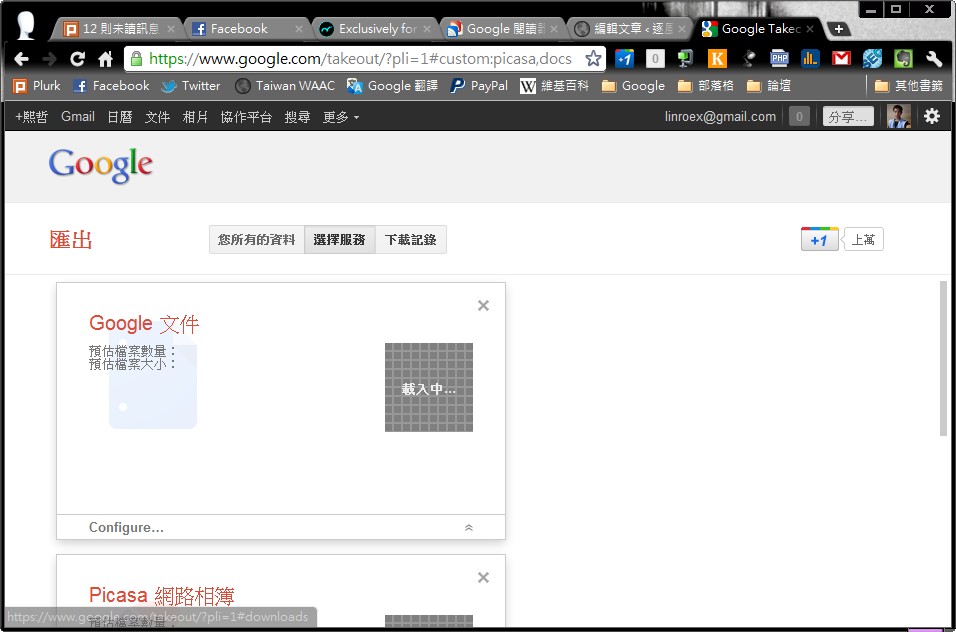
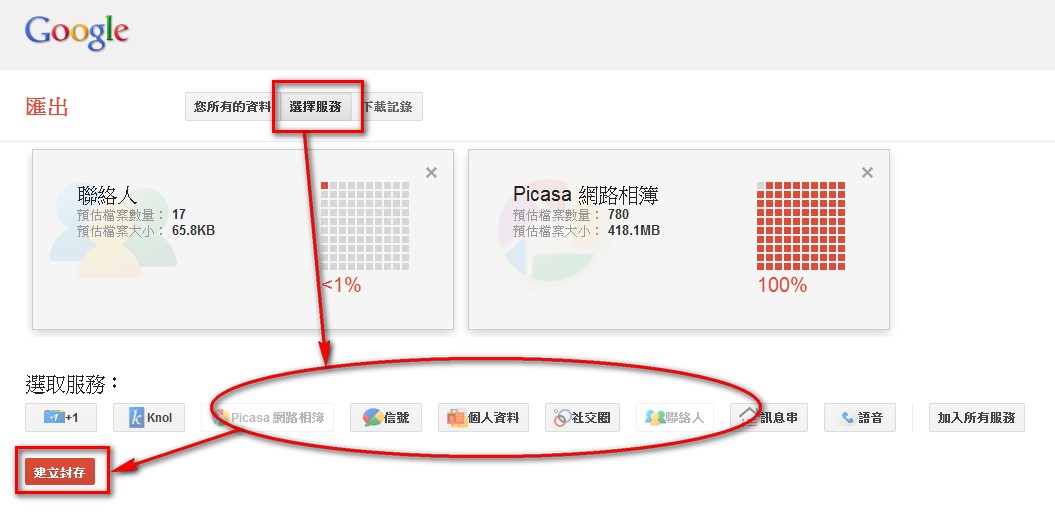
If you only want to back up certain services, such as just the photos on Picasa, click “Select services,” choose the services you want to back up, and then click “Create archive.”
The page shows the file size in real time.
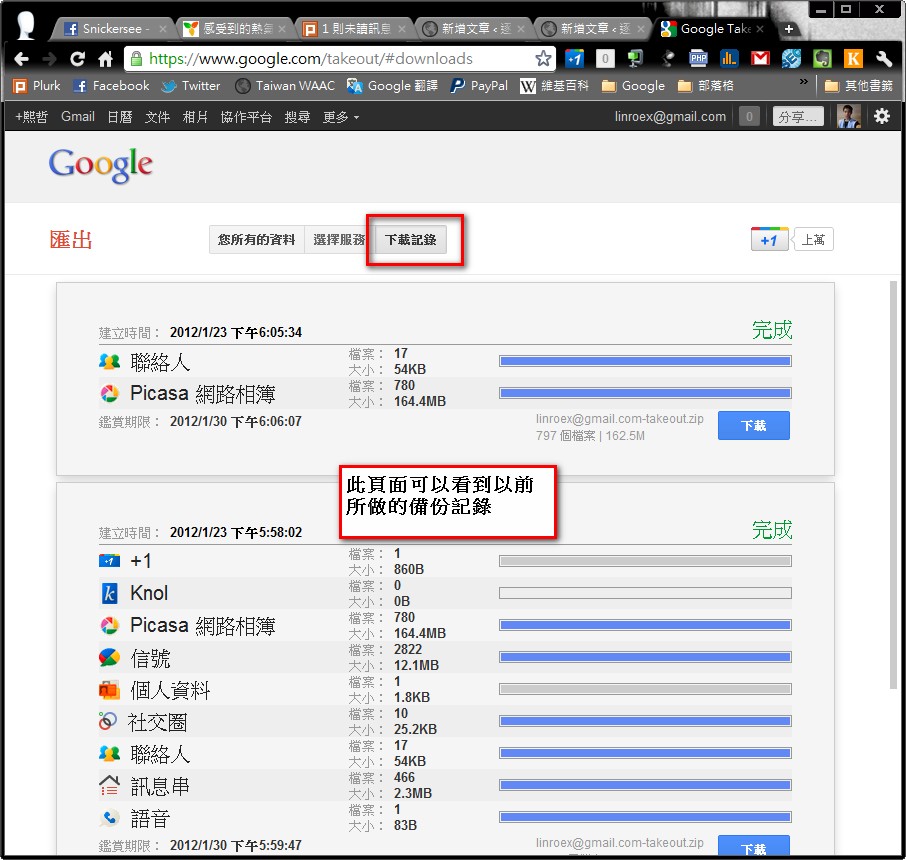
On the “Download history” page, you can see every backup you’ve made before.