In this post I’ll show you how to enable WordPress’s Gzip feature with the Gzippy plugin. First, a heads-up: not every hosting account supports Gzip. If your host doesn’t support it and you install Gzippy anyway, your site may break. If that happens, just remove Gzippy via FTP! So what’s the benefit of installing Gzippy? Of course there is, otherwise why would I bother XD. Gzip is simply web page compression. It can make your web pages smaller. A page that’s 100K might shrink to about 30K after Gzip compression, which makes pages load a lot faster.
Plugin name: Gzippy
Official website: http://wordpress.org/extend/plugins/gzippy/
Download link: http://downloads.wordpress.org/plugin/gzippy.1.0.2.1.zip
How to Use
Gzippy doesn't need much introduction, since all you have to do is install it. As usual, go to the admin dashboard, choose Plugins → Add New, search for Gzippy, and click Install.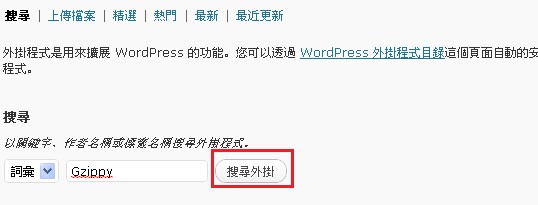
Once you’ve installed Gzippy, WordPress’s Gzip feature is basically enabled. If you want to confirm it’s working, you can check at http://gzip.zzbaike.com/.
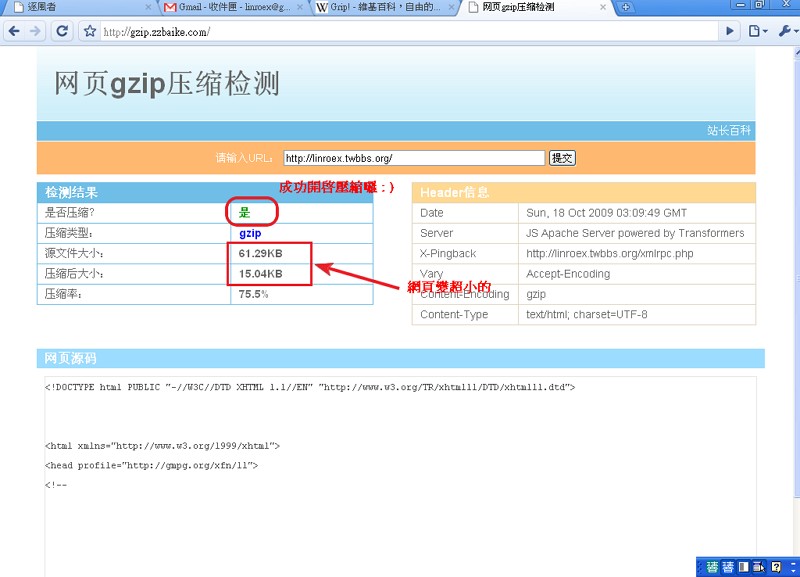
.
Additional Resources
Gzip homepage http://www.gzip.org/Gzip explained on Chinese Wikipedia http://zh.wikipedia.org/zh-tw/Gzip