Recently I was working on adding Google Analytics user event tracking code to a website. I attached the code to inputs using HTML event handlers, so that whenever a user clicks a specific field or button, a record is sent to Google Analytics. This works fine, but I noticed a problem. If a user clicks into an input field, switches to another page (another Chrome tab), and then switches back to my page (Page onFocus), the input’s onFocus event fires automatically!
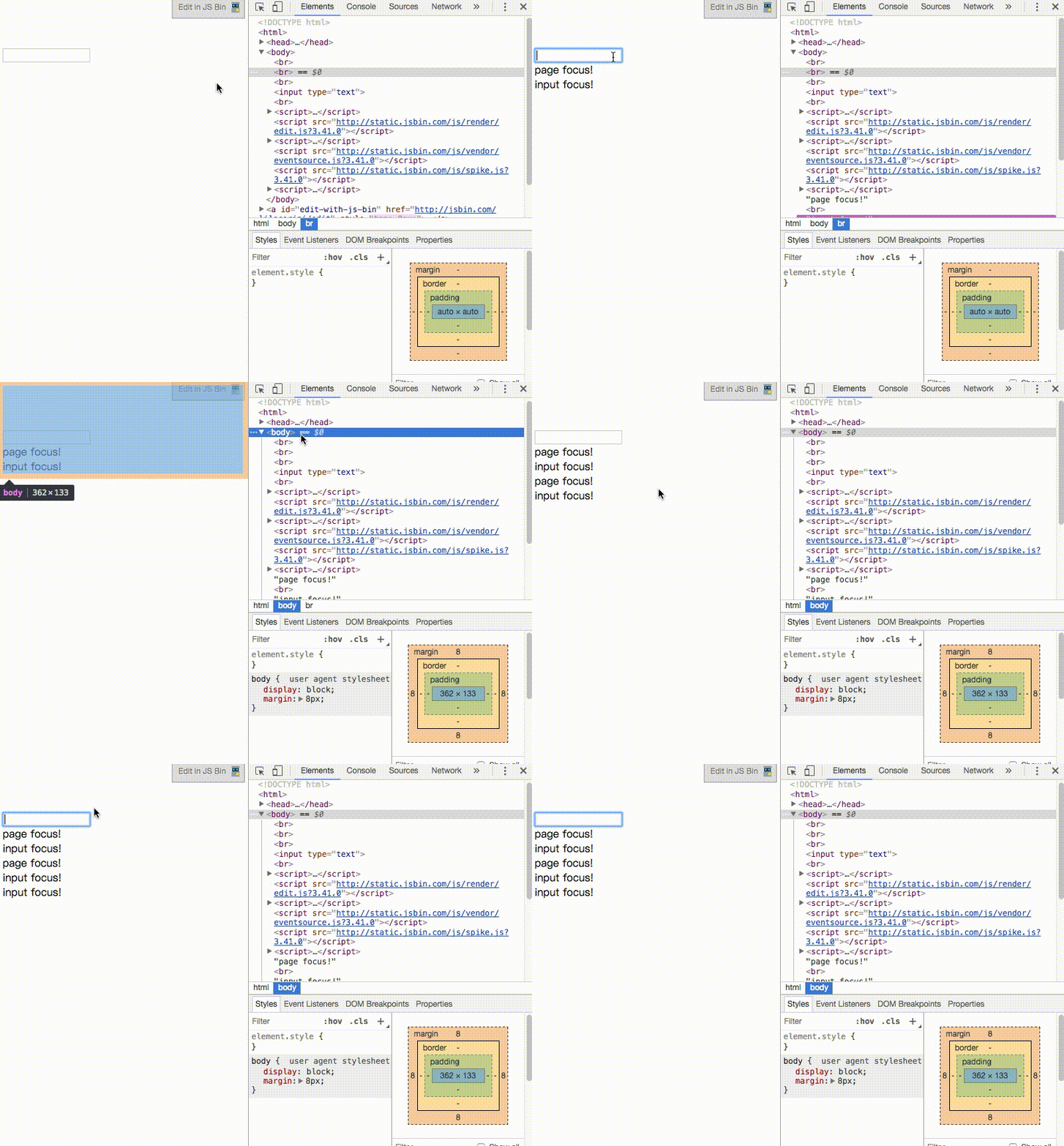
When I click into DevTools and then back to the page, the input’s onFocus fires too, even though I clicked on the page, not on the input field. Switching to other pages or other apps has the same effect.
Actually, it is not hard to see why the input gets onFocus automatically when the page gets onFocus, so it is not really a bug. But since I am tracking user behavior here, the input should not receive focus when the page loads, because the user never clicked it. So I needed a way to prevent this.
My solution is to use the Page onFocus event together with a flag variable. Here is the code:
var flag = false;

$("input:text").focus(function(e){
  if(flag == true) {
    flag = false;
    return false;
  }
  $("body").append("input focus!<br>");
});

window.onfocus = function() {
  $("body").append("page focus!<br>");
  flag = true;

  setTimeout(function(){
    flag = false;
  }, 300);

}
When the page gets focus, I set the flag to true. We know that after Page onFocus, the current input’s onFocus event fires automatically. In the input’s onFocus handler, I check whether the flag is true. If it is, the previous event was Page onFocus, so I skip the handler’s logic and reset the flag to false. This way, later normal clicks by the user can still trigger the event.
Chrome may fire Page onFocus before the input’s onFocus, but other browsers may differ in implementation or order. This kind of inconsistency is common with JavaScript events, so I added a setTimeout as a fallback.