Scheduling a time to meet is something everyone runs into, and it is always a hassle. You usually have to go back and forth several times before you find a slot that works for everyone. Everyone has their own commitments: some have part-time jobs, some have classes. Finding a time that satisfies everyone is not easy. When I was in the student council, I picked up some experience with scheduling. I am sharing it here, and if you know better ways, please do share them too!
The most basic rule: avoid scheduling for this week if you can. Whenever someone says “let’s meet tomorrow evening,” I feel helpless. Not everyone is free at a moment’s notice. Unless it is urgent, I would prefer next week or later. Also, when you schedule, people usually ask for your available times first, but “available times” are not the final decision! I often give someone two or three slots that work for me right now, and then they wait a whole week to confirm the final time. By then, those slots have been taken by other commitments! Scheduling needs to be fast, decisive, and precise. And do not forget to get final confirmation from the other person. Never assume that the options they gave you are all reserved for you.
When I schedule with someone, I usually offer them 3 to 5 times when I am available and let them pick one. Offering only one option is rude and a waste of time.
Also, many people like to use relative times, such as “next Wednesday at 12:00.” This has two problems. Relative times are easy to misunderstand. For example, if you say this on a Monday morning, it is easy to get confused about whether it means this week or next week. So when describing dates, do not use relative dates. Use absolute dates, such as 3/5. For times, add a description like noon or early morning, because for some people, midnight is a fine time to meet (lol).
Once the time is set, do not forget to add it to your calendar and send a calendar invitation to the other person, so that the event also appears on their calendar. The benefit of calendar invitations is that even if you later change the location or time, the other person’s calendar updates too, and it prevents everyone from misremembering the time.
There is also a kind of arrangement called “let’s meet when we are free.” For me, that basically means we will never meet, haha. So if possible, lock in a time even for a 10-minute phone call. Please do not say, “Let’s discuss it at lunch today if we are free.”
For recurring meetings, I recommend fixing the time, such as a weekly meeting every Tuesday morning. Try not to change it, either. If you keep changing it, do not complain later that people are hard to schedule with. Everyone has their own commitments, and you cannot expect everyone to be free just because you picked an arbitrary time. So fixing a regular time is very important!
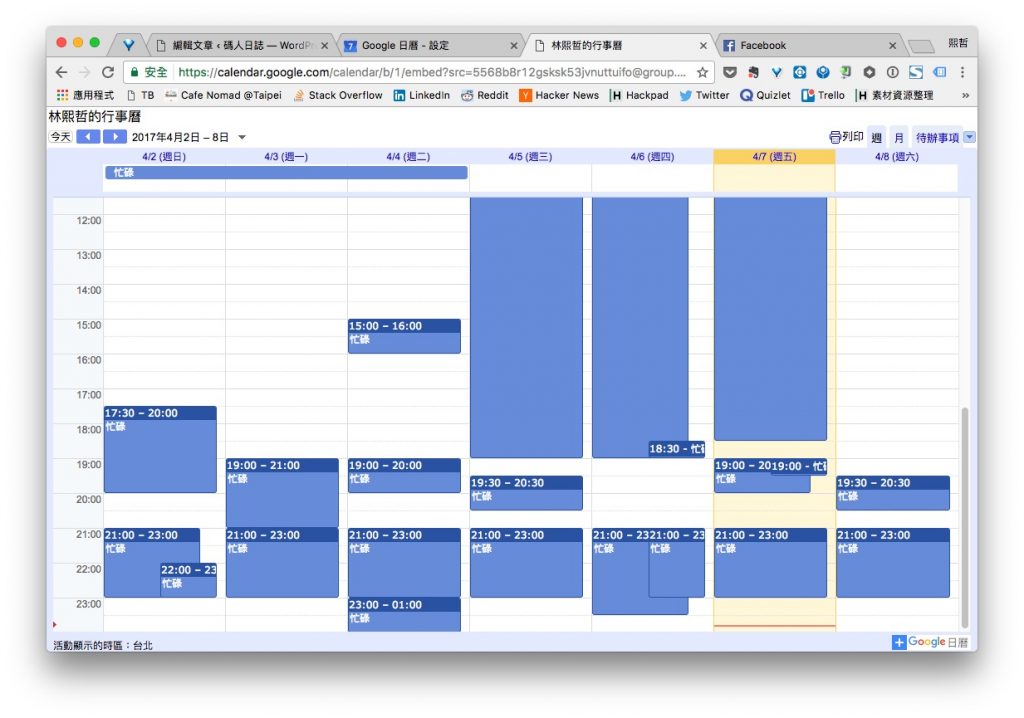
When it is just two people scheduling, listing your free times can be quite a hassle. In that case, you can make good use of Google Calendar. For example, here is my calendar. I have made all my calendars public, but they only show busy or free status, not the event details, so the other person can see my availability at a glance when they open the calendar link. To get a calendar link like this, you can refer to this post: Use Google Calendar to Easily Schedule with Friends and Clients!
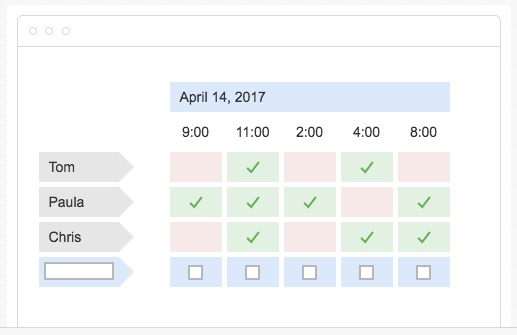
For scheduling with multiple people, you can also use Google Calendar in the same way: have everyone make their calendars public and combine them into one link (see the post above). But this requires everyone to be in the habit of using a calendar. From my experience, do not expect too much. Try Doodle instead. The organizer sets a series of time options and shares the voting link. Everyone then picks the slots they can make, and the organizer can see where everyone overlaps. In the student council and at SITCON, we relied heavily on tools like this, and they are very convenient for multi-person scheduling! But in my past experience, it is often hard to find a slot that everyone can make. People do not mark every time they are actually available. Some people tick “not available,” but when you talk to them directly, they turn out to be free. The organizer has to use judgment on that.
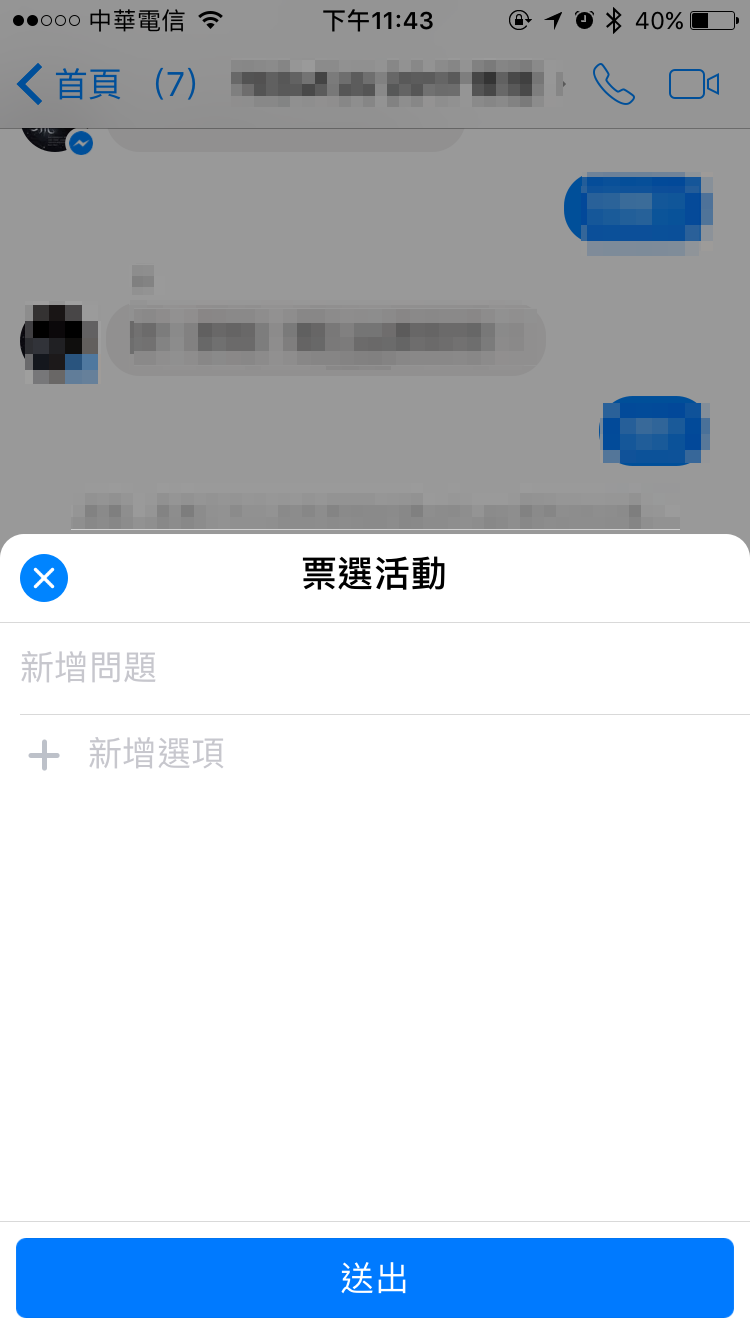
Facebook Messenger has also recently launched a poll feature. The organizer can set several time options and let people choose directly on Facebook. It is not designed specifically for scheduling like Doodle, but it is still very convenient!
That is my personal set of tips for scheduling. I hope they help :)