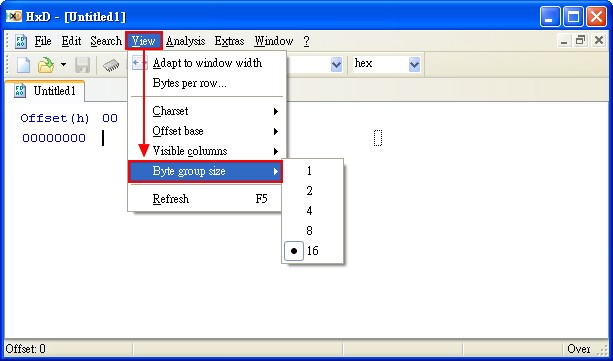
Today I am introducing a program called HxD. It lets you view a file’s hexadecimal bytes. Although HxD is free, it is no less capable than professional-grade editors. HxD not only supports basic hex viewing but can also directly control memory. HxD also has an export feature: you can export modified files directly as source files for languages such as VB or C++. Personally, I think anyone who often works with computers should keep it on a USB drive, just in case.
Program Information:
- Program name: HxD
- Official website: http://mh-nexus.de/en/hxd/
- Download page: Official download | Xun6 | 4Shared | Box.net
- Virus scan report: VirusTotal
- MD5 hash: 18df5e00110513f15882709d06947f95
Tutorial:
You can click File, then Open, to open an existing file, or click New to create a new file.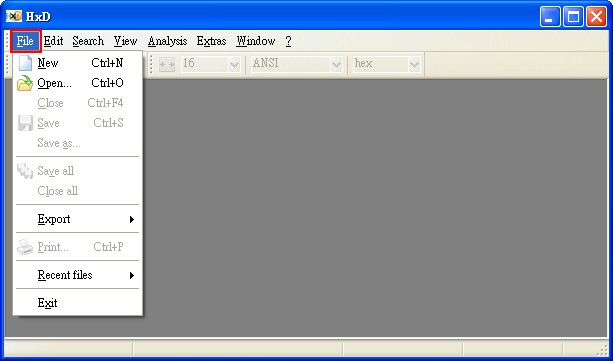
Once the file is open, you can start making changes.
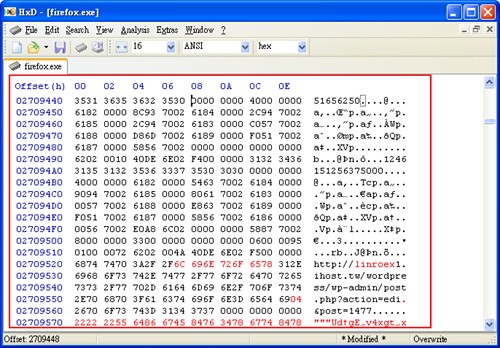
After making your changes, click File, then Save to save them.
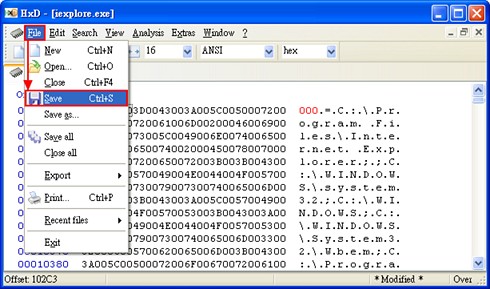
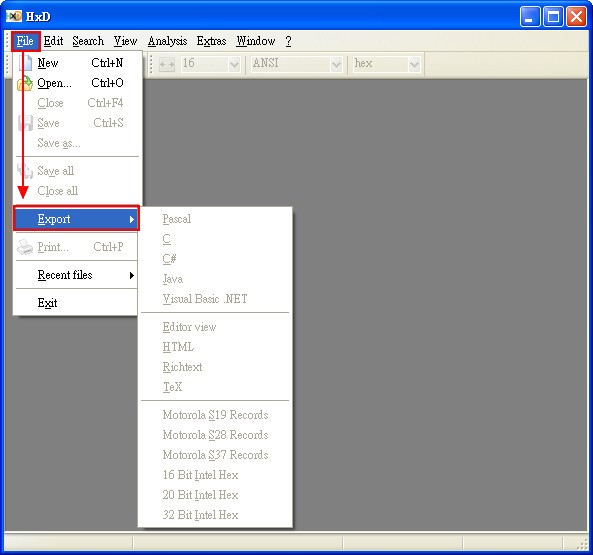
You can also click File, then Export, to export the file.
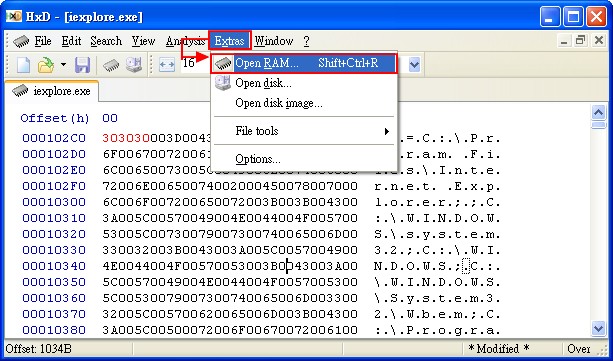
Also, remember I mentioned that it can modify memory directly!
Just click Extras, then Open RAM, and select the process you want to modify.
Besides the features covered here, HxD has many more. Feel free to explore them on your own.