If I remember correctly, around 1 AM this Sunday (6/7), Apple held WWDC and announced three of the most important things: Mac OS X Lion, iOS 5, and iCloud. I happened to be free that day, so I stayed up to read AppleLife’s live text coverage (Apple prohibits live video broadcasts). My impression after reading it: iOS 5 has improved so much that it might even stop you from wanting to jailbreak. iCloud is also very good, because it can save you a lot of time when updating iOS by pulling your music, photos, and other data straight down from the internet.
While we were following the text coverage, there was lively discussion on Twitter and Plurk. One netizen said something classic: “iOS 5 is going to crush a bunch of internet startups.” Why would they say that? Because iOS 5 now has many features built in that used to require installing an app. For example, Twitter is integrated into iOS. Also, with the launch of iCloud, many online storage services may be hit hard (Dropbox, for one). On top of that, the launch of iMessage makes the Ping app unnecessary… This time, it really wiped out many app developers.
P.S. This post covers iOS 5 for iPad, so features that only appear on iPhone won’t be discussed. Also, iOS 5 isn’t expected to officially launch until fall, and for now only the Beta is available.
New Features in iOS 5
- iMessage
- Free PC
- Safari tabbed browsing and Reader mode
- The English keyboard can be split in two
- iCloud
- Gestures (reportedly only available on iPad 2)
- New notification interface
- Reminders
- Newsstand
- Built-in Twitter
Traditional Chinese Video
iMessage
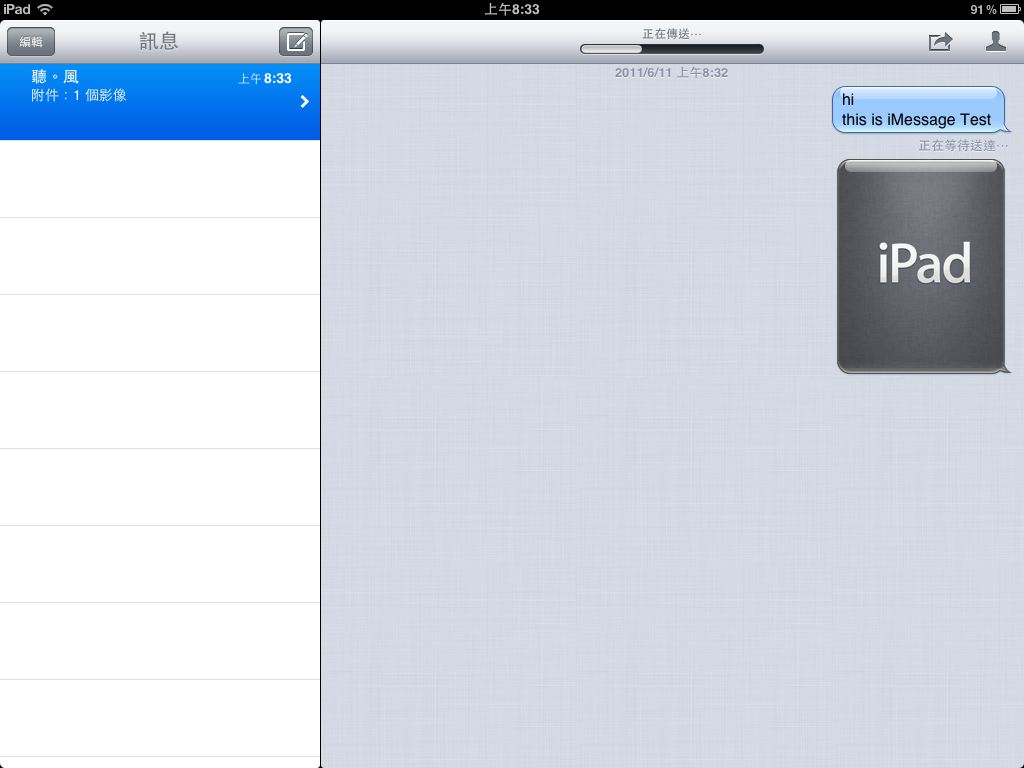
Put simply, iMessage is an instant messaging program. It can send text and picture messages to others, much like ordinary instant messengers. The difference is that it's native to iOS, and it can only send messages to iOS users. That's a drawback of iMessage. If iMessage could be used on Windows, Linux, or even the web, I believe it could beat a lot more instant messaging providers!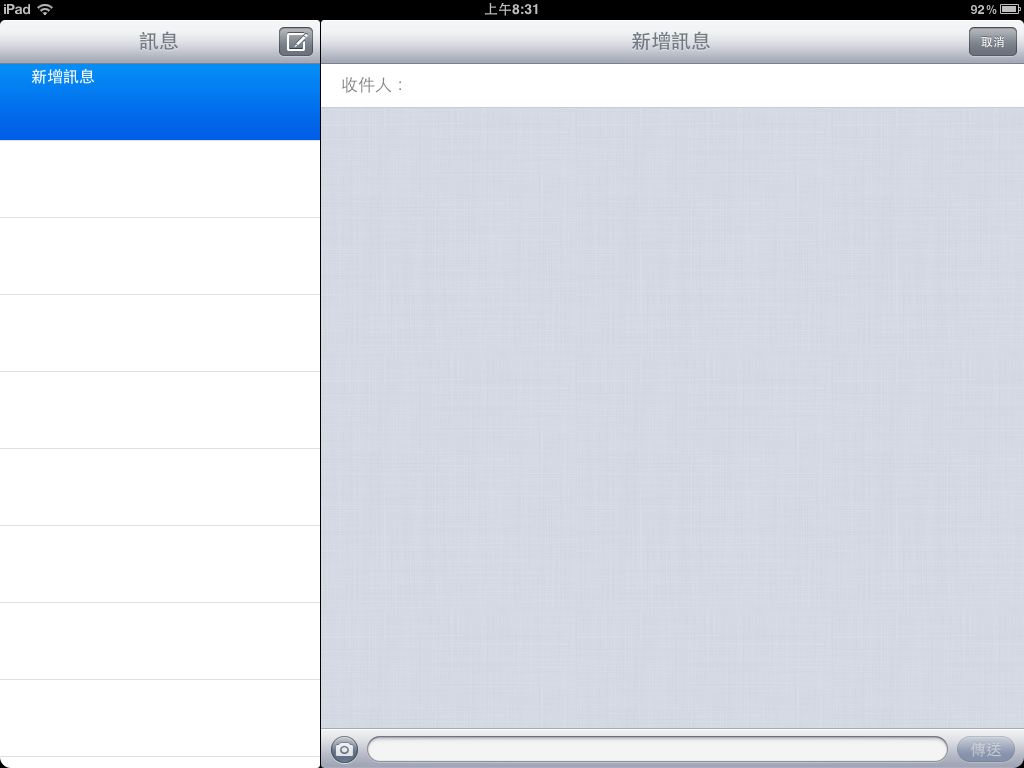
▲▲iMessage main interface
▼▼You can send text and picture messages
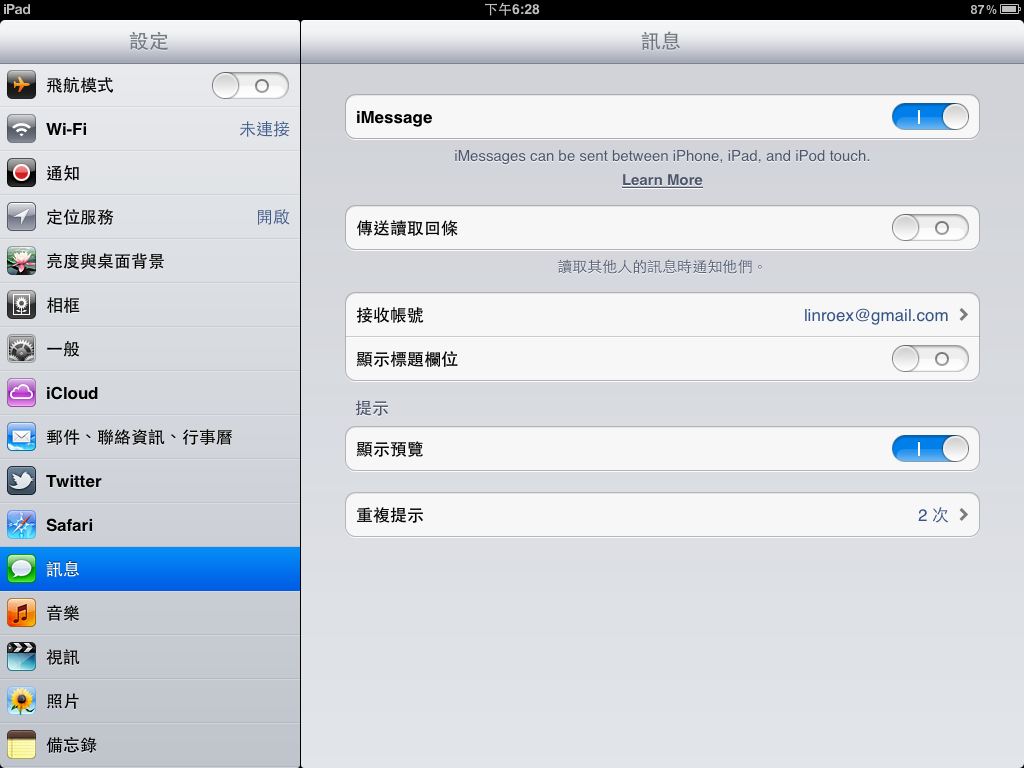
▼▼iMessage settings
Free PC
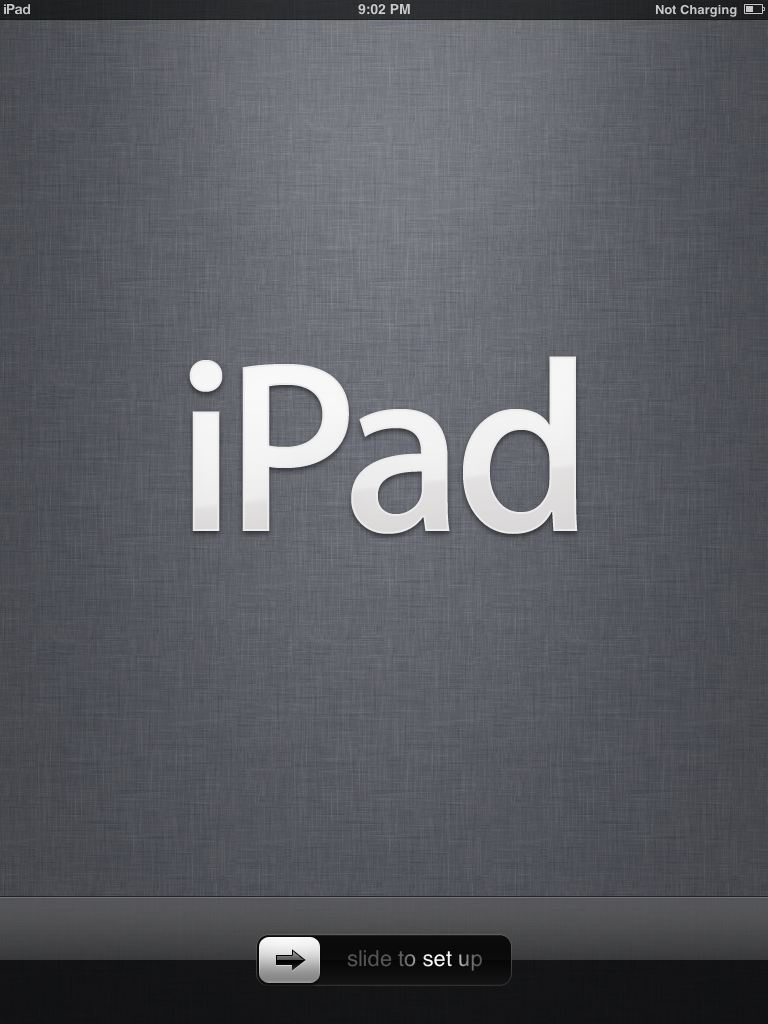
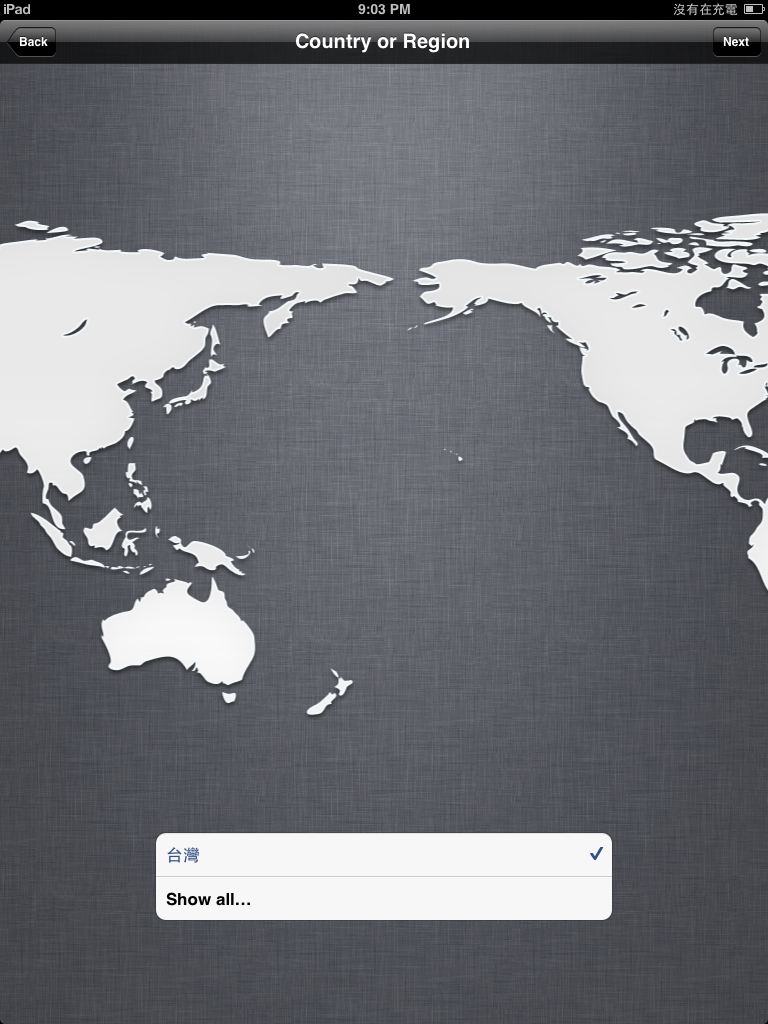
The Chinese name for this feature should be read as "no computer needed," not "free computer" xD This feature greatly reduces how much an iOS device (iPad, iPhone, etc.) depends on a computer. For example, previously when you brought a new iPad home, you had to connect it to a computer and activate it through iTunes. Now that's not necessary, because you can activate it directly on the iPad over a wireless connection. Also, to sync data between a computer and an iPad, you used to need a cable. With the Free PC feature, you can sync files between a PC and an iOS device directly over wireless. It's similar to the WiFi Sync app.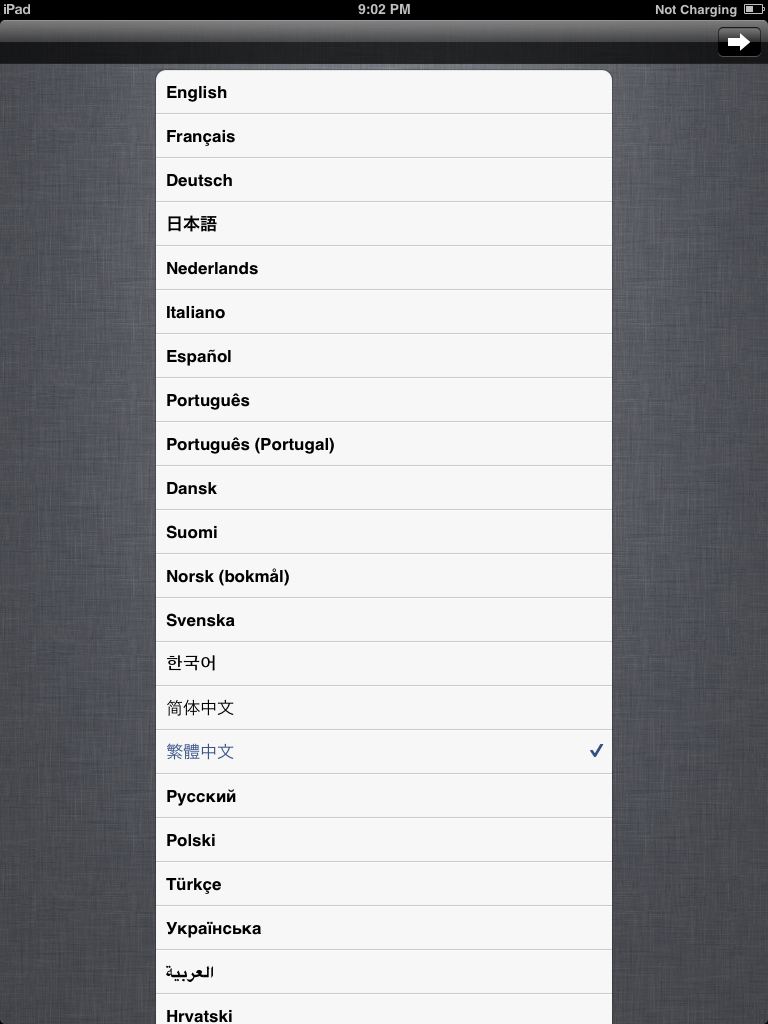
▼▼▲▲You can activate the device right on the iPad, no need to connect to iTunes~
Safari
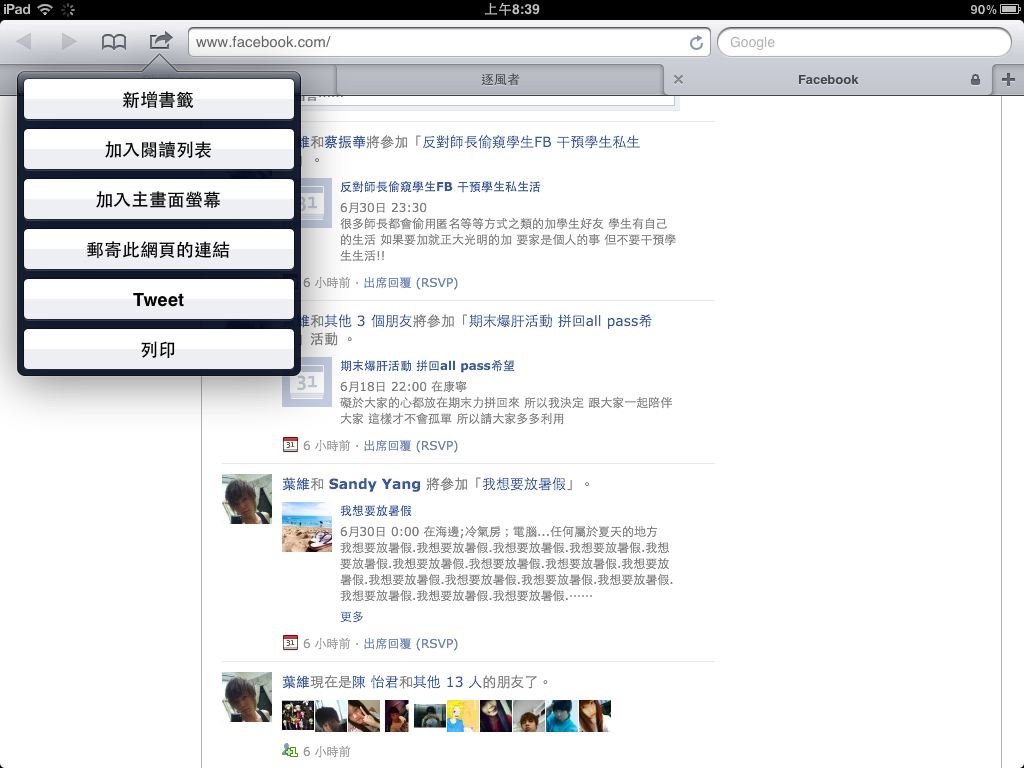
Safari also got quite a few changes in iOS 5. Better performance was a given~ But besides performance, the Safari built into iOS 5 gains two of the most important features: Reader mode and tabs. Before iOS 5, Safari could open multiple pages, so it had a kind of tabbing, but switching between pages was a hassle: you had to tap a button to enter a page-switching mode first. In the new Safari, however, switching pages works like the tabs in Chrome and Firefox, which makes it much faster~ You can open up to nine tabs at once. As for Reader mode, it automatically strips out extra content from a web page, such as ads, and saves the page so you can read the article even without a connection.▼▼Now with “tabs” and “Add to Reading List”
Keyboard
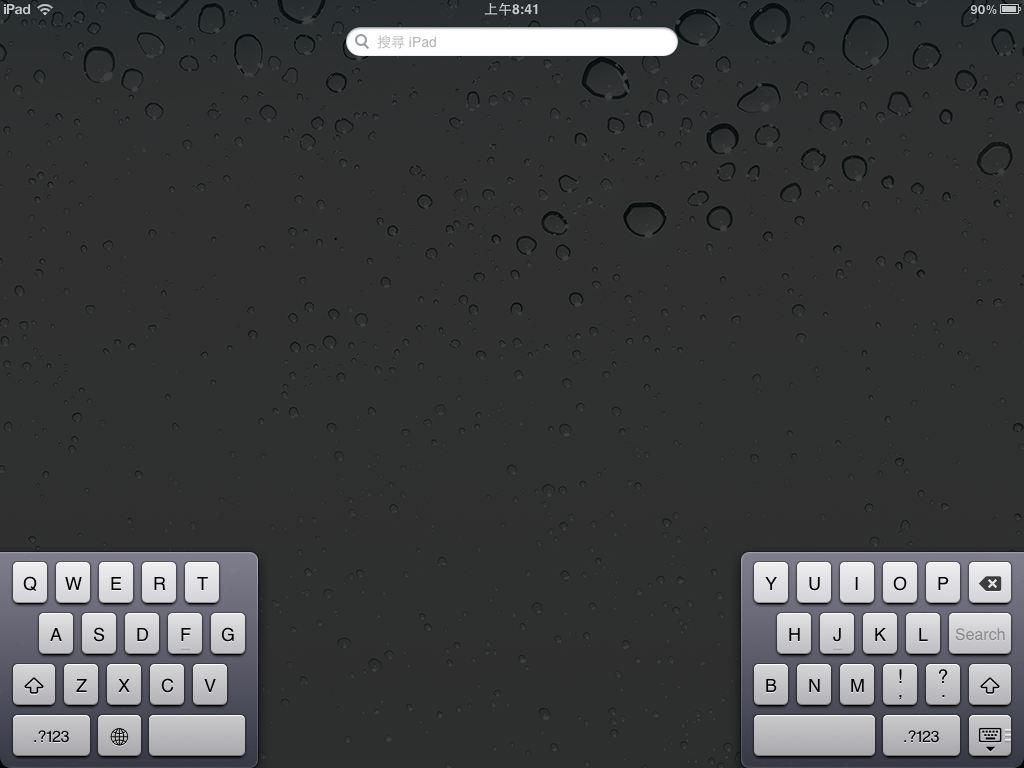
As for the keyboard, the biggest change from the previous version is that the English keyboard in iOS 5 can be split into two halves. The benefit is that you can type with both hands. This feature is really handy, because it's sometimes hard to type on an iPad while walking: one hand has to hold the iPad, so only one hand is free to type. Once the keyboard is split, you can type with both hands and still hold the iPad. It's a shame that Chinese input isn't supported yet, though.▼▼The split keyboard
iCloud
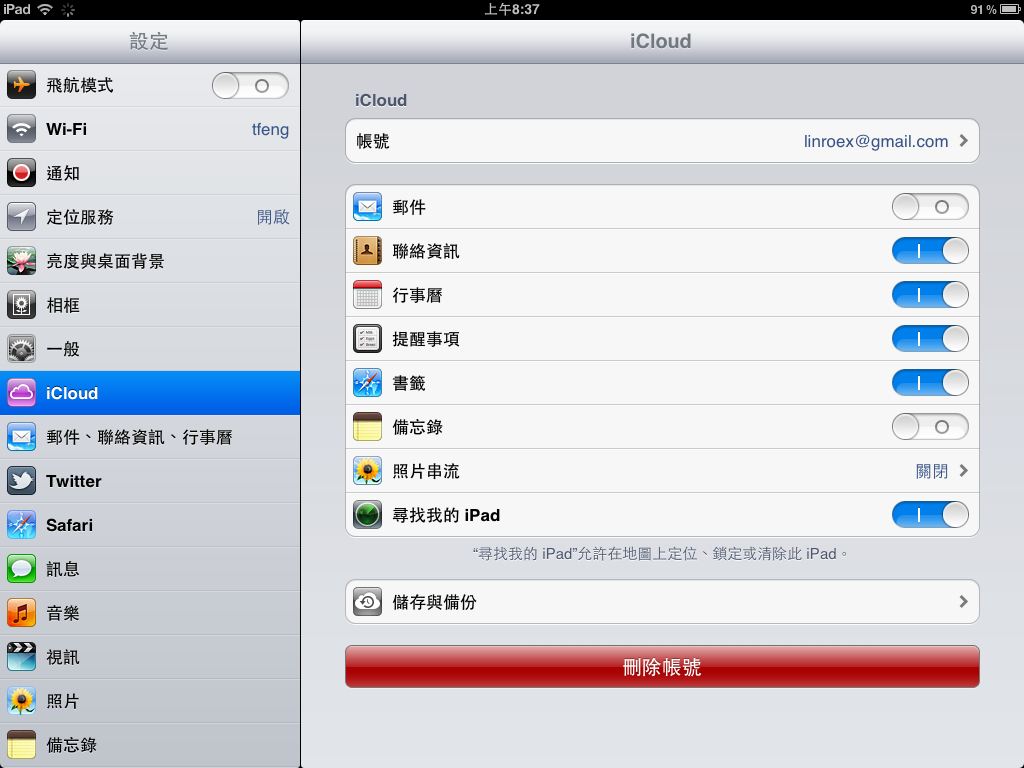
iCloud is a free cloud service from Apple that can sync music, photos, calendars, contacts, and other data. It can even sync apps, and it gives you 5GB of free storage. For me, iCloud's biggest use is restoring files to my iPad after upgrading iOS. Before iCloud, you had to connect to a computer, find the files, and sync them over. With iCloud, you only need to turn on the internet and the downloads start~~▼▼It can sync many kinds of data!
Notifications
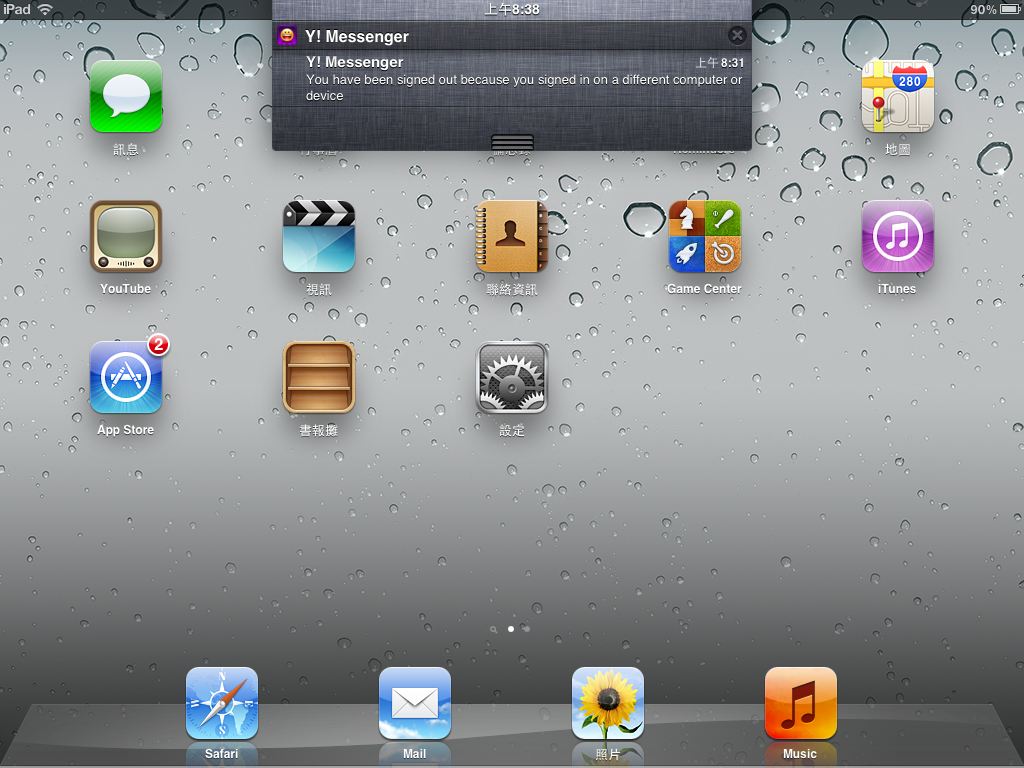
The new notification interface gave me a sense of SBSettings for a moment, but after a while I realized it's actually quite different. The biggest feature of the new notifications is that you can see multiple past messages, and they won't interrupt you while you're playing a game. The old Push notifications, by contrast, pop up a window directly. That's hard to explain in words, but simply put, you can understand iOS's new notification interface by thinking of Android's notification interface. The two are nearly identical.▼▼Pull down from the top of the screen to see notifications, and you can “show multiple messages”
Reminders
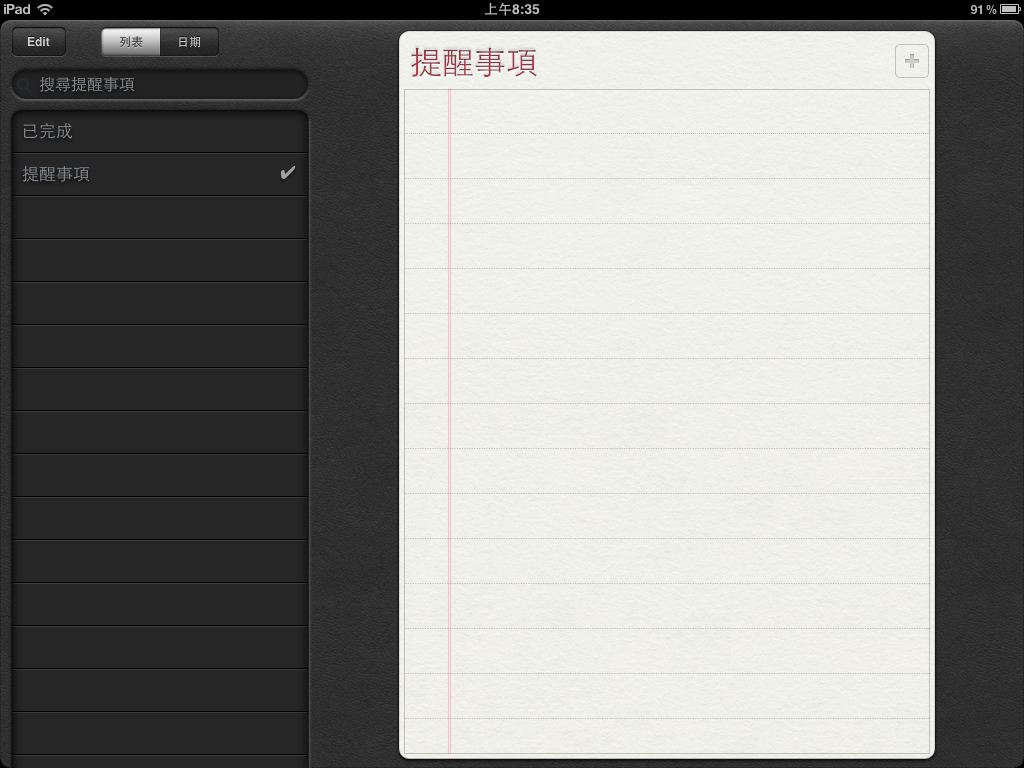
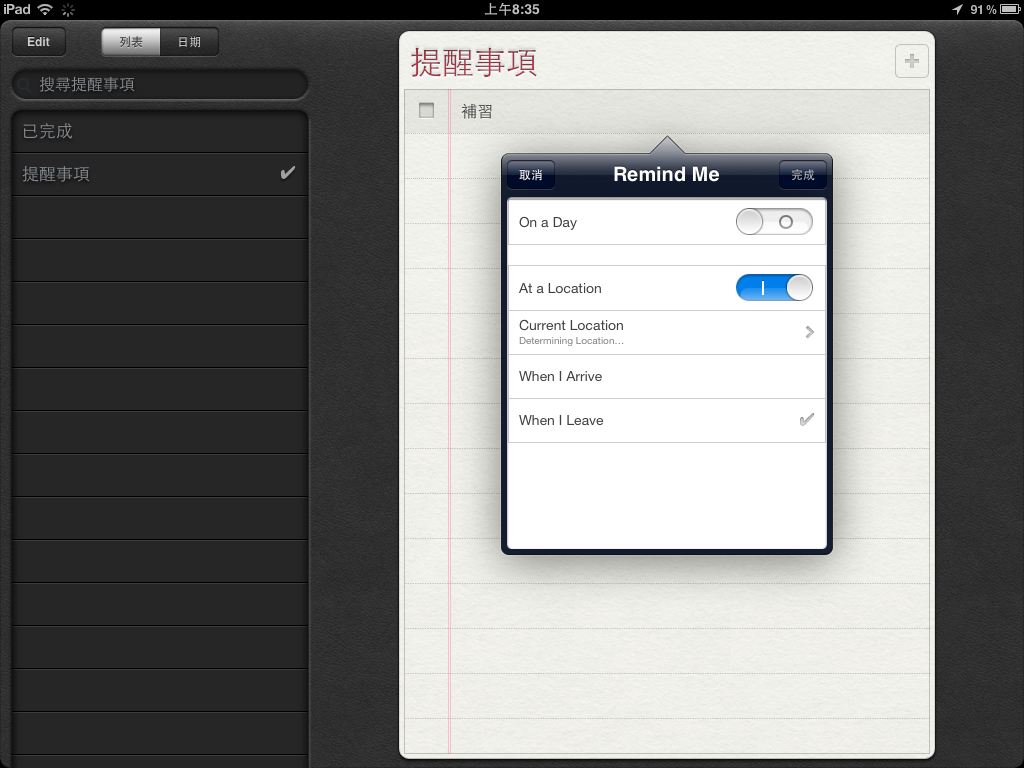
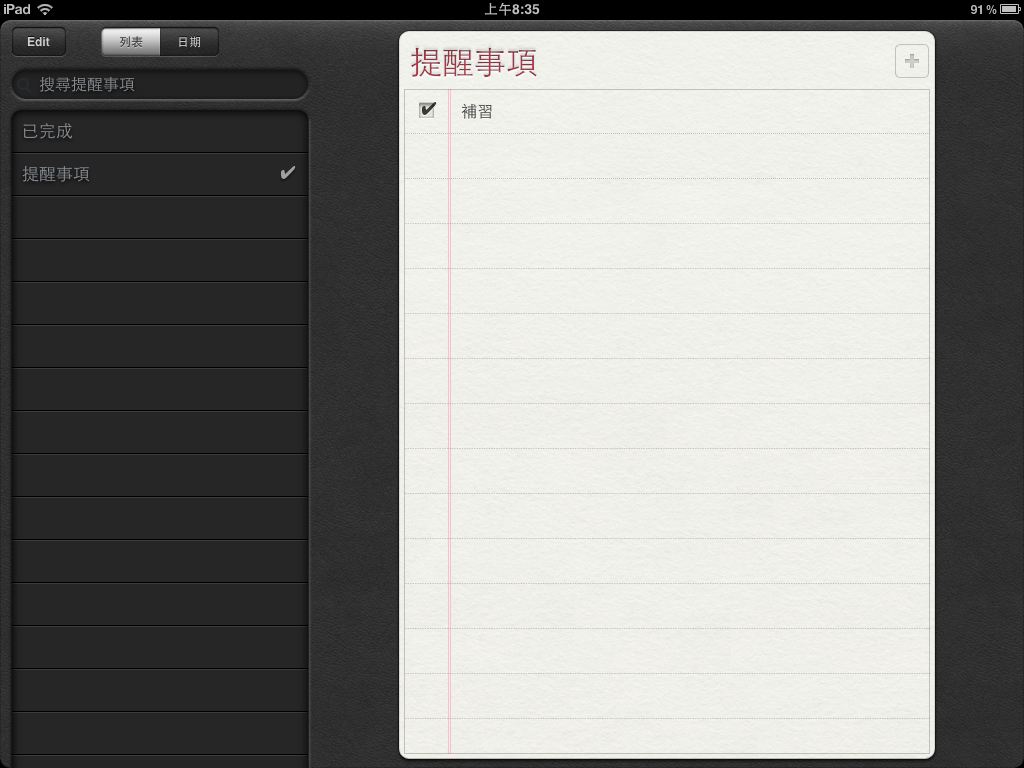
Reminders is basically a to-do list. When I first saw this feature, I thought it was similar to Notes, but after playing with it, I found that Reminders is a program somewhere between a calendar and a notes app. It lets you write down the things you need to do in list form. Its biggest feature is that it can remind you of tasks based on your location. For example, if you need to do homework when you get to school, iOS will automatically remind you to do your homework once you arrive~▼▼Reminders interface
▼▼You can set reminders for when you arrive at or leave a place
▼▼When you finish something, you can check it off to let yourself know it’s done~
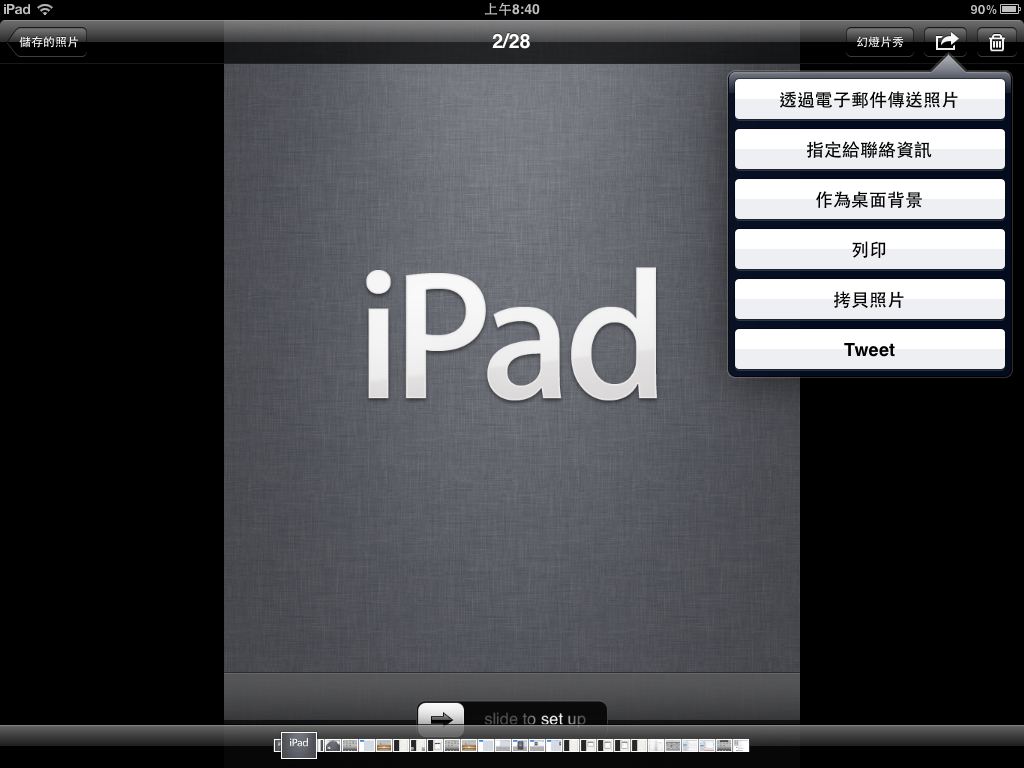
▲▲▼▼That Tweet button means posting the information to Twitter~