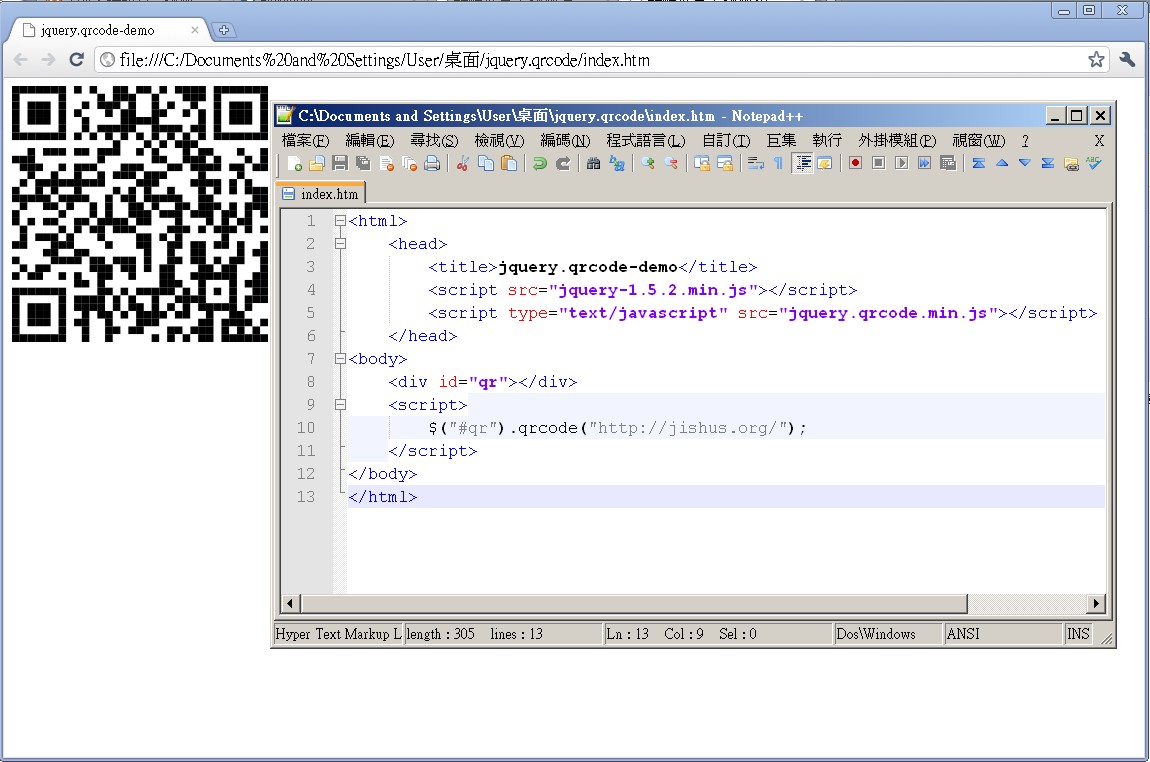
There are many ways to draw a QR Code. You can write your own function to draw it, or you can use an API someone else provides. For example, using the Google Chat API to generate a QR Code is the API approach. The jquery.qrcode covered in this post uses a function someone else wrote to generate the code. At first I couldn’t tell the difference between jquery.qrcode and the Google Chat API. Later I learned that the Google Chat API sends the data to Google’s servers to generate the code, while jquery.qrcode draws it directly in the browser.
Note that jquery.qrcode is a jQuery plugin, so you must use it together with jQuery, and it only works in the browser.
- jquery.qrcode example files: Box.net|4Shared|Dropbox|Google
- jquery.qrcode download: Box.net|4Shared|Dropbox|Google
Syntax:
Description: Generates a QR Code for https://coder.tw and displays it inside the element with id qr.Before using it, include the jQuery library and the jquery.qrcode library.
$('#qr').qrcode('https://coder.tw/');In this example, since we want to generate a code for https://coder.tw, we put https://coder.tw inside .qrcode(). If you want to generate a code containing linroex instead, change it to .qrcode(’linroex’).