When you want to search for data within a certain period in Kibana, the first thing that comes to mind is the built-in Time Picker. It is really handy. But in some cases your data may have more than one date field, and you have to filter with a query instead of the Time Picker. For example, with email data: sending, opening, and clicking each send a log to my server. That gives you two times, one for when the email was sent and one for when the event happened (such as opening or clicking). In a case like this, you may need to search on a date field in the search box.
Time Picker
First, let me introduce the Time Picker again! In most cases, the Time Picker is enough to solve time-limit problems. It appears in the upper right corner of Kibana: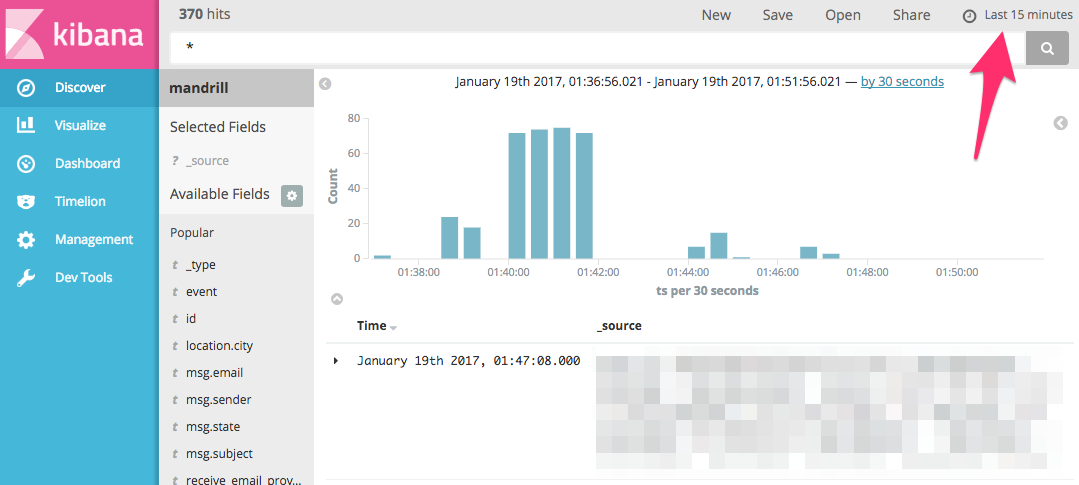
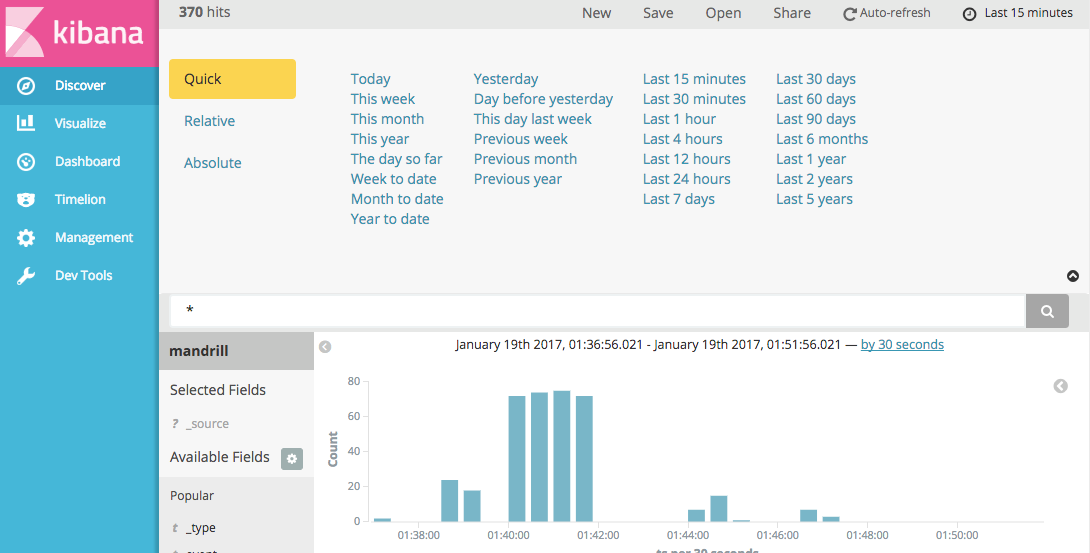
The Time Picker offers many time options. Be careful with “Today”: it means today’s data. If it is 3 PM now, you will only get data from 00:00 to 15:00. “Last 24 hours” means the 24 hours counting back from now. The two look alike, but they are not quite the same.
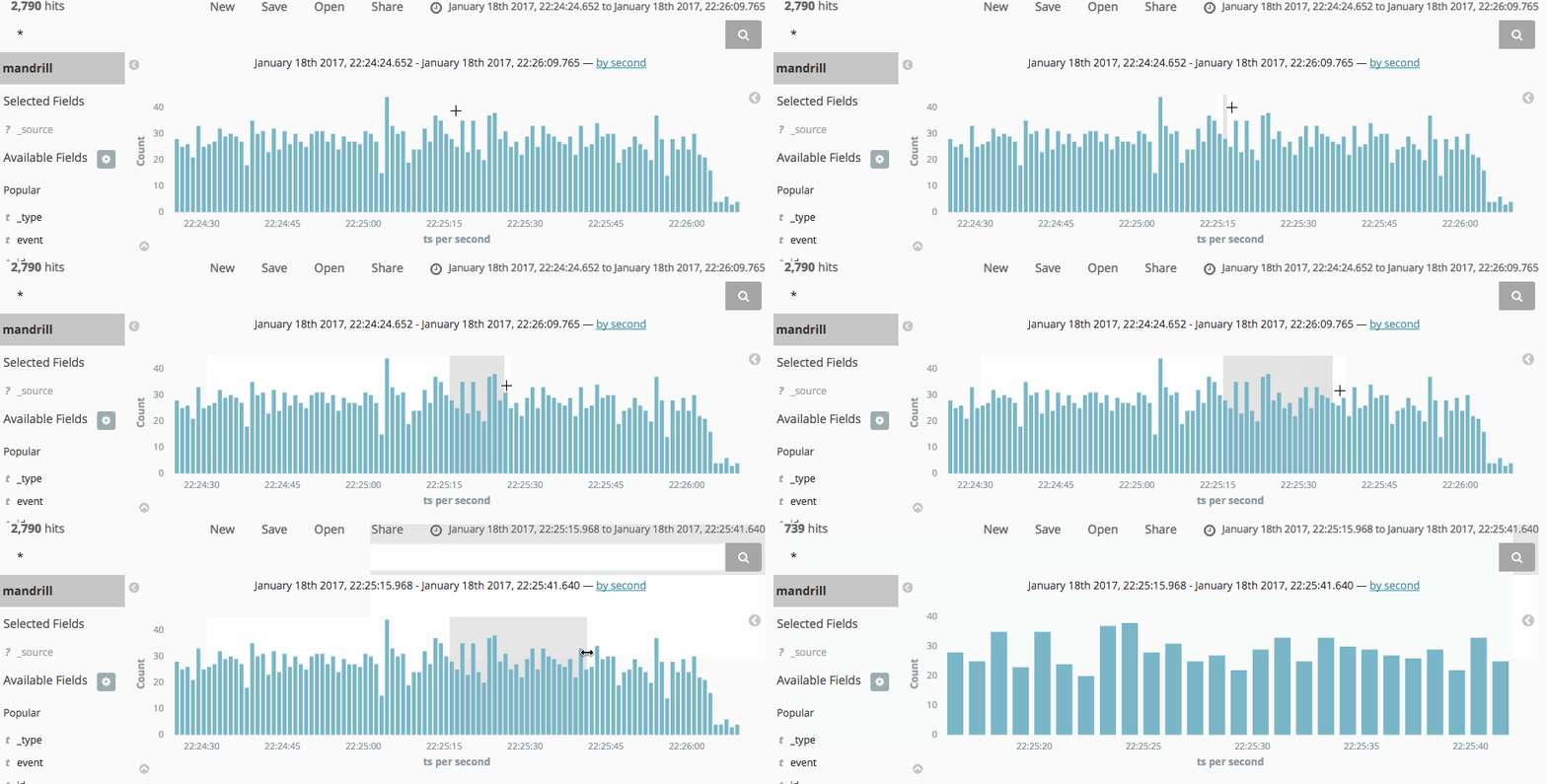
You can also select a time range directly with the mouse on the Timeline. See the example:
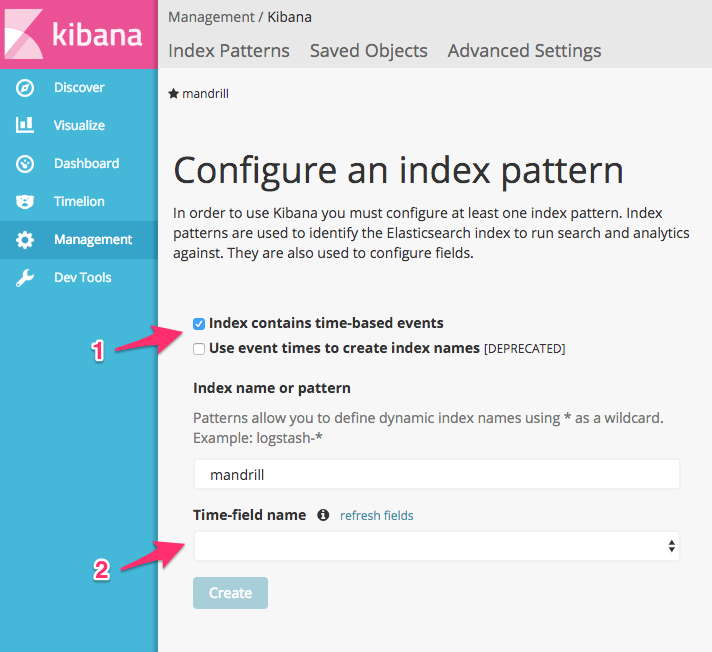
What? You don’t see the Time Picker or the Timeline? Don’t panic. It just means you did not give Kibana a date field when you created the index. When you create the index, pay attention to the field in the image below, and don’t skip it!
Query with Date Field
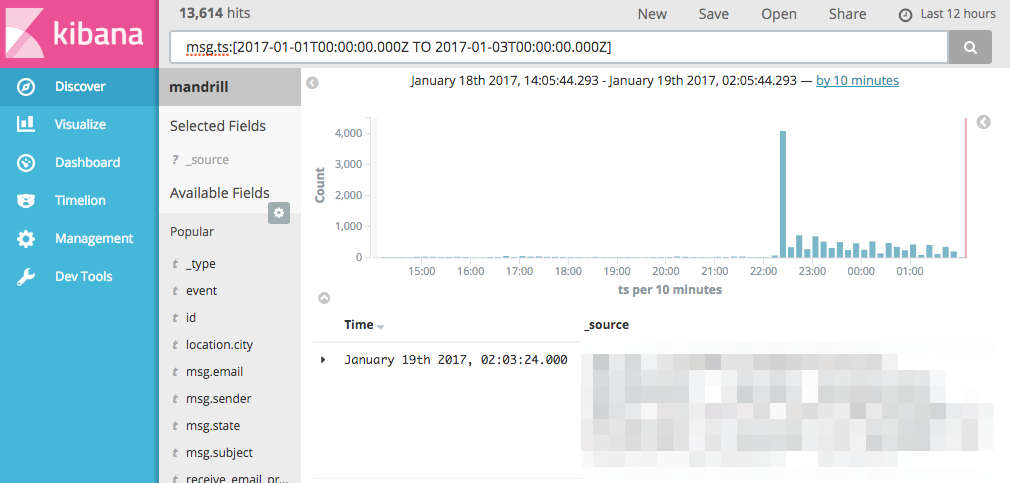
If you are sure the Time Picker can't solve your problem and you need to use a query like subject: "Hi", here is how:msg.ts:[2017-01-01T00:00:00.000Z TO 2017-01-03T00:00:00.000Z]This finds all the data where the msg.ts field is from 2017/1/1 to 2017/1/3. Just type it into the Query box.
You can also handle this with a Kibana Filter. In a Filter, you can use Elasticsearch DSL syntax. This is a bit more complicated, because the Kibana Filter is somewhat hidden. See the explanation below.
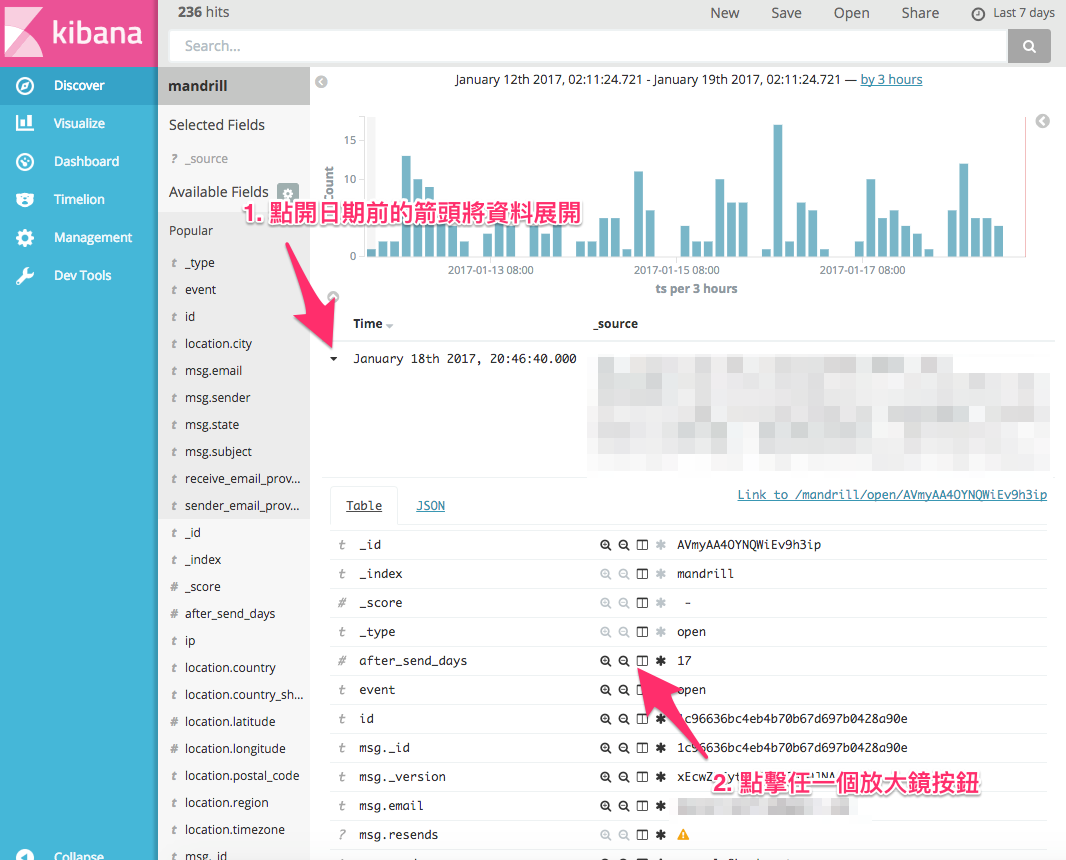
Then something like the item in the image below will appear in the search bar. Click “Edit” and paste in the syntax.
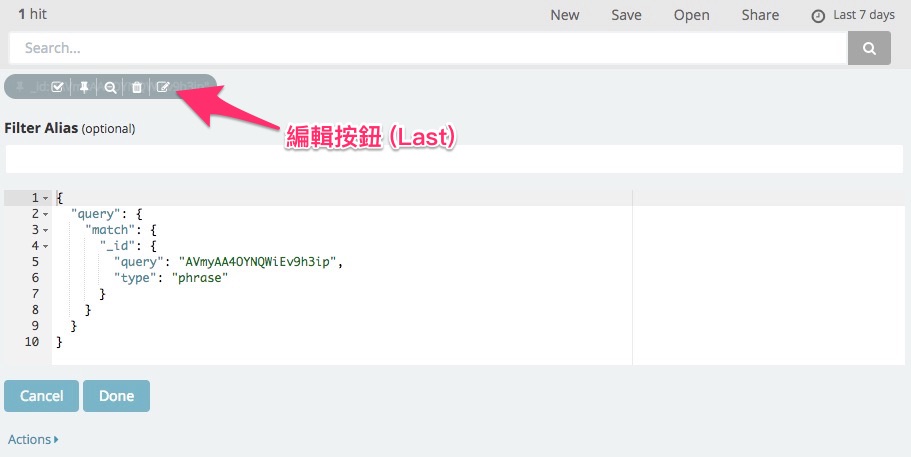
{
  "query": {
    "range": {
      "msg.ts": {
        "gte": 1483200000000,
        "lte": 1483372800000
      }
    }
  }
}
Timestamps are in milliseconds.