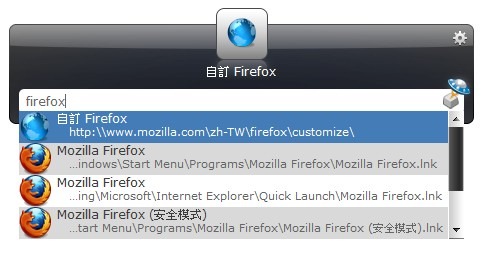
I introduced Google Desktop to you before. It can quickly open files and programs. Launchy works in a similar way, but it focuses on quickly launching programs, so it doesn’t have as many features as Google Desktop. Google Desktop can search files and has a sidebar, while Launchy only does file search. Its file search works differently, though. You specify folders, and Launchy builds an index of the files in those folders before you search. Google Desktop indexes the files on every hard drive. The difference is that when you type a keyword, Launchy may show more accurate results, while Google Desktop may show results you don’t want.
What does quickly opening a program mean? For example, if your computer has all kinds of strange programs and games installed, like mine does, then when you need to open a program you usually have two options: go to Start -> All Programs and look through them one by one, or search on the desktop. Now that you have Launchy, you have a faster option: press a keyboard shortcut to bring up the Launchy search box, type a keyword, and you’re done~
Launchy Information
- Official website: http://www.launchy.net/
- Download: Official download | Box.net | 4Shared
- Supported operating systems: Windows, Linux, Mac OS
- MD5: c67962f064924f3c7b95d69f88e745c0
Launchy Installation Guide
1.Run the Launchy installer and click 【Next】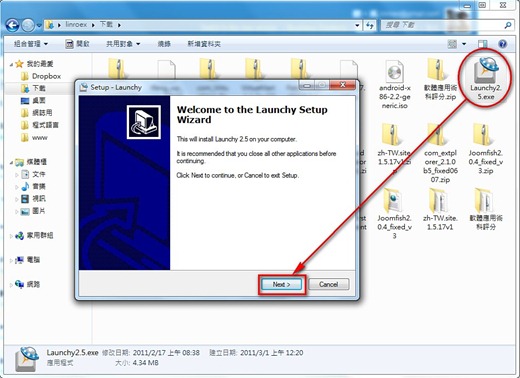
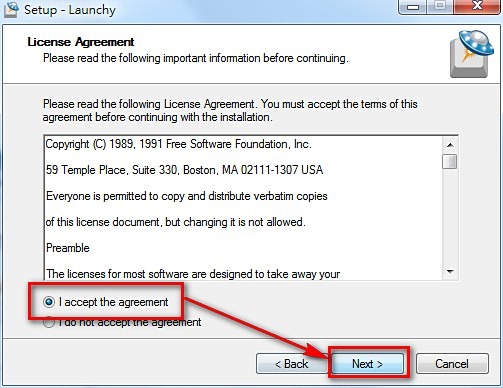
2.Click 【I accept the agreement】 and then click 【Next】
3.Usually you can just click 【Next】. But if you want to install this program onto a USB flash drive, click 【Protable】 and then click 【Next】
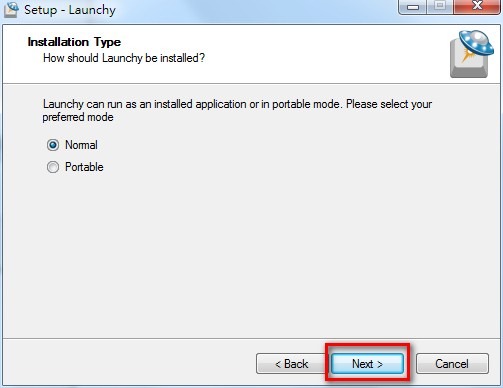
4.Just click 【Next】. This only sets the installation location.
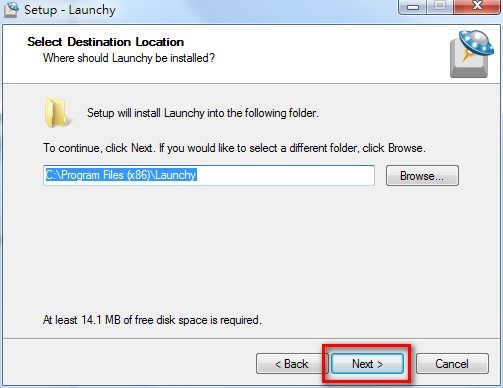
5.Click 【Next】
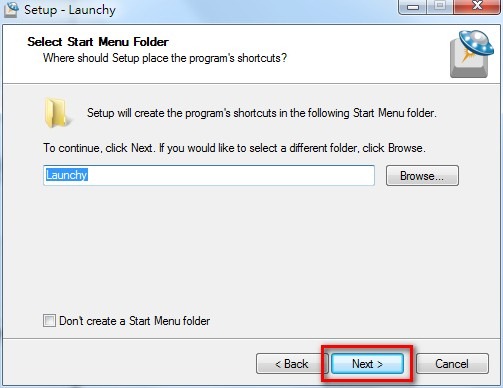
6.This asks whether you want to use the program only yourself, or make it available to all users of this computer. It’s your call.
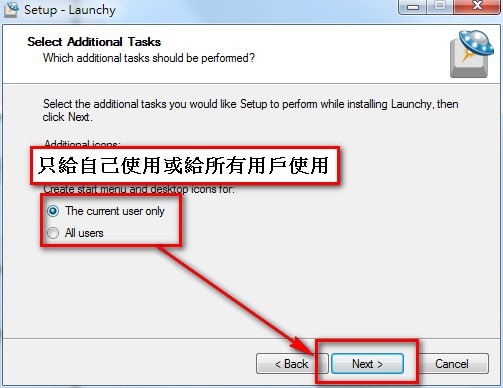
7.Click 【Install】 to start the installation
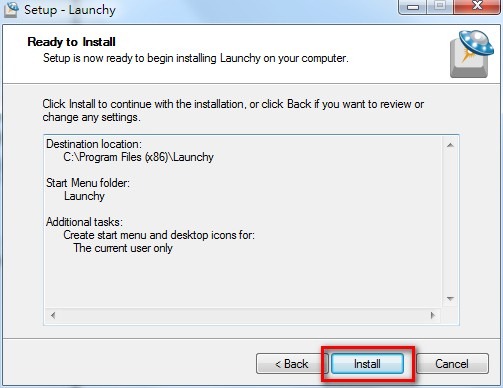
8.Installation complete
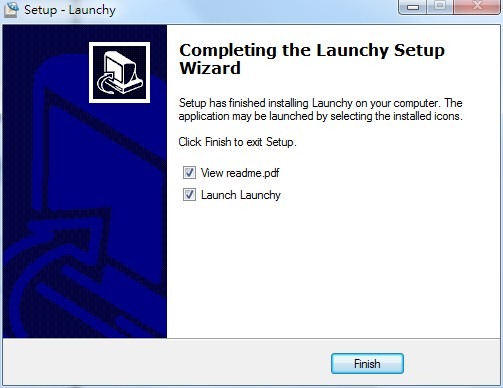
Launchy Usage Guide
1.Open the Launchy main program (look under Start → Programs)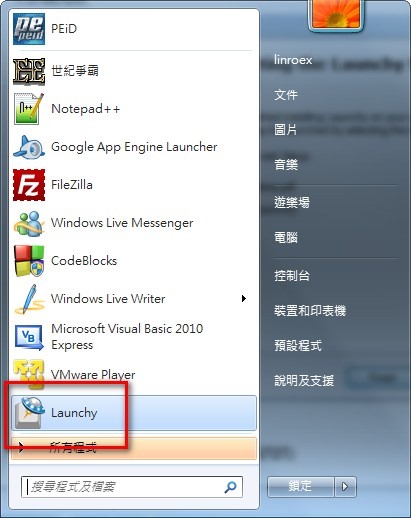
2.Right-click the Launchy window → 【Options】
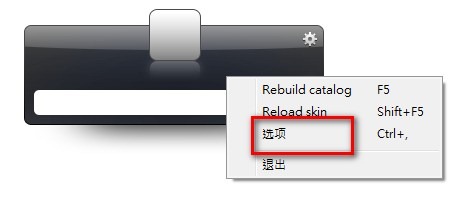
3.Click 【Catalog】, and you can set which folders Launchy should index. You can also set it to index only files with certain extensions.
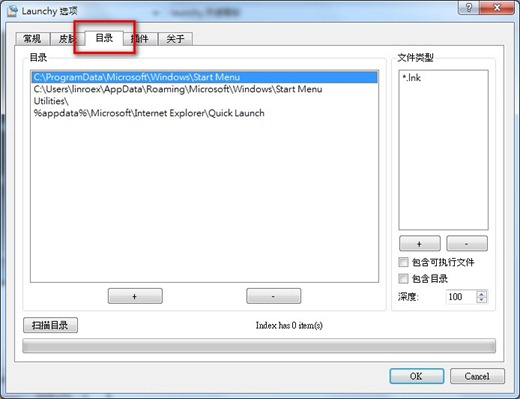
If you want to launch programs quickly, add the folder where you usually install programs to Launchy and set the file extension to exe. Or you can keep the default settings. If you want to quickly open Word and Excel documents, set the extensions to doc and xls.
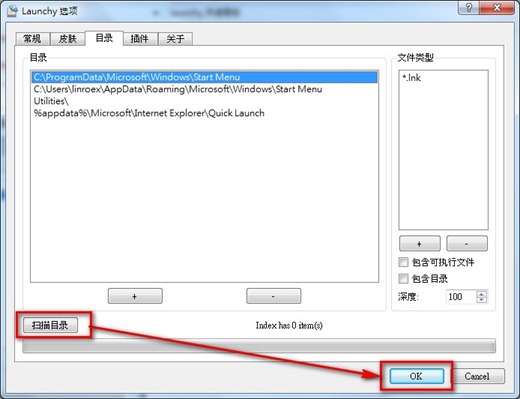
4.After setting the folders to index, click 【Scan Directories】, then click 【OK】 to save the settings.
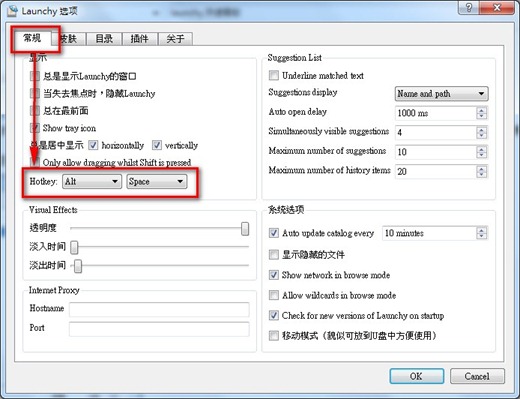
5.You can also set the hotkey that opens Launchy under 【General】→【hotkey】. When you press the hotkey, Launchy runs, and then you can type a keyword to open programs.
6.Type a keyword and Launchy shows the files it found. It works a lot like Google Desktop.