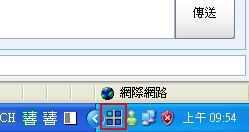
Desktops is a very practical virtual desktop program. It was developed by Microsoft, so you don’t need to worry too much about compatibility. Personally, I really like using Desktops, because Desktops can open up to 4 windows at once, and the computer doesn’t slow down much. That means you can quietly write a report while chatting on instant messaging! Also, Desktops doesn’t need to be installed, so you can put it on a USB flash drive and use it anywhere.
Update (12/12): Lately, something called a boss key has become very popular. Desktops can also work as a boss key program. A boss key is a shortcut that hides whatever you shouldn’t let your boss see when he walks over to check on your work. So Desktops is also a great fit as a boss key.
You might not know what a virtual desktop is. Simply put, multiple desktops let you open several desktops on the same computer. The principle is that it just adds a few more explorer.exe processes. Since explorer.exe handles desktop-related information, all you have to do is control explorer.exe to add more desktops. Still don't understand? Then download Desktops and give it a try!
Program Info:
- Software name: Desktops v1.0
- Official website: http://goo.gl/vVe3
- Download page: Official download |Xun6 | 4Shared | Box.net
- Virus scan report: VirusTotal
- MD5: 882fc1e8d880cd2a768d4bf43e7ae54f
Tutorial
To use Desktops v1.0, the first step is of course to download it. Got it downloaded? Then let Tingfeng walk you through using Desktops!Open the Desktops main program.
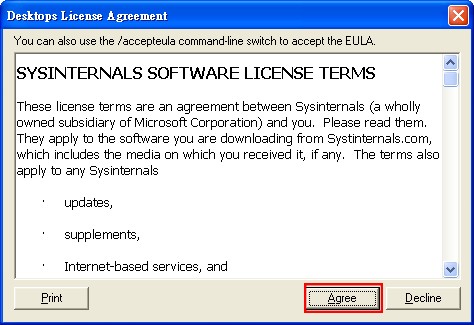
Click Agree.
- Choose the keyboard shortcut for switching windows, then click OK.
My shortcut: Control with F1, F2, F3, F4
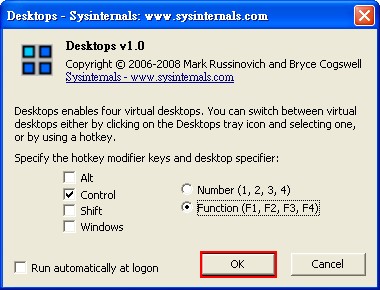
- The program will then hide in the lower-right corner. Now you can switch windows by pressing the shortcut keys you set. For example, to switch to the first window, press Ctrl+F1.