Before, while I was playing with MongoDB, I spent a long time searching its official documentation for how to create databases and tables, but couldn’t find anything. In SQL, you normally have to create tables in advance, and there are commands for that, such as Create Table and Create Database. But I couldn’t find any similar commands in MongoDB. Later I looked it up online and learned that this is one of its features: Schema Free.
In MongoDB, you don’t need to create databases, fields, or tables in advance. It creates them automatically. The benefit is that it saves some of the time you’d spend planning tables. For example, during the Songshan Gongnong competition, I spent quite a lot of time designing tables. If I had known MongoDB back then, I could have saved a lot of time. That said, this doesn’t mean you can skip table design altogether. Proper planning will make your database run much more smoothly!!
The text above may be a bit hard to follow, so I’ll explain with syntax below:
By default, in its initial state, no databases exist.
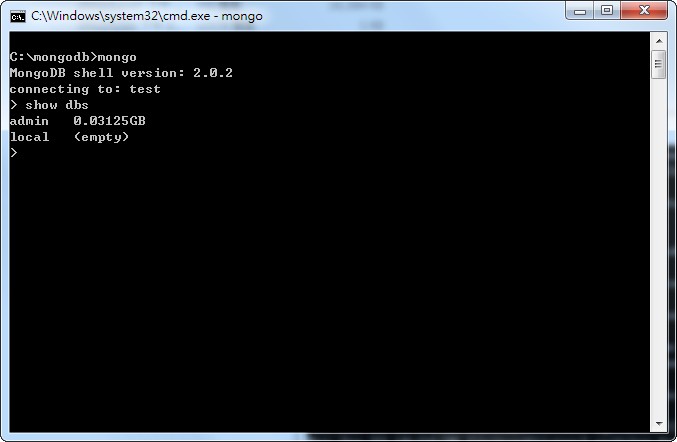
Enter the following commands:
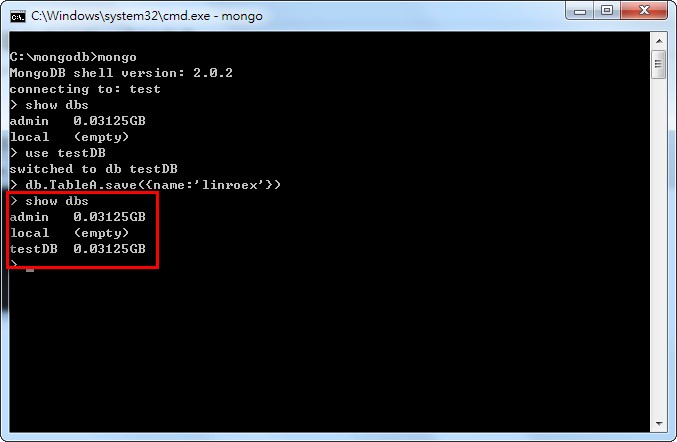
use testDBThen type show dbs to list the databases that currently exist. You’ll find that even though we never did any Create DB step, there is now a testDB database.db.TableA.save({name:’linroex’})
Next, type show collections to list the collections (tables) in the database currently in use. You’ll see an entry called TableA.
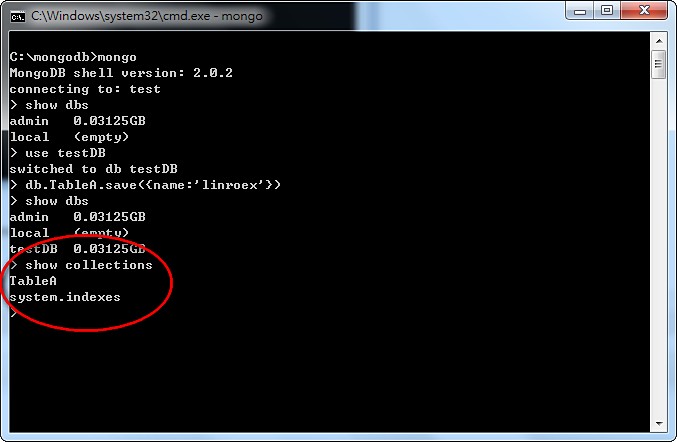
So that’s the best proof that MongoDB creates databases and tables automatically! It creates databases, tables, and even fields when you “save” data. But recall the earlier command:
use testDBOn its own, this command doesn't create the database. The database and table are only created when the save command that follows runs.