By default, MongoDB has no protection at all. Anyone can log in remotely without any account, which is really dangerous if you use it for programming. So in this post, I’ll show you how to add account settings to MongoDB, so that logging in requires a username and password, and I’ll also show you how to restrict logins by IP address.
Official tutorial: http://www.mongodb.org/display/DOCS/Security+and+Authentication
MongoDB Account Settings
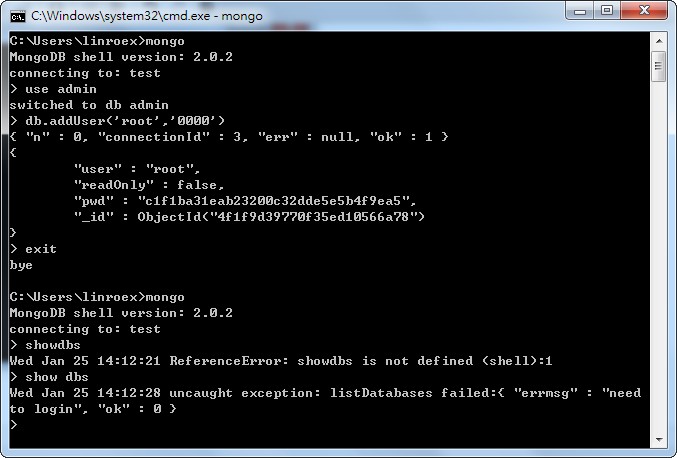
Account settings in MongoDB work a bit differently from the usual approach. When I first started, it took me a long time to understand. In MongoDB, you must first set up a top-level administrator account for the entire MongoDB server. Once that account exists, logging in to MongoDB requires a username and password before you can access any data. After that, you can set up users for individual databases so those databases can be accessed. If you don't set up the top-level administrator account first, then even if you create users for individual databases, it's meaningless: when users log in, they can still access the data without entering any username or password.Here’s a demonstration. The top-level administrator account is created by adding a user to the admin database. This user can browse all the data on the entire Mongo server, and is not restricted by the individual database users. If this user isn’t set up, the account feature isn’t enabled.
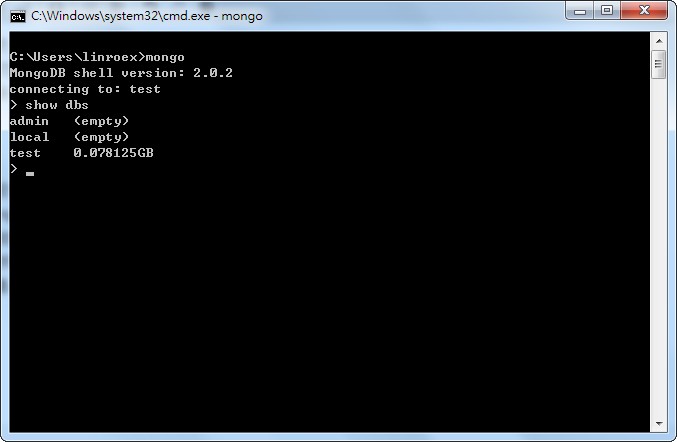
Before the top-level administrator is set up, typing show dbs directly displays the databases that exist:
After the top-level administrator is set up, you get an error message if you’re not logged in. At this point, you can set up accounts for individual databases:
But if you don’t set up the top-level administrator and directly add users to individual databases, it has no effect at all:
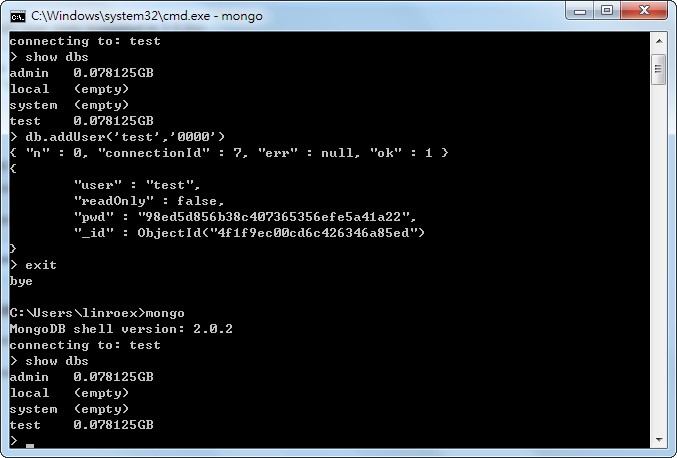
From the demonstration above, you can see one thing: when you add a user to the admin database, the system treats this as enabling the “account feature,” which means you must log in before you can access any data. But if you don’t add a user to admin, the system treats the account feature as disabled. In that case, even if other databases have users, you can still access their data directly. So adding accounts to other databases is pointless without the admin account.
In short, the setup steps are: “Add a user to the admin database -> Log in as the top-level administrator -> Add users to individual databases.”
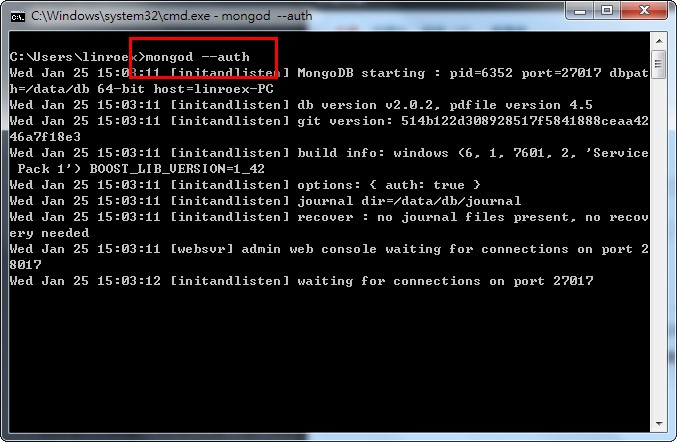
※Before reading the tutorial below, start your mongod with the –auth parameter. This turns on authentication. If you start mongod without this parameter, the accounts you set up won’t have any effect.
mongod --auth
Detailed Instructions:
1. After connecting to the mongod server, switch to the admin database.mongouse admin
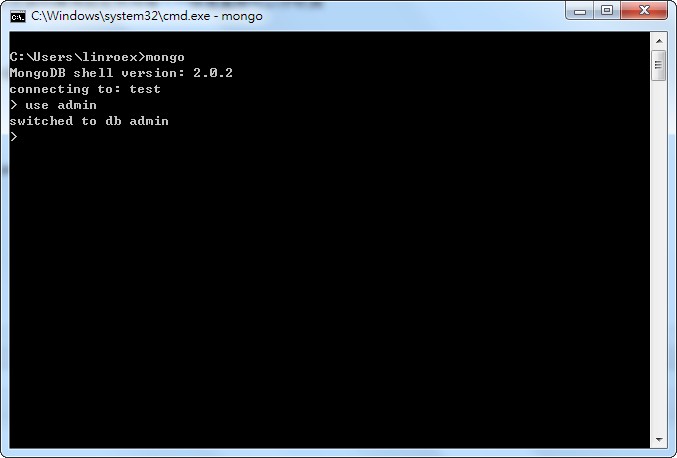
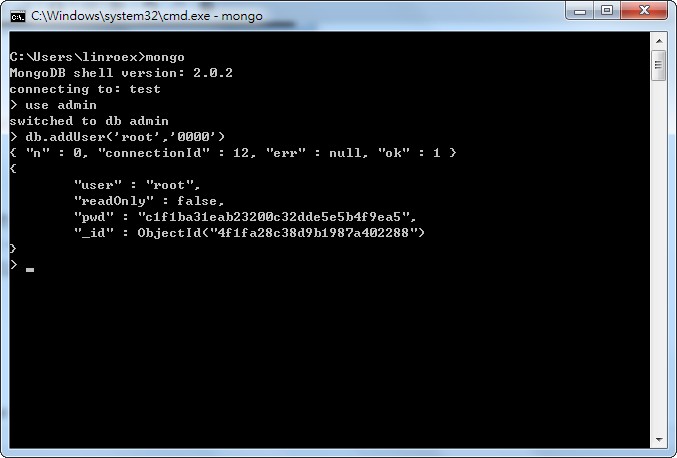
- Add a top-level administrator user.
db.addUser('username','passwd','readOnly')Explanation:
The db.addUser command adds a user. The first parameter, username, is the account name. The second parameter, passwd, is the password. The third parameter is special: it sets whether this account is read-only. Set it to 1 for read-only, or 0 for not read-only, meaning it can write data. The default is not read-only.
Also note that account names and passwords are case-sensitive, and that you should wrap them in single quotes so they are treated as strings.
Example:
db.addUser('root','0000',1) //account root, password 0000, read-only (can read but cannot write)
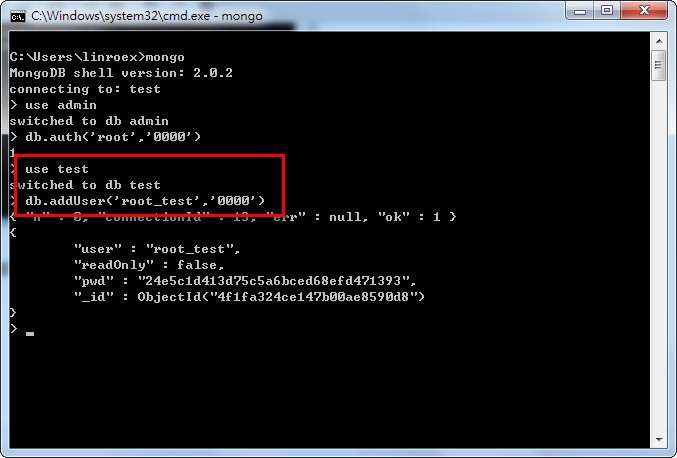
- Next, you can add users to other databases. For example, add a user called “root_test” to the test database.
However, before you can create users for other databases, you must log in as a user that is allowed to store data (not ReadOnly). At this point, only the top-level administrator qualifies, so you must log in to the top-level administrator account to create users for other databases.
use admin //To log in as the top-level administrator, you must switch to the admin database firstdb.auth(‘root’,‘0000’)
use test //switch to the test dbExplanation: db.auth is the login command. The first parameter is the account name, and the second is the password.db.addUser(‘root_test’,‘0000’)
※Also, please note that in MongoDB, user creation is “not global”. That means you can add a root account to the testA database, and you can also add a root account to testB. This is why you have to switch to the admin database first when logging in as the top-level administrator: the top-level administrator account belongs to the admin database, and the system simply gives the accounts in the admin database top-level privileges.
- So even after you’ve turned on account protection and added accounts to other databases, when you connect, first decide which database you want to use, then switch into that database first, and then log in.
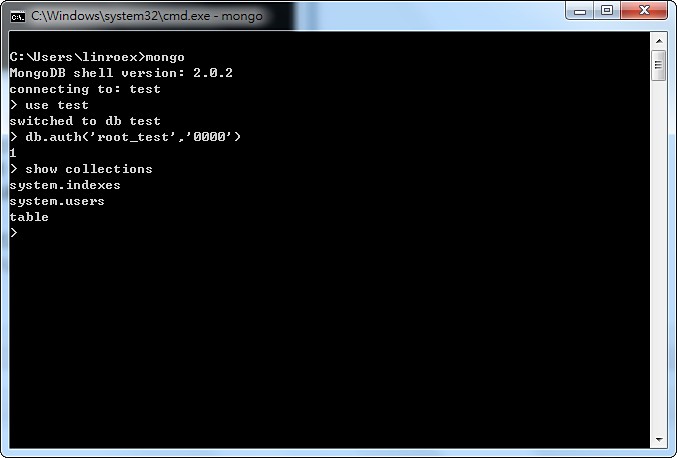
- If you want to delete a user from a particular database, switch to that database first, then delete the user. For example, to delete the root_test user from the test database (you need to be logged in, with write access):
use testdb.removeUser(‘root_test’)
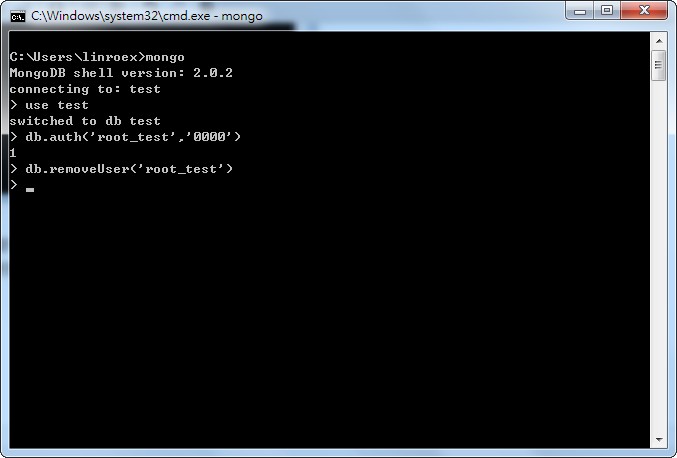
To see which accounts a database currently has, type db.system.users.find()
This is because all account data is stored in the Collection called system.users.
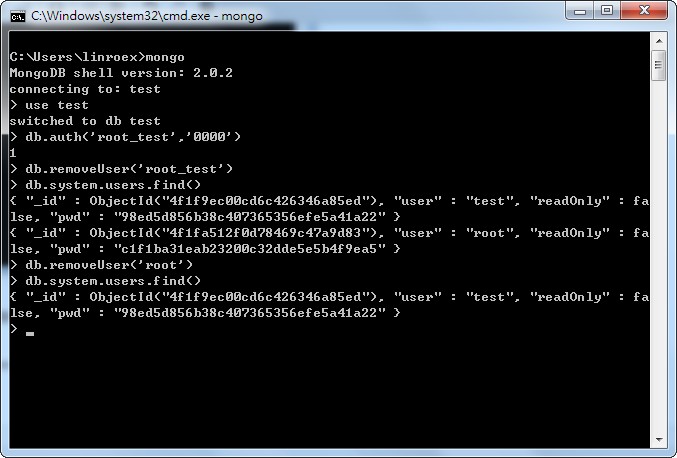
Summary: I’ve been a bit scattered above, so here’s a wrap-up. In short, to get account protection in MongoDB, you must first add a top-level administrator account. Any account created in the admin database is a top-level administrator. After creating that account, remember to log in as the top-level administrator first, and then add users to individual databases. Also, users in MongoDB are not global: a user in database A belongs to A, and a user in database B belongs to B. So when logging in or deleting users, you must always switch to the correct database. For example, if both A and B have a root account, and I want to delete the test in A, I need to run use A first and then db.removeUser(‘root’). Otherwise I might delete the wrong database’s user. Or if I want to log in to B’s root, I need to switch to B before logging in. If I run db.auth() while in database A, I’ll be logging in to A’s account, and that account can’t access B’s data!
Also, the first time you create a user in a regular (non-admin) database, you need to log in as an admin database user (that is, the top-level administrator), and only after logging in can you add the “first” user. But once a regular database has its first user, you can log in as that user and add more users without logging in as the top-level administrator. The reason is that when the first user is created, no user in that database has access permissions except the top-level administrator. Since addUser actually writes the user data into the Collection of the specified database, you must log in as the top-level administrator to gain the right to write before you can add users.
Login IP Settings
In MongoDB, you can set up a so-called whitelist, meaning only specified IPs are allowed to connect to the mongod server.The setup is simple: just add the –bind_ip parameter when starting mongod. For example, if I want to allow only the local machine to log in, the command to start mongod is:
mongod --bind_ip 127.0.0.1
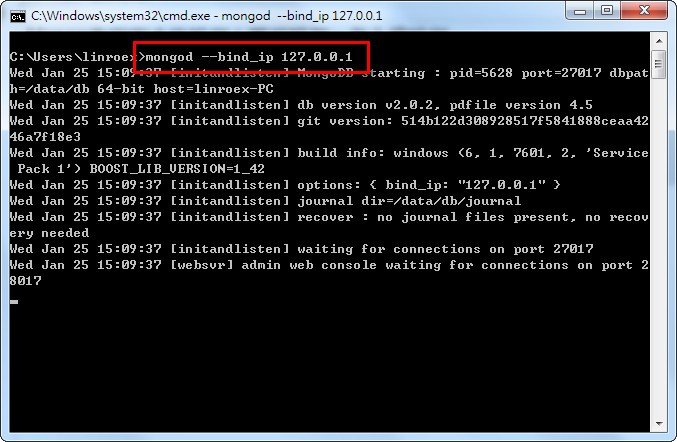
However, I’m still researching whether it’s possible to bind multiple IPs. For now, the whitelist only lets you specify one IP…