Sometimes when you develop a program in Visual Studio, it may need administrator privileges, for example to access system folders or to use certain high-level WinAPIs. On Windows XP, using administrator privileges is not a big deal. But if you want your program to run on Windows 7 or Vista, you have to grant the program administrator rights, or it will run into problems halfway through. Generally, you can ask users to right-click the program and select “Run as administrator,” but that feels odd, because users would have to set it up themselves. Actually, there is another way to make your program run as administrator by default, so users don’t need to configure anything.
Demonstrated here with Visual Basic 2010
Make the Program Run as Administrator by Default
1. Open your project file, then on the toolbar at the top, select [Project] -> [XXX Properties]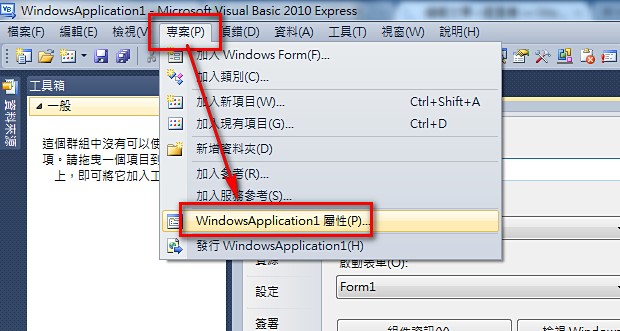
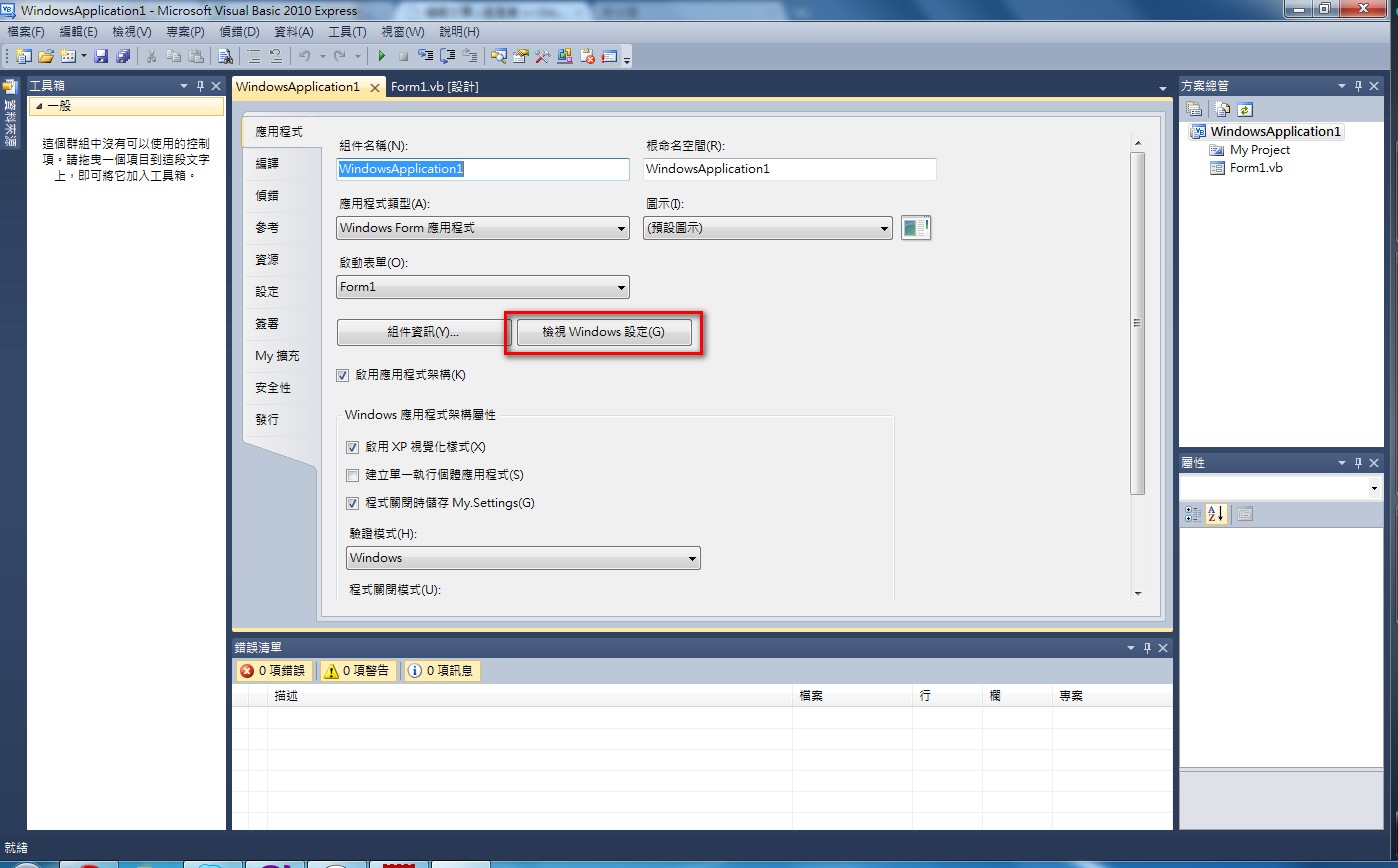
- Click [View Windows Settings]
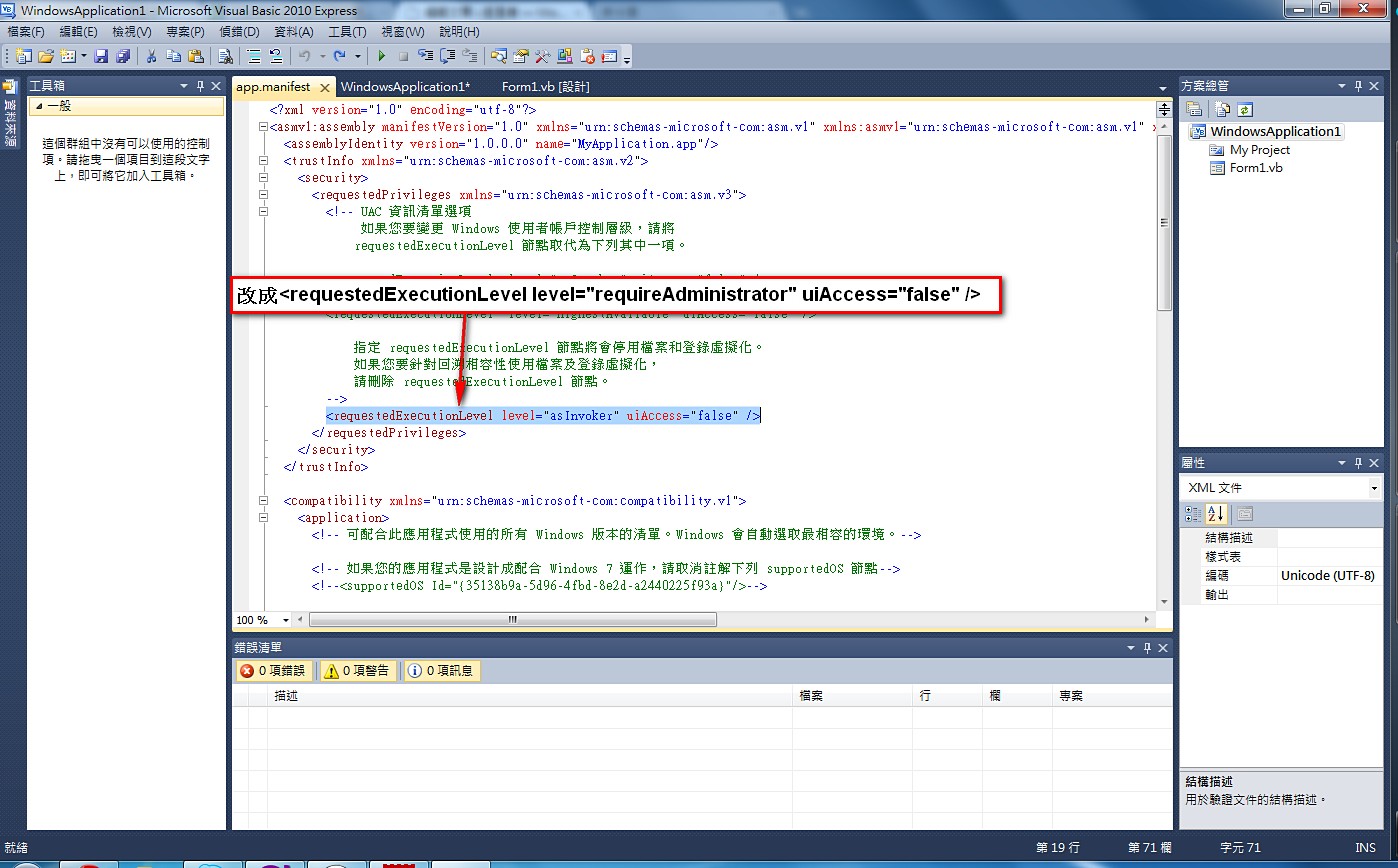
- Find [requestedExecutionLevel level=“asInvoker”] and change it to:
[requestedExecutionLevel level=“requireAdministrator”]
Thanks to nimo1993 for teaching me this trick XDD