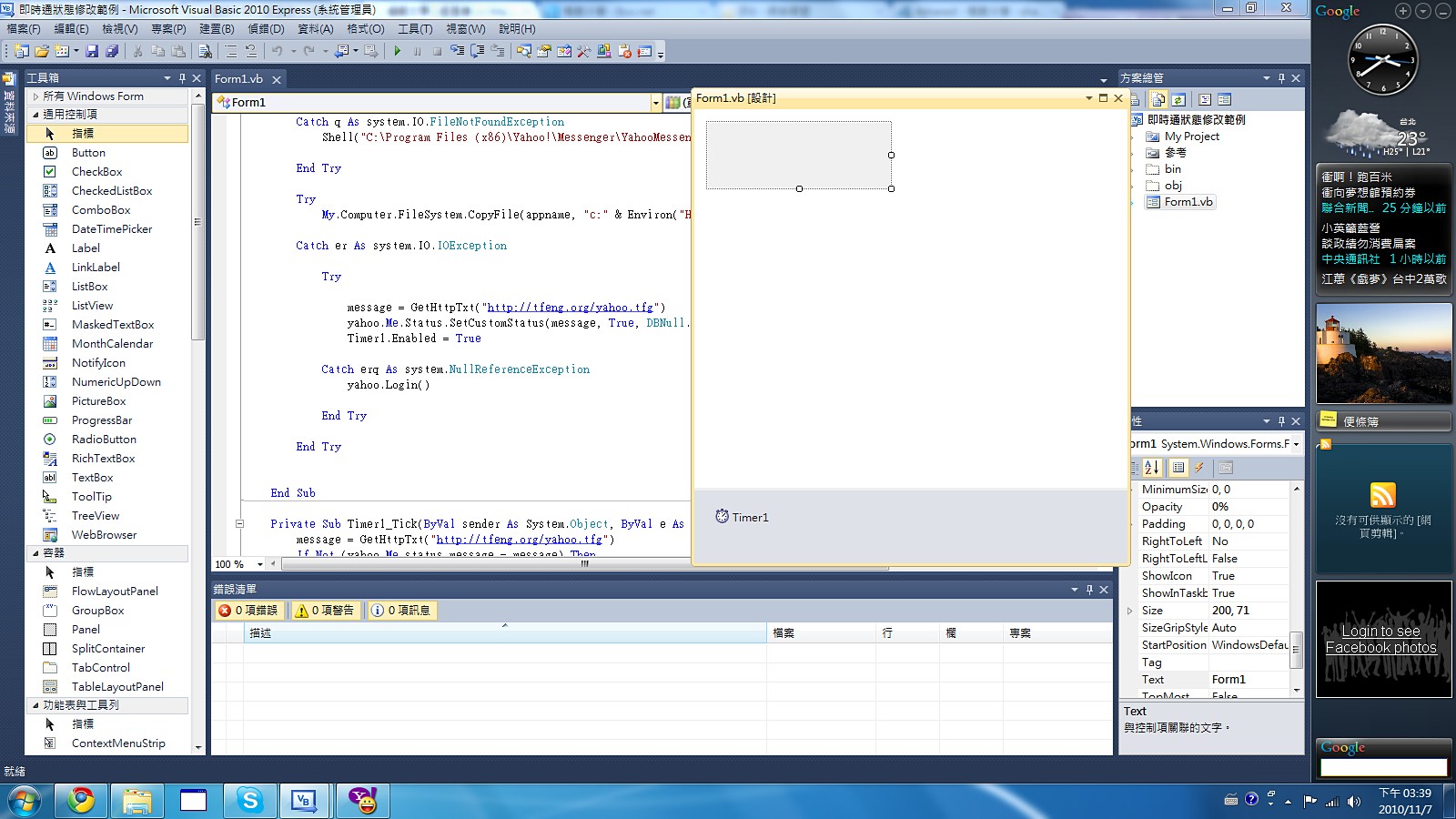
In this tutorial we will use VB.NET. However, the YahooMessengerLib component is not limited to VB.NET; other languages can use it too (for example, VB6 and VC++).
1. How to Add YahooMessengerLib to Your Project
1. Create a new [Windows Form Application] project, then click [Project] → [Add Reference], in that order.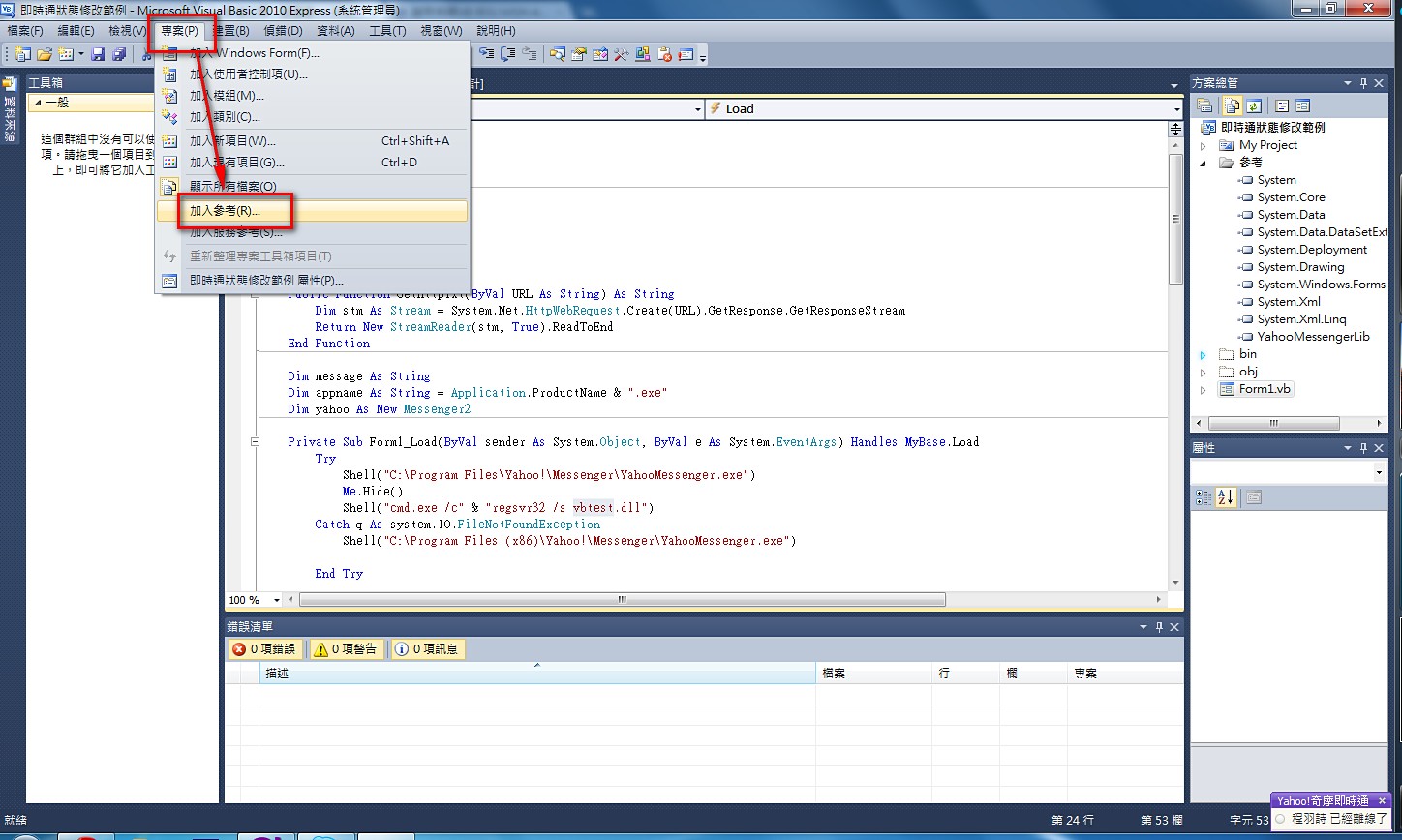
- Select the [COM] tab, choose Yahoo! Messenger TypeLib, and click [OK]. Yahoo! Messenger TypeLib is now added to your project.
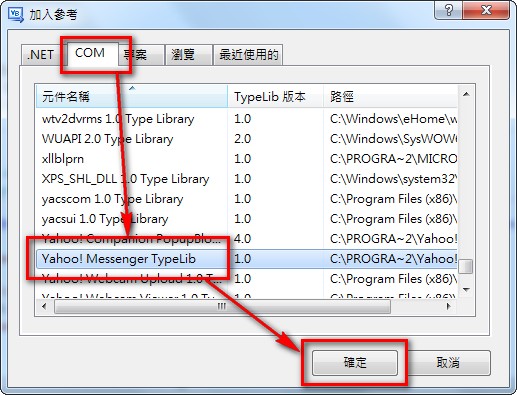
P.S. The steps are the same for all versions of Visual Studio.
2. Accessing Yahoo! Messenger with YahooMessengerLib
After Yahoo! Messenger TypeLib has been added to your project, the next step is, of course, to write code to control it.- Open the code editor and add the following code at the top to reference Yahoo! Messenger TypeLib:
Imports YahooMessengerLib- Next, under Public Class FormName, add the following code to create a Messenger2 object:
Dim message As New Messenger2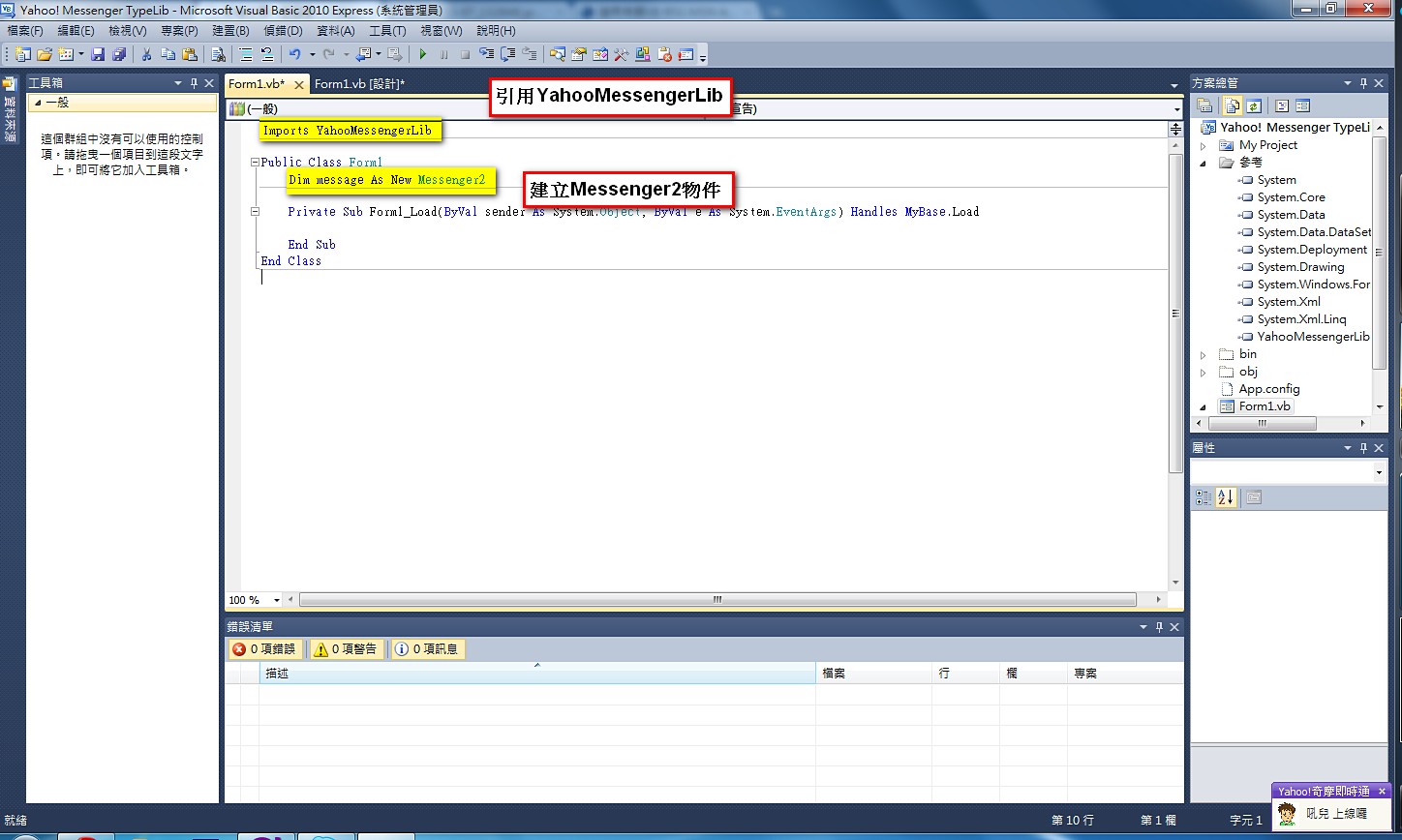
- Next, add a Button to the form, and write the following code under the Button:
message.Me.Status.SetCustomStatus("你想打得狀態", 0, DBNull.Value, DBNull.Value)If you are using VB6, the code here should be:
message.Me.Status.SetCustomStatus("你想打得狀態", 0, Null, Null)The code above lets you change your Yahoo! Messenger status. message is the object declared in step 2. The second parameter of SetCustomStatus sets whether you are available or busy: 0 means available, and 1 means busy. Besides setting the status, you can do many other things. Below are some of the uses I know of so far:
message.Login()                     'If you have saved your Yahoo! Messenger account and password, you can log in directly with this method
message.Logout()                    'Log out of Yahoo! Messenger
message.LoginUser("帳號", "密碼")    'Log in with the specified account and password
message.Me.status.message()         'Get the status currently set in Yahoo! Messenger
P.S. If the Yahoo! Messenger main program is not running when you run this program, an error will occur. So it is recommended to check whether Yahoo! Messenger is running first, or to start the main program before running the other code.
Sample Code
Project file download: Xun6 | 4Shared| Box.net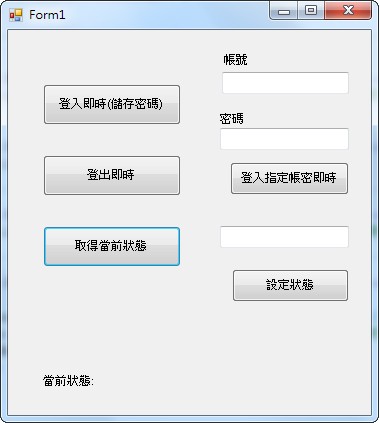
Imports YahooMessengerLib

Public Class Form1
    Dim message As New Messenger2

    Private Sub Button1_Click(ByVal sender As System.Object, ByVal e As System.EventArgs) Handles Button1.Click
        Try
            Label4.Text = message.Me.status.message()         'Get the status currently set in Yahoo! Messenger
        Catch er As System.NullReferenceException   'Error message when Yahoo! Messenger is not open
            MsgBox("即時通沒有開啟或登入")
        End Try
    End Sub

    Private Sub Button2_Click(ByVal sender As System.Object, ByVal e As System.EventArgs) Handles Button2.Click
        message.Login()                     'If you have saved your Yahoo! Messenger account and password, you can log in directly with this method
    End Sub

    Private Sub Button3_Click(ByVal sender As System.Object, ByVal e As System.EventArgs) Handles Button3.Click
        message.Logout()                    'Log out of Yahoo! Messenger
    End Sub

    Private Sub Button4_Click(ByVal sender As System.Object, ByVal e As System.EventArgs) Handles Button4.Click
        message.LoginUser(TextBox1.Text, TextBox2.Text)   'Log in with the specified account and password
    End Sub

    Private Sub Button5_Click(ByVal sender As System.Object, ByVal e As System.EventArgs) Handles Button5.Click
        Try
            message.Me.Status.SetCustomStatus(TextBox3.Text, 0, DBNull.Value, DBNull.Value)     'Set the Yahoo! Messenger status
        Catch er As System.NullReferenceException       'Error message when Yahoo! Messenger is not open
            MsgBox("即時通沒有開啟或登入")
        End Try

    End Sub

End Class
Earlier I mentioned that I also wrote an advanced version of the prank program. The only difference is that it adds the ability to remotely control other people’s statuses. I put a TXT file on my virtual host, and the program reads the data in that TXT file and displays it as the status. I also wrote a PHP program to modify the contents of the TXT file. The source code for this program can be downloaded from the locations below: