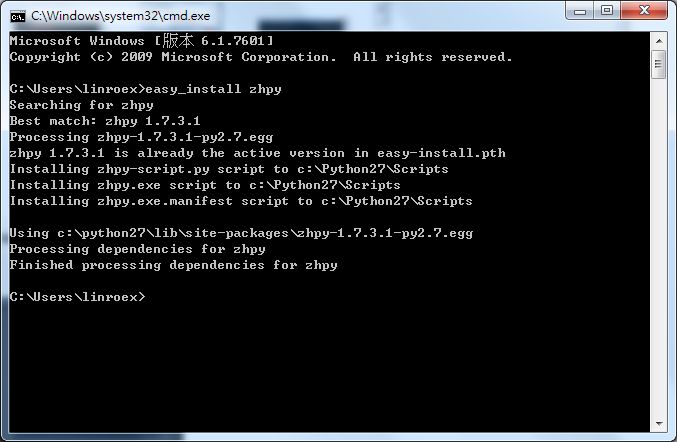
As everyone knows, one of Python’s key features is its high extensibility. You can install third-party modules to get the functionality you want. For example, if you want to write code in Chinese, you can install the zhpy module. Installing these modules is not especially hard, but it is tedious. Some only need you to click Next a few times, while others require changing system settings. Here I want to introduce a program called “easy_install”, which makes installing modules for Python much simpler. It works similarly to yum on Linux, and with it you only need one command to install a module~ easy_install can also install packages in the so-called egg format.
Introduction to easy_install
easy_install Installation Guide
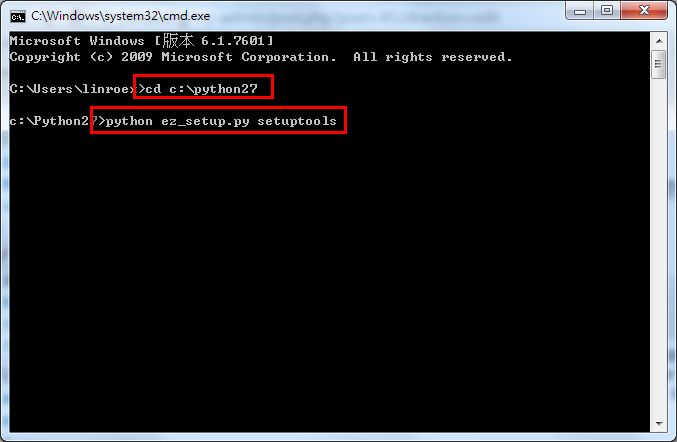
1. Move the file you just downloaded to the Python root directory (for example, C:Python27).- Open cmd and enter the following commands:
- cd c:Python27
- python ez_setup.py setuptools
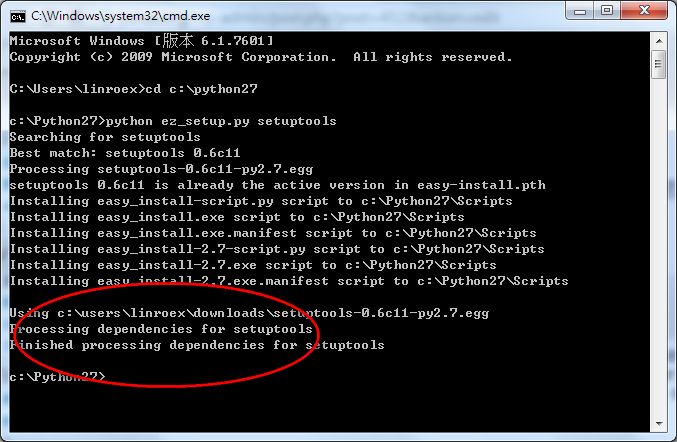
- When you see the message in the red box, easy_install has been installed successfully.
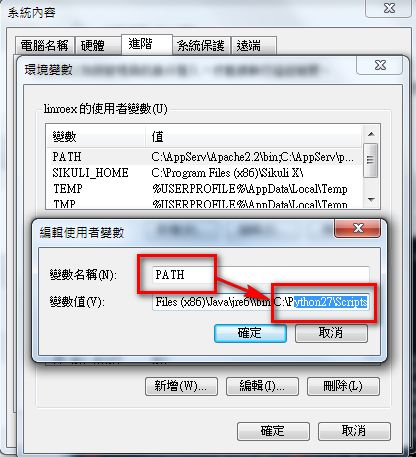
- After installation, add the Scripts folder in your Python folder to the PATH environment variable. Here is my example:
C:Python27Scripts ->Add this path to the PATH environment variable
Each person’s path may be different.
How to Quickly Install a Module?
1. Open CMD and enter the command:easy_install module_name
That’s it, and the module is installed. If you want to install a module in egg format, it’s also simple: replace the module name with the location of the module’s installation file. For example, if I saved the installation file in c:download and the file name is 123.egg, the command is:
eazy_install c:download123.egg
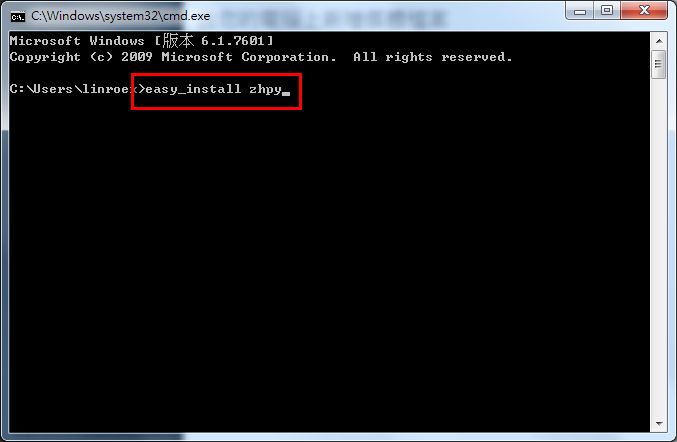
- If you see a screen similar to mine, the installation was successful.