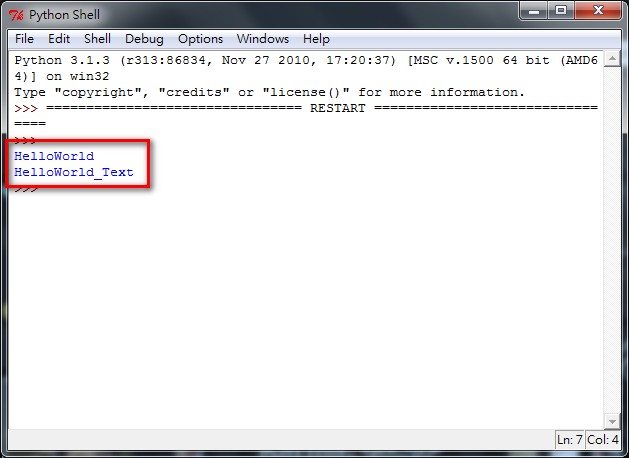
- Create a file named [helloworld.py]. Be sure the file extension is .py.
The .py extension is the file extension for Python source code, similar to .cpp for C++ and .java for Java.
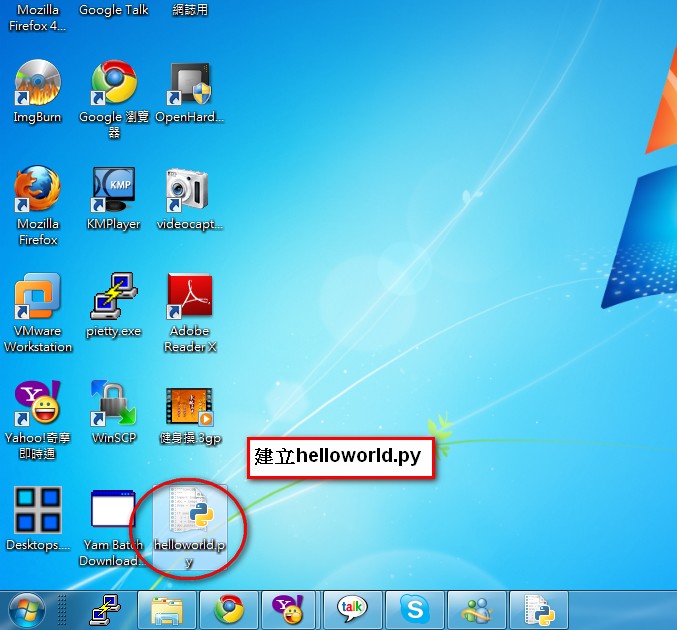
- Right-click the file you just created and select [Edit with IDLE].
IDLE is an IDE tool provided officially by Python. Personally, I think it’s pretty handy~
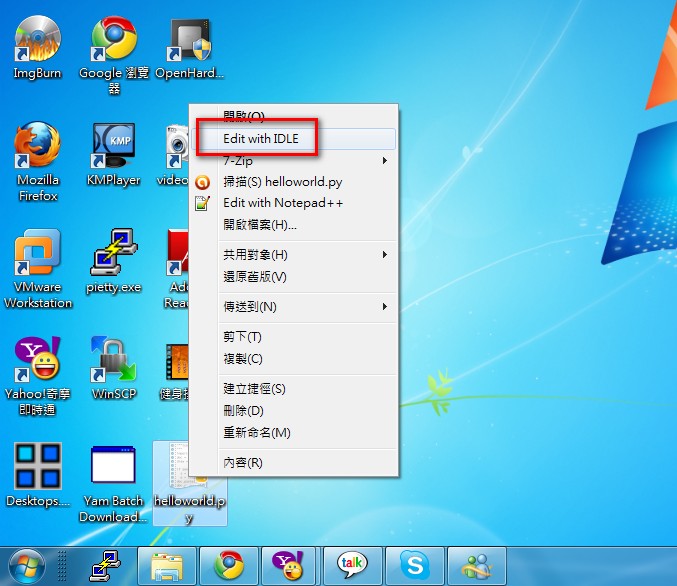
- Enter the following code:
#C:Python31python.exe
# -*- coding:utf-8 -*-
Briefly, the first line sets the location of the interpreter, and the second line sets the code encoding to UTF-8. Including the second line helps avoid many errors.
- Next, enter the following code:
print("HelloWorld")

text="HelloWorld_Text"
print(text)
In this code, print is the function used for output.
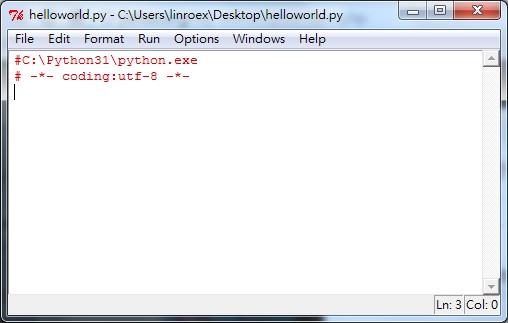
The first line outputs HelloWorld.
The third line outputs the contents of the text variable, which is HelloWorld_Text.
- Next, let’s learn how to write comments in Python.
In Python, a single-line comment starts with #.
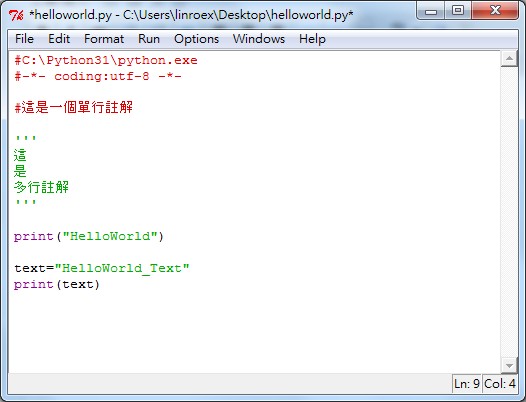
A multi-line comment is written with three consecutive single quotes.
For example:
'''
This is a practice program for learning Python
'''
The above is a multi-line comment. Text enclosed by three consecutive single quotes is automatically skipped and not executed.
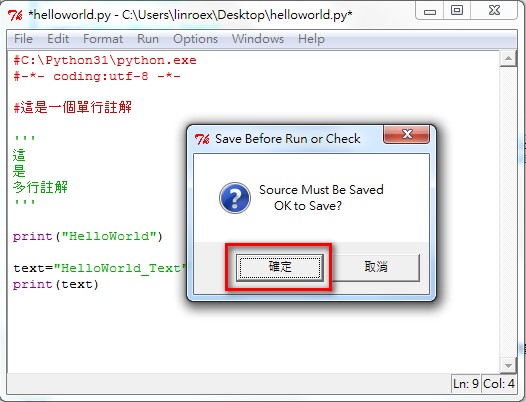
- Finally, once you’ve written the code, you’ll want to run it, right? If you follow this tutorial and write Python in IDLE, just press the F5 shortcut key to start running it~ After you press F5, a dialog may pop up asking whether you want to save. Just click Save.
- Successfully run~ The expected result appears.