Recently I came across a “round up” feature on Zeczec. For example, if a checkout total is NT$1359, pressing the round-up button changes it to NT$1400. It’s a fun feature, but when I actually tried to implement it, I found that rounding up isn’t easy. There are many non-technical concerns. Here I’ll record the problems I ran into while implementing it, the process I went through, and the final solution!
Looking at Zeczec’s round-up feature, it seems to use two strategies. The first is to round up the leading digit: for example, 1001 becomes 2000 directly, 3499 becomes 4000, and any amount under 1000 is rounded up to 1000. The second is based on the idea of lucky numbers: clicking the round-up button repeatedly brings up some numbers that are not integers, such as 6666 and 8888.
I personally think Zeczec’s lucky numbers are interesting, but I honestly can’t tell whether rounding up the leading digit is a bug or intentional… If I buy something for 1001 and rounding up makes it 2000, or buy something for 199 and it becomes 1000, that’s a bit ridiculous. I think the first constraint for rounding up is: “the premium from rounding up must not exceed the original amount.” For example, an item priced at NT$399 can be rounded up to 400 or 500, but not to 1000, because 1000 - 399 is a premium of NT$601, which is more than the item itself!
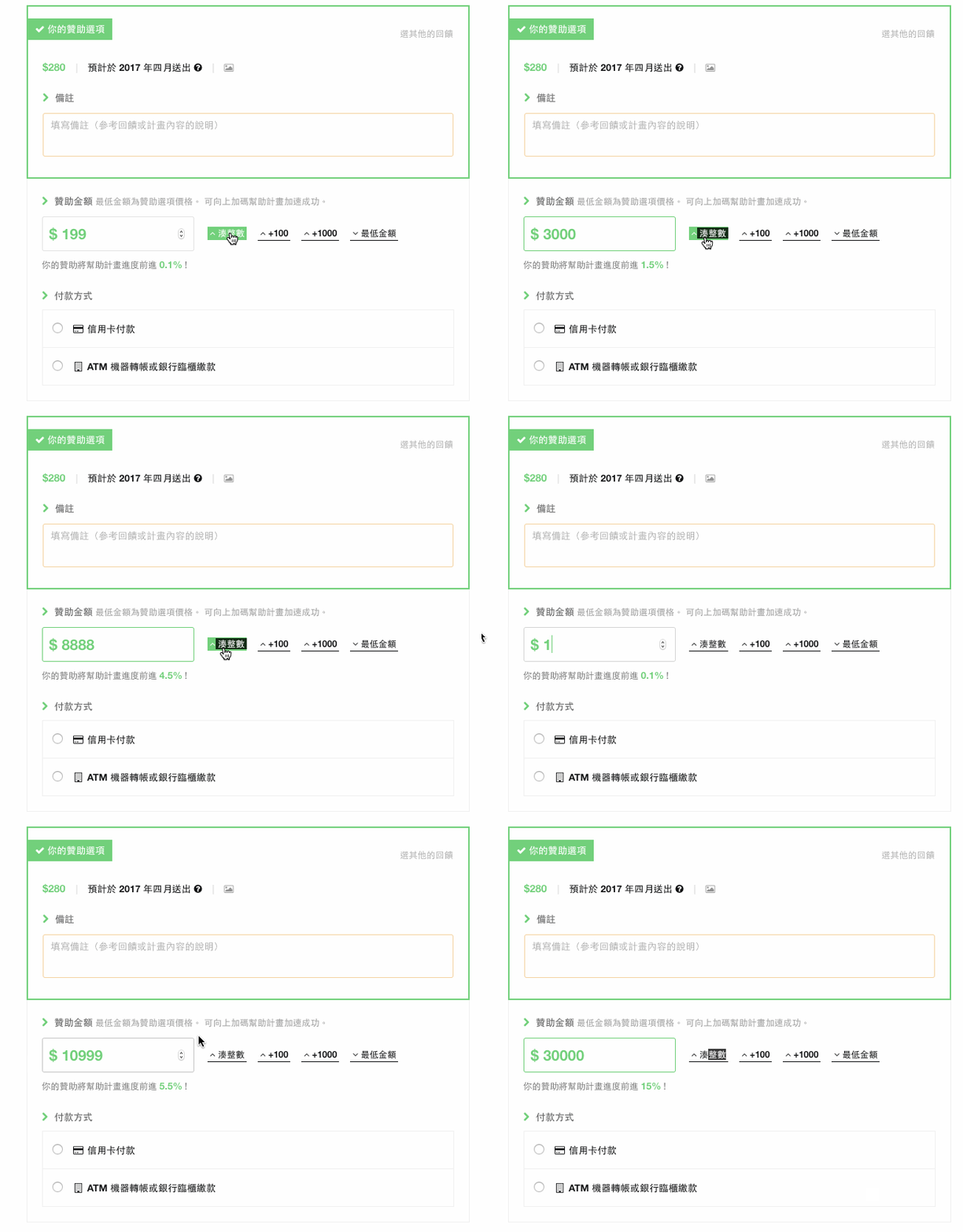
My first idea was to round up from the first or second digit. For example, 199 has a first digit of 1, so it rounds up to 2 and the remaining digits are filled with zeros to get 200. Following this method, 10599 becomes 20000 or 11000. That seems reasonable, right? But there’s a problem! This approach can lead to a “premium that exceeds the original amount,” which feels strange to the consumer.
Later I realized I had made things too complicated. Rounding up can basically be done with division: divide by 100, round up unconditionally, then multiply by 100 to restore the magnitude. The advantage of this method is that it limits rounding to the hundreds place, so it doesn’t produce outrageous results. For example, 1999 / 100 = 19.99. Rounding up unconditionally gives 20, and then 20 * 100 = 2000, which completes basic rounding. This method gives results like these:
- 199 => 200
- 799 => 800
Math.ceil(1999 / 100) * 100This approach keeps rounding within the hundreds place and is simple to implement. But consider the following numbers. How would you round them up?
- 15000
- 17500
- 1500
At first I thought that if the number was already an integer, there was no need to round it up again. But on reflection, if a consumer knows the number is already an integer, why would they still press the round-up button? That suggests they feel the number isn’t “round” enough yet! Or maybe they just want to pay a little more (lol). Since that’s what they want, we should absolutely grant their wish. Here I chose to start from the right and find the first digit that is not zero, then round up that digit. For example:
- 15000 => 16000
Another method is similar in concept, but the number is filled in at the position just before the first non-zero digit. For example:
- 15000 => 20000
Here is the JS code for this approach. It works in two stages: if the number isn’t already a whole multiple of 100, it uses the round-up-to-hundreds method; otherwise, it uses the round-up-the-first-non-zero-digit method. Here, a regular expression is used to find the position of the first non-zero digit.
function happy_money(num) {
  // If it's already rounded to a whole hundred
  if(Math.floor(num / 100) == num/100) {
  // Position of the first non-zero digit, counting from the right
    var posi = /[1-9][0]*$/.exec(Number(num).toString())[0].length - 1;
    return num + Math.pow(10,posi);
  } else {
    // 123 -> 200
    // 123001 -> 123100
    return Math.ceil(num / 100) * 100;
  }
}
If you’re interested in lucky numbers, the principle is basically to build an array in advance that holds many lucky numbers, then find the lucky number closest to the consumer’s amount and jump to it.
When I test it myself, I like to use these numbers to check whether the results match what I expect or need adjusting:
- 99
- 199
- 150
- 1500
- 20000
- 2010100