Anyone who writes both programs and CSS has probably wished that CSS could have variables and functions, the things programming languages have. Many CSS rules are repetitive, and if CSS had variables and functions, writing it would be a lot faster. Generally, that kind of dream seems impossible… But today I’ll introduce a new toy called SASS. With SASS, CSS can become something very different~
SASS is a program written in Ruby. Its biggest feature is that it lets you use variables and functions when writing CSS. SASS works by compiling: after you’ve written your CSS, you hand it to SASS to compile, and SASS generates a compiled CSS file. This way, you can set variables in your CSS. The principle may be hard to follow, so if you don’t get it, don’t worry about it XD. As long as it works, that’s good enough!
SASS Information
- Official website: http://sass-lang.com/
- Documentation: http://sass-lang.com/docs/yardoc/file.SASS_REFERENCE.html
SASS can do much more than variables and functions, but I personally don’t use many of its other features. SASS also supports operators, so you can do addition, subtraction, multiplication, and division. For a full overview of its features, check out http://sass-lang.com/tutorial.html. Another benefit of SASS is debugging. As I mentioned, SASS compiles your code, and if it finds a CSS error, such as a missing semicolon, it shows you the error and tells you which line it’s on!! Unfortunately, it won’t fix syntax errors automatically. For example, if you misspell font-size as font-siae, SASS won’t react.
What’s the benefit of using variables in CSS? The most common case is setting things like background images or font sizes. Many sections may need the same font size, for example:
#top{
	font-size:15px;
	background:red;
}
#main{
	font-size:15px;
}
With SASS, CSS like the above can be written as:
$font_s:15px;
#top{
	font-size:$font_s;
	background:red;
}
#main{
	font-size:$font_s;
}
That’s how variables work. As for functions, the way I use them most is for handling browser compatibility. Many CSS3 features already work in Firefox, Chrome, and IE 9, but each browser uses different syntax. With SASS mixins (which are functions), this becomes very simple:
#box{
	border-radius:5px;
	moz-border-radius:5px;
	webkit-border-radius:5px;
}
With SASS, the syntax can be written as:
@mixin border-radius($x){
	border-radius:$x;
	moz-border-radius:$x;
	webkit-border-radius:$x;
}
#box{
	@include border-radius(5px);
}
You might wonder whether this is any shorter. That’s because the example here isn’t complete. In practice, rounded corners come up all the time. Would you really type three lines every time a DIV needs rounded corners? With a mixin, you type one line and get the full border-radius. This can be used in many other places too. Try it out yourselves XD
SASS Installation Tutorial
SASS is written in Ruby, so you need to install Ruby and Gem before you can use SASS. If you're on Windows, you can simply use RubyInstaller. You can find the installer on the Ruby official website (http://www.ruby-lang.org/zh_TW/downloads/).If you’re on Linux, follow the steps below to install Ruby, gem, and SASS in order. Here I install by compiling from source, because installing with apt-get sometimes causes problems.
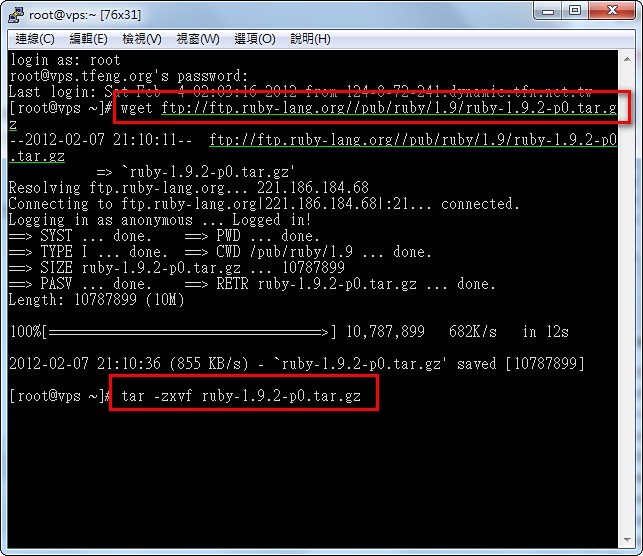
- Download the Ruby source code and extract it
- wget ftp://ftp.ruby-lang.org//pub/ruby/1.9/ruby-1.9.2-p0.tar.gz
- tar -zxvf ruby-1.9.2-p0.tar.gz
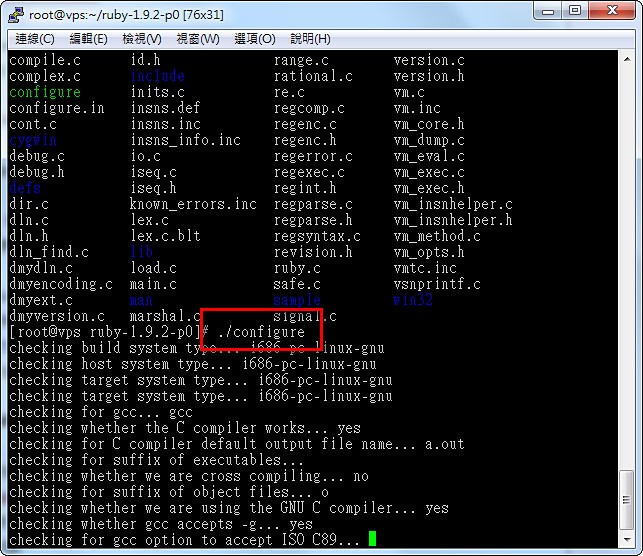
- After extracting, go into the extracted folder and configure it
cd ruby-1.9.2-p0./configure
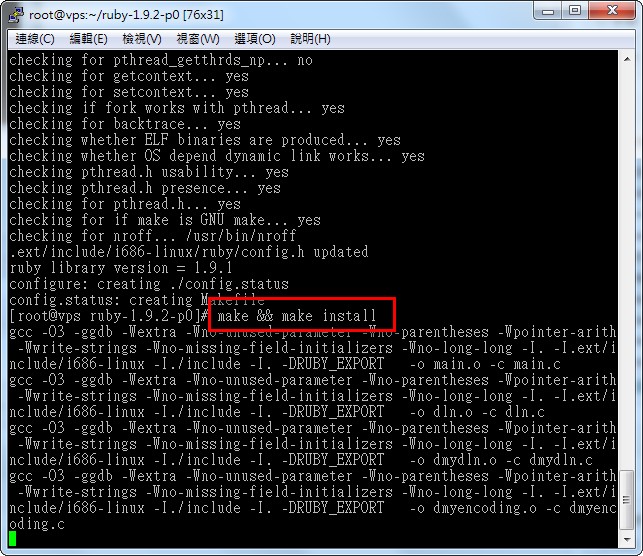
- Compile and install
make && make install
- Once the entire program has compiled, it’s time to install sass. Here we install SASS through gem, the package management system for Ruby.
First, run the following command to upgrade the system:
gem update --systemThen install SASS:
gem install sass
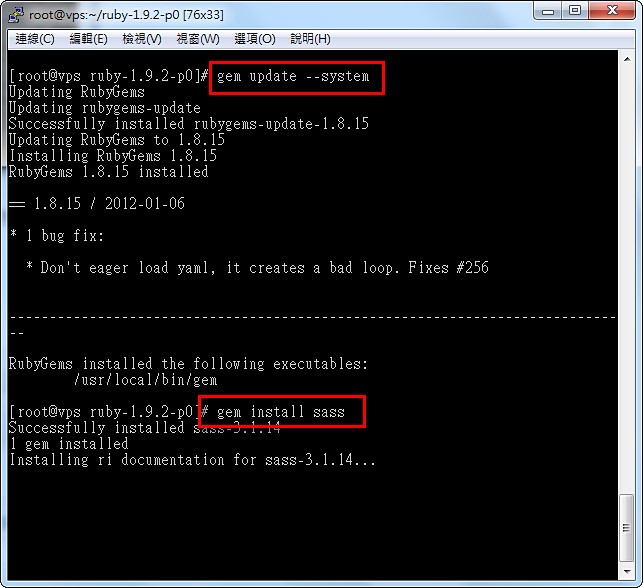
That completes the SASS installation. You can run the following commands to check the versions you’ve installed:
ruby -vWe’ll cover detailed SASS usage in the next article~gem -v
sass -v