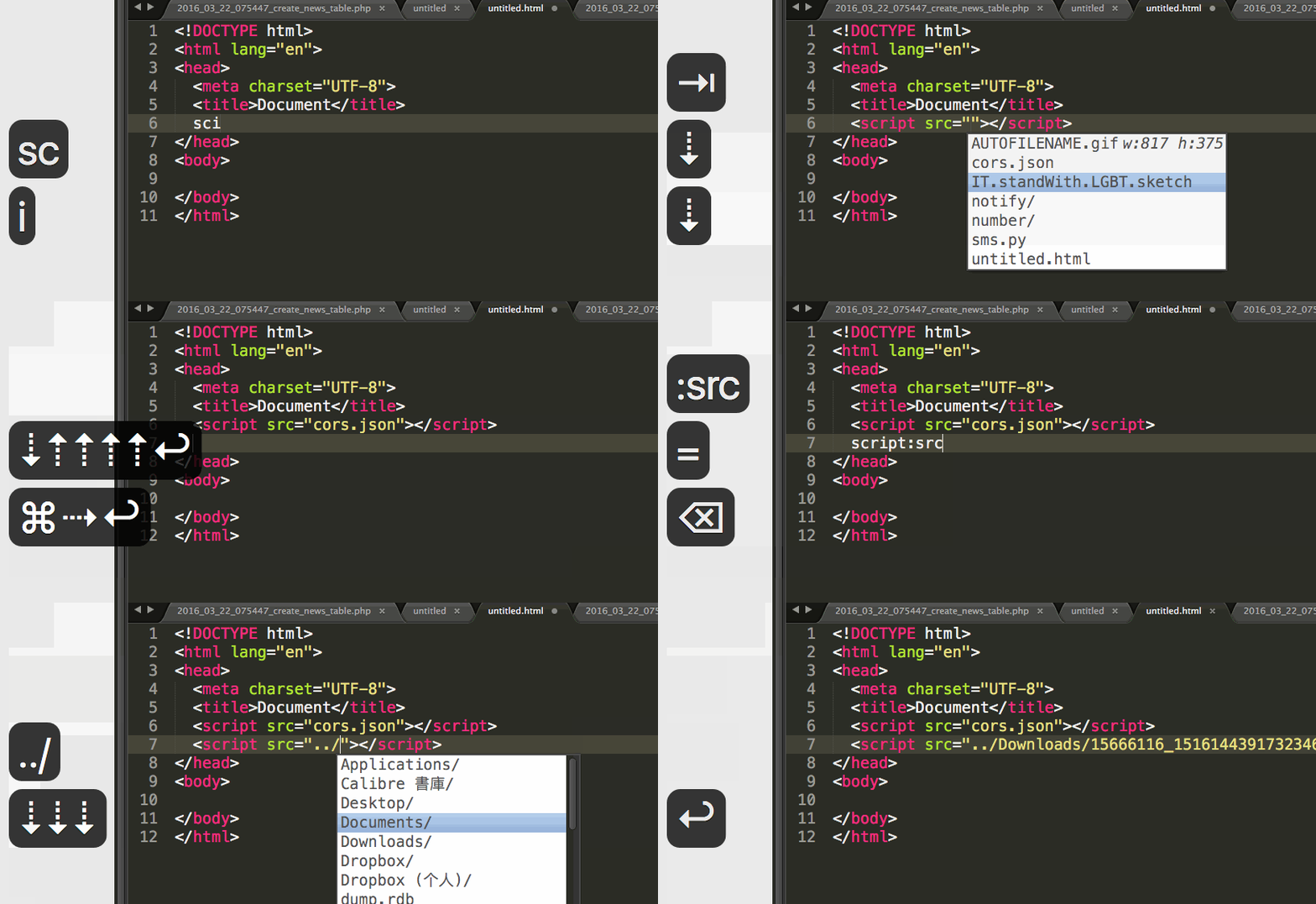
Among the things I hate most when writing code, typing file paths is definitely near the top. Every time I need to type a file path, such as loading a JS or CSS file in HTML, or opening a file in Python, I have to switch to Finder to copy the file name. But if you are a Sublime Text fan like me, using it for every programming language, then let AutoFileName be your helper!
AutoFileName is a plugin for Sublime Text. It supports both ST2 and ST3. When you are in a place where you might need to enter a path, the plugin gives you path suggestions relative to the current file’s location. You can enter the file path quickly using just the arrow keys and Enter.
You can install AutoFileName quickly through Package Control.
When using it, do not forget to save the file first, or AutoFileName will not take effect! The reason is simple: if you have not saved the file, how would it know where you are!
- Package: https://packagecontrol.io/packages/AutoFileName
- Github: https://github.com/BoundInCode/AutoFileName