Sometimes when you want to downgrade your iPad or iPhone (hereafter iOS Device), you find that the downgrade keeps failing. This is because newer iOS devices have a built-in protection mechanism that blocks you from downgrading the device. This design exists to prevent users from jailbreaking. When a new iOS version comes out, some people accidentally tap update… Usually the latest iOS version cannot be jailbroken, so users who have updated can only downgrade in order to jailbreak. This is when a big problem appears: you cannot downgrade…… The TinyUmbrella introduced today is software that can help you downgrade successfully. It can back up something called SHSH for you. Once you have backed up the SHSH, you can downgrade successfully~
TinyUmbrella Introduction
- Official website: http://thefirmwareumbrella.blogspot.com/
- Download: Official download | Box.net | 4Shared
- Requirements: JRE (Java Runtime) must be installed
- Version: 5.00.06
TinyUmbrella Tutorial
1. First, download TinyUmbrella, connect your iOS device to the computer, and then run TinyUmbrella. Some messages will appear; ignore them and click "OK."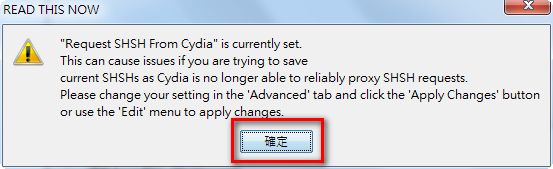
- The left side lists the iOS devices currently connected to the computer. Select the device whose SHSH you want to back up, then click “Save SHSH.”
P.S. Actually, Connected Devices and Recent Devices are basically the same.
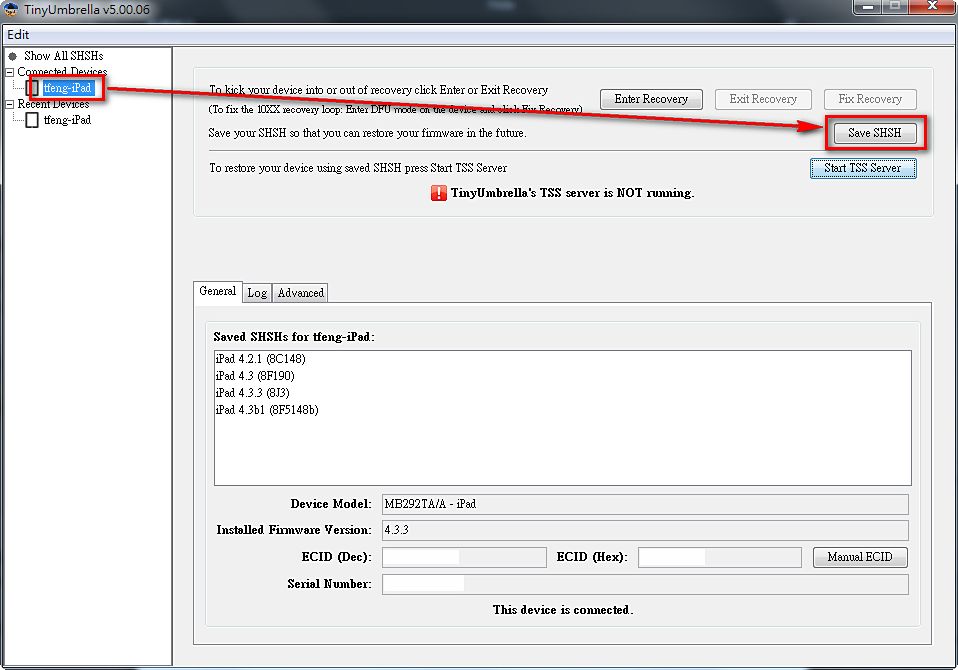
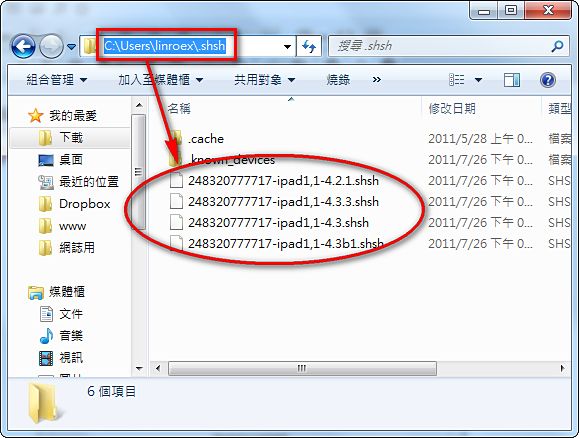
- By default, the shsh files are saved to “C:Users[your-username].shsh”. For example, my computer’s user name is linroex, so my shsh files are saved to C:Userslinroex.shsh.
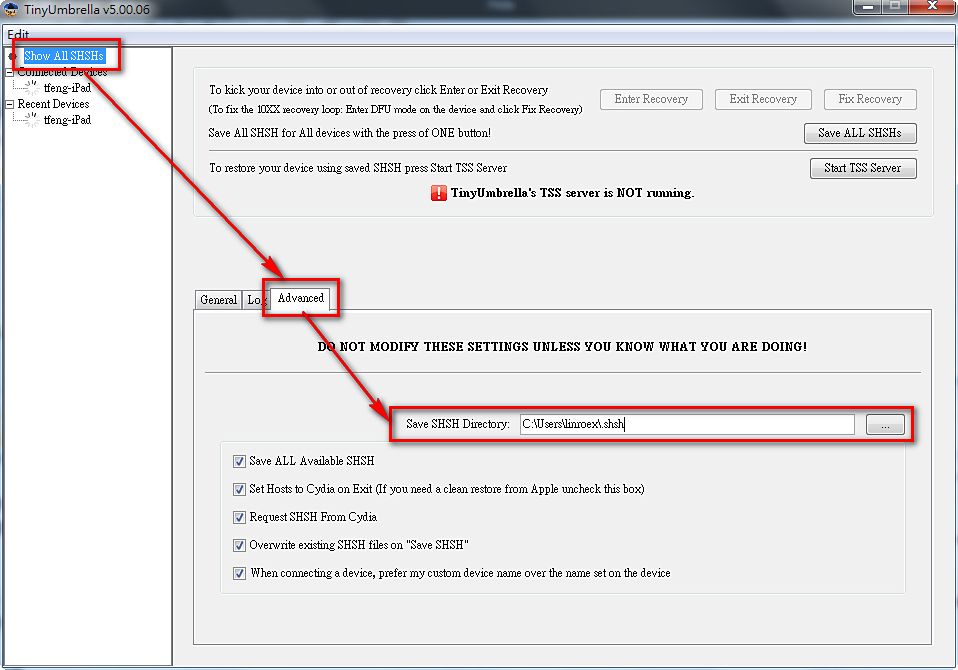
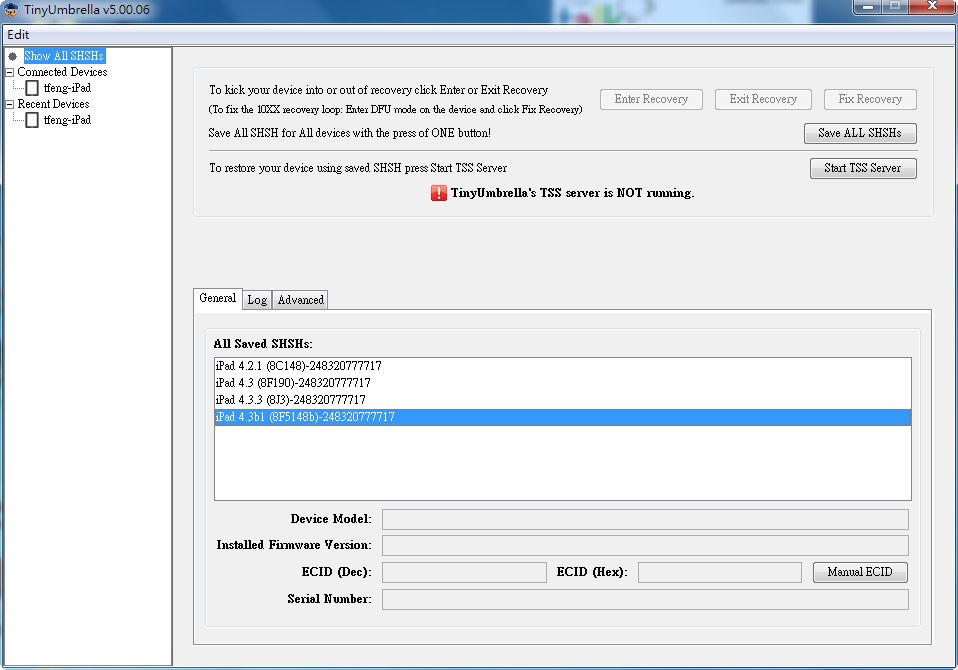
- If you want to save the shsh files to a different folder, click “show All SHSHs” on the left, then select “Advanced.” There is a “Save SHSH Directory” option, where you can set the save location.