Today I’m sharing a neat trick: writing notes directly on Twitter. I got the idea from Plurk. Lots of people like to reply “note” to Plurk posts when they come across gossip or news, so I started wondering whether notes and microblogging could be combined. After looking into it, I found that they can! The well-known Evernote offers a similar feature. Just follow its official Twitter account, and it checks your tweets and does the note-taking for you. Even if you don’t use Twitter, that’s fine. Several sites, including Facebook and Plurk, can sync their content to Twitter!
About the Service
- Info page: http://goo.gl/cBBUA
- Requirements: A Twitter account and an Evernote account
Official Introduction Video
1. Syncing Your Twitter and Evernote
1. Log into your Twitter account and follow @myEN.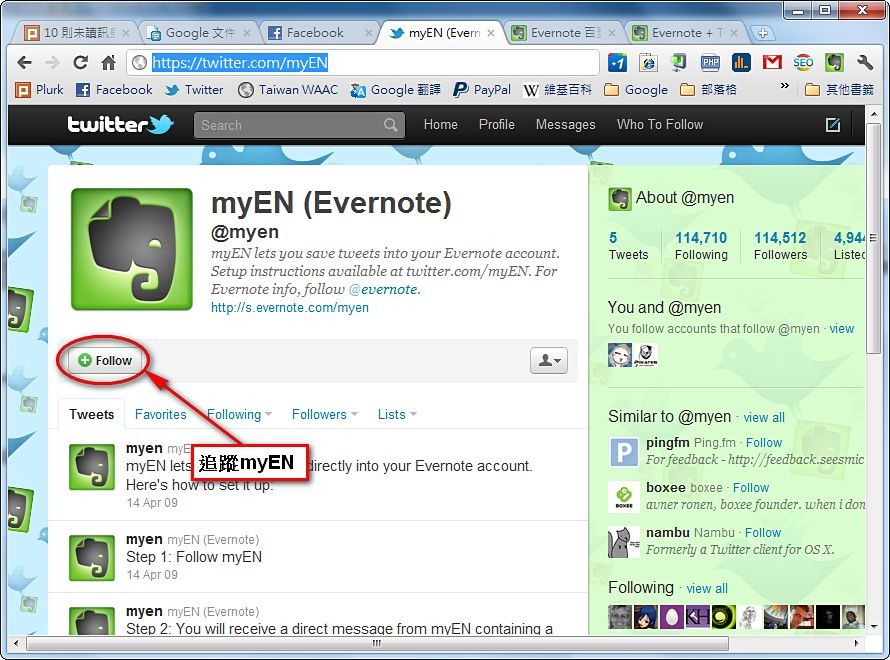
- myEN will automatically follow you back, and it will send you a message (DM) on Twitter.
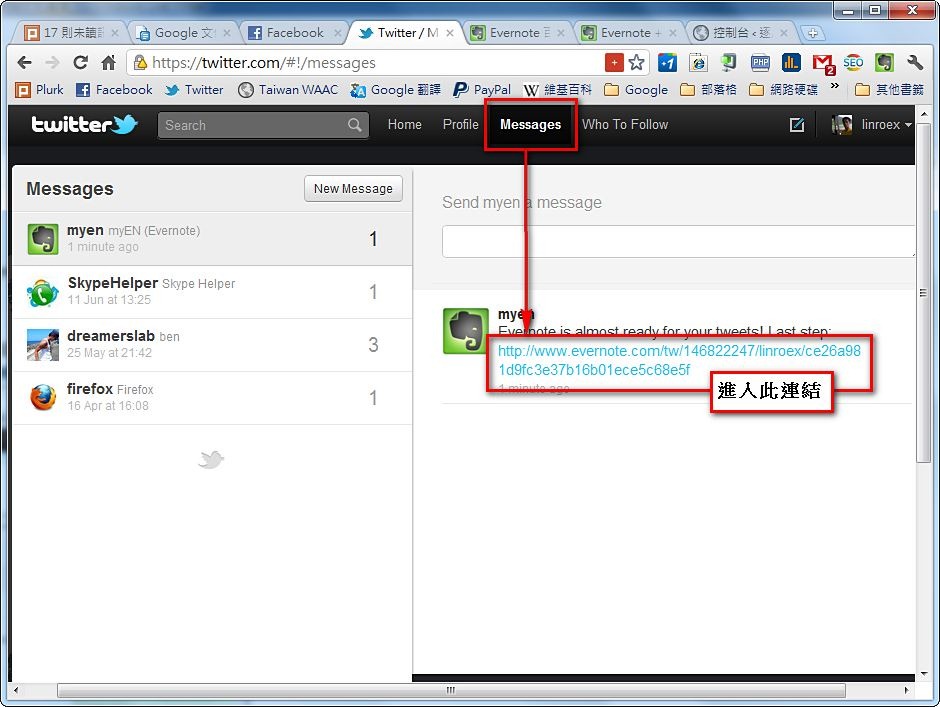
- This step links your Twitter and Evernote accounts. Click [Link account].
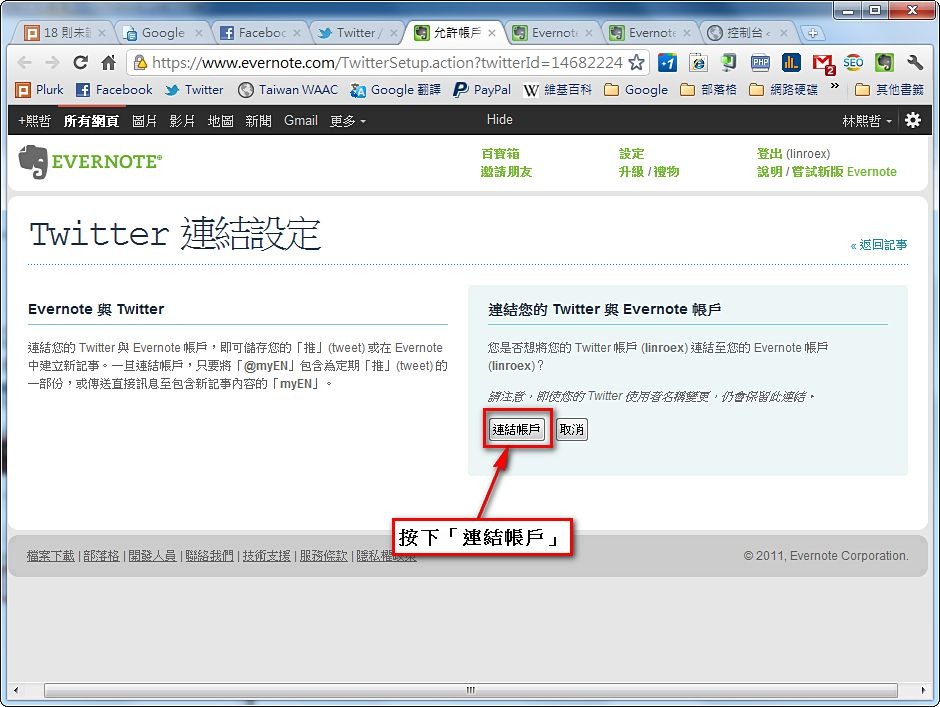
- At this point, your Twitter and Evernote accounts are linked. So how do you send messages to Evernote?
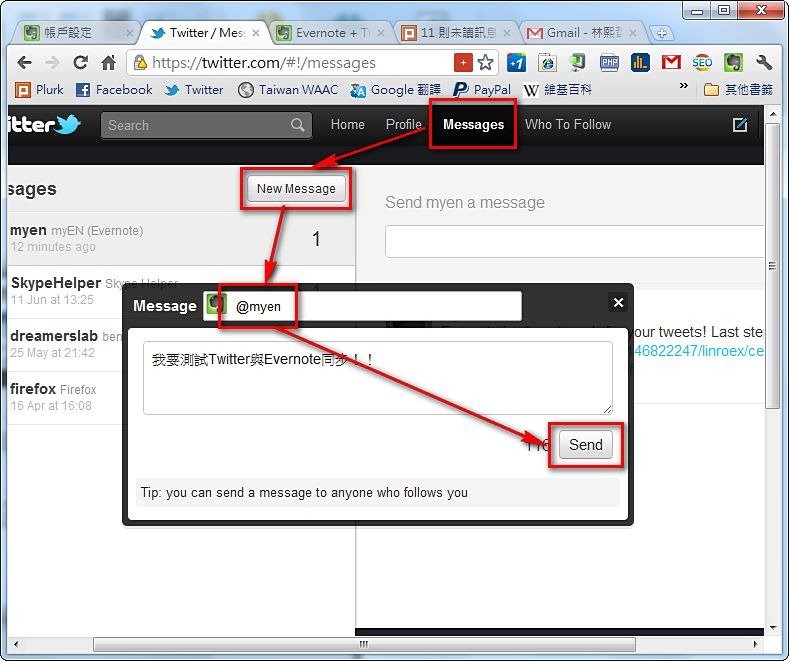
There are two ways. The first is to send a message to @myEN.
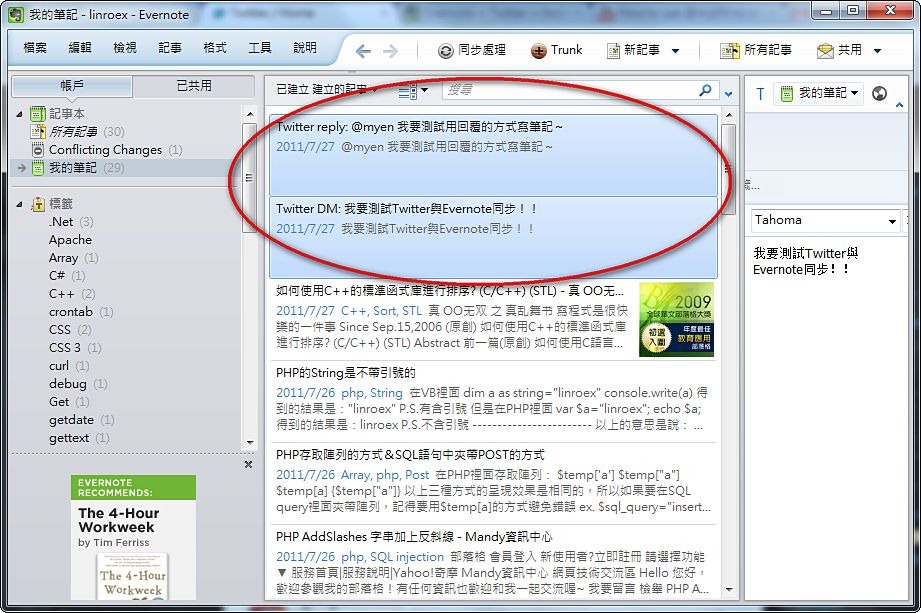
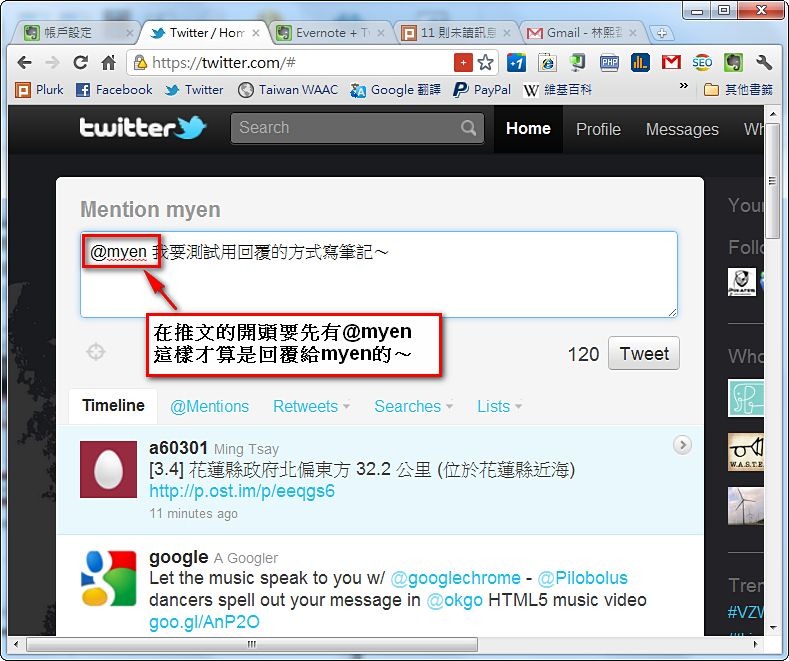
The second is to reply to myEN, and it will record your message in Evernote~
- Test successful~
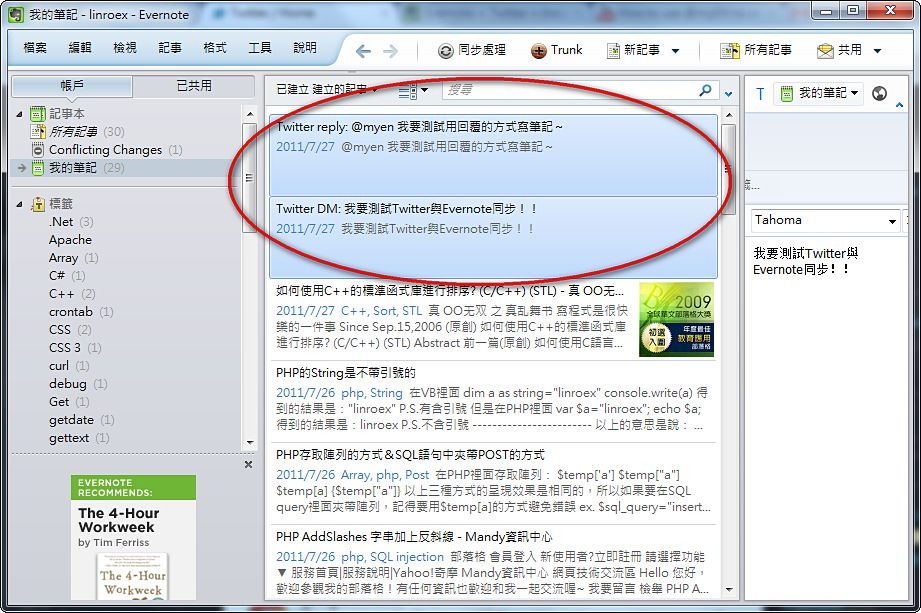
2. Unlinking Twitter and Evernote
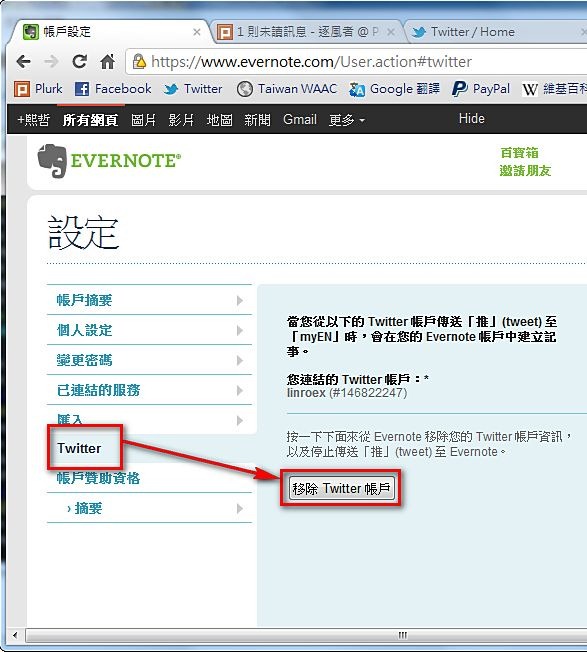
1. Log into your Evernote account and select [Settings].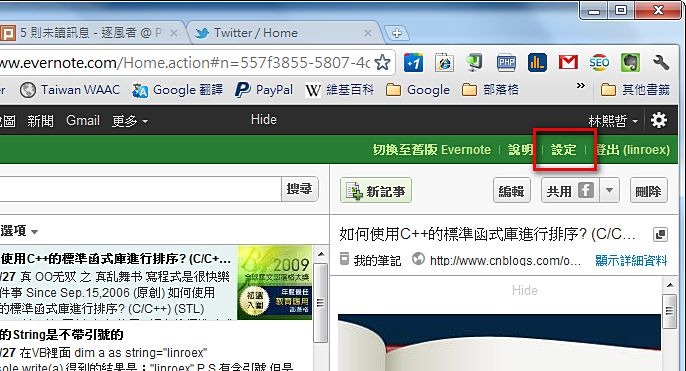
- In the menu on the left, select [Twitter], then click [Remove Twitter account].