Perhaps because of the pressure from Amazon’s e-books, Taiwanese publishers have become more willing in recent years to offer e-book purchase options. A few days ago I wanted to read Zheng Feng’s Chronicles of Strange Peaks and Stones, and I found that udn Books actually sells the e-book. Although you have to bind it to udn’s own app, and the files can’t be downloaded (Kobo offers an EPUB with DRM download), at least I could read it at home at my leisure. Who knew that after I pressed the buy button I would run into so many problems? I’d like to take this chance to share them.
First, let me say something in udn Books’ favor. Their staff are very attentive. I only complained about their shopping process on Facebook, and the next day someone messaged me to ask about it. It was the Lunar New Year holiday and they still worked hard. The website has some shortcomings, but responding to customer complaints this quickly is definitely worth learning from.
Update: After this article was published, udn Books has already improved many of these issues, including PayPal support for Taiwanese users and the guidance flow on the book’s inner pages. They also explained some of the issues. I have added those explanations below so readers can see the difference between the consumer’s view and the platform’s view.
Many people think UX doesn’t matter. Let’s set the term UX aside for now and talk about conversion rate instead. Conversion rate is one of the numbers that e-commerce operators care about most. It is the ratio of people at each stage, from entering your site, browsing products, adding items to the cart, and entering payment details, all the way to completing the purchase. Conversion rate directly affects your revenue, and UX directly affects how conversion rises and falls. If users don’t understand how to operate the shopping flow (the interface) you designed, then even if you spend a big budget on ads to bring customers in, it won’t help. They will get lost on the site, and in the end that traffic can’t be turned into revenue. Doing UX is not about being kind and offering better products. It is a practical matter: doing UX well raises your income. For example, if a user chooses ATM payment, we send them an email at that moment. But do you send another email reminding them of the payment deadline the day before it expires? After an experiment, just adding this deadline reminder email raised the completion rate of ATM transfers by 10%. That number is astonishing, and it came from a tiny change!
I am not a UX expert. In the rest of this article, I’ll look at things from a consumer’s point of view and talk about the interesting things I ran into on the way from buying an e-book to finishing it. This is actually a rare opportunity, because the problems udn Books ran into also appear on many other websites.
Let’s keep going with the udn Books issues!
As soon as you enter the homepage, you’ll see that udn presents information using an overlay. This is actually a risky technique, because it may make users leave at the very first step if they “don’t know how to close the overlay ad.” Here is an example (click to enlarge):
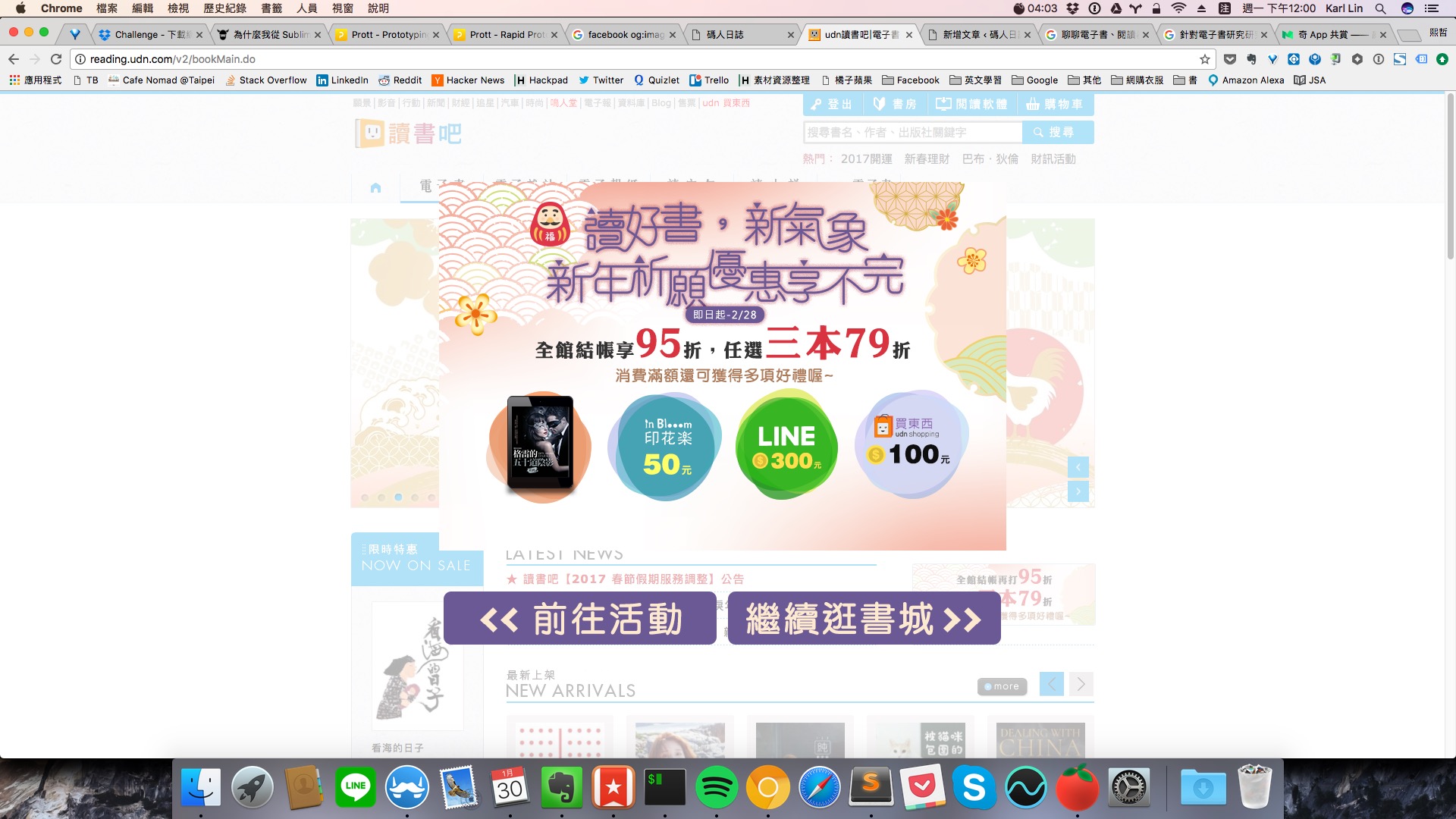
Usually the “close” button on an overlay ad is in the upper right corner. Users have been trained by so many overlay ads to look for a close button in the top right whenever they see an ad. But here the close button is at the bottom, so at first glance you can’t tell how to close it. However, after I reported this to udn Books, the problem was fixed quickly.
The biggest taboo in website optimization is making claims without evidence. You can try making two versions of the page, one with an X in the upper right corner and the other the current version, then watch how the bounce rate changes at this step to verify whether what I said is true.
I got to this site by searching Google for the book title Chronicles of Strange Peaks and Stones and finding udn Books.
URL: http://reading.udn.com/v2/bookDesc.do?id=55834
The first problem after entering: this novel has three volumes, and the image below shows volume two. I wanted to find the other volumes, but I could only find them by searching. There are “Others also read” and “Further reading” on the side, and “Editor’s Picks” and “Related Works” at the bottom, but none of them had any guiding effect at all. When designing these “extension products,” what matters is whether they guide users to actually browse more products and even make a purchase. Think about it: would a reader buy only volume two?


Theory matters a lot in e-commerce, but what matters even more is whether you grasp the core of the problem. Think and experiment around that core, and the theory develops from what you find. As for how to grasp the core of a problem, the first step is to put yourself in the consumer’s shoes.
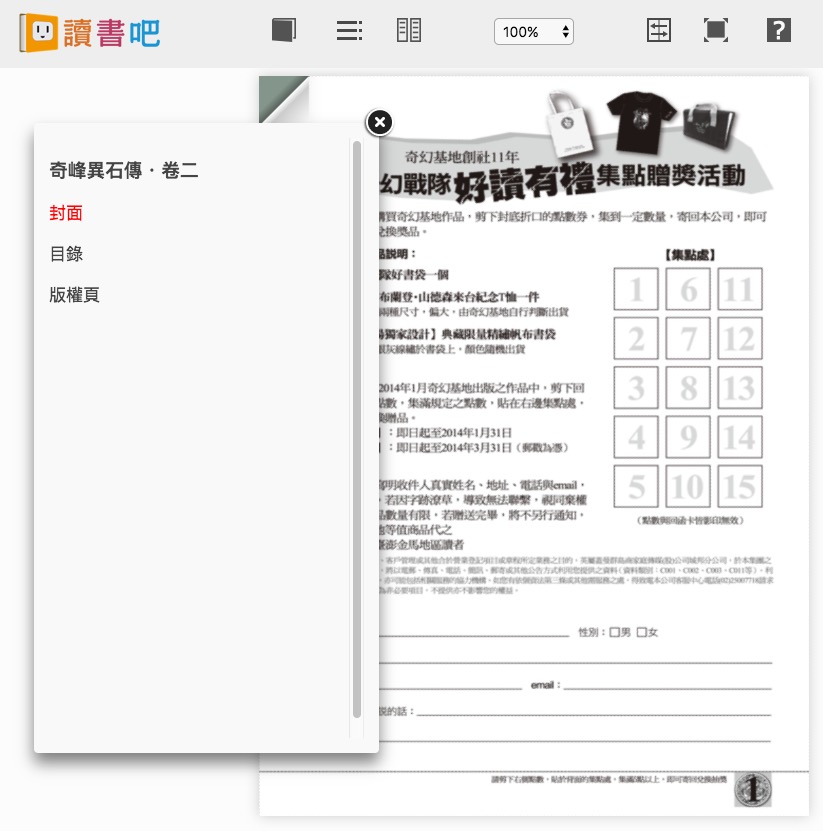
Next, I clicked “Free Preview.” It offers 10 pages of trial reading. These 10 pages are roughly the cover, the back cover, ads, and the table of contents. Don’t be confused: there isn’t a single page of body text.
Update: After this article was published, udn Books explained that the trial content can only be provided within the scope allowed by its contract license. They also have to provide a preview because of the Consumer Protection Act, and other books don’t have this problem.
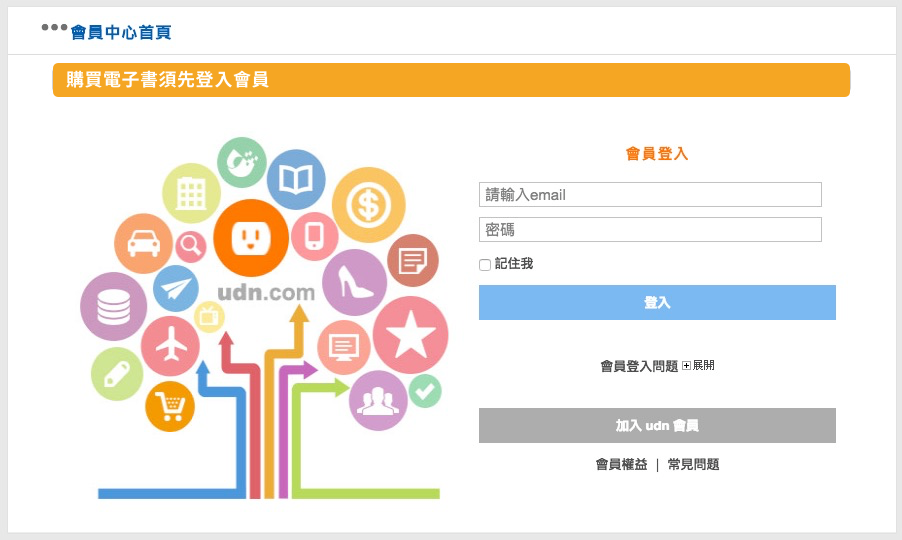
Next I clicked the “Add to Cart” button, and I was immediately asked to log in. Three things are worth thinking about here:
- Just adding an item to the cart redirects the page to a login request. If a user wants to buy more than one book, won't this flow break their enthusiasm for shopping and ultimately reduce revenue?
- Third-party logins such as Facebook and Google are not offered. But will users be willing to remember another account and password just for your site? Are they willing to spend time signing up?
- The redirect takes too long. Waiting three seconds is quite a long time.
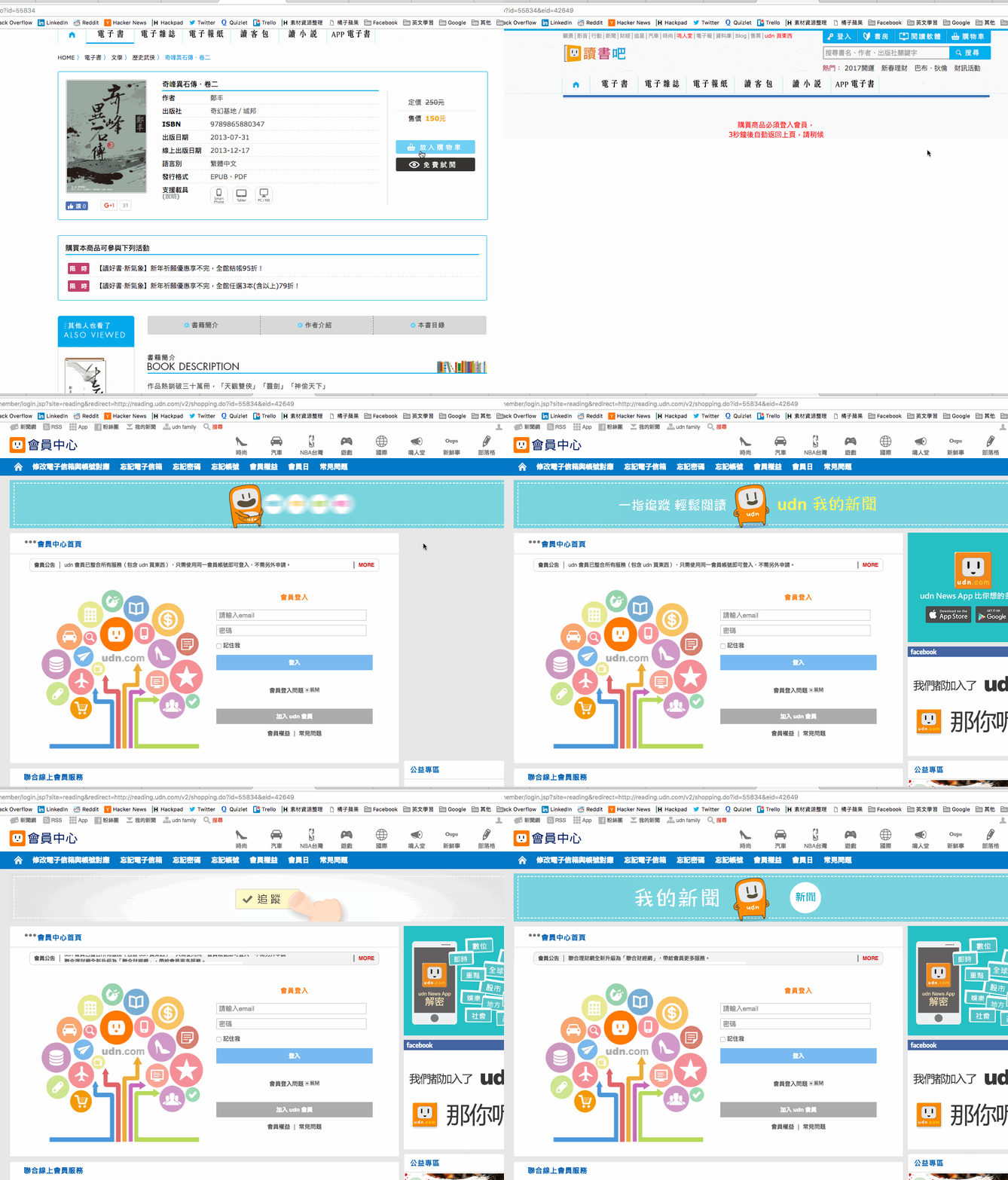
As for requiring registration, Facebook and Google now both offer third-party login, which lets visitors sign in to your site with their existing third-party account. This saves the time of registering, as well as the conversion loss that the registration process may cause. After all, every extra step is one more chance for the user to leave.
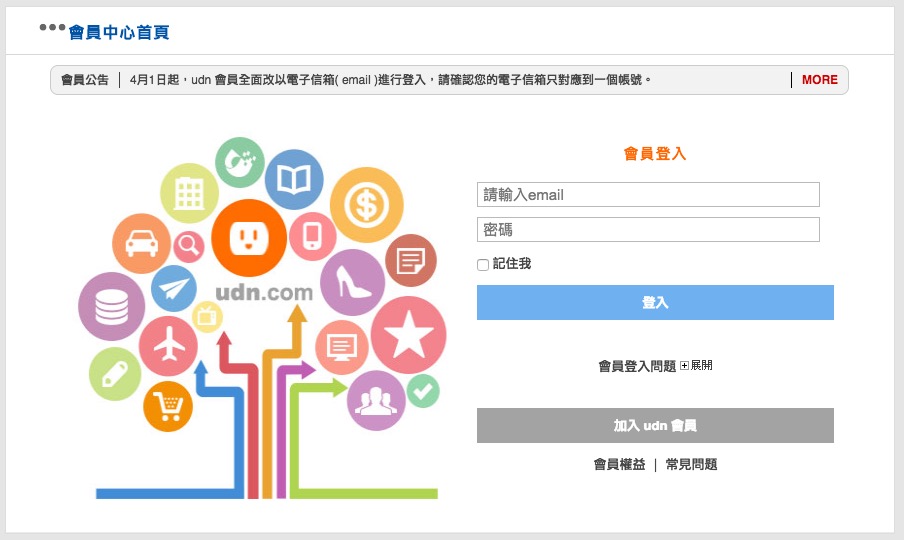
Finally, the three-second redirect. It may have been meant to let users know that “shopping requires logging in,” but in fact this could be handled on a single page! Just look at the image below and you’ll understand:
After clicking “Join udn Membership,” let’s see what’s wrong with the registration page:
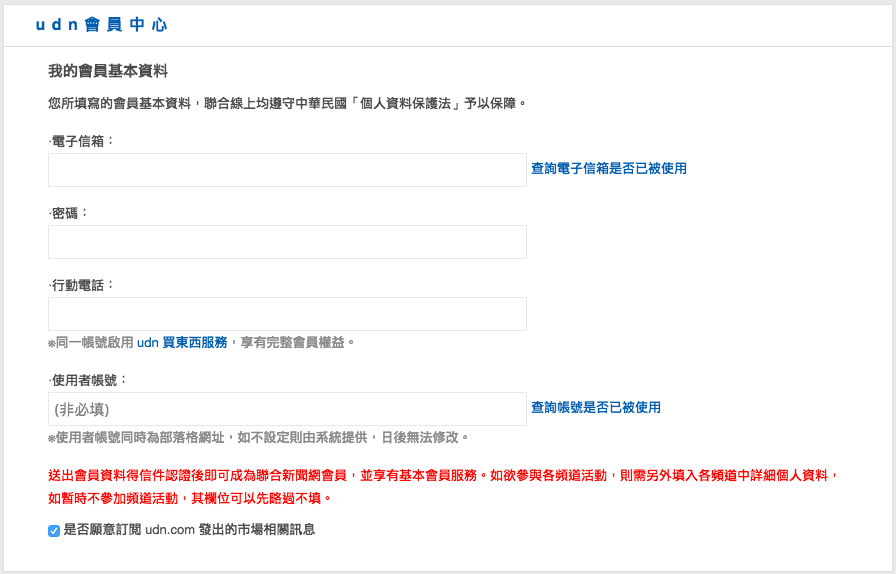
First, why do I have to manually click “Check whether this email is already in use”? What era is this? Isn’t it easy to have the program check automatically once I finish typing?
Second, why do I need to fill in a phone number to buy an e-book? This happens on many websites. Obviously you don’t need an ID number, so why ask customers for one? If you scare away a customer who could bring in revenue, you lose more than you gain.
Last and most amusing: we filled in a “user account” name, but when logging in you actually need your email… and this “user account” is only used as the URL of the udn blog.
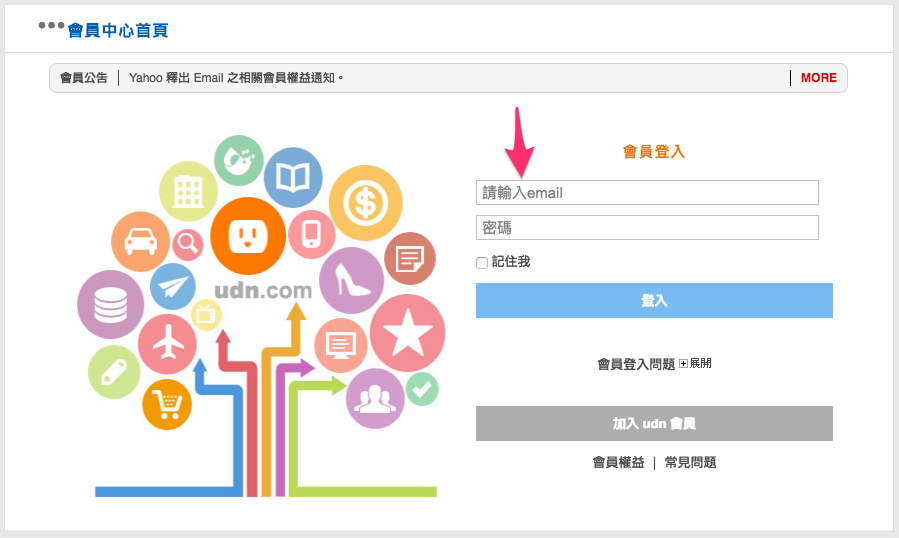
Well, the information needed for registration is fairly simple. Next, check your inbox for the verification email.
.png)
What’s wrong with this email? The biggest taboo in website flow design is inconsistent terminology. In this email, registration and shopping both use the keyword “udn,” but the email says “UDN Group member.” This makes users uncertain. This problem appears on many websites. It is a small detail, but details often have a critical impact.
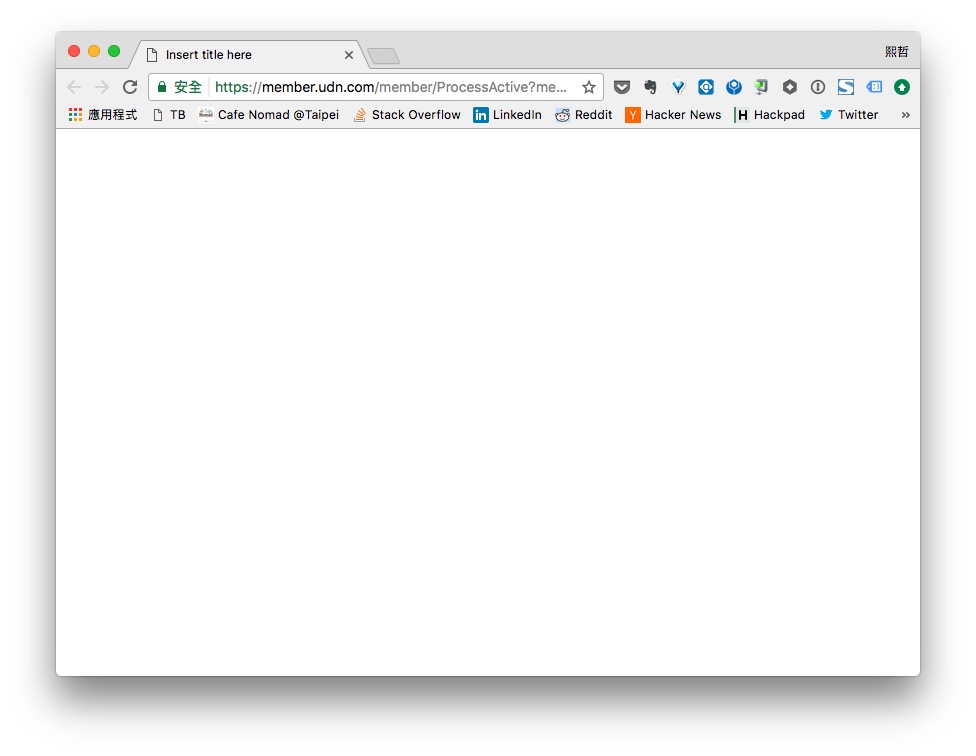
Next, after I clicked “Activate account now,” I was shown a blank page like the one below. Wait… wasn’t I here to buy something? Why can’t you send me back to the shopping page right after I confirm my activation? Or at the very least, log me in automatically! Here you show only a blank page, so how is the user supposed to know what to do? There’s no guidance and no link. Even when I opened udn Books manually afterward, I wasn’t logged in! This kind of problem happens on many platforms too. I call it “poor flow design.”
Usually, after registration is complete, the user is logged in automatically and returned to the page where they started, based on “why the user registered.” In this example, after logging in they should return to the shopping flow or the product page.
After solving many problems, I finally reached the checkout page. By the way, for some reason this page took quite a long time to load. I tested it three times, and each time the speed made me feel the site had crashed. Page load speed can also be a reason users leave.
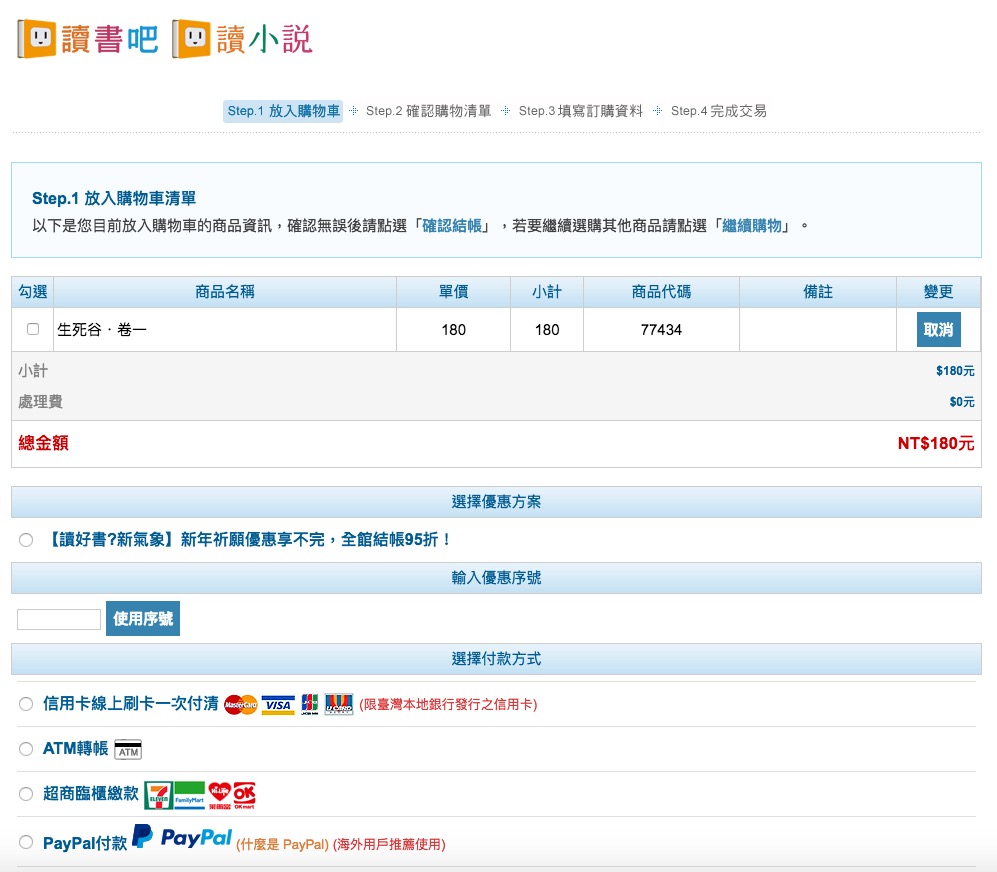
What’s wrong with this page?
- What is the checkbox in front of the product name for? To this day I still haven't figured it out.
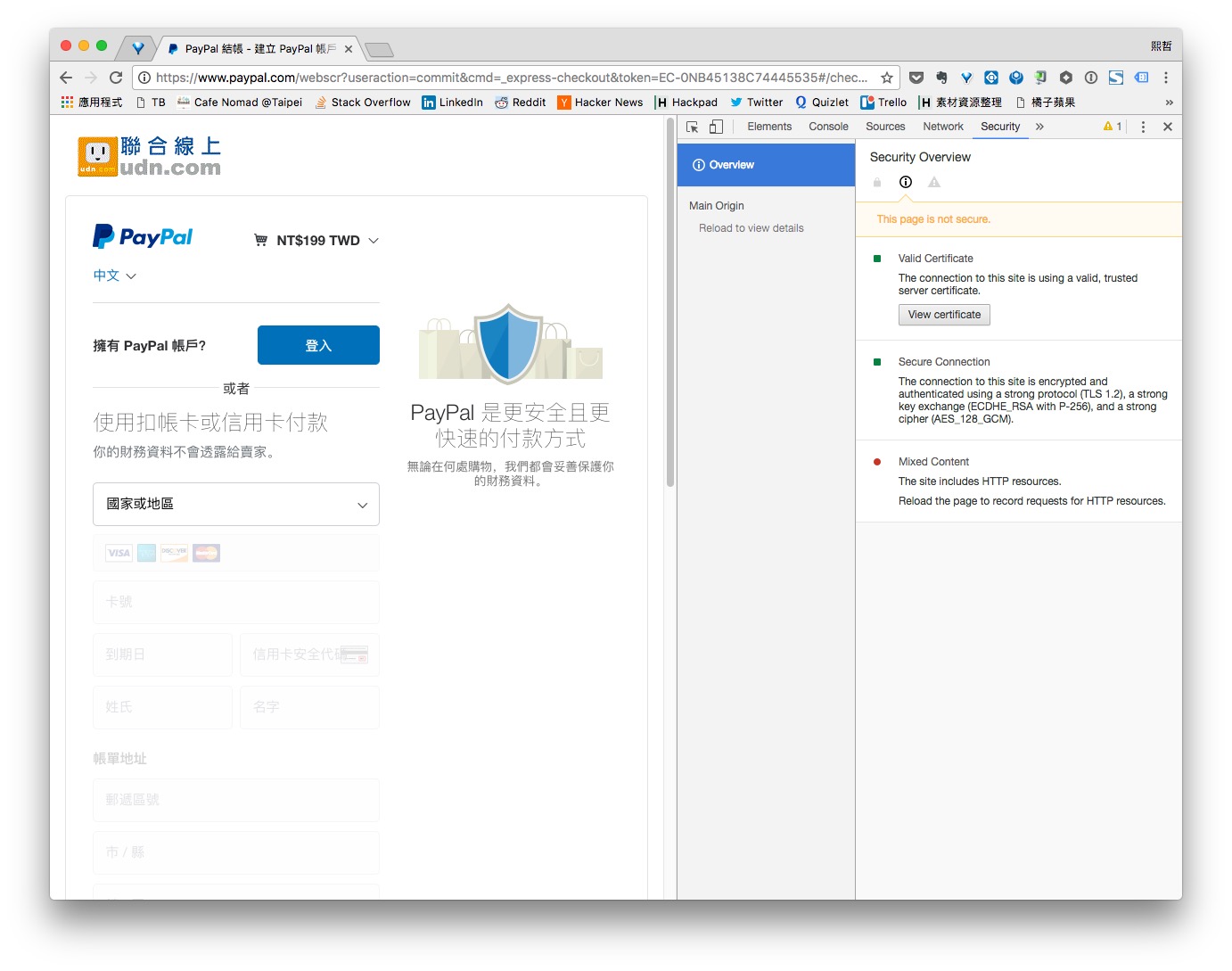
- For payment methods, you say PayPal is recommended for overseas users, so why show it to me, a Taiwanese user? Also, PayPal's fees are not cheap, so just displaying it may cost the company a lot of unnecessary fees.
- There is a "Continue Shopping" button at the bottom, but clicking it returns you to the homepage. A better approach would be to return to the product page, so users can continue the shopping experience they had before.
- After choosing a payment method or a promotion plan, why does the whole page have to reload? Page loading takes a lot of time, and reloading every time you make a choice is very annoying. I suggest handling this with Ajax.
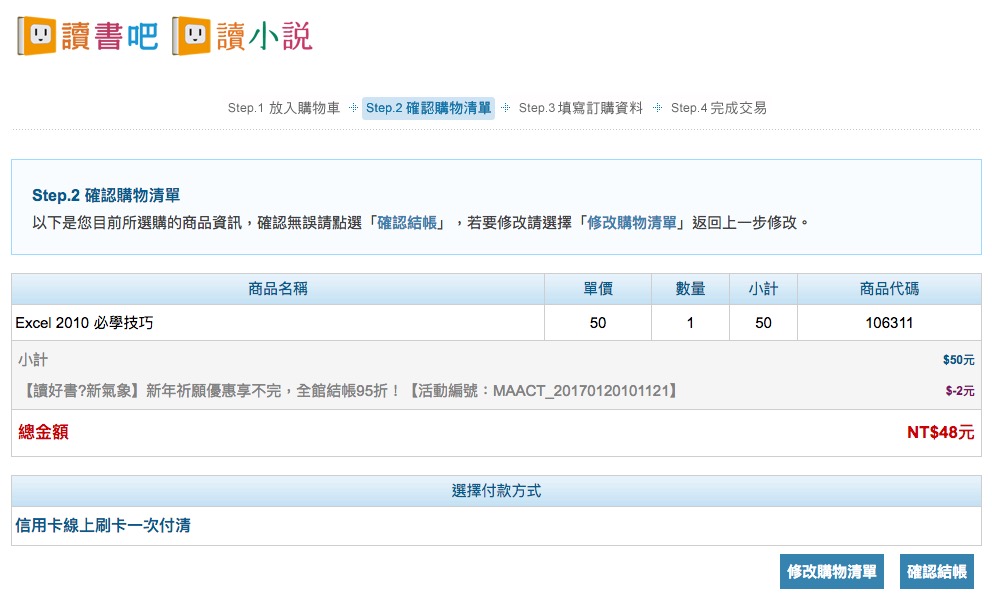
Because PayPal wasn’t available, I had no choice but to continue with a credit card. Below is the second page, “Confirm Shopping List.” This is also a meaningless step. It matters a lot in website flow design that users take as few steps as possible. Even a single button can make users hesitate for a few seconds, and every extra second gives them one more chance to leave.
Update: This is due to historical reasons. E-books and print books were sold together on the same site, so to avoid people buying an e-book thinking it was a print book, this page was added specifically.
The button design here is also poor. Confirming checkout means “next step,” while modifying the shopping list means “previous step.” For this kind of button design, we try to make “next step” more prominent and clearly distinct, so that users are guided to click next.
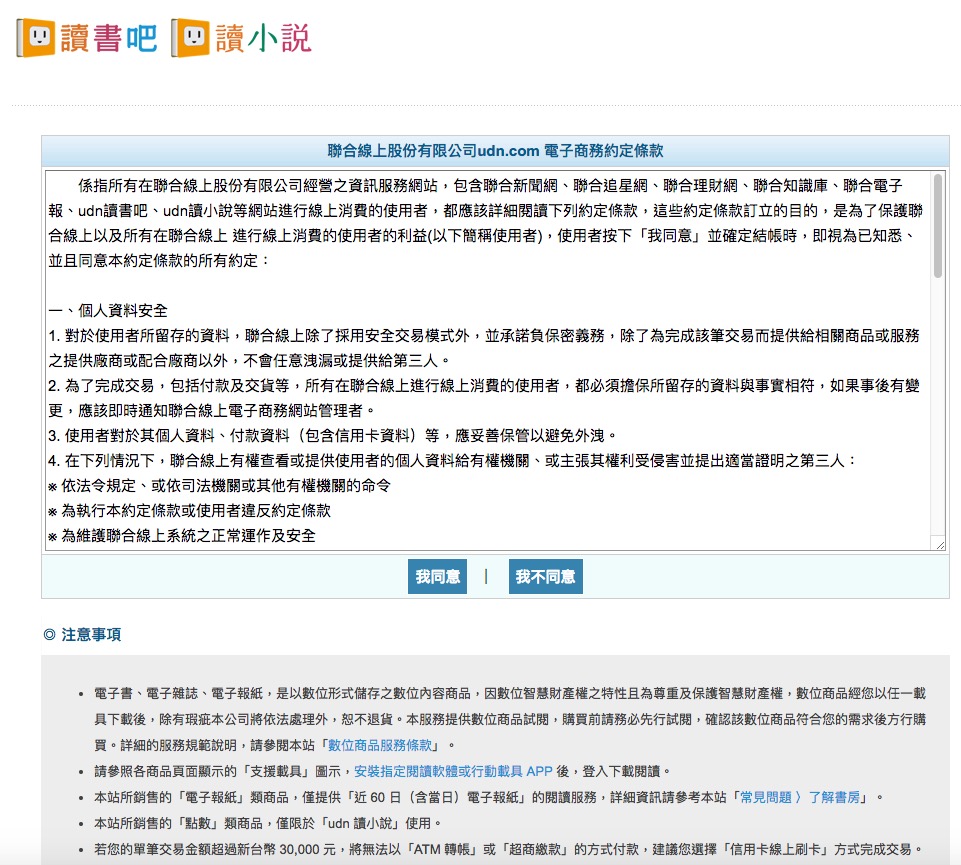
Good. After clicking “Confirm Checkout,” this license agreement appeared. Same as the problems above: whenever a step can be removed, remove it.
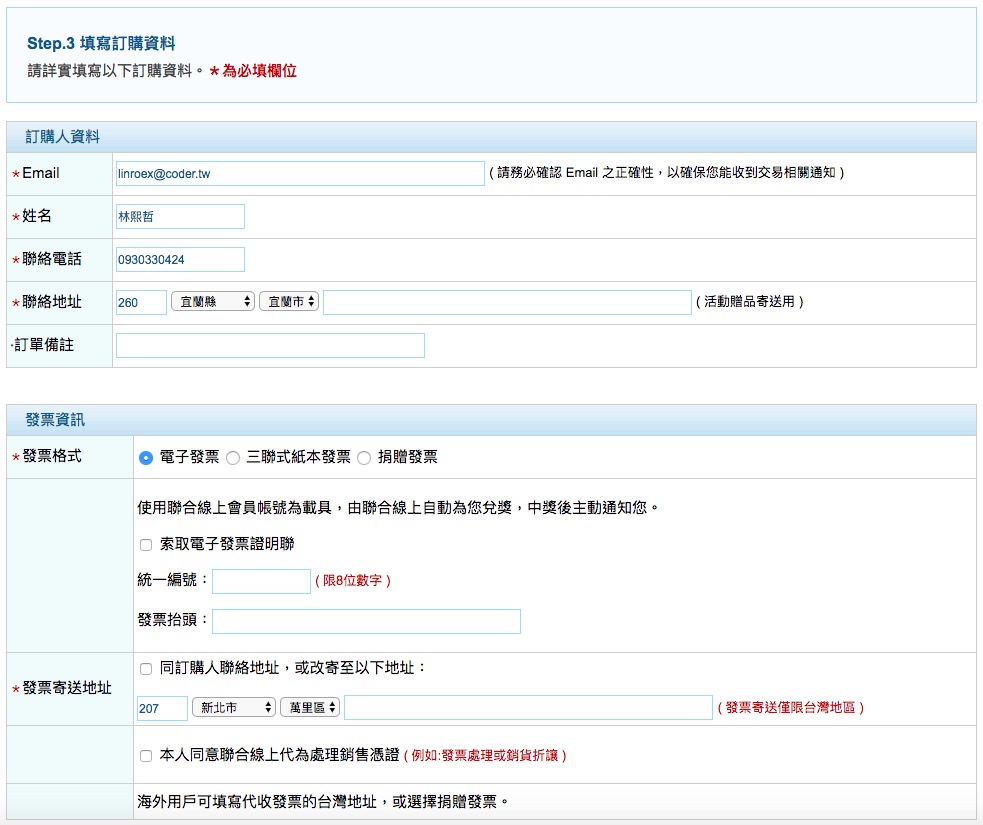
You think everything is finished and you can finally start reading? Wrong! The main event is only just beginning. Here you are asked to fill in your address, your invoice mailing address, and a whole series of other information. Wait, didn’t I buy an e-book? Why do I need to enter an address, and why is it required? For customers who value privacy, this page will make them leave. Even though most people today don’t care much about personal data, entering an address is still a step that easily lowers conversion. Avoid it whenever you can. Entering an address means typing, and I once read a case where 20% of people gave up on a purchase because they had to enter an address.
Update: The address is required because of the electronic invoice system. If the invoice wins a prize, the proof of purchase has to be mailed.
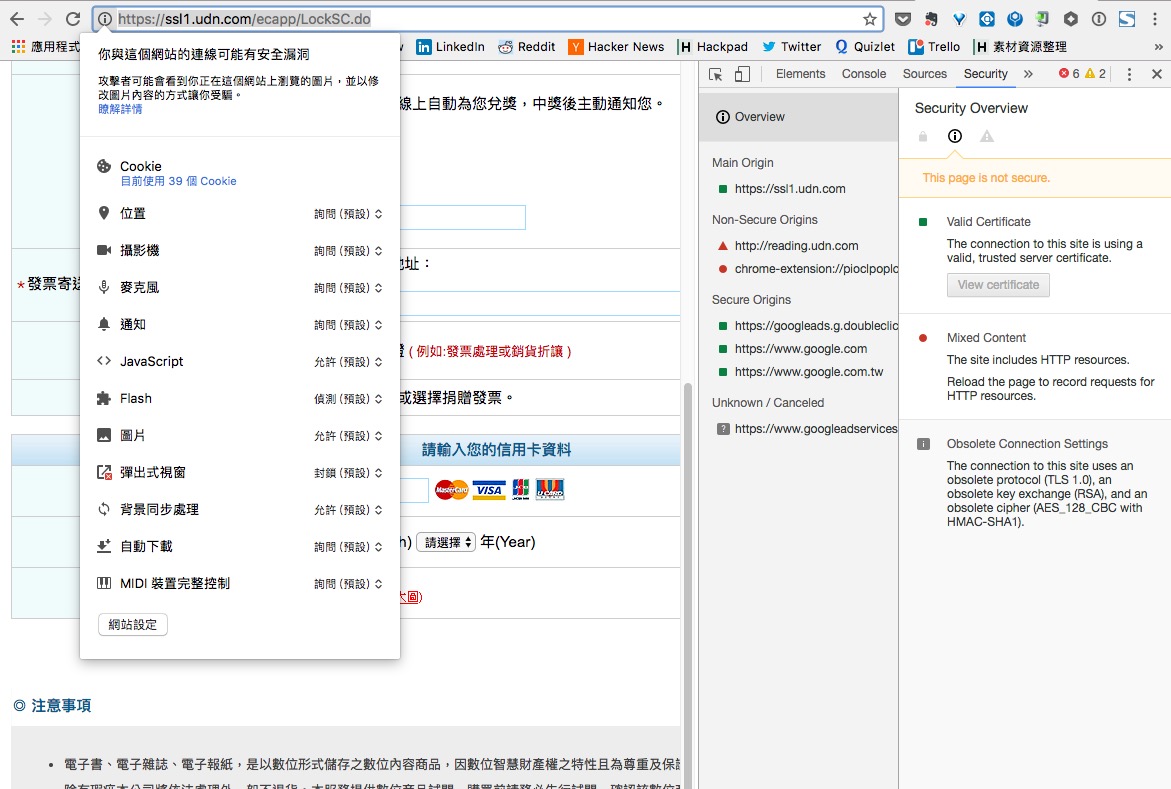
When entering credit card information, I checked whether the website used SSL encryption. When I looked, I almost broke into a cold sweat. SSL protects the data we enter by encrypting it so that it is sent securely to the server. If it isn’t set up properly, hackers can intercept the credit card information you enter. This is something many e-commerce websites have not handled well.
- udn Books "Product Shipment Notice"
- [udn Books · udn Novels] Order Confirmation Notice
- [UDN Online] Payment Success Notice
- [UDN Online] E-Invoice Issuance Notice
.png)
Guess what I’m going to say? A few common problems:
- The terminology is inconsistent: some emails say UDN Online, others say udn Books.
- Is it "udn Books" with a space, or "udnBooks" without one? Is there a space in the official spelling?
- Should you use 【】 or [] brackets?
- Buying one book sends four emails. Is there no room to cut this down? In my view, these four emails could easily be combined into one.
- The email layouts are not optimized for mobile devices.
Also, when I bought something two days ago, the “Product Shipment Notice” email, amusingly, had no body text. But after I completed this purchase today, that email did have body text (what a surprise!)
-1.png)
Finally, let’s look at the udn Books App reader. The first time I used the udn Books App, the system said I had already registered on another device and that I needed to remove the other devices before I could use it. I clicked to see which devices were listed, but the list was completely blank. After I force-quit and reopened the app, it worked fine.
Here are the problems with this app, listed directly:
- The memory feature seems to have a bug. The night before, I had read to about 40%, but when I opened it the next morning, it was back at 0%. When I tested it just now, though, it was normal.
- I pressed the next-page button, but sometimes it jumped straight to the next chapter. After testing for a long time, I found it was a gesture feature. That gesture is very similar to the page-turning gesture, so users easily trigger it by mistake.
- You can't buy books directly inside the App. I wonder what amazing rule says e-books can't be purchased directly in the App...
- Update: udn Books said they don't offer in-App purchases because Apple takes a 30% cut of transactions made inside an App. For a single book, a 30% cut is an unbearable burden...
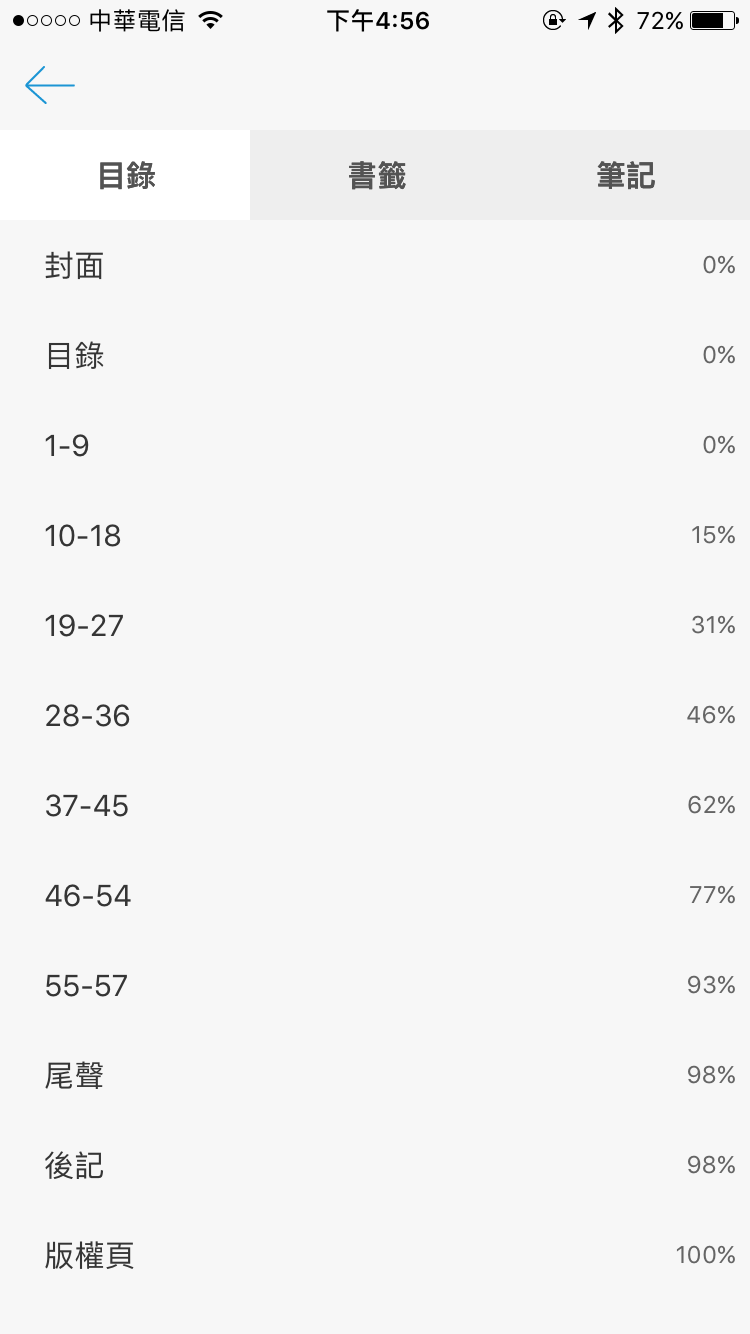
- The table of contents in the e-book is just plain text, with no links...
- Page switching can only be done by dragging the slider. There is a table-of-contents switching feature, but... see the image below.
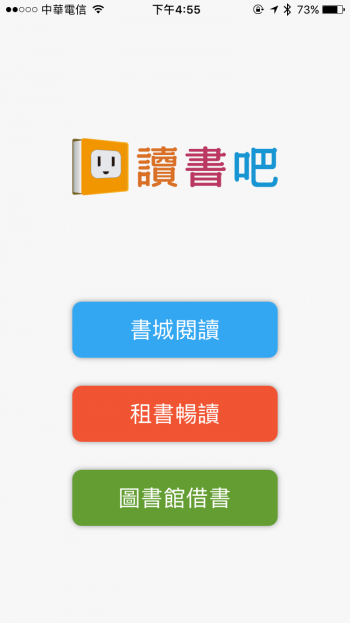
Also, let’s set aside whether this entry page needs to exist at all or whether it looks good. Just looking at the buttons: how would a user know these buttons can be pressed? To a user’s intuition, these are just three squares. The design did not consider the image that a “this is a button” element needs to convey.
I really hope udn Books can fix these problems, because the books there are really rich! For years I was stuck in a state of wanting to support legitimate copies but being unable to, because there were simply no e-books to buy. In recent years, some options have finally started to become available.