Unfriend Finder is a Chrome-only extension that lets you find out which people have secretly removed you from their Facebook friends. Some people don't care about this kind of thing, but someone like me really does care! (I care a lot, but I still really want to know who unfriended me...) We were already friends, so why remove me :(( But then again, if you haven't installed Unfriend Finder, you won't know when someone unfriends you, so maybe that makes you feel a little better...
The Unfriend Finder extension is simply a JS file. It isn’t listed on the official extension platform (reason unknown 0.0), so you have to download it from the author’s website.
It can also be used in Firefox, but you have to install the Greasemonkey script manager first.
Unfriend Finder Information
- Official website: http://www.unfriendfinder.com/
- Download links: (V.30) Official download|Box.net|4Shared
- Download page: http://www.unfriendfinder.fr/download
The download links start the download as soon as you click them. But if you use Firefox, go to the "Download page" to get the Firefox version of Unfriend Finder.
How to Use
I'll skip the installation, since everyone should know how to do that. Let's get straight to how to use it~
After installing Unfriend Finder, open Facebook. A button called "Removed Friends" will appear in the upper right corner. You can also find it below "Favorites" on the left side.
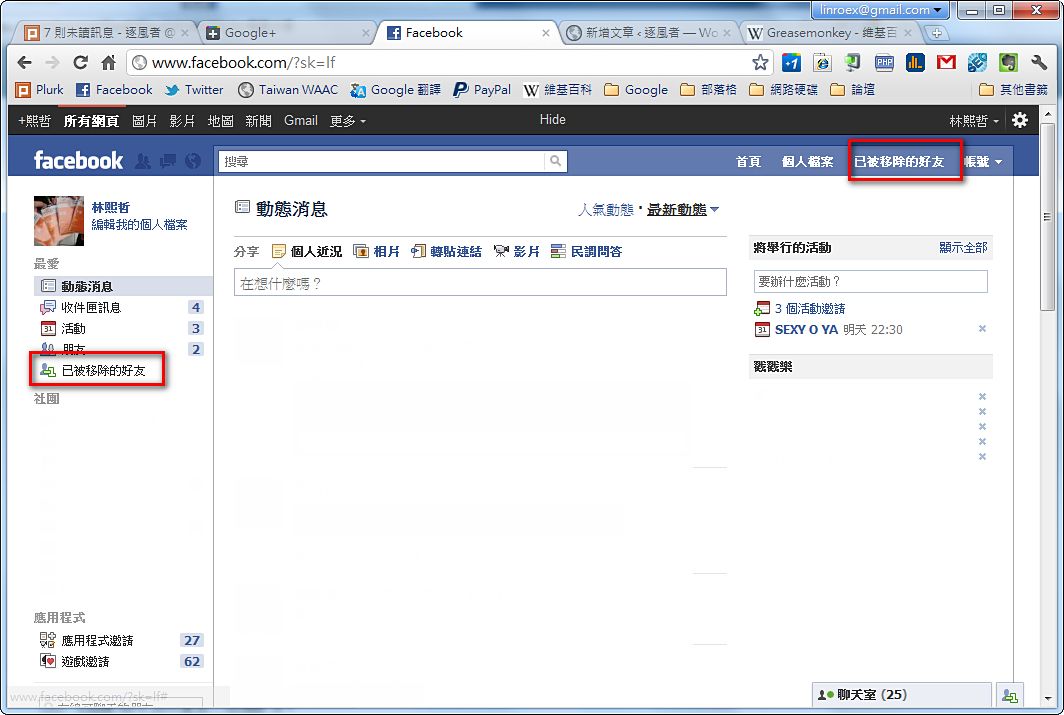
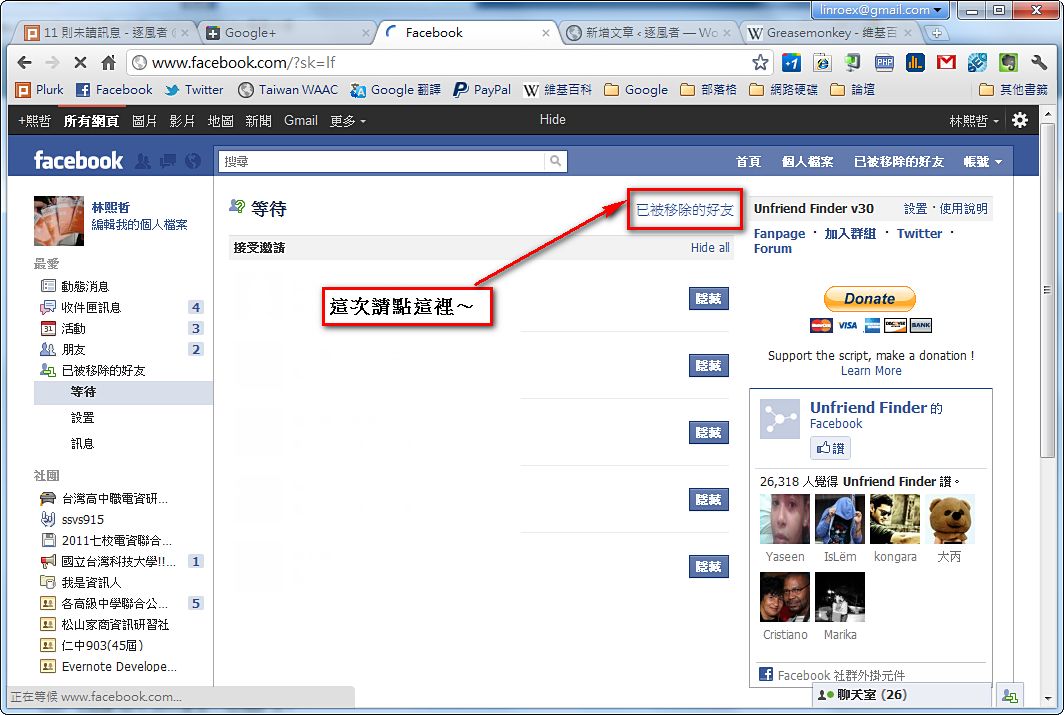
When you open it, you'll first see who has recently added you as a friend. Then click "Removed Friends" once more, and you can see who has unfriended you XD
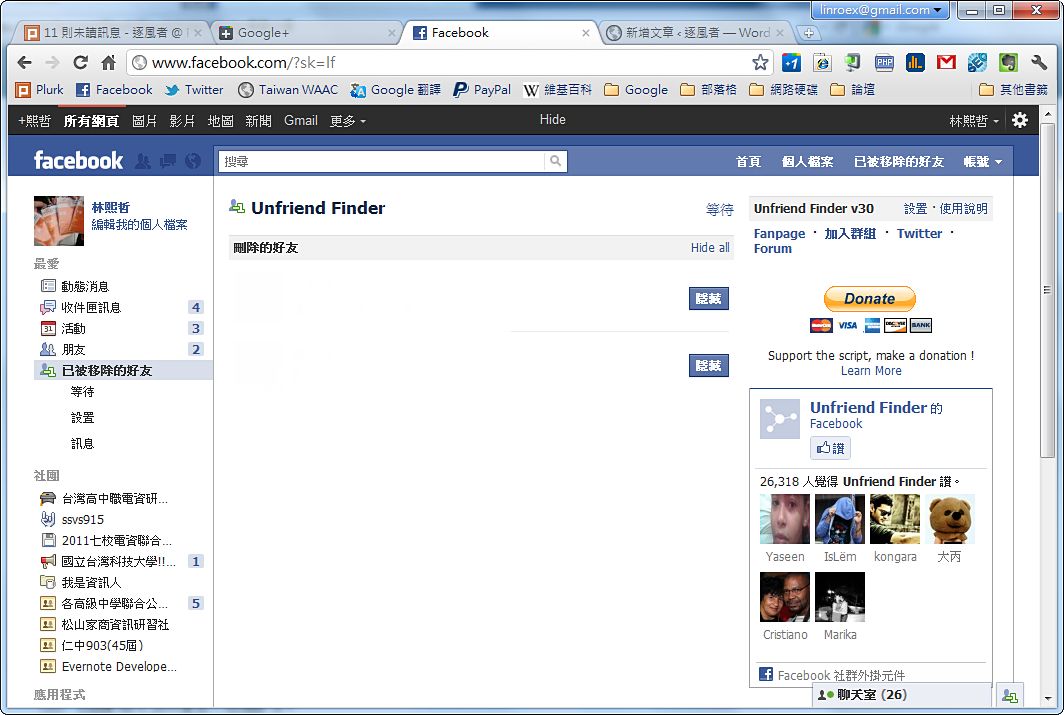
This shows who has removed you from their friends.
In addition, when someone adds you as a friend or removes you, Unfriend Finder will also show you a notification.