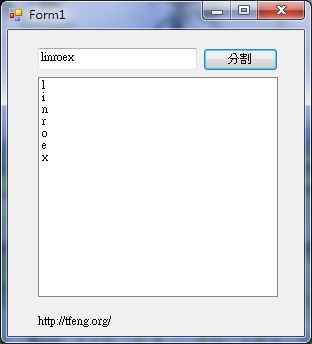
VB has a function called Mid, which extracts part of a string by specifying a starting position and a length. For example, Mid(“abcde”,1,1) returns “a”.
About the Mid function
Mid(the string to split, start position, length)The string to split is simply the text or variable you want to split.
The start position is the character where the split begins. Note that it cannot be 0.
The length is how many characters to cut out.
Example:
dim x as string
x="linroex"
msgbox(mid(x,1,3))
This example takes three characters from the variable x, starting from the first character.By combining the Mid function with a loop, you can split a string into individual characters.
Splitting a string into characters (VB):
Dim xin As String = TextBox1.Text
Dim xout() As String
ReDim xout(Len(xin))
For x = 1 To Len(xin)
    xout(x - 1) = Mid(xin, x, 1)
    ListBox1.Items.Add(xout(x - 1))
Next
Project file (VS2010): Xun6 | 4Shared | Box.net