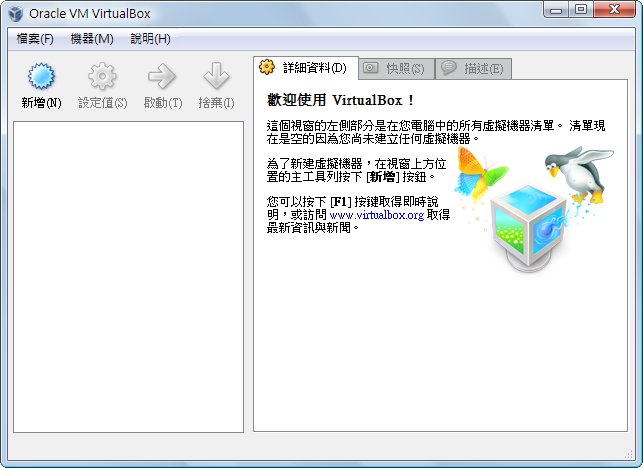
In this post, I’ll show you how to download and install VirtualBox. I’ll cover how to use virtual machines another time, when I have some free time.
What is a virtual machine?Simply put, a virtual machine lets you start another operating system while one is already running, so two operating systems exist at the same time. This is useful for hardcore PC gamers who want to play games in two windows, or for testing software. Ordinary computer users rarely need it. Because it runs two operating systems at once, it also uses a lot of performance, so computers with low specs or less than 2G of memory should not run a virtual machine….
VirtualBox features:
- Free
- Good performance
- Supports Windows, Linux, and Mac OS
- Built-in multiple language support (including Traditional Chinese)
- Small download size; unlike VMware, it doesn't take forever to download
VirtualBox download and installation guide:
1. First go to the VirtualBox website, click Downloads, and choose the version for your operating system. Below I can only demonstrate with Windows.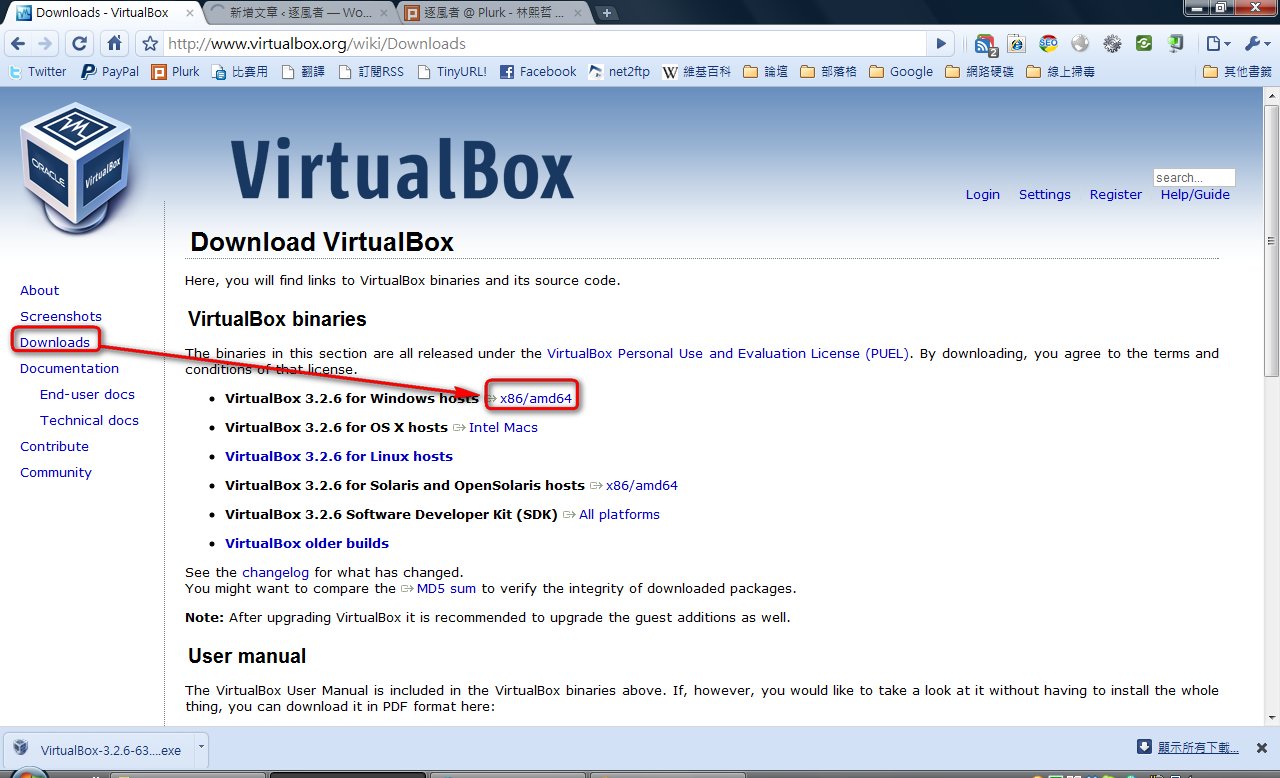
- After the download finishes, open the installer and click Run.
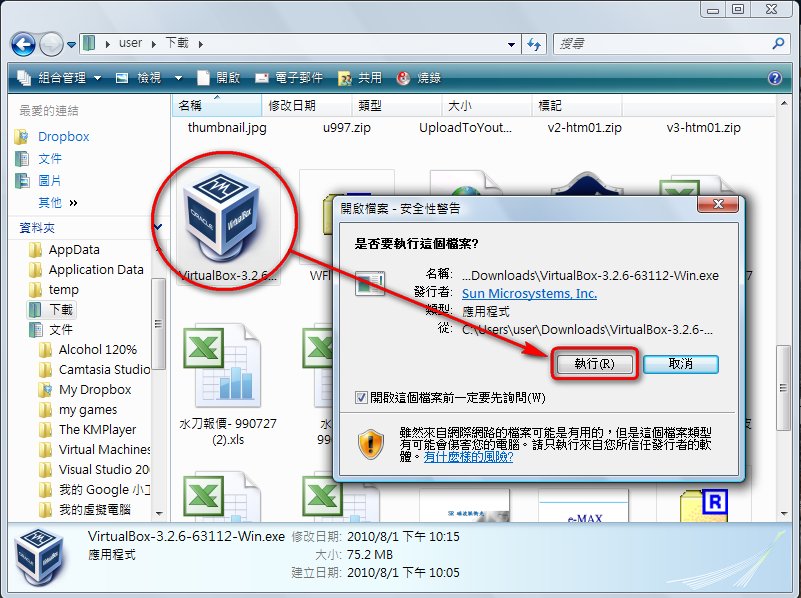
- Click Next.
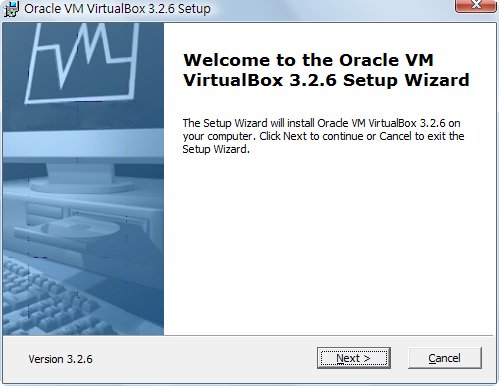
- Select I accept the terms in the License Agreement, then click Next.
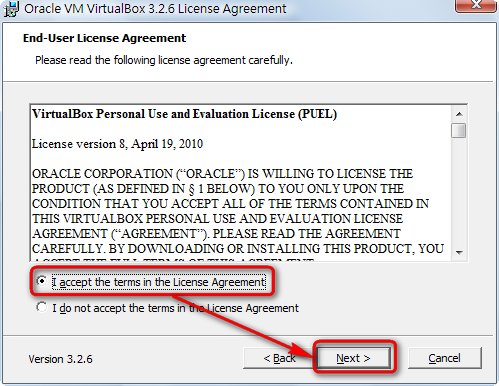
- Click Next, unless you want to change the installation location.
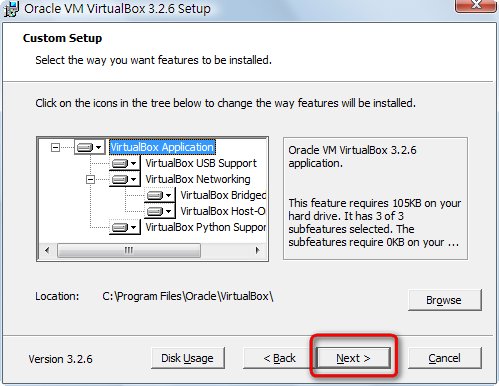
- Click Next.
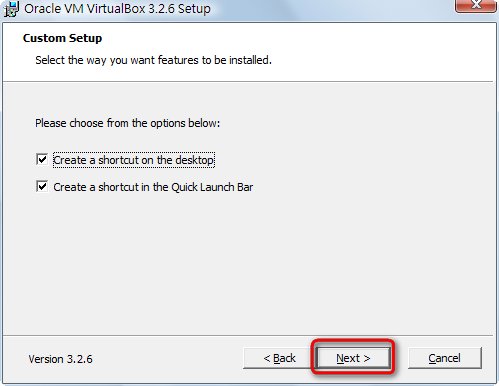
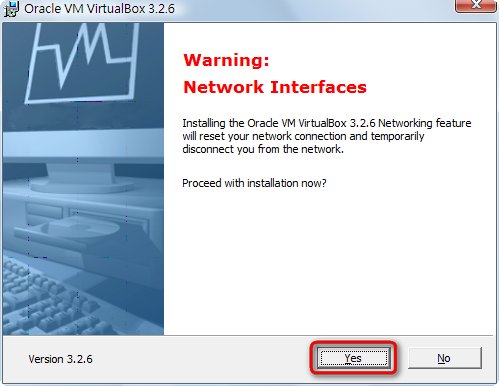
- Since I’m writing this on a laptop, a warning appears saying that installing on a laptop may be slow. Click Yes.
- Click Install.
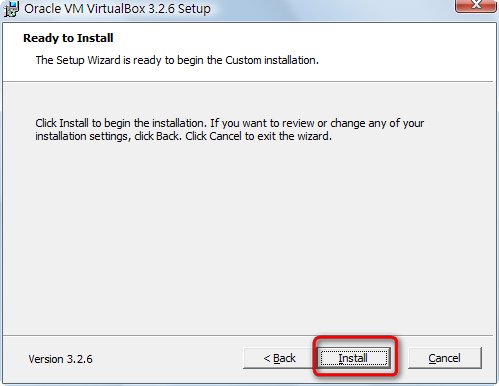
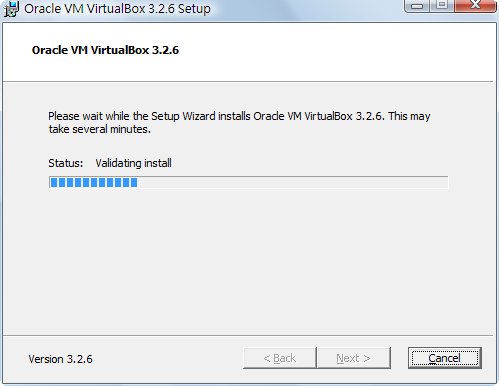
- The installation starts. The network may disconnect during installation; this is normal. Once the installation finishes, reconnect and you’ll be fine.
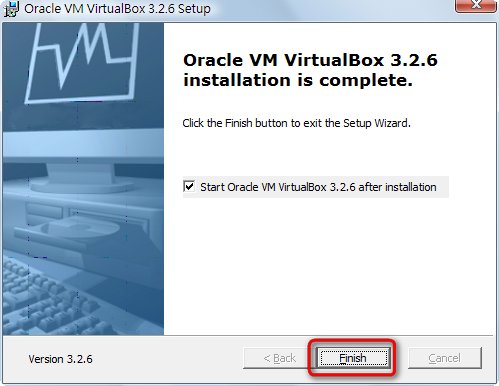
- Installation complete. Click Finish.
So far the installation is done, but the most important part is registration. The registration I mean here isn’t paid registration. It’s like Avast: you sign up for an account to activate your VirtualBox. However, since I had installed VirtualBox once before, I couldn’t register this time, so you’ll have to work out the rest of the registration on your own 0.0 Luckily, the software is in Chinese, so it shouldn’t be too hard.