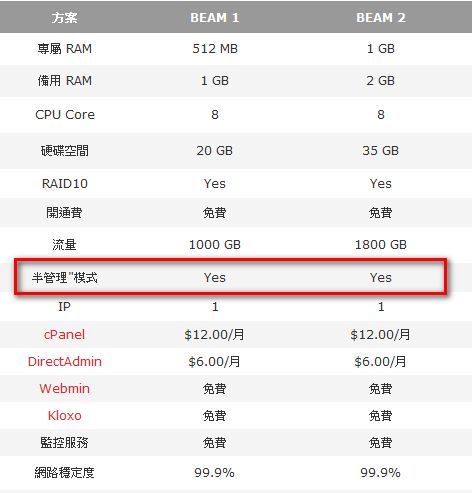
Points to Consider When Buying a VPS1.Is VPS management semi-managed or fully managed?
Many people see a low introductory price when buying a VPS and happily place an order. I once came across a VPS for 5 USD a month and almost jumped on it right away. But after asking other users, I learned why it was so cheap: it was unmanaged. That means once the VPS is yours, if something goes wrong, you have to fix it yourself. Emailing the provider doesn’t help, unless it’s a hardware problem. So unless you’re an expert, I recommend going with semi-managed, like I did. The price isn’t much higher anyway.
2.Is there a trial period or refund period?
A VPS is a fairly technical, virtual-server kind of thing. Unlike web hosting, which is intuitive and has a web interface, most people who buy a VPS end up working through a text interface right away. It’s not that you can’t install X Windows. It’s that the memory doesn’t allow it. So before buying a VPS, make sure you can get a refund. That way, you won’t buy one only to find out you don’t like it or don’t know how to use it.

3.The provider’s reputation online
If you want a cheap VPS, you pretty much have to buy one from overseas. Domestic VPS plans easily cost over NT$10,000, and their specs are worse than an overseas plan at NT$3,000… But if you buy from overseas and they take your money without providing the VPS service, what then? You can’t exactly fly across the ocean to sue them, and cross-border lawsuits cost too much. So the best way to protect yourself is to look up the provider’s reputation online. If you can’t find anyone who has used this VPS, I’d suggest looking at other providers. And if the price is suspiciously low, I’d also suggest skipping it, because once you factor in costs, the price can’t be that low.
4.VPS terms of use
Some VPS plans prohibit P2P downloads, because they slow down other users’ connections. So before buying, check whether the hosting provider has any special rules. If you want to run a website, don’t buy a plan that allows BitTorrent. If you want to download BitTorrent files with the VPS, also check whether the provider prohibits P2P downloads.
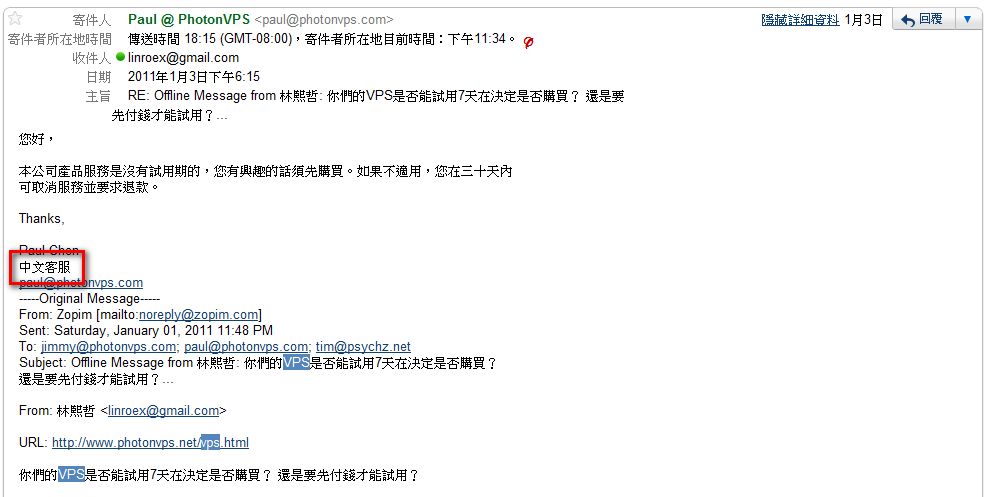
5.Does the VPS provider offer Chinese-language support?
Many US VPS providers now offer Chinese-language support, because they want a share of the Asian market. Whether there’s Chinese support matters for how fast your problems get solved when your VPS breaks and you contact the admins. Most admins are foreigners, and few can read Chinese. So unless your English is very good and you’re confident you can communicate with overseas engineers, you should definitely choose a VPS with Chinese support~ This is especially true for someone like me, whose English is terrible, and who was still taking English classes with junior high students in senior high school. Chinese support really matters!!
6.Can you pay monthly or every six months?
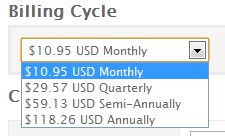
This is quite important. Even if a VPS provider has a trial period, you sometimes don’t notice its flaws during the trial, and only discover the downsides after it ends. But if you’ve already paid for a whole year, you’re stuck with it for that year before you can switch to another provider, which is really frustrating. And sometimes you don’t have enough money for a full year, so you can buy six months first. From my own experience, many US VPS providers offer monthly, quarterly (every 3 months), semi-annual, and annual billing. If it’s your first time, consider monthly or quarterly billing, and once you’re used to it, switch to annual.
7.Disk space, bandwidth, and memory
This depends on your needs and how many visitors your site gets. Bandwidth and disk space are fairly easy to estimate, but people who haven’t bought a VPS before often find it hard to estimate how much memory they need. Based on my own experience after setting one up: Linux itself uses around 100 MB of memory. Add services like Nginx, PHP, and SQL, and it reaches about 200 MB. If your web server uses Apache instead of Nginx, it might jump to 300 MB. So, at the very least, get 512 MB to be safe.
8.Can you pay with PayPal?
This is my personal preference. When buying from overseas, most people pay by credit card, but who knows whether something will go wrong after you give them your card number… So I pay them through PayPal, and after paying, I unlink PayPal from their account. That makes problems less likely~
About the VPS: PhotonVPS
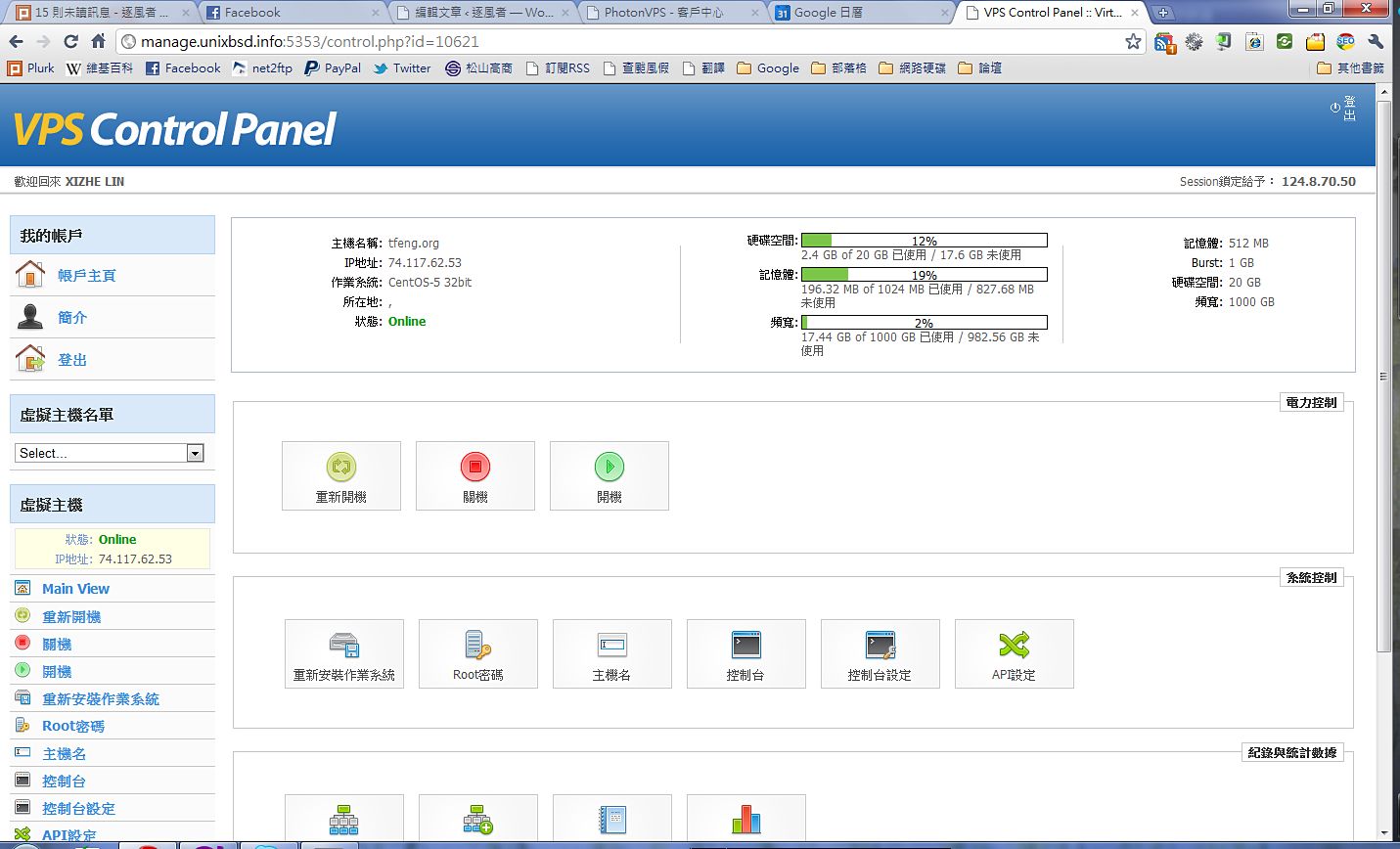
PhotonVPS is the VPS I'm currently using. I've gotten fairly used to it, and the service is very thorough. It also has Chinese support, but since there's only one Chinese-speaking staff member, replies to Chinese emails are slower. Emails in English get replies almost immediately. It offers two kinds of VPS, OpenVZ and Xen. Although it's a US provider, its speed is much faster than the ones in Taiwan. Ping latency ranges from 150 to 200. However, how fast a page opens depends mainly on upload and download speeds, not latency. With my home bandwidth (3m), even using the full connection, I couldn't find out what its upper limit is. It also accepts PayPal, and offers four billing options: monthly, quarterly, semi-annual, and annual. On top of that, it offers a refund within 30 days. Most importantly, all of its interfaces are in Chinese~~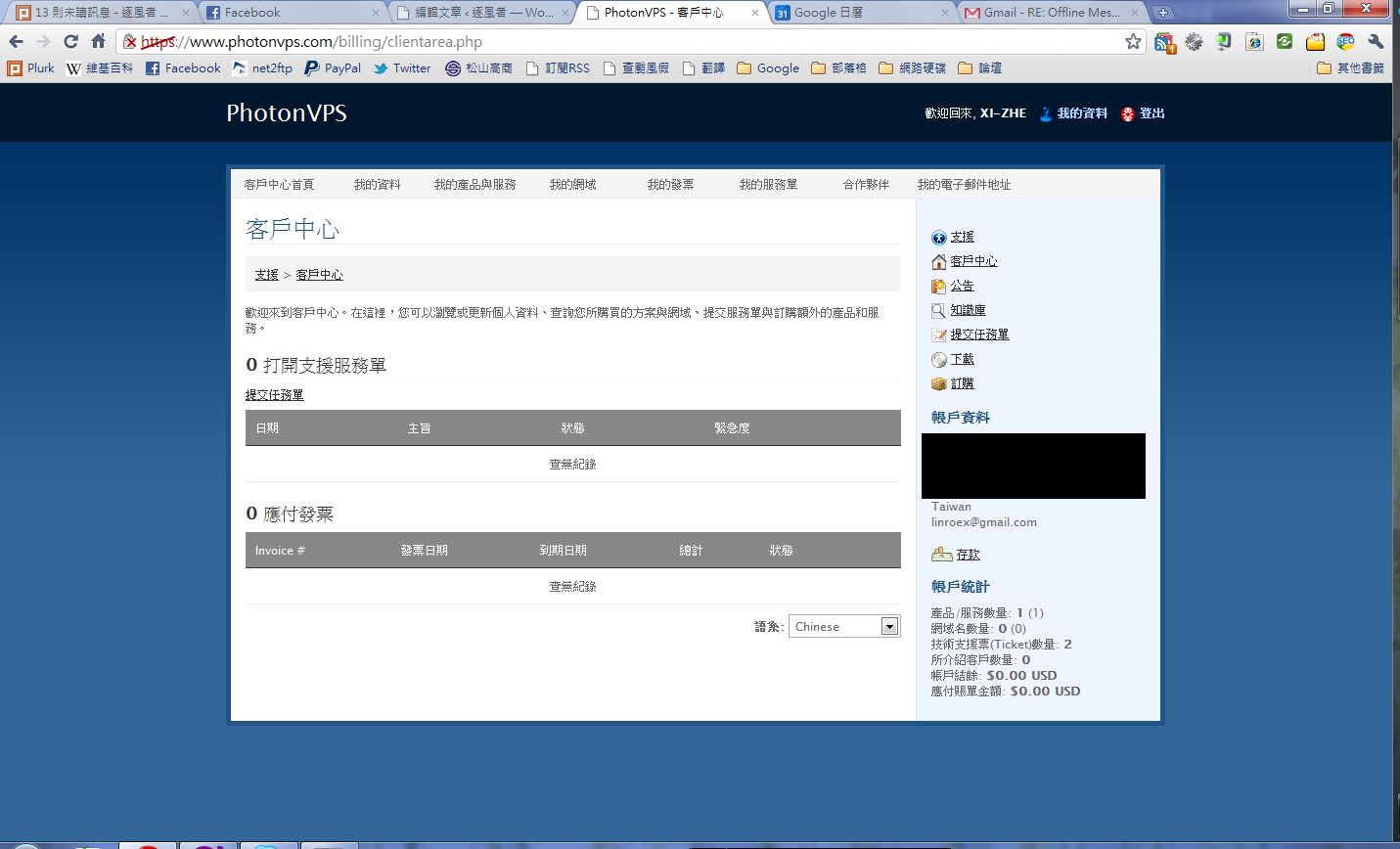
↑↑If there’s a problem with your VPS, you can send a request for help through the support center.
Also, when I bought this VPS, something embarrassing happened: the IP address assigned to me was flagged by the Ministry of Education’s firewall as a porn site. So at school, I had to get around the firewall just to visit my own website. But after I emailed their admins and asked for a different IP, they fixed it the next day. So if you buy this VPS and find that your IP gets blocked, just send them an email~
If you’re interested in buying or trying this VPS, please click the link on the right: http://www.photonvps.com/billing/aff.php?aff=1317
If you buy a VPS through this link, I get a small commission XDD. It costs you nothing. And if you have any VPS questions later, feel free to ask me.
You can conveniently manage your VPS through the default SolusVM Control Panel ↓↓