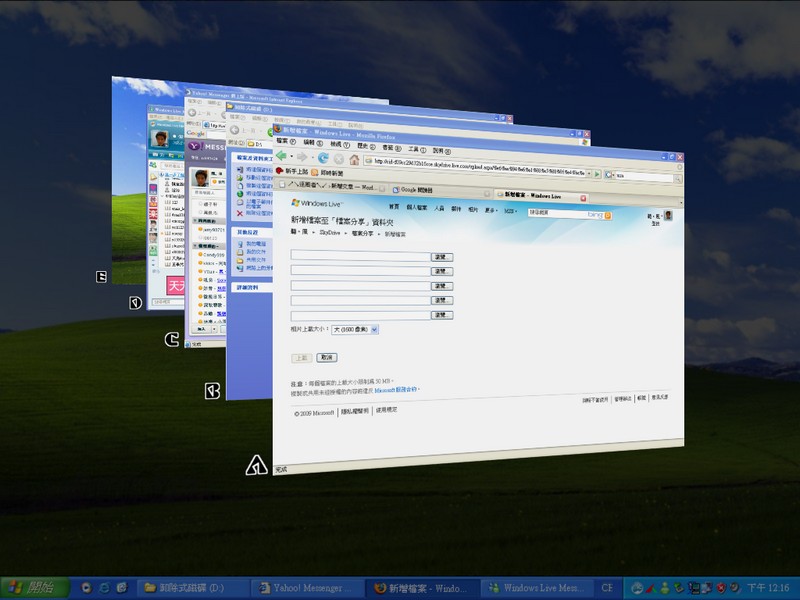
As everyone knows, Vista’s most famous feature is its gorgeous visual effects. The best of them is the 3D effect when switching windows. However, the 3D effects aren’t available in Home Basic. So I went online and found a program to simulate this effect on XP. That program is WFlip.
As far as I know, WFlip has only been updated up to version 050. It does have a Chinese language option, and it doesn’t need to be installed, so you can run it from a USB flash drive. Some people think WFlip slows down the system. I tested WFlip myself, and installing it doesn’t really hurt performance. WFlip uses very few system resources.
WFlip Info:
- Official website: http://tokyodownstairs.blogspot.com/2007/11/winflip.html
- Download links: Box.net | 4Share
- Virus scan report: Virustotal
Tutorial 1: Switching WFlip to Chinese
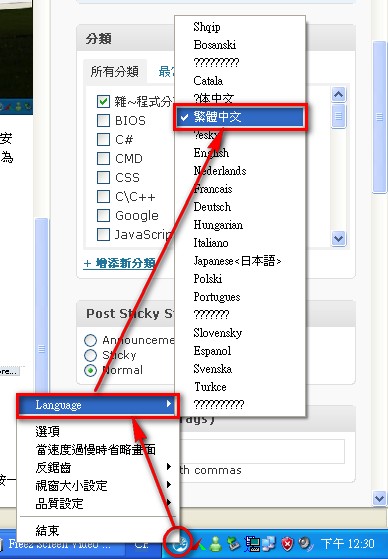
1.Double-click to launch the program. The interface may lag for a moment. When it switches back to a normal window, right-click the Logo in the lower-right corner.
2.Follow the arrows in the image below and click the related buttons. The interface will then switch to Chinese.
Tutorial 2: Setting a Shortcut Key
On XP, everyone probably uses ALT+TAB to switch windows! But in this program, the default is different. So right-click the program and choose "Options" (see Figure 1). Then set the shortcut for Simple Mode to ALT (see Figure 2).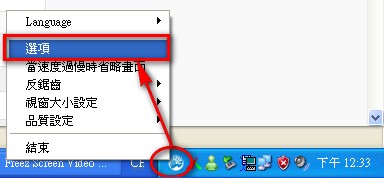 (Figure 1)
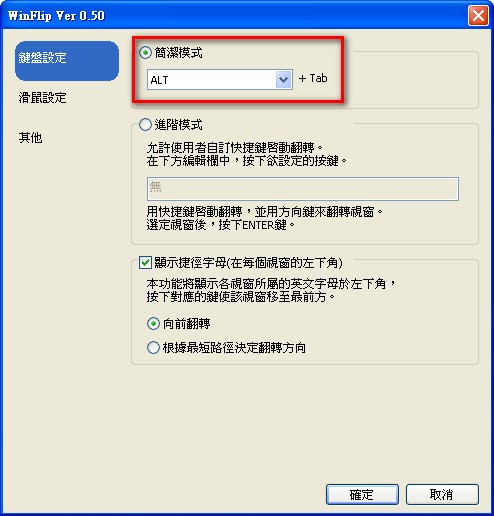 (↑↑↑↑Figure 2)
After setting it up, you can press ALT+TAB+the on-screen letter to switch windows. Of course, you can also switch the way you do on XP.
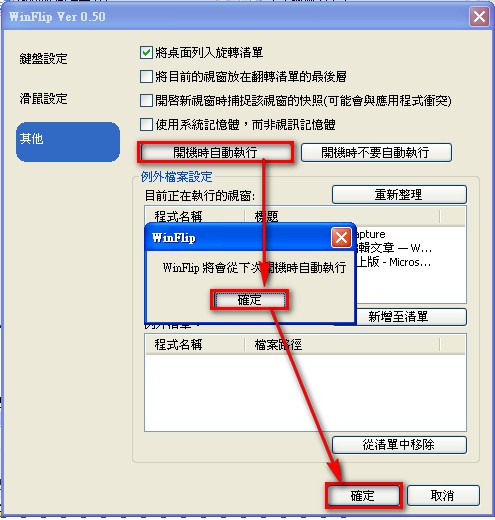
You can also check “Run at startup” under Options > Other, so the program launches every time your computer starts.