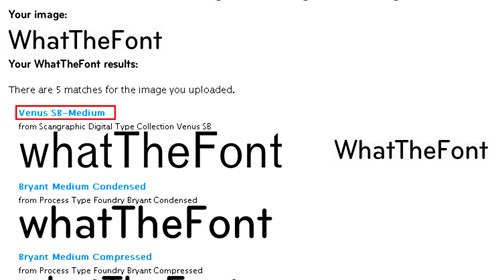
As the name suggests, WhatTheFont is a site for figuring out what font a piece of text uses. Its service is a bit unusual: you upload a photo, and it tries to identify the font of the text in it. Is it fun? To me, its only real use is that it gives you a helping hand. For example, the other time I was editing a MapleStory image and had no idea what font it used. If this site had existed back then, it would have been great! One thing to keep in mind is that WhatTheFont does not support Chinese fonts.
Site: http://new.myfonts.com/WhatTheFont/
In general, WhatTheFont doesn’t place many restrictions on the images you can use for font lookup.
The only requirements are that the image can’t be blurry, and it can’t be too small either.
How to Use It:
Let's go through an example using the image below.
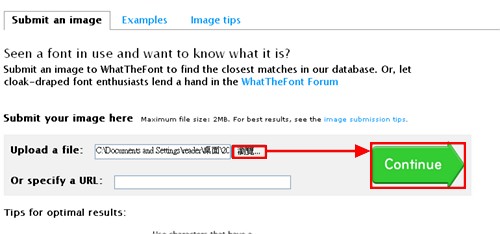
- Click the “Browse” button to upload the image you want to identify, then click “Continue.”
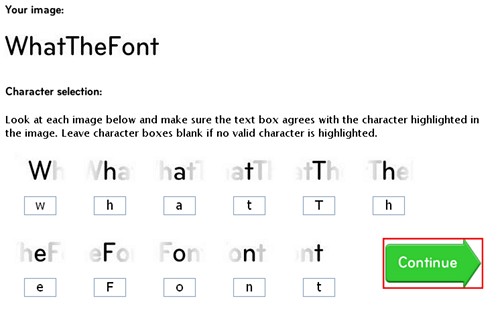
- Since it may misidentify some characters, you can manually correct the ones it got wrong. Be sure to pay attention to upper and lower case. Once you’ve made your corrections, click “Continue.”
- It will then show the results. There is usually more than one result, and the ones higher up are more likely to be correct.